Self-hosted alternatives to ChatGPT Business

Open WebUI is a self-hosted ChatGPT Business alternative: one ChatGPT-style chat for your whole team, connected to the AI provider you choose. ChatGPT Business is priced per seat; Open WebUI has no seat price, so you pay for your server and the AI you use, and chat history stays with you.

9 alternatives Free apps Our pick: Open WebUI

At a glance

App Good for Code Import from ChatGPT Business Ease of use
Open WebUI Small teams wanting one shared AI chat, paid per use instead of per seat Code Source-available Import from ChatGPT Business Partly Some setup
HuggingChat Small teams wanting a simple private chat for open AI models Code Open source Import from ChatGPT Business No Some setup
LibreChat Teams wanting one private chat for ChatGPT, Claude, Gemini and other models Code Open source Import from ChatGPT Business Yes Some setup
LobeHub People and small teams wanting a polished ChatGPT-style app with many models and agents, paid per use Code Source-available Import from ChatGPT Business No Some setup
Synaplan Teams wanting one AI assistant on their own files, in chat, on their website, WhatsApp and email Code Open source Import from ChatGPT Business No Some setup
AnythingLLM Teams wanting answers from their own documents, for staff or a website chatbot Code Open source Import from ChatGPT Business No Some setup
Eneo Councils and public bodies wanting a shared AI assistant that keeps data in-house Code Open source Import from ChatGPT Business No Some setup
Onyx Teams that want answers from their Slack, Drive, wiki and tickets, with a large server to spare Code Open source Import from ChatGPT Business No Some setup
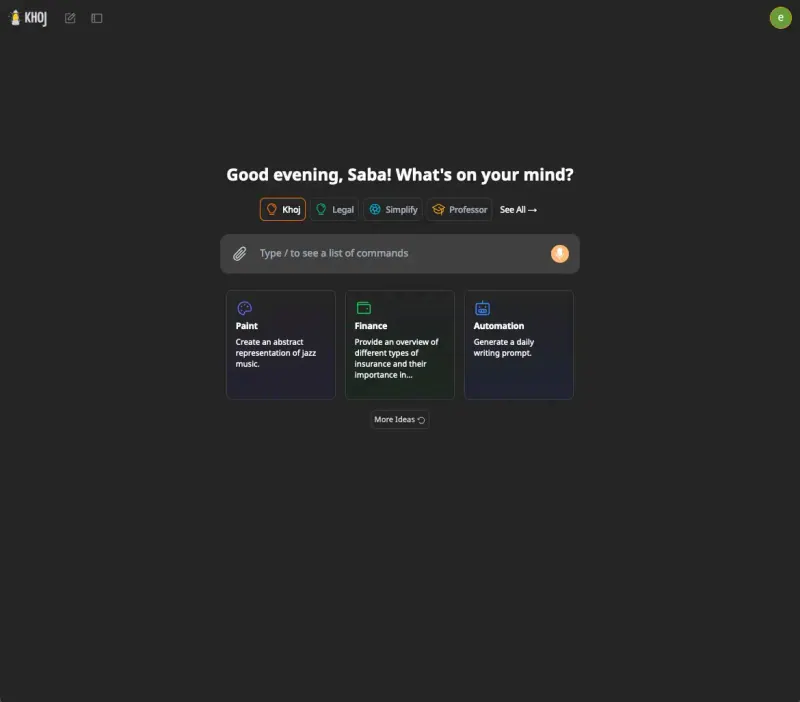
Khoj Researchers, students and note-takers who want a private AI assistant over their own documents Code Open source Import from ChatGPT Business No Some setup

Why look for an alternative to ChatGPT Business?

ChatGPT Business, called ChatGPT Team until 2025, is OpenAI's plan for companies to use ChatGPT together. Everyone gets ChatGPT with a shared workspace, admin controls, custom GPTs and connections to company apps, and OpenAI says it does not train on business data by default.

Teams look for an alternative because the plan is charged per seat, so giving the whole company access costs the same for people who use it daily and people who use it once a month. Chats also live on OpenAI's servers and only reach OpenAI's models. A self-hosted chat such as Open WebUI gives everyone one AI chat on your own server, connected to the models you choose, and you pay the provider for what is actually used.

The alternatives, compared

Open WebUI

Our pick

One AI chat for your whole team, on your own server.

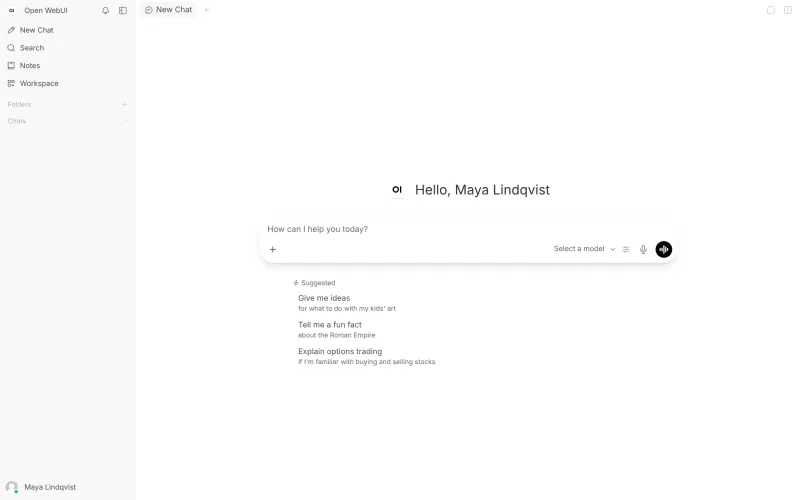
A ChatGPT-style chat for the whole team, with user accounts and groups, shared custom assistants and prompts, chat with your documents, web search, voice and sign-in through your company's identity provider. It holds no AI model itself: you connect a provider's API, such as OpenAI's, or a model server you run, and answers are only as good as the model you choose. ChatGPT's own agent, memory and deep research are more polished and need no setup.

What you gain
  • No price per seat; you pay for the server and for the AI you actually use
  • Chat history stays on your own server
  • Use models from several providers side by side, or your own model server
What is different
  • You need your own AI provider account and API key before anyone can chat
  • Answer quality and speed depend on the model you connect
  • ChatGPT's own extras, such as memory, its agent and deep research, are not matched one to one
Some setup Source-available

A ChatGPT-style chat for open AI models.

Hugging Face's Chat UI, the open-source app behind HuggingChat, is the simplest ChatGPT-style chat here: pick a model for each chat from open models such as Llama, Qwen and DeepSeek through Hugging Face's router, or any OpenAI-compatible API, including OpenAI's and a local Ollama. Models can use tools such as web search through MCP servers. It has no memory, custom GPTs, document knowledge bases or admin console, and Cloudgate puts one shared login in front of it, so everyone uses the same password until you set up OpenID Connect sign-in.

What you gain
  • No price per seat; you pay for the server and for the AI you actually use
  • A wide choice of open models, or models you run on your own hardware
  • Chat history stays on your own server, in an app under the Apache-2.0 open-source licence
What is different
  • Cloudgate puts one shared sign-in in front of the app; Chat UI has no user accounts of its own until you connect your company sign-in
  • There are no projects, memory, custom GPTs or document library like in ChatGPT
  • ChatGPT chats cannot be imported
Some setup Open source

AI chat for your team, with every major AI model.

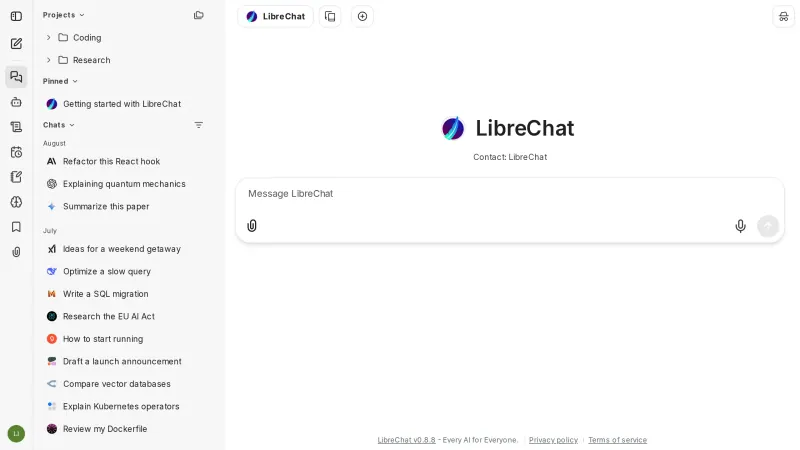
One ChatGPT-style chat for the team that reaches many providers at once, OpenAI, Anthropic, Google, Mistral, OpenRouter or your own model server, with no-code agents you share with users and groups, MCP tools, file chat, web search and single sign-on. It is open source under the MIT licence, and each person can import their ChatGPT chats. It runs a larger set of services than Open WebUI, and ChatGPT's own memory and deep research are not matched one to one.

What you gain
  • No price per seat; you pay for the server and for the AI you actually use
  • Claude, GPT, Gemini and other models side by side in one place
  • Chat history stays on your own server, in an app under the MIT open-source licence
What is different
  • You need your own AI provider account and API key before anyone can chat
  • Answer quality and speed depend on the model you connect
  • ChatGPT's and Claude's own extras, such as memory and deep research, are not matched one to one
Some setup Open source

AI chat and agents for many models, formerly LobeChat.

The most polished ChatGPT-style app of these for each person: chat with models from dozens of providers, agents with their own instructions and memory, agent groups, knowledge bases, image generation, voice and a marketplace of ready-made agents. When self-hosted it is not a shared team workspace: each person has a private account, with no admin console, groups or shared agents. It cannot import ChatGPT chats, and its code is public under its own licence, not open source.

What you gain
  • No monthly price per person; you pay for the server and for the AI you actually use
  • Chats, agents and files stay on your own server
  • Models from many providers side by side, including Claude and local models
What is different
  • You need your own AI provider account and API key before anyone can chat
  • There is no shared team workspace or admin console; each person has a private account
  • ChatGPT chats can't be imported
Some setup Source-available

One AI assistant on your files, for staff, website and WhatsApp.

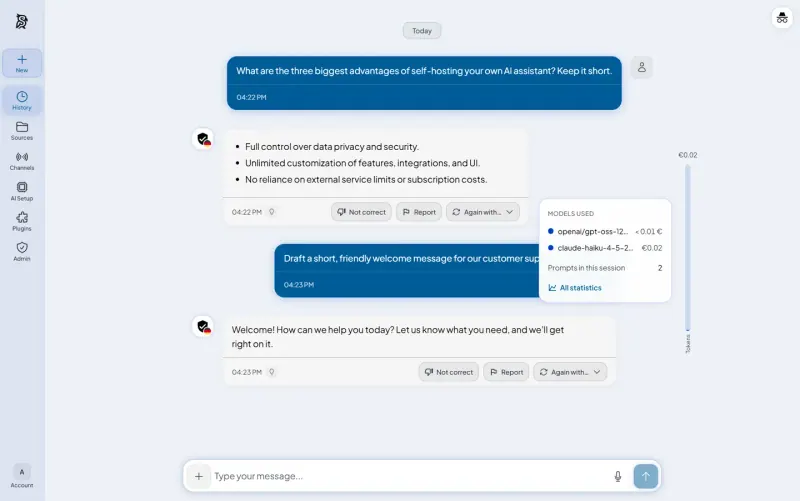
A team AI chat that shows which model answered and what each answer cost, lets you ask again with another model, and answers from files you upload. The same assistant can also answer on your website, WhatsApp and email, and actions such as sending mail wait for a person's approval. It needs an API key from an AI provider, cannot import ChatGPT chats, and is heavier than a plain chat window, with 8 GB of memory recommended.

What you gain
  • No price per seat; you pay for the server and the AI you use
  • Your chats, files and search index stay on your own server
  • Staff chat, a website chat and WhatsApp and email replies from the same knowledge
What is different
  • You need an API key from an AI provider, billed by that provider, or a model server you run
  • It runs several services and its makers recommend a server with 8 GB of memory
  • WhatsApp replies need a WhatsApp Business account with Meta
Some setup Open source

Private AI chat over your own documents, for staff and your website.

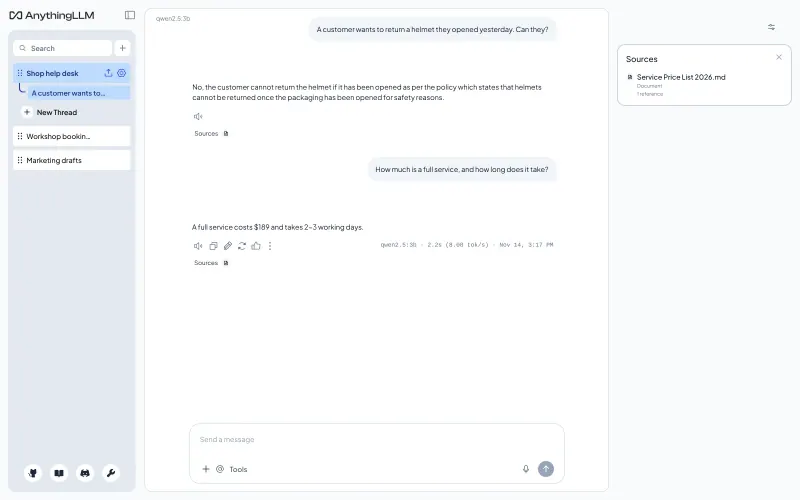
Built around your documents: put files and web pages into workspaces, and answers show the sources they came from. It adds accounts with roles and a chat widget for your website that answers visitors from a workspace. Like Open WebUI it needs an AI provider or model server you connect, and it has no single sign-on.

Some setup Open source

An open-source AI assistant for your organisation, on your server.

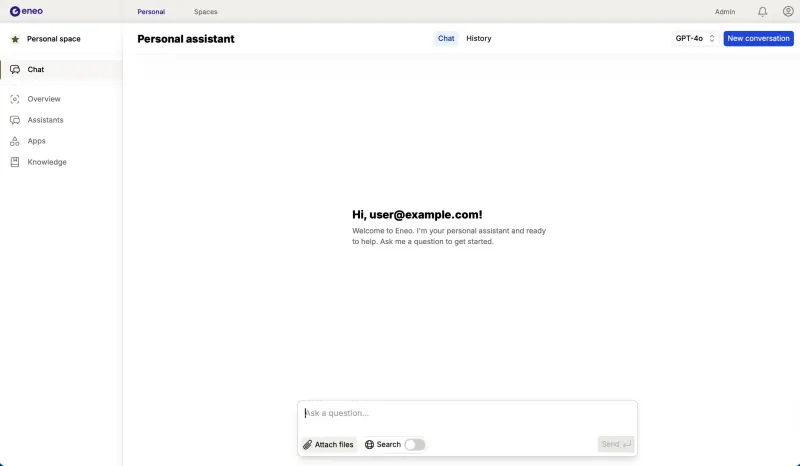
Built for organisations rather than single users: a ChatGPT-style chat for each person, shared assistants per team in spaces with roles, knowledge from uploaded documents, websites, SharePoint, OneDrive and Confluence, sign-in through your identity provider and an audit log of AI use. It was made by Swedish municipalities for the public sector, so some labels and docs are in Swedish, and like the others it needs an AI provider you connect. It cannot import ChatGPT chats.

Some setup Open source

AI search and chat that answers from your company's own apps.

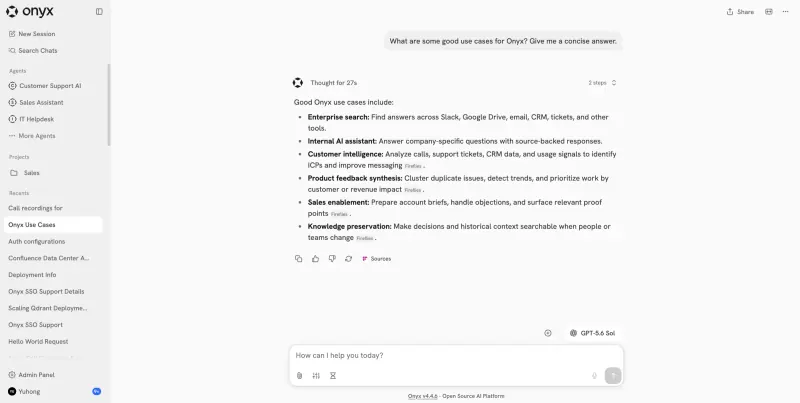
A ChatGPT-style team chat that also answers from your company's own apps: it connects to Slack, Google Drive, Confluence, Jira and dozens more, and cites the sources it used. It adds agents per team, deep research and web search, with the AI model you choose. It needs a much larger server, with 16 GB of memory, and user groups and permission sync from your apps are paid Onyx features.

Some setup Open source

A self-hosted AI second brain that answers from your own notes.

A personal AI assistant more than a team chat: it answers from your own documents and the web with references, runs code for charts and analysis, has a research mode, custom agents, memories and scheduled questions, with any AI model you connect. It has no groups, roles or single sign-on, and ChatGPT’s own apps are more polished.

Some setup Open source

Moving from ChatGPT Business

With Open WebUI, each person can bring their old chats across: export your data from ChatGPT, then in Open WebUI open Settings, Data Controls, Import Chats and choose the conversations.json file from the export. Chats come across; custom GPTs, memory and uploaded files do not, so rebuild the custom GPTs your team uses as custom models with the same instructions and knowledge files. Before inviting anyone, the admin adds an AI connection under Admin Panel, Settings, Connections, for example an OpenAI API key or any OpenAI-compatible service. Then add your colleagues, or turn on sign-in through your identity provider, and put them in groups for the assistants they share.

LibreChat imports chats too: each person exports their data from ChatGPT, then opens Settings, Data and Privacy, Import and chooses the conversations.json file. Custom GPTs, memory and files do not come across, so rebuild the custom GPTs your team relies on as agents and share them with the right users or groups. The first account you create becomes the admin; connect at least one AI provider with its API key before inviting colleagues.

AnythingLLM cannot import ChatGPT chats. In its first-run setup, choose your AI provider and paste its API key, then create a workspace for each set of documents your team asks about, upload the files, and add colleagues to the workspaces they need.

Onyx cannot import ChatGPT chats either. The first person to sign up becomes the admin: connect an AI provider with your API key, turn on invite-only sign-up, then add connectors for the apps your team asks about, such as Slack or Google Drive, giving Onyx access in each. Large sources take a while to index the first time.

LobeHub cannot import ChatGPT chats. Each person creates an account and adds an API key for a provider such as OpenAI under Settings, Provider, then rebuilds the custom GPTs they use as agents with the same instructions, and uploads their files into a knowledge base.

HuggingChat cannot import ChatGPT chats. When you install it with Cloudgate, choose the model provider and paste its API key, such as a Hugging Face access token, and its models appear on the Models page. Your browser then asks for a login: the username is admin and the password is the one Cloudgate generates, and everyone you share it with uses that same login. For a sign-in per person, set up OpenID Connect with your identity provider and limit it to your company's email addresses or domain.

Khoj cannot import ChatGPT chats. Sign in to its admin page, add an AI provider key and a chat model, then upload your files or sync them from the desktop app, Obsidian or Emacs. Rebuild the custom GPTs you rely on as Khoj agents with the same instructions and knowledge files.

Synaplan cannot import ChatGPT chats. As admin, paste an API key from a provider such as OpenAI, Anthropic or Groq under its AI settings, upload the files your team asks about, and rebuild the custom GPTs you use as assistants with the same instructions and knowledge folders. Then add your colleagues and share folders and assistants with their groups.

Eneo cannot import ChatGPT chats. Sign in with the admin email you gave during setup and the password Cloudgate created for it, then add your AI provider and the models staff may use under Admin, Models. Turn on sign-in through your identity provider, create a space for each team with the documents or SharePoint libraries it works from, and rebuild the custom GPTs your teams use as assistants in those spaces.

Questions

What is the best self-hosted alternative to ChatGPT Business?

Start with Open WebUI. All 9 are free to self-host. HuggingChat, LibreChat, Synaplan, AnythingLLM, Eneo, Onyx and Khoj are open source; Open WebUI (source-available) and LobeHub (source-available) publish their code under a licence with conditions an open-source licence does not have, such as limits on reselling it, keeping the maker's branding or a paid key for some features.

Should I choose Open WebUI, LibreChat, AnythingLLM, Onyx, LobeHub, Khoj, HuggingChat, Synaplan or Eneo?

Choose Open WebUI for one general ChatGPT-style chat for the whole team. Choose LibreChat if you want an MIT-licensed chat with many hosted providers side by side and shared agents. Choose AnythingLLM if most questions are about documents you upload, or if you also want a chat on your website that answers visitors from them. Choose Onyx if you want answers from the apps your company already uses, such as Slack, Google Drive and Confluence, and have a large server to run it. Choose LobeHub for the most polished personal app with agents and many models, if each person managing their own account and API key is fine. Choose Khoj for a personal research assistant over your own documents and notes rather than a team chat. Choose HuggingChat, Hugging Face's Chat UI, for the simplest chat built around open models, for one person or a small group that can do without accounts and admin tools. Choose Synaplan if you want to see what each answer costs, or want the same assistant to answer customers on your website, WhatsApp and email as well as your team. Choose Eneo for a public body or larger organisation that wants assistants per team, answers from SharePoint and Confluence, and an audit log of AI use.

Does Open WebUI include an AI model?

No. Open WebUI is the chat interface. You connect it to an AI provider with an API key, such as OpenAI or Anthropic, or to a model server you run, such as Ollama or vLLM. The provider bills you for what you use.

Is LibreChat open source?

Yes. LibreChat is open source under the MIT licence, with no paid edition. You pay only for your server and the AI providers you connect.

Is Open WebUI open source?

No. Its code is public and free to use, but since version 0.6.6 its licence requires keeping the Open WebUI name and logo once more than 50 people use it in 30 days, unless you buy an enterprise licence, so it is not OSI open source.

Can I use ChatGPT's models in Open WebUI?

Yes, through OpenAI's API with your own API key. API usage is billed by OpenAI separately from any ChatGPT plan.

Which ChatGPT alternative suits a council or public body?

Eneo. Swedish municipalities built it for the public sector, with spaces per team, roles, an audit log of AI use, and the AI model of your choice, including one you run yourself. It is open source under the AGPL-3.0 licence, with no paid edition.

Are these ChatGPT Business alternatives really free?

Yes, Open WebUI, HuggingChat, LibreChat, LobeHub, Synaplan, AnythingLLM, Eneo, Onyx and Khoj are free. To run them you need Cloudgate and a server. Use hosted Cloudgate, which can also provide the server, or install Cloudgate on a server of your own for free. Cloudgate's plans and prices are at cloudgate.octabyte.io/pricing. One server can run several apps.

Do I need a developer to replace ChatGPT Business?

No. Cloudgate installs the app you choose on your server and gives it a secure web address, and you use it in your browser instead of ChatGPT Business.