
Open WebUI
One AI chat for your whole team, on your own server.
No server needed to start: Cloudgate can provide one. What happens when you click Deploy
What is Open WebUI?
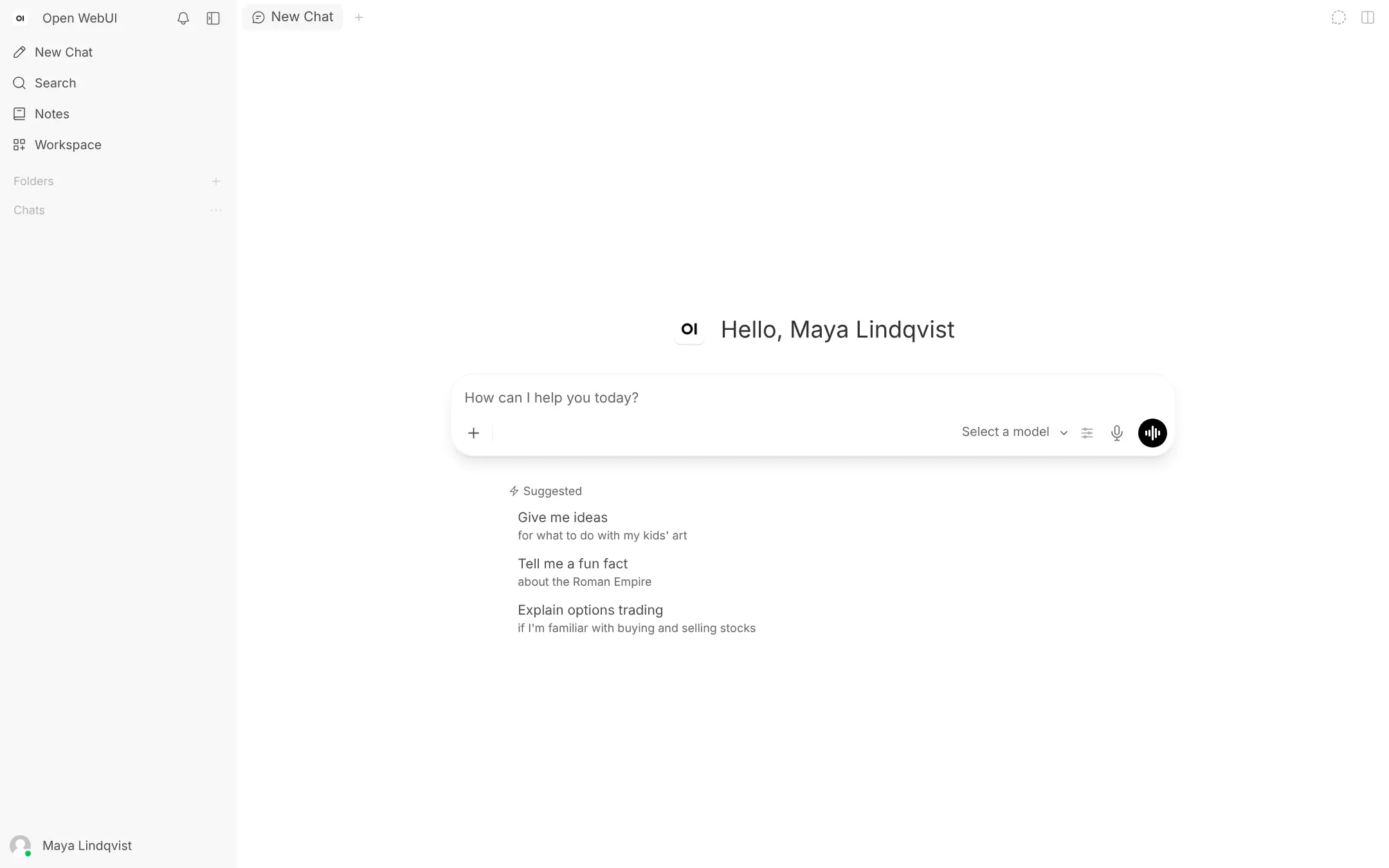
Open WebUI is a self-hosted, ChatGPT-style AI chat for your team, with accounts, chat history and knowledge bases, using the AI provider you choose.
Open WebUI is a self-hosted AI chat app for your team that looks and works much like ChatGPT, running on your own server instead of a per-seat subscription. It holds no AI model itself: you connect it to a provider, such as an OpenAI-compatible API key, Anthropic for Claude models, or a model server you run, and pay that provider for what you use.
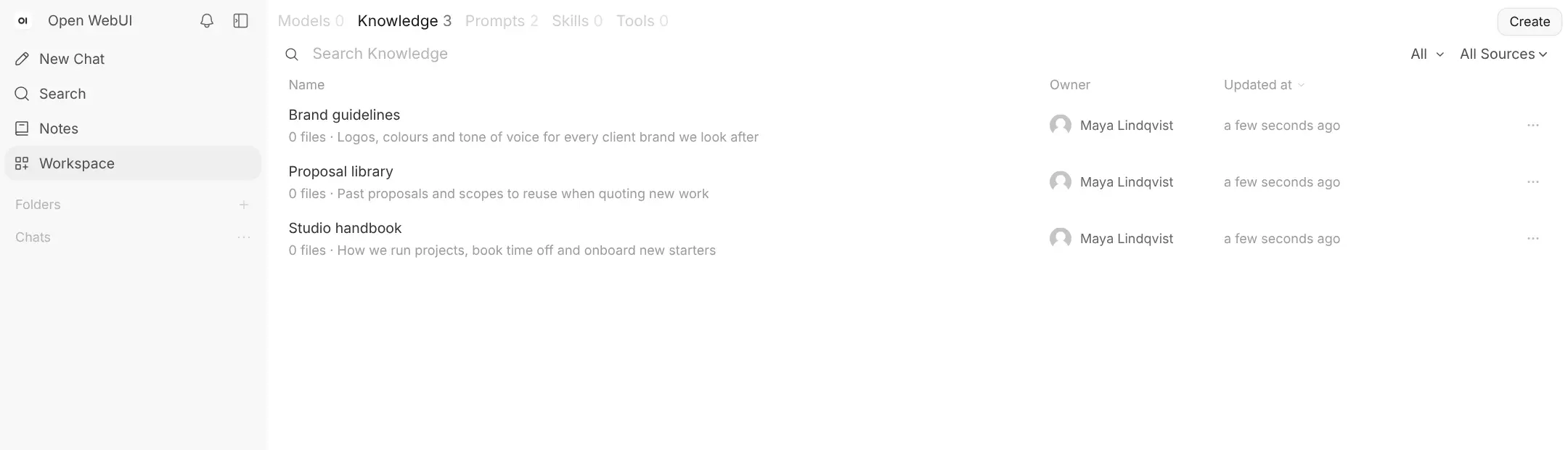
On top of the chat, it adds what a team needs. Everyone gets their own account and chat history, knowledge bases let people ask questions about your documents, and shared assistants and prompt templates keep good instructions in one place. A small design studio, for example, could load its brand guidelines and past proposals into a knowledge base, so anyone can draft a new proposal in the studio's own style.
Open WebUI works with single sign-on from Google, Microsoft and other identity providers. There is no native phone app, but it installs on a phone's home screen from the browser, and there is a desktop app for Mac, Windows and Linux. Each person can bring their old ChatGPT chats across.
Cloudgate installs Open WebUI on a server Cloudgate provides or one you connect, and gives it a secure web address. The first person to open it creates the admin account, then connects an AI provider.
What you can do with Open WebUI
- Chat with the AI models you choose Connect one or more providers, pick a model for each chat, or ask several models the same question at once.
- Ask questions about your documents Upload files to a knowledge base, such as a handbook or past proposals, and get answers drawn from them.
- Build shared assistants Turn a model into a team assistant with its own instructions and documents, and share it with a group.
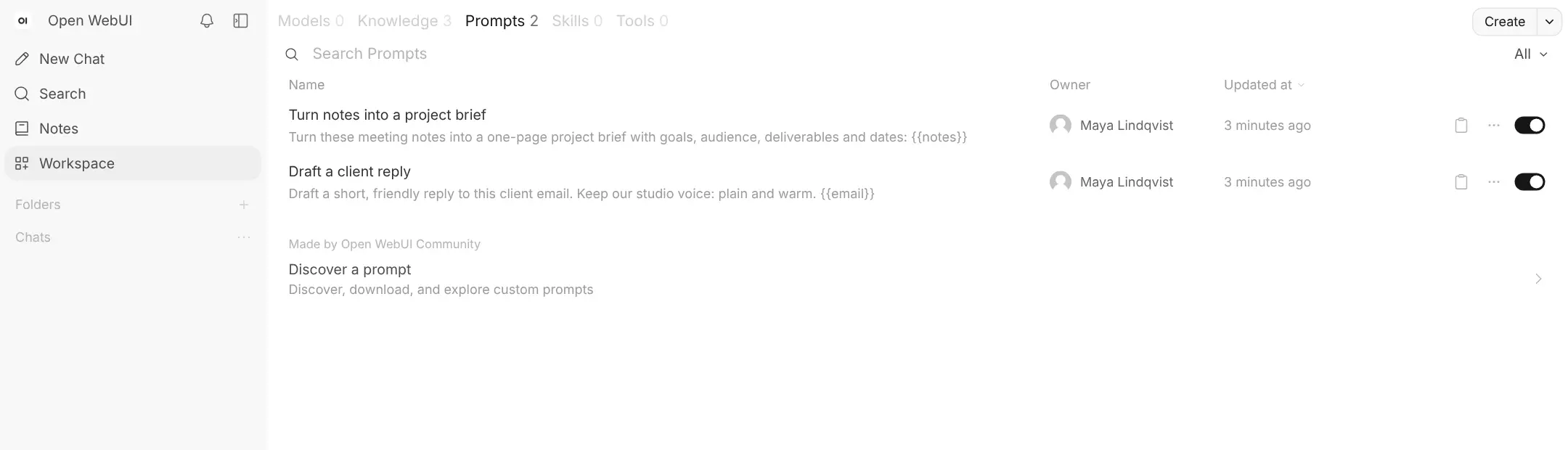
- Save prompts the team reuses Keep prompt templates like "draft a client reply" in one place, with blanks to fill in.
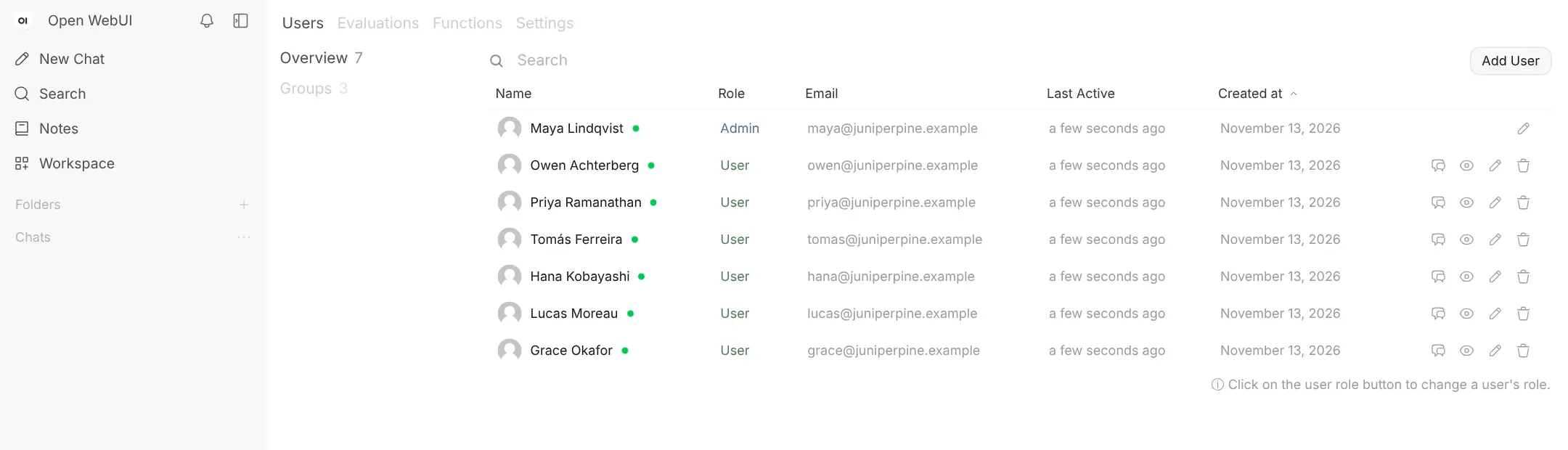
- Give everyone their own account Each person gets a private chat history, and groups decide who can use which models and knowledge.
- Sign in with your company account Use single sign-on with Google, Microsoft, Okta or another identity provider, plus two-step sign-in.
- Talk instead of typing Dictate messages, have answers read aloud, or use voice mode for a spoken conversation.
Replaces ChatGPT Business and Claude Team
Open WebUI does the same job as ChatGPT Business and Claude Team. Here is what changes when you switch.
- No price per seat; you pay for the server and for the AI you actually use
- Chat history stays on your own server
- Use models from several providers side by side, or your own model server
- Knowledge bases, shared assistants and prompts for the whole team
- You need your own AI provider account and API key before anyone can chat
- Answer quality and speed depend on the model you connect
- ChatGPT's own extras, such as memory, its agent and deep research, are not matched one to one
- There is no native phone app; it installs from the phone's browser instead
What happens when you click Deploy?
You do not need a server or any technical knowledge. Four steps, and Open WebUI is running at its own web address.
- Step 1 Click Deploy and create your account
Deploy takes you to Cloudgate. Create an account, or log in if you have one. Open WebUI itself is free.
- Step 2 Choose a server
No server? Get one from Cloudgate: pick a size and a country, and Cloudgate gets it ready. Already have one? Connect it instead.
- Step 3 Cloudgate sets up Open WebUI
It prepares the server, makes the passwords the app needs and starts it. There is nothing to install and nothing to write down.
- Step 4 Open your app and sign in
Your app gets a free web address to start, without https. Add your own domain, like app.yourshop.com, and Cloudgate secures it with https for you.
New to Cloudgate? See what Cloudgate is
Run Cloudgate yourself? Deploy from your own console
In your Cloudgate console, open Templates and choose Open WebUI.
Questions
Is Open WebUI free?
Yes, Open WebUI is free to use and its code is public, under its own source-available licence. You pay for your server and for the AI provider you connect. If more than 50 people use it in 30 days, you must keep the Open WebUI name and logo unless you buy an enterprise licence.
Is Open WebUI a good alternative to ChatGPT?
Yes, for a team that wants a self-hosted ChatGPT alternative. It looks and works much like ChatGPT, with a chat list, a model picker, file uploads and voice, and it has no seat price. ChatGPT needs no setup and has extras like memory and deep research that Open WebUI does not match one to one.
Does Open WebUI come with an AI model?
No, Open WebUI installs only the chat interface. The admin connects a provider in Admin Panel > Settings > Connections, using an API key for OpenAI or any OpenAI-compatible service, Anthropic for Claude models, or the address of their own model server. The provider bills its own usage.
How do I sign in to Open WebUI the first time?
The first person to open Open WebUI's web address creates the admin account, so do this right after setup. There is no default password. After that, people can't join on their own; the admin adds them, or approves new sign-ups, in Admin Panel > Users.
Can I import my ChatGPT chats into Open WebUI?
Partly. Each person can export their chats from ChatGPT and import the conversations.json file in Open WebUI's Settings > Data Controls. Only chats come across; custom GPTs, memory and uploaded files do not.
Is my data private with Open WebUI?
Mostly. With Open WebUI, your chats, accounts and documents are stored on your own server. Each message is still sent to the AI provider you connect so it can answer, so check that provider's data terms, or run your own model server to keep everything in-house.
What server size do I need for Open WebUI?
A server with 2 GB of memory is enough for Open WebUI when the AI models run with a cloud provider, so Cloudgate asks for that size. Running your own AI models needs a separate, much larger server, usually with a graphics card.
Do I need technical skills to run Open WebUI?
No. Click Deploy, create your Cloudgate account and choose a server, and Cloudgate sets up Open WebUI and gives it a web address. You use it in your browser like any other online tool.
Do I need my own server for Open WebUI?
No. When you deploy Open WebUI, hosted Cloudgate can provide a server. If you already rent one, you can connect it instead.
Related apps

AI chat for your team, with every major AI model.
AI chat and agents for many models, formerly LobeChat.

One AI assistant on your files, for staff, website and WhatsApp.

An open-source AI assistant for your organisation, on your server.