

C

Open-source alternatives to Chatbase

AnythingLLM is a free, open-source Chatbase alternative: a chat widget for your website that answers visitors from your own documents, using the AI provider you choose. Chatbase plans cap message credits each month; self-hosted AnythingLLM has no message cap of its own, so you pay only your server and the AI provider for what is used.

6 alternatives Free apps Our pick: AnythingLLM

At a glance

App Good for Code Ease of use
AnythingLLM Teams wanting answers from their own documents, for staff or a website chatbot Code Open source Some setup
DocsGPT Businesses wanting a website or staff chatbot that answers from their documents, with sources Code Open source Some setup
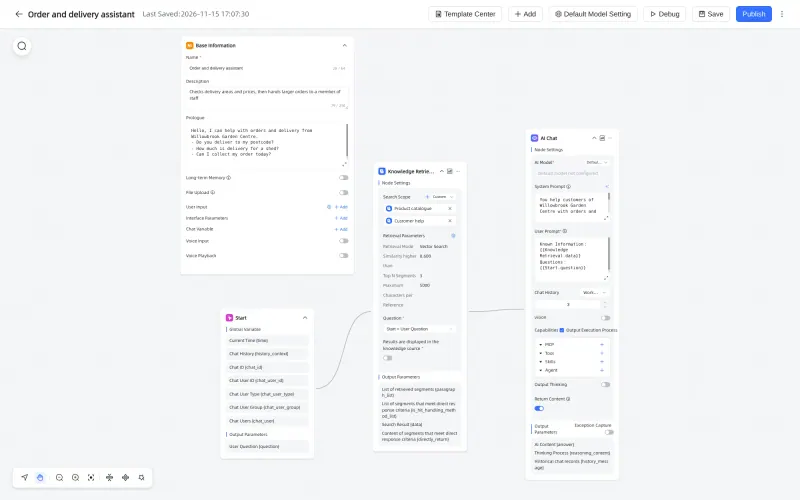
MaxKB Small teams wanting a few website or staff chatbots, built with a visual workflow Code Open source Some setup
RAGFlow Teams with many complex documents, such as scans, tables and manuals, and a large server Code Open source Some setup
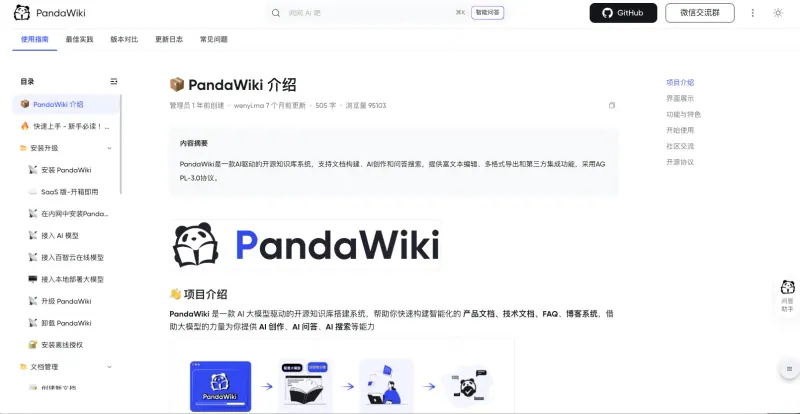
PandaWiki Chinese-speaking teams publishing product docs or a help centre with AI answers Code Open source Some setup
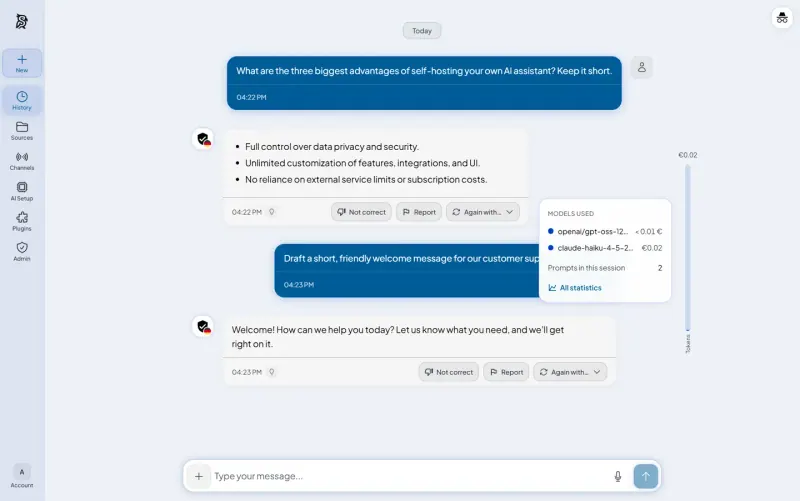
Synaplan Teams wanting one AI assistant on their own files, in chat, on their website, WhatsApp and email Code Open source Some setup

Why look for an alternative to Chatbase?

Chatbase lets a business build an AI chatbot from its own content, such as documents and website pages, and put it on its website to answer customers. It is a hosted service with integrations, lead capture and actions for customer support.

Businesses look for an alternative because Chatbase is priced by plan and message credits. When we checked its pricing page in November 2026, it listed no free plan and its Basic plan cost $150 a month for 4,000 message credits. A busy website can run through credits quickly. A self-hosted AnythingLLM gives you a website chat over your own documents with no message cap of its own, and the documents stay on your server, while you pay your chosen AI provider directly.

The alternatives, compared

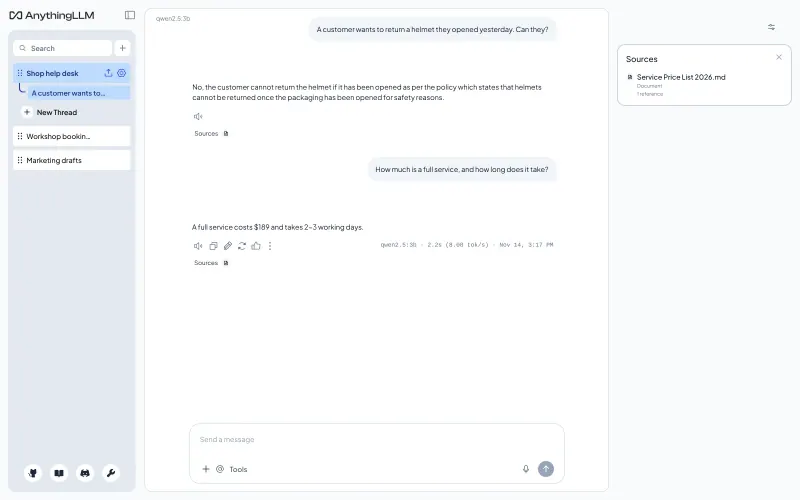
AnythingLLM

Our pick

Private AI chat over your own documents, for staff and your website.

Puts a chat bubble on your website that answers visitors from the documents in one workspace, with your own colours, greeting and daily chat limits. Your staff can also chat with the same documents and see the sources. You connect the AI provider you choose; Chatbase needs no setup and has support extras, such as integrations, lead capture and actions, that AnythingLLM does not match.

What you gain
  • No price per message or per seat; you pay for the server and the AI you use
  • Your documents and chat history stay on your own server
  • Staff chat and a website chatbot from the same documents, in one app
What is different
  • You need your own AI provider account and API key, or a model server you run
  • Answer quality and speed depend on the model you connect
  • The website chat answers questions; it has none of Chatbase's lead forms or support-tool integrations
Some setup Open source

A self-hosted AI chatbot for your website, answering from your docs.

Answers from your documents and web pages with the sources shown, and puts a chat or search widget on your website, with agents, tools and visual workflows when you need more. It works without an API key through the DocsGPT team's free model, which sends questions and document snippets to their service, or with your own AI provider. Everyone shares one access token and one workspace, so there are no per-person accounts, and it has no lead capture or Chatbase-style integrations.

What you gain
  • No price per message or per seat; you pay for your server and any AI provider you choose
  • Your documents and their index stay on your own server
  • A chat widget and a search widget from the same agent
What is different
  • The free default model runs on the DocsGPT team's service, which receives the questions and matching passages
  • Everyone signs in with one shared token and shares one workspace; personal accounts need a separate sign-in service
  • No Chatbase import, and no lead forms or helpdesk integrations of the kind Chatbase sells
Some setup Open source

Build AI chatbots that answer from your documents, on your website.

Builds chatbots that answer from your documents, from a simple form or a drag-and-drop workflow, and embeds them on your website as a floating button, full page or mobile chat, with per-visitor daily limits and chat statistics for each agent. The free Community Edition is capped at 5 agents, 50 knowledge bases and 2 users, and needs a large server; Slack and other chat integrations are in its paid Pro edition.

What you gain
  • No message credits; you pay for your server and the AI provider you connect
  • Your documents and chat history stay on your own server
  • A visual workflow builder for agents that do more than answer questions
What is different
  • The free edition allows only 5 agents, 50 knowledge bases and 2 user accounts; more needs MaxKB's paid Pro edition
  • You need your own AI provider account and API key, or a model server you run
  • No Slack, Microsoft Teams or similar channel integrations, custom chat avatar or single sign-on in the free edition
Some setup Open source

An AI assistant that reads your hardest documents and cites them.

Stronger than AnythingLLM at reading hard documents, such as scans, tables and multi-column PDFs, and lets you see and edit how each one is split. It can embed a chat or a floating widget on your website and answer in Discord, Telegram or WhatsApp, with no message credits of its own. It needs a 16 GB server and more setup, and has no lead capture or Chatbase-style integrations.

What you gain
  • No message credits or seat price of its own; you pay for the server and the AI you use
  • Your documents, chats and settings stay on your own server
  • Scanned, multi-column and table-heavy documents are read with their layout, not as plain text
What is different
  • It needs a very large server, with 16 GB of memory, and reading big scanned documents takes time
  • You connect and pay an AI provider yourself, and set up its models before anything works
  • There are more settings to learn, such as reading modes and retrieval options, than in Chatbase
Some setup Open source

A docs and help site that answers visitors' questions with AI.

Answers visitors' questions from your documents with links to its sources, as a chat widget on your website or a bot in Discord and other chat apps, and also publishes those documents as a public help site. Its screens are in Chinese only, the free edition holds 300 documents and one admin, and it has no lead capture or Chatbase-style actions.

Some setup Open source

One AI assistant on your files, for staff, website and WhatsApp.

Answers website visitors from your uploaded files through a chat widget you add with one snippet, and lets a person take over a chat when needed. The same assistant can also answer on WhatsApp, through Meta's official API, and by email, and your team uses it as an AI chat too, with the cost of each answer shown. It needs an AI provider key and a server with about 8 GB of memory, and has no Chatbase importer.

Some setup Open source

Moving from Chatbase

Gather the content you trained your Chatbase agent on, such as PDFs, help articles and your website's pages, and add it to a workspace in AnythingLLM by uploading files or fetching web pages. Choose your AI provider and paste its API key. Then open the chat embed settings, create a widget for that workspace, set the allowed domains and chat limits, and paste the script tag into your website in place of Chatbase's. In RAGFlow, connect a chat model and an embedding model, upload the same content into a dataset with a reading mode for each kind of document, create a chat assistant over it, and copy its embed code into your website. In DocsGPT, paste the access token from the app's logs in Cloudgate into the browser once, add your files and web pages as knowledge, create an agent over them, publish it, and paste the chat widget's script tag into your website. In MaxKB, upload the content into a knowledge base or sync your website by its address, check answers with Retrieval Testing, create an agent over it, and paste its embed code into your website.

In PandaWiki, connect your AI models, create a knowledge base, bring your content in from files, web pages or a sitemap, publish it, then add its chat widget to your website.

In Synaplan, paste your AI provider's API key in the admin settings, upload the content you trained Chatbase on, create an assistant that answers from it, and paste the widget snippet into your website in place of Chatbase's. Connect WhatsApp or email later if you want the same assistant there.

Questions

What is the best open-source alternative to Chatbase?

Start with AnythingLLM. All 6 are free and open source.

Does a self-hosted chatbot limit how many messages it can answer?

No, not by itself. AnythingLLM, RAGFlow, MaxKB, DocsGPT, PandaWiki and Synaplan have no message credits of their own. You set your own daily and per-session limits, and your AI provider bills you for what is used.

Should I choose AnythingLLM, RAGFlow, MaxKB, DocsGPT or Synaplan?

AnythingLLM for most websites: it is lighter, runs on a much smaller server, has a simple chat bubble with your branding and gives each person their own account. RAGFlow if your documents are complex, such as scans, tables and manuals, and you have a large server. MaxKB if you want to design a chatbot's steps in a visual workflow and need no more than 5 chatbots and 2 user accounts, the limits of its free edition. DocsGPT if you want a chat or search widget with sources and agents, and can try it without an AI key. Synaplan if a person should be able to take over website chats, or the same assistant should also answer on WhatsApp and email.

Do I need an AI subscription to use these apps?

For AnythingLLM, RAGFlow, MaxKB, PandaWiki and Synaplan, yes: an AI provider account and API key, such as OpenAI, Anthropic or Google, or a model server you run yourself. Questions and the document passages used to answer them are sent to that provider. DocsGPT also works without a key, through the DocsGPT team's free model, which sends questions and snippets to their service.

Which one also publishes a help site?

PandaWiki. It turns your documents into a public docs website and answers questions from them in the same app, while AnythingLLM, RAGFlow, MaxKB and DocsGPT only add the chat. PandaWiki's interface is in Chinese.

Are these Chatbase alternatives really free?

Yes, the apps are free, with limits in two of them: MaxKB's free Community Edition allows at most 5 agents, 50 knowledge bases and 2 users, and PandaWiki's free edition one site, 300 documents and one admin; paid licences remove those limits. AnythingLLM, RAGFlow, DocsGPT and Synaplan have no such caps. With any of them you pay the AI provider you connect for what is used, unless you run a model yourself. To run them you need Cloudgate and a server: use hosted Cloudgate, which can also provide the server, or install Cloudgate on a server of your own for free. Cloudgate's plans and prices are at cloudgate.octabyte.io/pricing.

Do I need a developer to replace Chatbase?

No. Cloudgate installs the app you choose on your server and gives it a secure web address, and you use it in your browser instead of Chatbase.