G

Open-source alternatives to Glean

Onyx is a free, open-source Glean alternative: AI chat and search that answers from your Slack, Google Drive, wiki and tickets, with links to the sources. Glean is sold by quote after a demo; Onyx’s Community Edition runs on your own server with the AI model you choose, though it needs a large server and permission sync is a paid Onyx feature.

4 alternatives Free apps Our pick: Onyx

At a glance

App Good for Code Ease of use
Onyx Teams that want answers from their Slack, Drive, wiki and tickets, with a large server to spare Code Open source Some setup
OpenRAG Teams wanting a private chat over their documents that they can adjust step by step Code Open source Some setup
WeKnora Teams that want cited answers, a wiki and FAQ lists built from their own documents, on a mid-size server Code Open source Some setup
RAGFlow Teams with many complex documents, such as scans, tables and manuals, and a large server Code Open source Some setup

Why look for an alternative to Glean?

Glean is a hosted AI assistant and search for companies: it connects to a company's work apps, answers questions from their content with citations while respecting who may see what, and lets teams build agents. It is sold to businesses by quote; its pricing page offers a demo rather than prices.

Companies look for an alternative because they want to see the cost before a sales process, keep their indexed documents and chat history on their own servers, or choose their own AI models. Onyx's open-source Community Edition does the same kind of search and chat on your own server, with the AI provider you pick, though its permission sync is a paid add-on.

The alternatives, compared

Onyx

Our pick

AI search and chat that answers from your company's own apps.

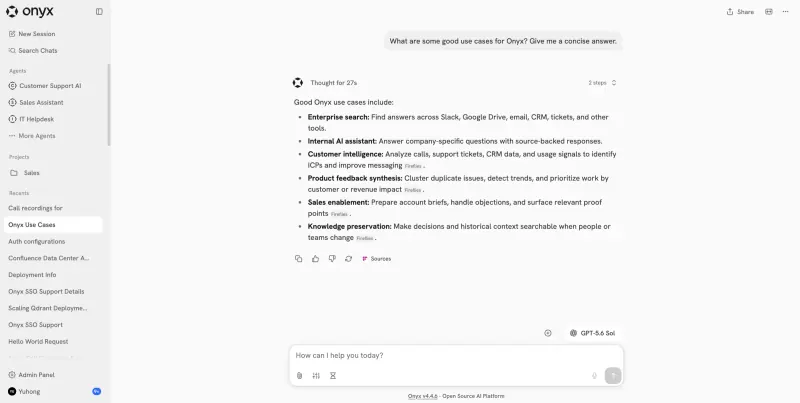
Does Glean's core job: connect Slack, Google Drive, Confluence, Jira, GitHub and dozens more apps, then ask questions in a chat that answers from them with links to the sources, build agents for each team and run deep research. It uses the AI model you choose. Glean is fully managed and has more connectors; in Onyx, permission sync from your apps, user groups, usage analytics and branding are paid features, and the full search stack needs a server with 16 GB of memory.

What you gain
  • Your indexed documents and chat history stay on your own server
  • Any AI model you choose, billed by that provider for what you use
  • The open source Community Edition has no per-seat price
What is different
  • It needs a very large server, with 16 GB of memory and plenty of disk
  • Permission sync from your apps, user groups, usage analytics and branding are paid Onyx features, not included
  • You set up access in each app you connect, and the first indexing of big sources takes time
Some setup Open source

Ask questions of your team's documents, in a chat you can reshape.

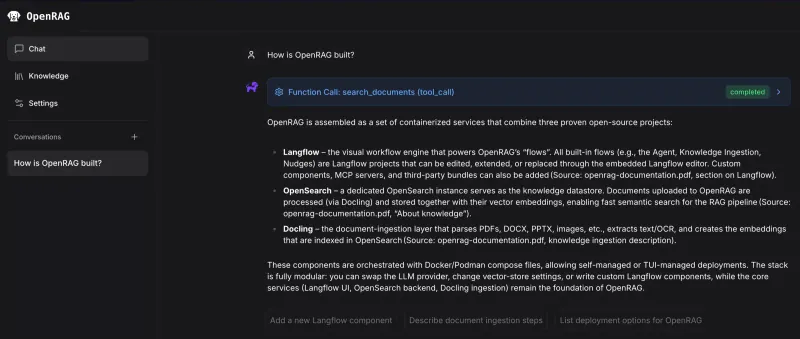
Chat that answers from documents you upload or sync from Google Drive, OneDrive, SharePoint and Amazon S3, with OpenSearch underneath and every step editable in a visual Langflow editor. Each person sees only the documents they uploaded or can open in their cloud storage once Google sign-in is set up; without it, everyone shares one knowledge base. It has far fewer connectors than Glean, with no Slack, Confluence or Jira, and needs a server with 8 GB of memory.

Some setup Open source

Ask your company's documents questions and get answers with sources.

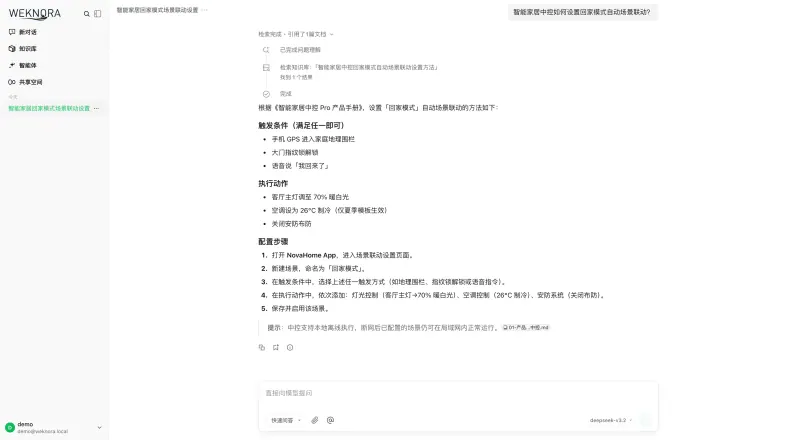
Fits when the answers sit in your own documents rather than across every company app: upload files into knowledge bases, or sync them from Confluence, Notion, GitLab, Seafile or RSS, and ask questions that answer with citations to the passage. It also builds a wiki from your documents and keeps FAQ knowledge bases, with workspace roles for your team. It has far fewer connectors than Glean, no search of Google Drive, SharePoint or Slack, and no permission sync from source apps; its documentation is mostly in Chinese.

Some setup Open source

An AI assistant that reads your hardest documents and cites them.

Better for deep reading of document collections than for company-wide search: it reads scans, tables and complex PDFs with their layout, answers with citations, has a Search page and syncs files from Confluence, Google Drive, SharePoint, Notion and more. Access is shared per dataset with a team, with no document permission sync from your apps, and it needs a 16 GB server.

Some setup Open source

Moving from Glean

Nothing is exported from Glean: Onyx builds its own index from your apps. After install, the first person to sign up becomes the admin. Connect an AI provider with your own API key, or a model server you run, and turn on invite-only sign-up. Then add connectors one at a time, starting with the sources people ask about most, such as Slack, Google Drive or Confluence; each needs access granted in that app. The first indexing of large sources takes time. Build agents for common questions, such as an IT helpdesk, then invite your team. With RAGFlow, connect a chat model and an embedding model, create datasets for the document collections people ask about, sync them from your tools, and share each dataset with the team that may read it. With WeKnora, sign up with the admin email you gave Cloudgate and restart the app once to become the administrator, then connect a chat model and an embedding model, create a knowledge base and upload your documents or connect a data source, then set sign-up to invite-only and invite your team to a workspace.

With OpenRAG, get past the password prompt with the admin password Cloudgate created, choose a language model and an embedding model and enter the provider's key, then connect Google Drive, OneDrive, SharePoint or S3 or upload files. If people should see only their own documents, set up Google sign-in with your own Google OAuth credentials at install.

Questions

What is the best open-source alternative to Glean?

Start with Onyx. All 4 are free and open source.

Does Onyx respect who can see which document?

Only partly in the free edition. You choose which sources each connector indexes, but syncing each document's permissions from the source app, and user groups, are paid Onyx Business features. Connect only sources everyone may read, or plan for the paid edition.

Should I choose Onyx, RAGFlow, WeKnora or OpenRAG?

Onyx for search and chat across all your company's apps. RAGFlow when the answers sit in a collection of hard documents, such as scanned manuals or contracts, that needs careful reading. WeKnora for Q&A over your team's own documents with a smaller server, plus an automatic wiki and FAQ knowledge bases. OpenRAG if your documents sit in Google Drive, Microsoft 365 or S3 and you want to change how the answers are built in a visual editor.

Which AI models can Onyx, RAGFlow, WeKnora and OpenRAG use?

Any you connect. Onyx works with OpenAI, Anthropic and Gemini through your own API key, or with models you run yourself through Ollama, vLLM or LiteLLM. RAGFlow works with OpenAI, Anthropic, Gemini, DeepSeek and other providers, or with Ollama or vLLM. WeKnora works with OpenAI, Azure OpenAI, Anthropic, DeepSeek, Qwen, Gemini, OpenRouter and other providers, or with Ollama. OpenRAG works with OpenAI, Anthropic, IBM watsonx.ai or Ollama, and needs a second provider for embeddings if you choose Anthropic. The provider bills you for what you use.

How big a server do Onyx, RAGFlow, WeKnora and OpenRAG need?

Onyx and RAGFlow need a large one, with 16 GB of memory and plenty of disk, because each runs its own search index alongside the chat. WeKnora's makers suggest 4 CPU cores and 8 GB of memory to start, plus disk for your documents, and OpenRAG's suggest at least 8 GB of memory and 50 GB of free disk.

Are these Glean alternatives really free?

Yes, Onyx, OpenRAG, WeKnora and RAGFlow are free. To run them you need Cloudgate and a server. Use hosted Cloudgate, which can also provide the server, or install Cloudgate on a server of your own for free. Cloudgate's plans and prices are at cloudgate.octabyte.io/pricing. One server can run several apps.

Do I need a developer to replace Glean?

No. Cloudgate installs the app you choose on your server and gives it a secure web address, and you use it in your browser instead of Glean.