



N

Open-source alternatives to NotebookLM

Open Notebook is a free, open-source NotebookLM alternative: gather PDFs, web pages, videos and notes into notebooks, chat with them with citations, and turn them into podcasts. NotebookLM, renamed Gemini Notebook in July 2026, runs only in Google’s cloud on Google’s models; Open Notebook runs on your own server with the AI provider you choose, including local models.

6 alternatives Free apps Our pick: Open Notebook

At a glance

App Good for Code Ease of use
Open Notebook Researchers, students and writers who want a private NotebookLM with their own choice of AI Code Open source Some setup
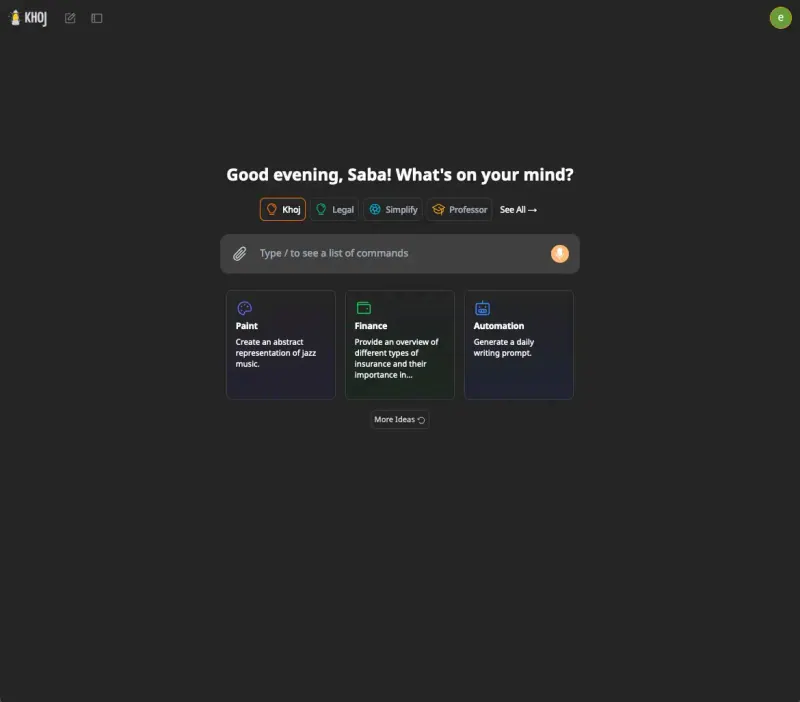
Khoj Researchers, students and note-takers who want a private AI assistant over their own documents Code Open source Some setup
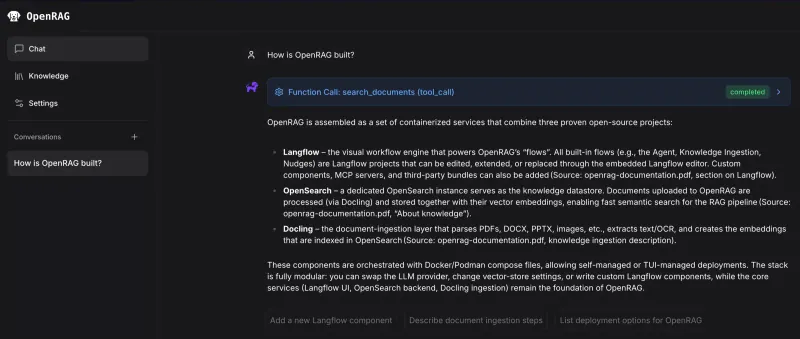
OpenRAG Teams wanting a private chat over their documents that they can adjust step by step Code Open source Some setup
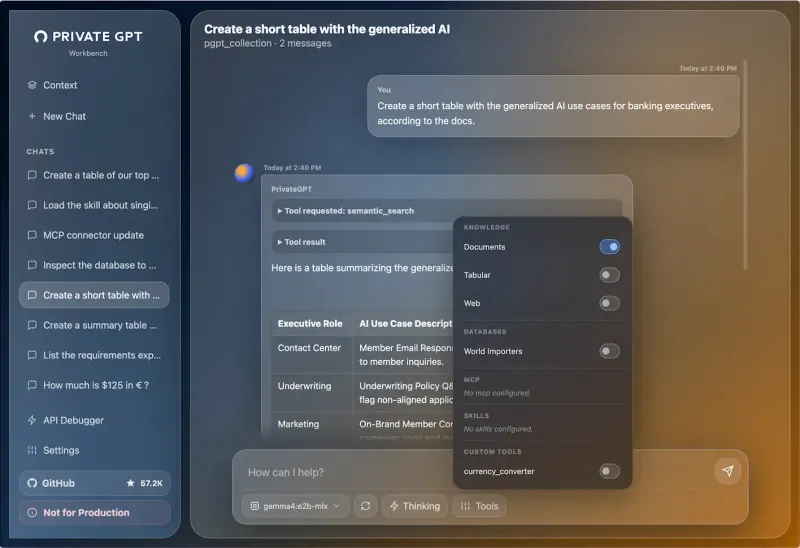
PrivateGPT Privacy-minded teams and developers who want AI answers about internal documents without a cloud AI service Code Open source Some setup
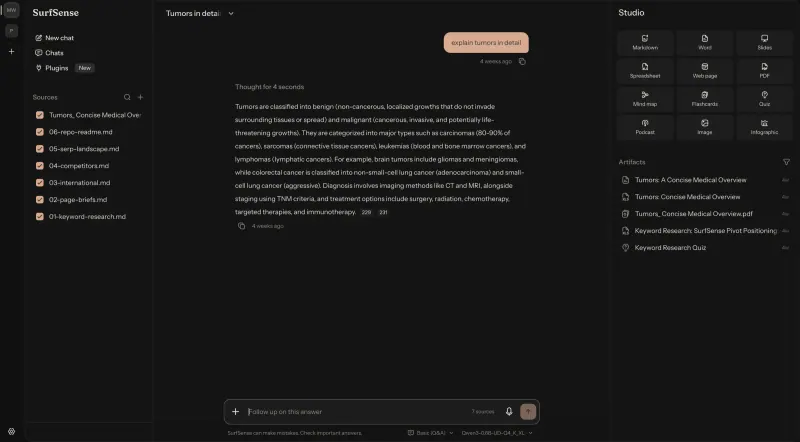
SurfSense One person who wants private AI research that can also write and edit Word, Excel and PDF files Code Open source Some setup
Kotaemon Teams that want answers from their PDFs with the cited passage highlighted Code Open source Some setup

Why look for an alternative to NotebookLM?

NotebookLM is Google's AI research notebook: you add sources, then ask questions, get summaries and listen to audio overviews that draw only on what you added. Google renamed it Gemini Notebook in July 2026; many people still search for it as NotebookLM.

People look for an alternative because NotebookLM runs only in Google's cloud and only on Google's models, so your sources sit with Google and you cannot choose another AI. A self-hosted Open Notebook keeps your notebooks on your own server and works with the AI provider you choose, including local models, so the sources can stay private. SurfSense does the same and can also write and edit Office documents and PDFs from your sources.

The alternatives, compared

Open Notebook

Our pick

A private NotebookLM for your own documents, with the AI you choose.

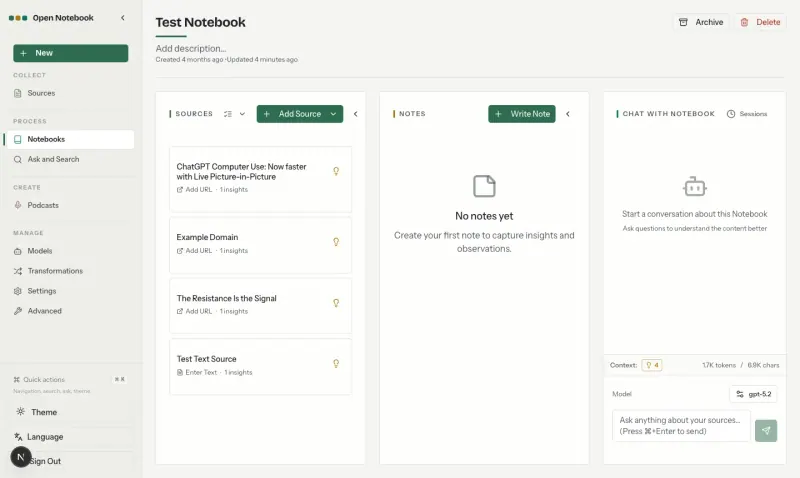
Does NotebookLM's job: put PDFs, web pages, YouTube videos, audio and notes into notebooks, chat with them with answers that cite your sources, and turn them into podcast episodes with 1 to 4 speakers. You choose the AI provider, including local models through Ollama. It is for one person, with one shared password and no sharing, and it needs your own AI provider key and more setup than NotebookLM.

What you gain
  • Your documents and notes stay on your own server
  • Use any AI provider, or local models that keep everything private
  • Podcasts with one to four speakers instead of two hosts
What is different
  • You add your own AI provider key and pay that provider for what you use
  • One person per install, with one shared password and no sharing between accounts
  • Less polished than NotebookLM, and it takes a few minutes of setup
Some setup Open source

A self-hosted AI second brain that answers from your own notes.

Answers questions from your own PDFs, Word files, notes and code with the references it used, and adds web search, a deeper research mode, custom agents and scheduled questions, with any AI model you connect, including local ones. Files can stay synced from Obsidian, Emacs or its desktop app. It has no audio overviews or podcasts and no notebooks: each user has one knowledge base, which you filter per chat.

What you gain
  • Your notes and documents stay on your own server
  • Choose any AI provider, or run local models so nothing leaves your machines
  • Sync straight from Obsidian, Emacs or a folder on your computer
What is different
  • You add your own AI provider key and pay that provider for what you use
  • Maintained slowly; no new release since March 2026, and every 2.x release is a beta
  • Web search and running code for the AI are not included in this template
Some setup Open source

Ask questions of your team's documents, in a chat you can reshape.

Answers questions in a chat from documents you upload or pull from Google Drive, OneDrive, SharePoint or Amazon S3, and from web pages you paste in, showing each search step it took. Made by the Langflow team, it lets you change the whole pipeline in a visual drag-and-drop editor. It has no notebooks, audio overviews or podcasts, needs your own AI provider key or Ollama server, and gives each person their own documents only when Google sign-in is set up.

What you gain
  • Your documents and chat history stay on your own server
  • No price per seat; you pay for the server and the AI you use
  • You choose the AI model, including one you run yourself
What is different
  • You need your own AI provider account and API key, or a model server you run
  • Everyone shares one password, documents and settings unless you add Google sign-in
  • Only four cloud connectors, Google Drive, OneDrive, SharePoint and Amazon S3, against the many a hosted tool offers
Some setup Open source

Ask an AI about your own documents, on your own server.

Answers questions about the documents you upload, with citations, using AI models that run on your own server, so your files and chats never go to an AI company. Its web page is a basic workbench that its makers label a demo rather than the main product, with no notebooks, podcasts or user accounts, and chats are kept in each browser. The small model it starts with gives far weaker answers than Google's; it suits developers and privacy-minded teams more than everyday note-taking.

What you gain
  • Your documents and questions stay on your server instead of going to a cloud AI company
  • No per-user subscription; you pay only for the server
  • Answers about your documents come with citations you can check
What is different
  • The small model that fits a normal server gives simpler, slower answers than cloud AI services; better models need a much bigger server or a GPU
  • Its web page is a workbench the project labels "Not for Production"; the API is the main product
  • There are no user accounts, only one shared password, and chats are kept in each person's browser
Some setup Open source

A private NotebookLM that also writes and edits your Office files.

Does NotebookLM's job and goes further with documents: add files and whole folders of PDFs, Office files, books and recordings, chat with answers that cite them, and turn them into podcasts, slides, mind maps, flashcards and quizzes. Its agent also creates and edits Word, Excel, PowerPoint and PDF files, and it can run a local model inside the app. Adding web pages, YouTube or web search needs a paid licence, and its 2.x version is new and changes quickly.

What you gain
  • Your documents stay on your own server, and with a local model nothing leaves it
  • Any AI model instead of Google's Gemini only
  • The AI can create and edit Word, Excel, PowerPoint and PDF files, not just answer
What is different
  • One person per install, with one password and no sharing between accounts
  • Web search, web crawling and YouTube reading are paid add-ons from SurfSense
  • Local models run on your server's processor, so they are much slower than a paid AI service
Some setup Open source

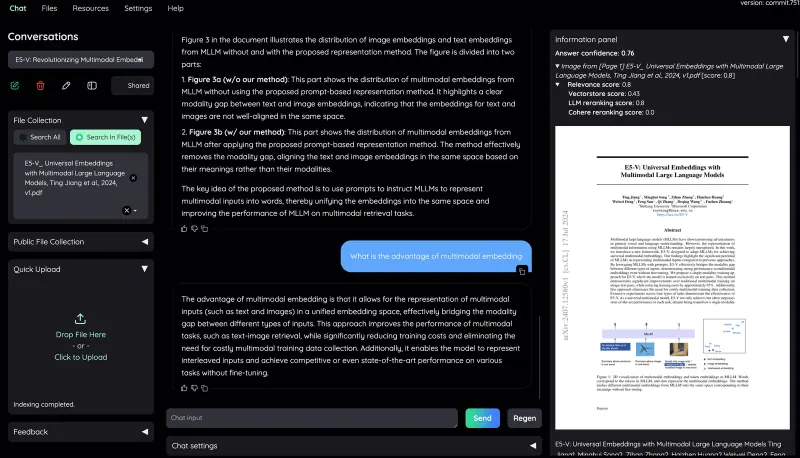
Chat with your documents and see the cited passage in each answer.

Answers questions about your PDFs and other files with citations that open in a built-in PDF viewer, the passage highlighted, and works with the AI provider you choose or a local model. It has user accounts with private and shared collections, so it suits a team. It has no notebooks, audio overviews or podcasts, and cannot add web pages or YouTube videos as sources.

Some setup Open source

Moving from NotebookLM

There is no import from NotebookLM, so you add your sources again: upload the same files, paste the web addresses and YouTube links, and Open Notebook processes them into a new notebook. Before that, add an AI provider key under Manage > Models and choose a language model and an embedding model; podcasts also need a text-to-speech model. Copy any notes you want to keep from NotebookLM into notes in Open Notebook. SurfSense has no NotebookLM import either: create a workspace, upload your files or whole folders, and choose a model when it asks, either a local model that runs inside the app, an API key, or a ChatGPT or Claude plan sign-in. Web pages and YouTube links need its paid web plugins.

Khoj has no NotebookLM import either. Sign in to its admin page, add an AI provider key and a chat model, then upload the same files in the web app, or keep a folder synced from the desktop app or Obsidian.

PrivateGPT has no NotebookLM import either. Wait for its AI models to download after the first start, enter the username and password Cloudgate created in the Workbench's connection settings, then upload your documents and ask questions with the Documents tool switched on.

Kotaemon has no NotebookLM import either. Sign in as admin, add an AI model and an embedding model under Resources, then upload your files in the Files tab and create accounts for your team.

OpenRAG has no NotebookLM import either. Get past the password prompt with the admin password Cloudgate created, choose a language model and an embedding model on the first screen and enter the provider's key, then upload your files or connect Google Drive, OneDrive, SharePoint or S3, and paste web addresses into the chat to add them.

Questions

What is the best open-source alternative to NotebookLM?

Start with Open Notebook. All 6 are free and open source.

Is NotebookLM now called Gemini Notebook?

Yes. Google renamed NotebookLM to Gemini Notebook on 16 July 2026. Open Notebook is an alternative to both names, since they are the same product.

Should I choose Open Notebook, SurfSense, Khoj, PrivateGPT, Kotaemon or OpenRAG?

Choose Open Notebook if your sources include web pages and YouTube videos, which it adds for free. Choose SurfSense if you work mostly from files and want it to write or edit Word, Excel, PowerPoint and PDF documents, or to run a local model with no extra setup. Choose Khoj for one assistant over all your documents that also searches the web, runs scheduled questions and syncs with Obsidian or Emacs. Choose PrivateGPT if you are a developer who wants private document answers through an API, with its web page as a simple workbench. Choose Kotaemon for a team asking questions of shared PDFs, with each answer's passage highlighted in the document. Choose OpenRAG if you want to customise how documents are read and answered in a visual editor, or pull them from Google Drive, OneDrive, SharePoint or S3.

Can these apps run without sending my sources to an AI company?

Yes, with a local model. PrivateGPT uses one by default. Open Notebook, Khoj, Kotaemon and OpenRAG use one through Ollama or another server you run, and SurfSense can run one inside the app. With a cloud provider, the parts of your sources they work on are sent to that provider.

Are these NotebookLM alternatives really free?

All six apps are free and open source. SurfSense sells a licence for its own web plugins, such as web search, web crawling and YouTube; everything else in it is free. You pay your AI provider for what you use, or nothing if you run local models. To run the apps you need Cloudgate and a server: use hosted Cloudgate, which can also provide the server, or install Cloudgate on a server of your own for free. Cloudgate's plans and prices are at cloudgate.octabyte.io/pricing.

Do I need a developer to replace NotebookLM?

No. Cloudgate installs the app you choose on your server and gives it a secure web address, and you use it in your browser instead of NotebookLM.