
LibreChat
AI chat for your team, with every major AI model.
No server needed to start: Cloudgate can provide one. What happens when you click Deploy



What is LibreChat?
LibreChat is a self-hosted, open-source AI chat for teams that puts ChatGPT, Claude, Gemini and other models in one place, with shared agents.
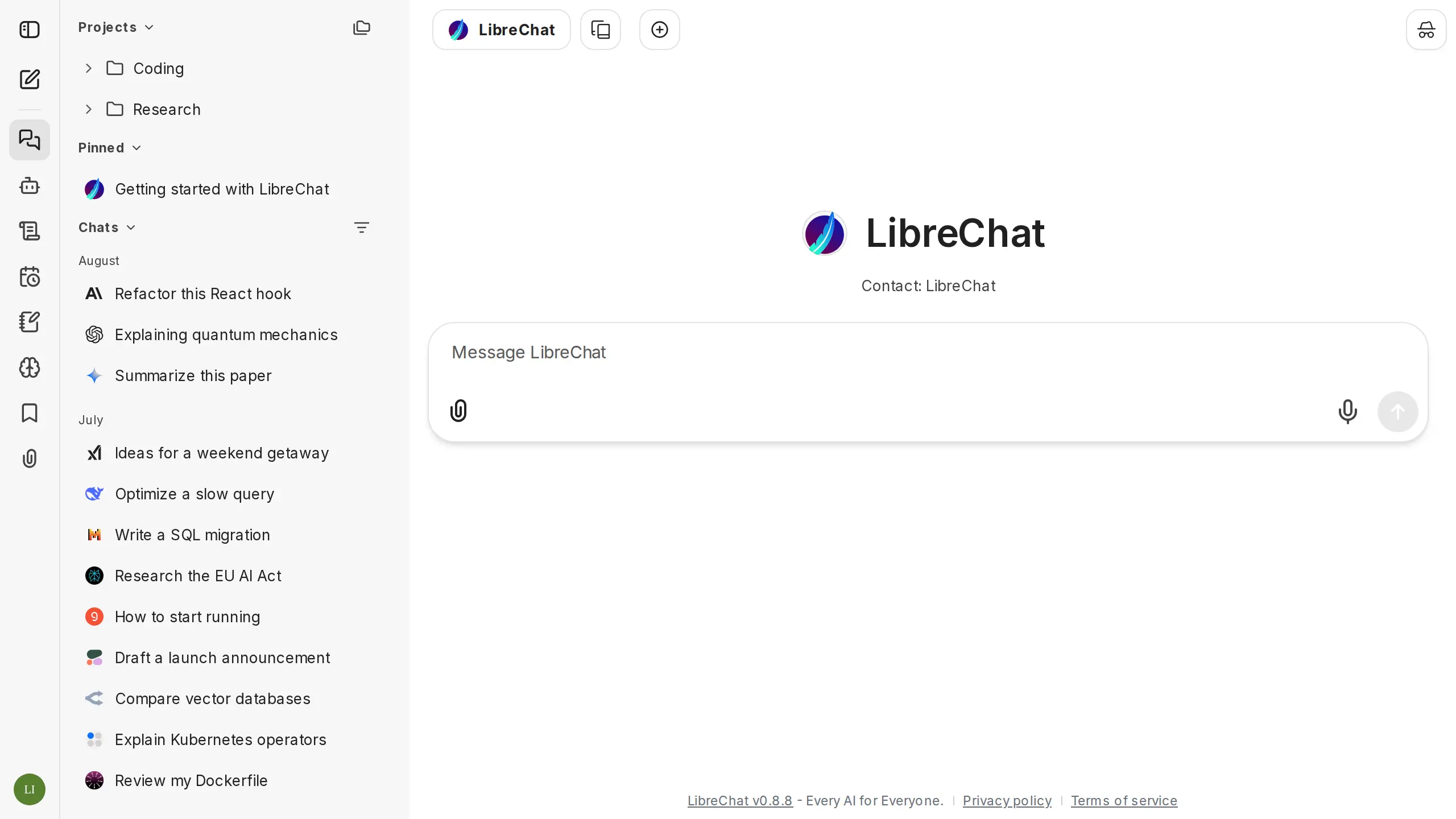
LibreChat is a free, open-source AI chat app you self-host for your team, a ChatGPT-style alternative to ChatGPT Business and Claude Team that works with many AI models in one place. It holds no AI model itself: you connect API keys from providers such as OpenAI, Anthropic, Google or Mistral, or a model server you run, and pay them for what you use.
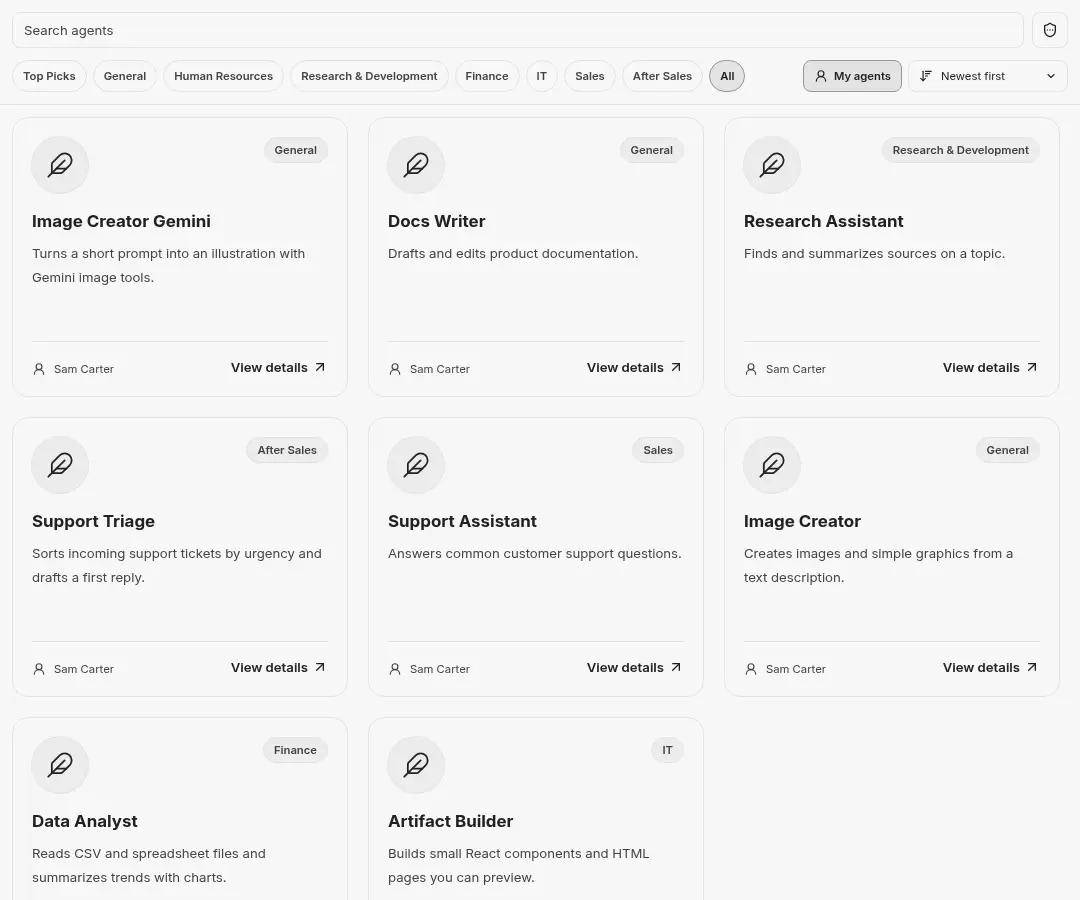
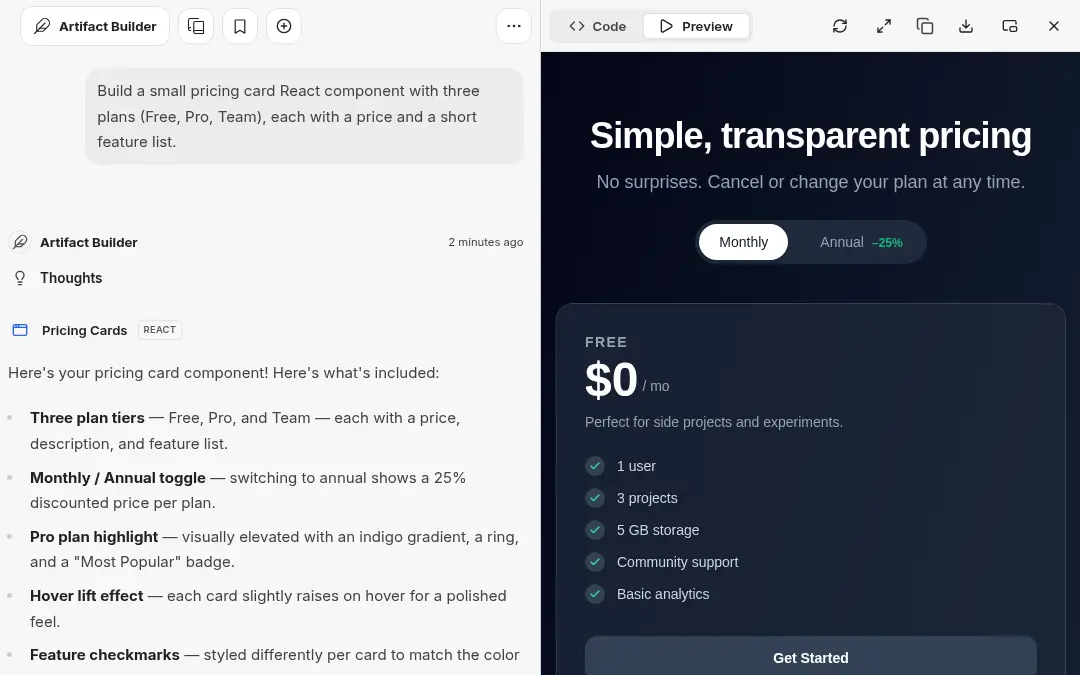
Each person gets their own account and chat history and can switch between Claude, GPT, Gemini and other models in the same chat. Agents keep good instructions, files and tools in one shared assistant, and artifacts show the pages and diagrams the AI builds beside the chat. A small accounting firm, for example, could set up a "client email" agent with its house style and give every staff member access, while each person picks the model that suits the job.
LibreChat works with your company sign-in through single sign-on, SAML or LDAP, and people can bring their old ChatGPT and Claude chats across. There is no native phone app, but it works in a phone's browser.
Cloudgate installs LibreChat on a server Cloudgate provides or one you connect, together with the database and search it needs, and gives it a secure web address. The first account you create becomes the admin; then you connect an AI provider.
What you can do with LibreChat
- Use many AI models in one chat Connect OpenAI, Anthropic, Google, Mistral, OpenRouter or your own model server, and switch models in the middle of a chat.
- Build and share agents Make no-code assistants with their own instructions, files and tools, share them with chosen people or groups, and browse them in an agent marketplace.
- Preview what the AI builds Artifacts show web pages, React components and diagrams the AI writes, live beside the chat.
- Find any old conversation Search across every message, branch a chat to try another direction, and reuse shared prompts and presets.
- Sign in with your company account Use email and password, single sign-on through OpenID Connect or SAML, LDAP or Active Directory, passkeys and two-step sign-in.
- Talk instead of typing Dictate messages and have answers read aloud, in an interface available in more than 35 languages.
Replaces ChatGPT Business and Claude Team
LibreChat does the same job as ChatGPT Business and Claude Team. Here is what changes when you switch.
- No price per seat; you pay for the server and for the AI you actually use
- Claude, GPT, Gemini and other models side by side in one place
- Chat history stays on your own server, in an app under the MIT open-source licence
- Each person can bring their old ChatGPT and Claude chats across
- You need your own AI provider account and API key before anyone can chat
- Answer quality and speed depend on the model you connect
- ChatGPT's and Claude's own extras, such as memory and deep research, are not matched one to one
- There are no native phone apps; it works in the phone's browser
What happens when you click Deploy?
You do not need a server or any technical knowledge. Four steps, and LibreChat is running at its own web address.
- Step 1 Click Deploy and create your account
Deploy takes you to Cloudgate. Create an account, or log in if you have one. LibreChat itself is free.
- Step 2 Choose a server
No server? Get one from Cloudgate: pick a size and a country, and Cloudgate gets it ready. Already have one? Connect it instead.
- Step 3 Cloudgate sets up LibreChat
It prepares the server, makes the passwords the app needs and starts it. There is nothing to install and nothing to write down.
- Step 4 Open your app and sign in
Your app gets a free web address to start, without https. Add your own domain, like app.yourshop.com, and Cloudgate secures it with https for you.
New to Cloudgate? See what Cloudgate is
Run Cloudgate yourself? Deploy from your own console
In your Cloudgate console, open Templates and choose LibreChat.
Questions
Is LibreChat free?
Yes, LibreChat is free and open source under the MIT licence, with no paid plan. You pay for your server and for the AI provider you connect, which bills its own usage.
Is LibreChat a good alternative to ChatGPT Business?
Yes, for a team that wants a self-hosted, open-source ChatGPT alternative with no seat price. It looks much like ChatGPT, adds shared agents and company sign-in, and can use models from several providers. ChatGPT needs no setup and has extras like memory and deep research that LibreChat does not match one to one.
Can I use Claude in LibreChat instead of Claude Team?
Yes, LibreChat uses Claude models through an Anthropic API key, or through AWS Bedrock or Google Vertex AI, alongside models from other providers. Your team chats on your own server and you pay Anthropic for what you use, instead of a Claude Team seat for each person.
Does LibreChat come with an AI model?
No, LibreChat is only the chat app, so it needs at least one API key from a provider such as OpenAI, Anthropic or Google, or the address of a model server you run, such as Ollama. The admin can also let each person enter their own key.
How do I sign in to LibreChat the first time?
The first account registered in LibreChat becomes the admin, and there is no default password, so create yours right after setup. Then turn off open sign-ups, or connect your company sign-in, so only your team can join.
Can I import my ChatGPT and Claude chats into LibreChat?
Yes, each person can export their chats from ChatGPT or Claude and import the conversations.json file in LibreChat under Settings > Data & Privacy > Import. Only chats come across; custom GPTs, memory and uploaded files do not.
What server size do I need for LibreChat?
LibreChat's official minimum is 1 GB of memory and one CPU, and its makers suggest 2 GB with everything turned on, so plan for about 2 GB when the AI models run with a cloud provider. Running your own AI models needs a separate, much larger server.
Do I need technical skills to run LibreChat?
No. Click Deploy, create your Cloudgate account and choose a server, and Cloudgate sets up LibreChat and gives it a web address. You use it in your browser like any other online tool.
Do I need my own server for LibreChat?
No. When you deploy LibreChat, hosted Cloudgate can provide a server. If you already rent one, you can connect it instead.
Related apps

AI chat and agents for many models, formerly LobeChat.

One AI chat for your whole team, on your own server.

One AI assistant on your files, for staff, website and WhatsApp.

An open-source AI assistant for your organisation, on your server.