
Eneo
An open-source AI assistant for your organisation, on your server.
No server needed to start: Cloudgate can provide one. What happens when you click Deploy


What is Eneo?
Eneo is a self-hosted, open-source AI assistant platform: team assistants that answer from your documents, with the AI provider you choose.
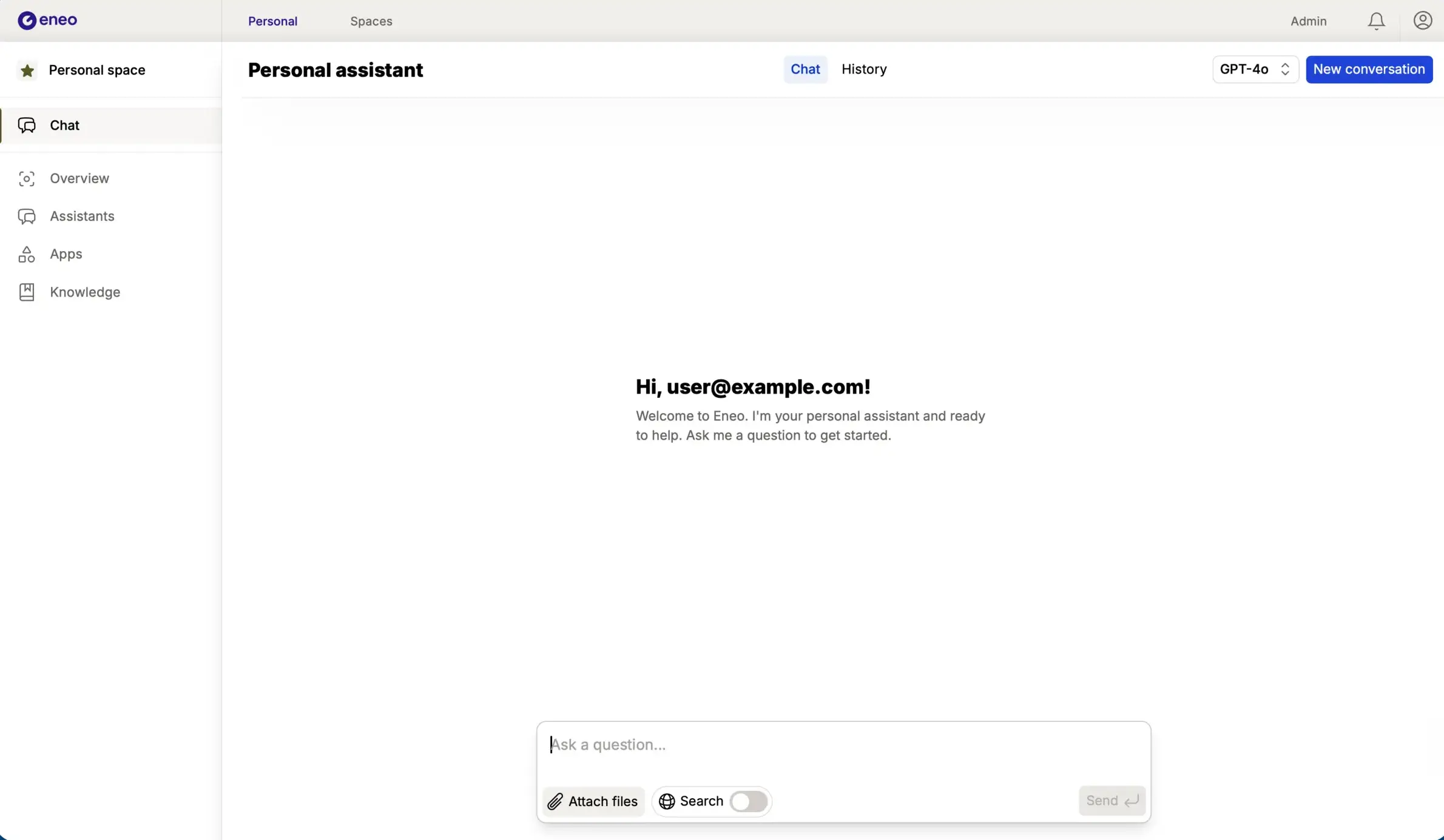
Eneo is an open-source AI assistant platform for organisations, a self-hosted alternative to Microsoft 365 Copilot and ChatGPT Business. Staff chat with an AI assistant, teams share assistants that answer from their own documents, and the admin decides which AI models people may use. It was built by Sundsvall and Ånge municipalities in Sweden for the public sector and is steered by a group of public bodies.
Eneo holds no AI model itself. You connect a provider such as OpenAI, Anthropic, Azure OpenAI or Google Gemini with a paid API key, or a model server you run yourself. A council's planning team, for example, could set up a space with an assistant that answers questions from its local plans and building guidance, while the HR team keeps its own assistant for the staff handbook.
Documents come from uploads, website crawls, SharePoint, OneDrive and Confluence. Staff sign in with your organisation's accounts, the interface is in English or Swedish, and an audit log records who changed users, assistants and files. It works in any browser; there is no phone app.
Cloudgate installs Eneo on a server Cloudgate provides or one you connect, with the database it needs and a secure web address. It asks for your admin email and an AI provider key, and creates a strong password for you.
What you can do with Eneo
- Chat with a personal AI assistant Ask questions, attach files and turn on web search, with your chat history kept for later.
- Build assistants for set tasks Give an assistant its own instructions, documents and model, such as one that answers questions about your staff handbook.
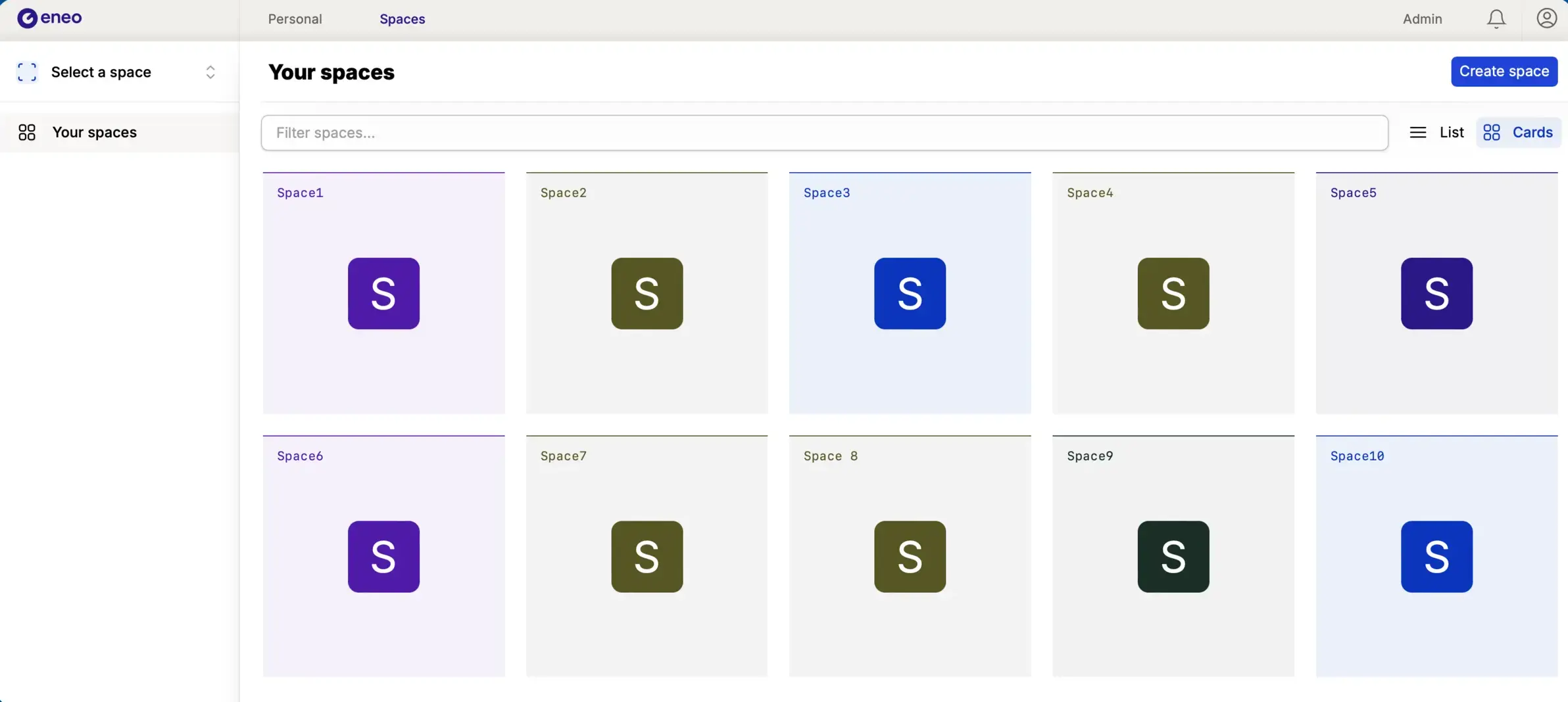
- Work together in spaces Each team gets a shared space with its own assistants and knowledge, and roles decide who can see and change what.
- Answer from your own documents Upload files, crawl your website, or bring in folders from SharePoint, OneDrive and Confluence that stay in sync.
- Choose the AI model Connect OpenAI, Anthropic, Azure OpenAI, Google Gemini, Mistral or a model server you run, and pick which models people may use.
- Create files and charts Assistants can analyse Excel files, write Word and PDF documents, draw charts and do calculations.
- Keep an audit trail An audit log records changes to users, roles, assistants, spaces and files, and staff sign in with your organisation's accounts.
Replaces Microsoft 365 Copilot and ChatGPT Business
Eneo does the same job as Microsoft 365 Copilot and ChatGPT Business. Here is what changes when you switch.
- Chats, assistants and documents stay on your own server
- Choose the AI provider and model, or run your own model
- No price per seat; you pay for the server and the AI you use
- Open source, steered by a group of public-sector organisations
- You need an AI provider's API key, which is paid, or your own model server
- It is a separate web app, not built into Word, Outlook or Teams
- Built for the Swedish public sector, so some admin screens and guides are in Swedish
- It cannot import chats or agents from Copilot or ChatGPT
What happens when you click Deploy?
You do not need a server or any technical knowledge. Four steps, and Eneo is running at its own web address.
- Step 1 Click Deploy and create your account
Deploy takes you to Cloudgate. Create an account, or log in if you have one. Eneo itself is free.
- Step 2 Choose a server
No server? Get one from Cloudgate: pick a size and a country, and Cloudgate gets it ready. Already have one? Connect it instead.
- Step 3 Cloudgate sets up Eneo
It prepares the server, makes the passwords the app needs and starts it. There is nothing to install and nothing to write down.
- Step 4 Open your app and sign in
Your app gets a free web address to start, without https. Add your own domain, like app.yourshop.com, and Cloudgate secures it with https for you.
New to Cloudgate? See what Cloudgate is
Run Cloudgate yourself? Deploy from your own console
In your Cloudgate console, open Templates and choose Eneo.
Questions
Is Eneo free?
Yes, Eneo is free and open source under the AGPL-3.0 licence, with no paid edition. You pay for your server and for the AI provider you connect, which bills each question your staff ask.
Do I need an OpenAI or other AI API key for Eneo?
Yes, Eneo has no AI model of its own. It needs a paid API key from a provider such as OpenAI, Anthropic, Azure OpenAI, Google Gemini or Mistral, or a model server you run yourself, such as vLLM or Ollama. Cloudgate asks for an OpenAI, Anthropic, Mistral or Gemini key during setup, and the admin can add other providers later under Admin > Models.
Is Eneo a good alternative to Microsoft 365 Copilot?
Yes, if you want a shared AI chat and team assistants that answer from your own documents while the data stays on your server. Unlike Microsoft 365 Copilot, Eneo is a separate web app, not built into Word, Outlook or Teams, and you choose and pay the AI provider yourself.
How do I sign in to Eneo the first time?
Sign in with the admin email you gave during setup and the password Cloudgate created for it, shown on the app's variables page. That account owns your organisation in Eneo, and from there the admin adds colleagues or connects your organisation's sign-in.
Can Eneo answer questions from SharePoint documents?
Yes, Eneo can bring in SharePoint sites and OneDrive folders and keeps them in sync when files change. It also takes uploaded files, Confluence pages and websites it crawls.
Is Eneo only for Swedish organisations?
No, Eneo has an English interface and works for any organisation. It was built by Sundsvall and Ånge municipalities for the Swedish public sector, so some admin screens and guides are in Swedish, and its forum is open only to government and municipal email addresses.
Where is my data kept with Eneo?
Eneo stores your chats, assistants, documents and audit log on your own server. Each question is still sent to the AI provider you connect so it can answer, so check that provider's data terms, or run your own model server to keep everything in-house.
Do I need technical skills to run Eneo?
No. Click Deploy, create your Cloudgate account and choose a server, and Cloudgate sets up Eneo and gives it a web address. You use it in your browser like any other online tool.
Do I need my own server for Eneo?
No. When you deploy Eneo, hosted Cloudgate can provide a server. If you already rent one, you can connect it instead.
Can I move my data from Microsoft 365 Copilot to Eneo?
Most people export from Microsoft 365 Copilot and import into Eneo. The official guides at docs.eneo.ai walk through it.
Related apps

AI search and chat that answers from your company's own apps.

A ChatGPT-style chat for open AI models.

AI chat for your team, with every major AI model.

AI chat and agents for many models, formerly LobeChat.