
Khoj
A self-hosted AI second brain that answers from your own notes.
No server needed to start: Cloudgate can provide one. What happens when you click Deploy
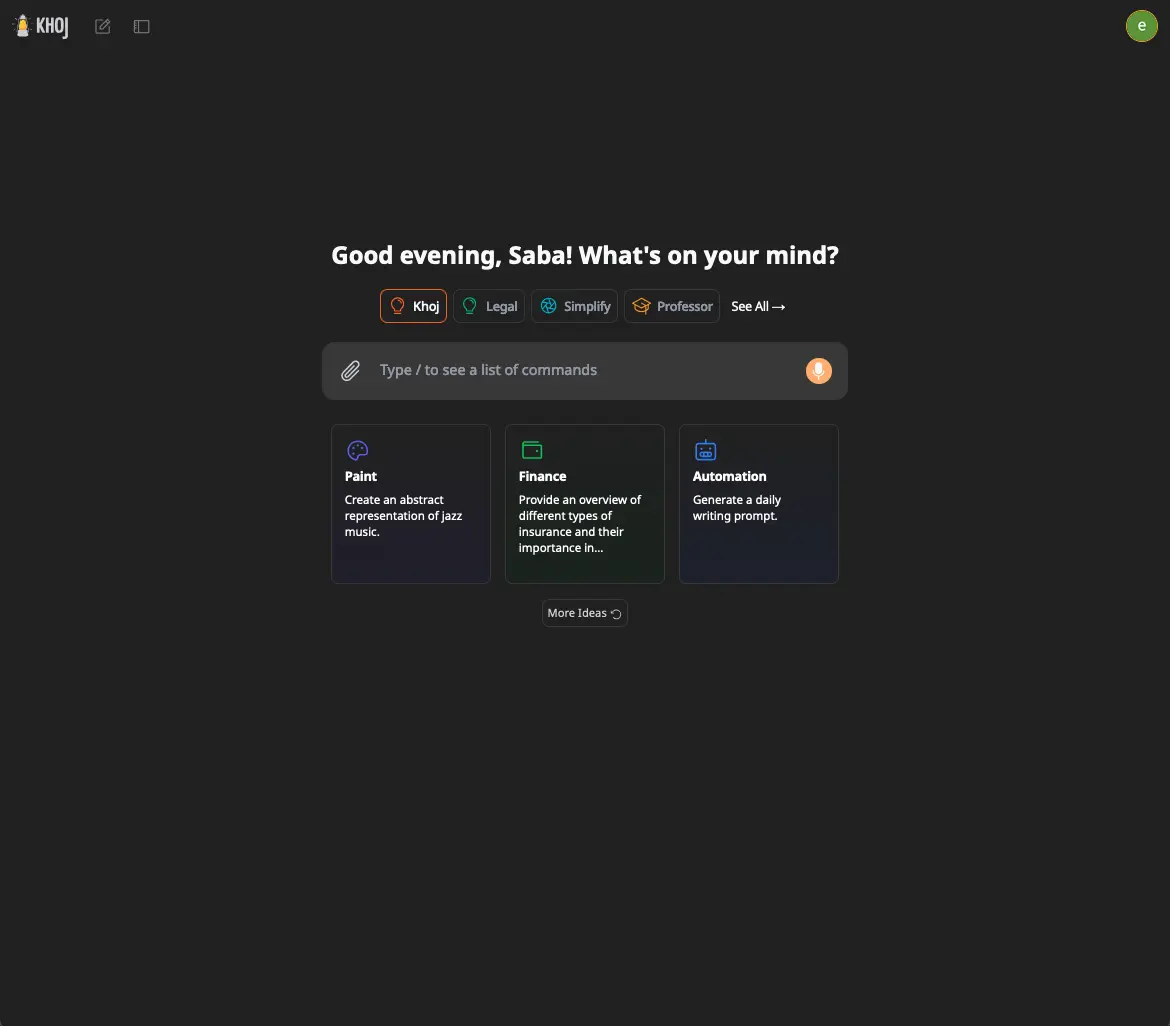


What is Khoj?
Khoj is a self-hosted AI second brain that answers questions from your own notes and documents with the AI you choose, in place of NotebookLM.
Khoj is a free, open-source, self-hosted AI second brain: a chat assistant that answers from your own notes and documents with the AI model you choose, an alternative to NotebookLM, Perplexity and ChatGPT. You add PDFs, Word files, Markdown and other notes, ask questions in plain words, and Khoj shows which documents its answers came from.
You connect the AI yourself: OpenAI, Anthropic or Google Gemini with your own key, or a local model through Ollama so your documents never leave your machines. You can also search your files by meaning, make agents with their own instructions, and have Khoj answer a question on a schedule. A freelance researcher, for example, could sync an Obsidian vault and a folder of papers, then ask what three studies say about the same method.
Khoj Cloud closed in April 2026, so self-hosting is now the way to use Khoj. The project is maintained slowly, and its current releases are labelled beta. It works in the browser, with a desktop app, an Obsidian plugin and an Emacs package; there is no phone app.
Cloudgate installs Khoj and its database on your server, gives it a secure web address and creates the admin password. Sign in to the admin panel, add an AI key and a chat model, and start asking.
What you can do with Khoj
- Chat with your documents Ask questions in plain words and get answers drawn from your own files, with the references they used.
- Upload or sync your files Add PDFs, Word files, Markdown, org-mode, plain text and images, or keep folders synced from the desktop app, Obsidian or Emacs.
- Bring in Notion and GitHub Connect a Notion workspace or GitHub repositories so Khoj can answer questions about them.
- Search by meaning Find the right passage across all your documents even when you don't remember the exact words.
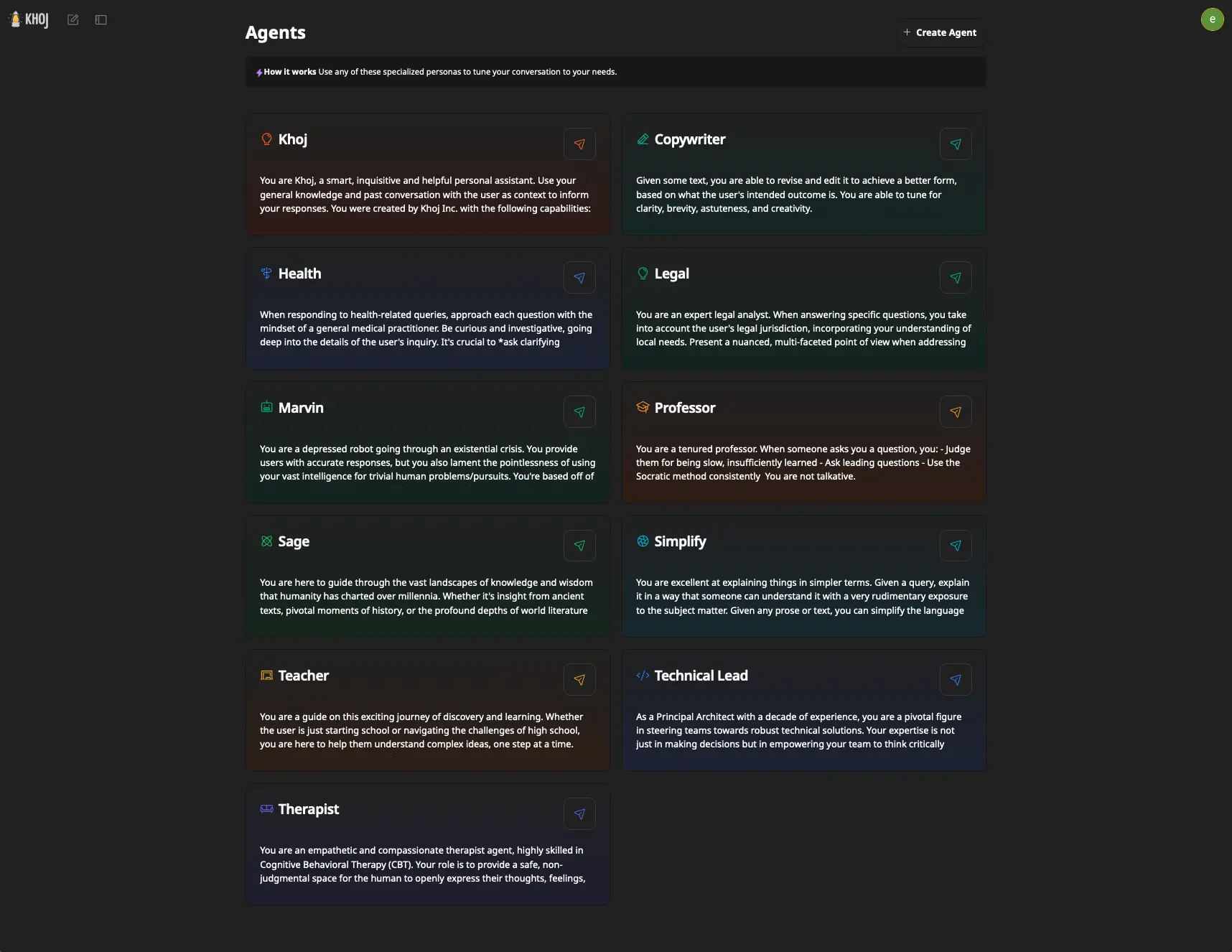
- Make your own agents Create assistants with their own instructions, AI model and knowledge files, and share them with everyone on your server.
- Schedule questions Have Khoj answer a question on a schedule and email you the result, once an email service is connected.
- Use the AI you prefer Connect OpenAI, Anthropic or Google Gemini, or a local model through Ollama, vLLM, LM Studio or another OpenAI-compatible server.
Replaces NotebookLM, Perplexity and ChatGPT Business
Khoj does the same job as NotebookLM, Perplexity and ChatGPT Business. Here is what changes when you switch.
- Your notes and documents stay on your own server
- Choose any AI provider, or run local models so nothing leaves your machines
- Sync straight from Obsidian, Emacs or a folder on your computer
- Custom agents and scheduled questions, with no subscription
- You add your own AI provider key and pay that provider for what you use
- Maintained slowly; no new release since March 2026, and every 2.x release is a beta
- Web search and running code for the AI are not included in this template
- People sign in by email link, there is no phone app, and the screens are plainer than ChatGPT's
What happens when you click Deploy?
You do not need a server or any technical knowledge. Four steps, and Khoj is running at its own web address.
- Step 1 Click Deploy and create your account
Deploy takes you to Cloudgate. Create an account, or log in if you have one. Khoj itself is free.
- Step 2 Choose a server
No server? Get one from Cloudgate: pick a size and a country, and Cloudgate gets it ready. Already have one? Connect it instead.
- Step 3 Cloudgate sets up Khoj
It prepares the server, makes the passwords the app needs and starts it. There is nothing to install and nothing to write down.
- Step 4 Open your app and sign in
Your app gets a free web address to start, without https. Add your own domain, like app.yourshop.com, and Cloudgate secures it with https for you.
New to Cloudgate? See what Cloudgate is
Run Cloudgate yourself? Deploy from your own console
In your Cloudgate console, open Templates and choose Khoj.
Questions
Is Khoj free?
Yes, Khoj is free and open source under the AGPL-3.0 licence, with no paid edition. Khoj Cloud, the hosted service, closed on 15 April 2026, so running it on your own server is now the way to use it. You pay only for your server and the AI provider you connect.
Is Khoj still maintained?
Yes, but slowly. The latest Khoj release is 2.0.0-beta.28 from 26 March 2026, every release in the 2.x line is labelled beta, and since then the project has had only occasional fixes. Its team now works mainly on other products.
Is Khoj a good alternative to NotebookLM?
Yes, Khoj is an alternative to NotebookLM if you want an AI that answers from your own documents with references, on your own server and with the model you choose. Khoj adds custom agents, scheduled questions and syncing from Obsidian, Emacs or the desktop app. It has no audio overviews and no separate notebooks per project.
How do I sign in to Khoj the first time?
Open your Khoj address followed by /server/admin and sign in with the email you entered at setup and the password Cloudgate generated, shown on the app's variables page. There, add an AI provider key and a chat model. Chat sign-in is by email link; without an email service, enter your email on the sign-in screen and copy your link from the admin panel under Users.
Can Khoj use local AI models such as Ollama?
Yes, Khoj works with Ollama, vLLM, LM Studio and any other OpenAI-compatible server, as well as OpenAI, Anthropic and Google Gemini. A local model needs a machine with much more memory than Khoj itself, so it usually runs on a separate computer you point Khoj at.
What server size do I need for Khoj?
Cloudgate sets Khoj up on a large server, about 4 GB of memory, which suits it when the AI runs at a provider such as OpenAI. Khoj's own guide asks for 8 GB, and running local AI models on the same server needs much more.
Is there a Khoj phone app?
No, there is no phone app for a self-hosted Khoj. Use it in your phone's browser or install it from there as a web app. On a computer, the Khoj desktop app, the Obsidian plugin and the Emacs package can all connect to your own server.
Do I need technical skills to run Khoj?
No. Click Deploy, create your Cloudgate account and choose a server, and Cloudgate sets up Khoj and gives it a web address. You use it in your browser like any other online tool.
Do I need my own server for Khoj?
No. When you deploy Khoj, hosted Cloudgate can provide a server. If you already rent one, you can connect it instead.
Can I move my data from NotebookLM to Khoj?
Most people export from NotebookLM and import into Khoj. The official guides at docs.khoj.dev walk through it.
Related apps

A private NotebookLM for your own documents, with the AI you choose.

A private NotebookLM that also writes and edits your Office files.

Chat with your documents and see the cited passage in each answer.

Private AI chat over your own documents, for staff and your website.