
Synaplan
One AI assistant on your files, for staff, website and WhatsApp.
No server needed to start: Cloudgate can provide one. What happens when you click Deploy
What is Synaplan?
Synaplan is a self-hosted AI assistant on your own files that answers in team chat, on your website, WhatsApp and email, and shows what each answer costs.
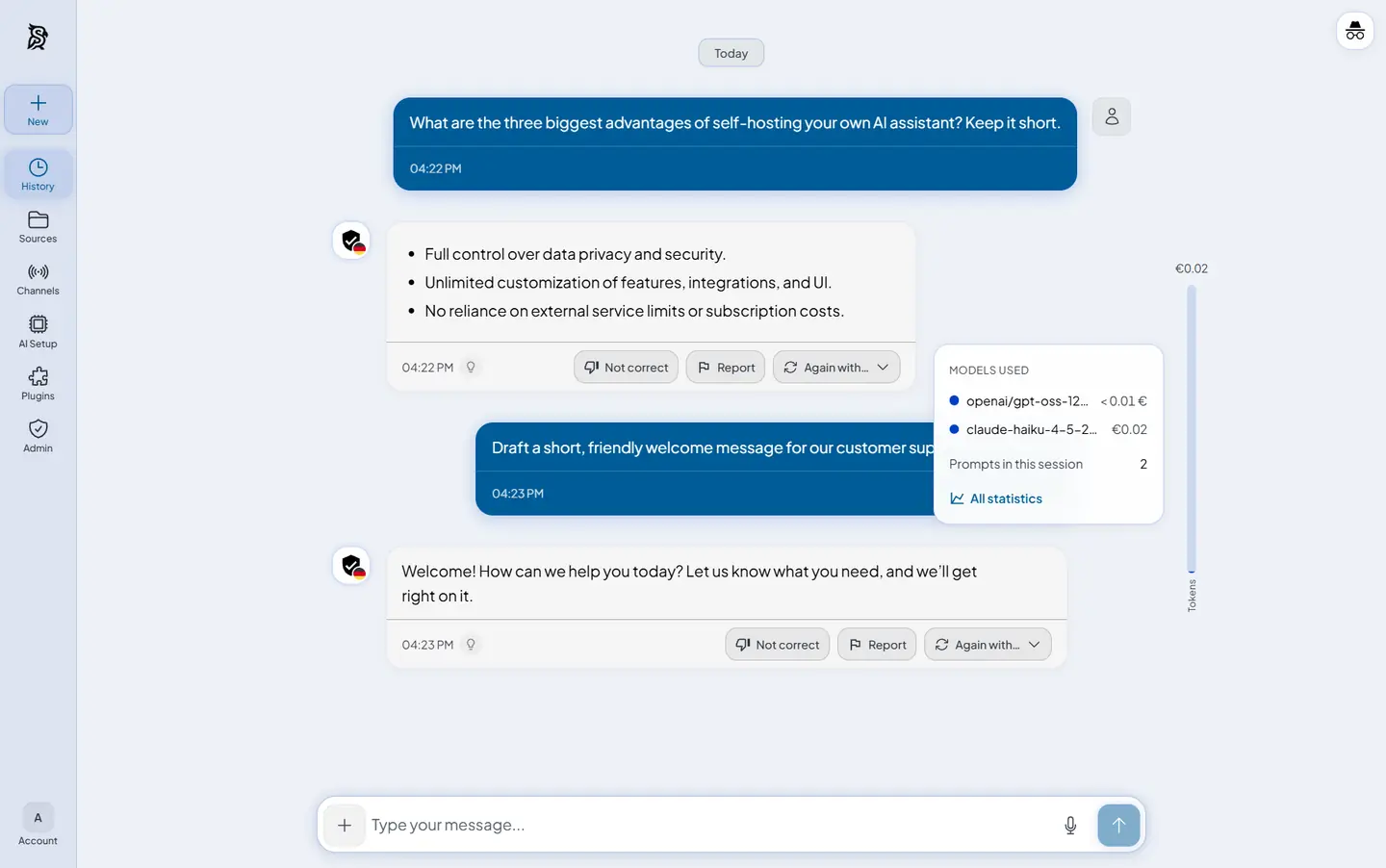
Synaplan is a self-hosted AI assistant platform and a free, open-source alternative to ChatGPT Business and Chatbase. Your team chats with the AI model you choose, uploads files that become the assistant's knowledge, and sees on every answer which model wrote it and what it cost.
The same assistant can then work outside the team chat. Paste a snippet into your website and visitors get answers from your files, with a colleague able to take over a chat. It can also reply on WhatsApp and by email, and inside Outlook, Nextcloud and ownCloud. When the assistant would send an email or create a ticket, it waits for a person to approve. A small travel agency, for example, could load its price lists and booking terms, so staff draft offers in the chat while customers get the same answers on the website and in WhatsApp.
Synaplan works with OpenAI, Anthropic, Google Gemini, Mistral, Groq, European providers such as TrustedTokens, or a model server you run, such as Ollama. There are phone apps for iPhone and Android that connect to your own server.
Cloudgate installs Synaplan on a server Cloudgate provides or one you connect, and gives it a secure web address. You sign in with the admin email you chose and connect an AI provider with its API key.
What you can do with Synaplan
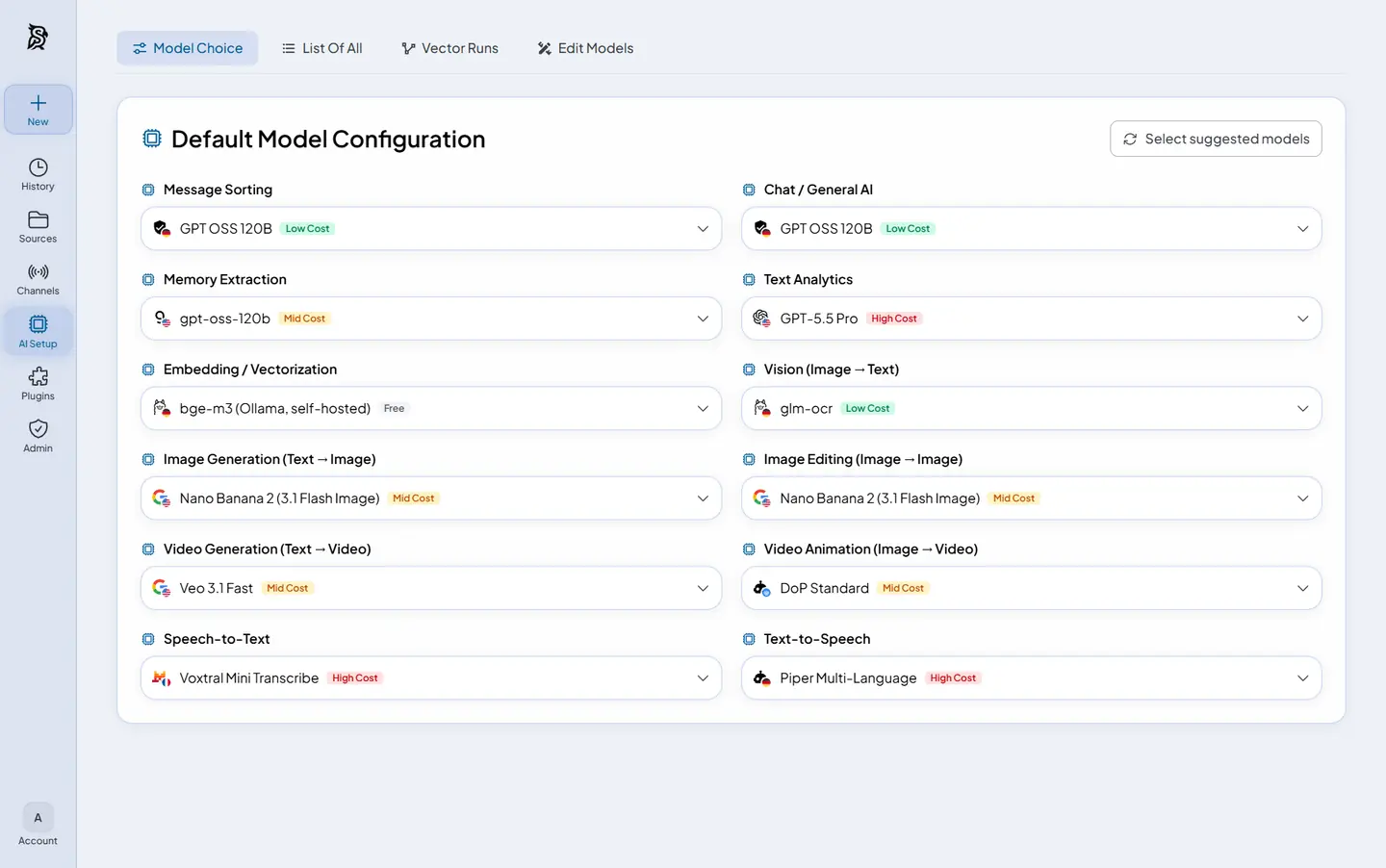
- Chat with the AI model you choose Connect OpenAI, Anthropic, Google Gemini, Mistral, Groq, European providers or your own model server, and pick a different model for chat, images or speech.
- See what every answer costs Each answer shows which model wrote it and what it cost, and the model picker marks every model as free, low, mid or high cost.
- Ask again with another model Send the same question to a different model with one click and compare the answers.
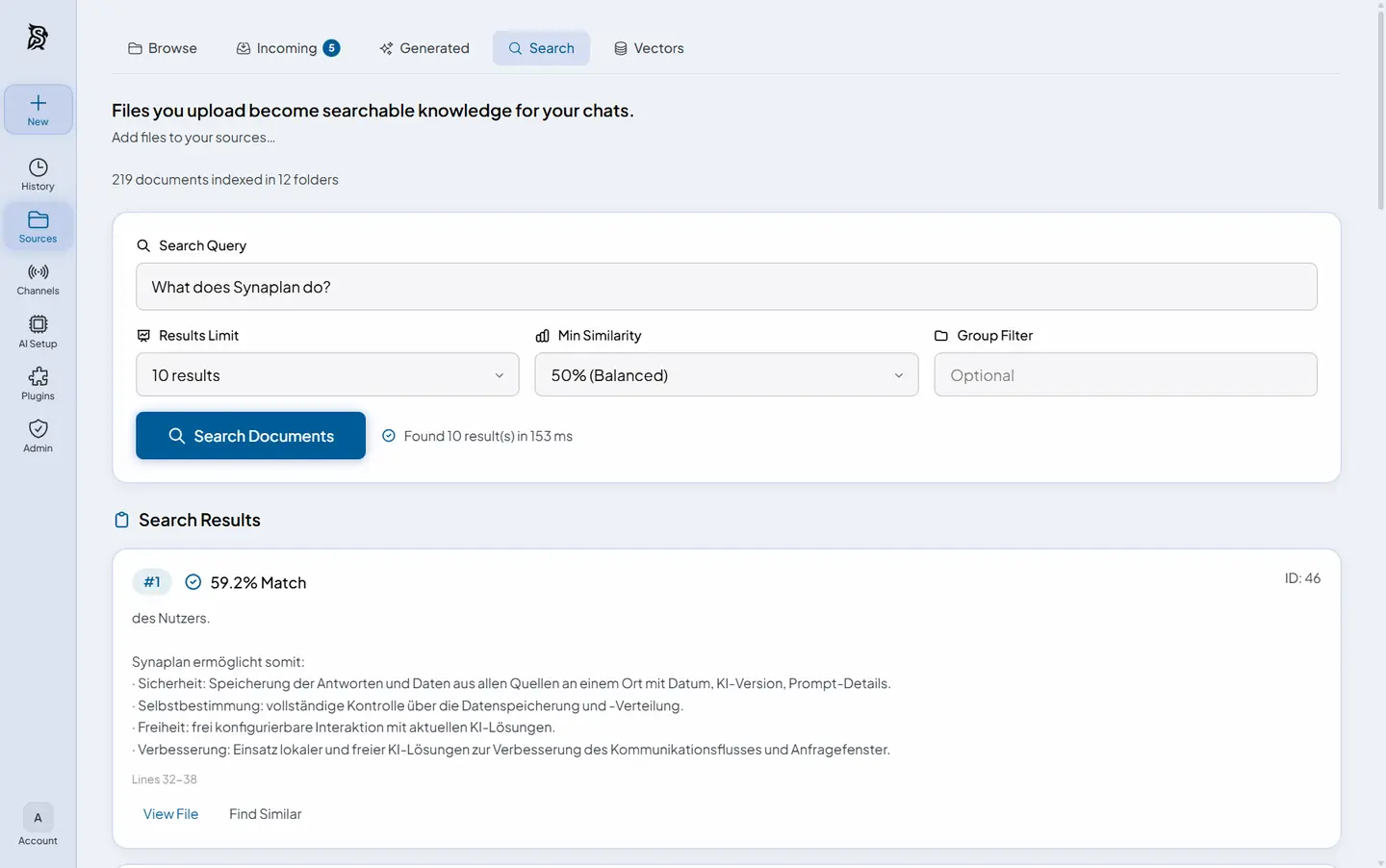
- Turn your files into knowledge Upload PDFs, Word and Excel files and scanned images, and the assistant answers from them.
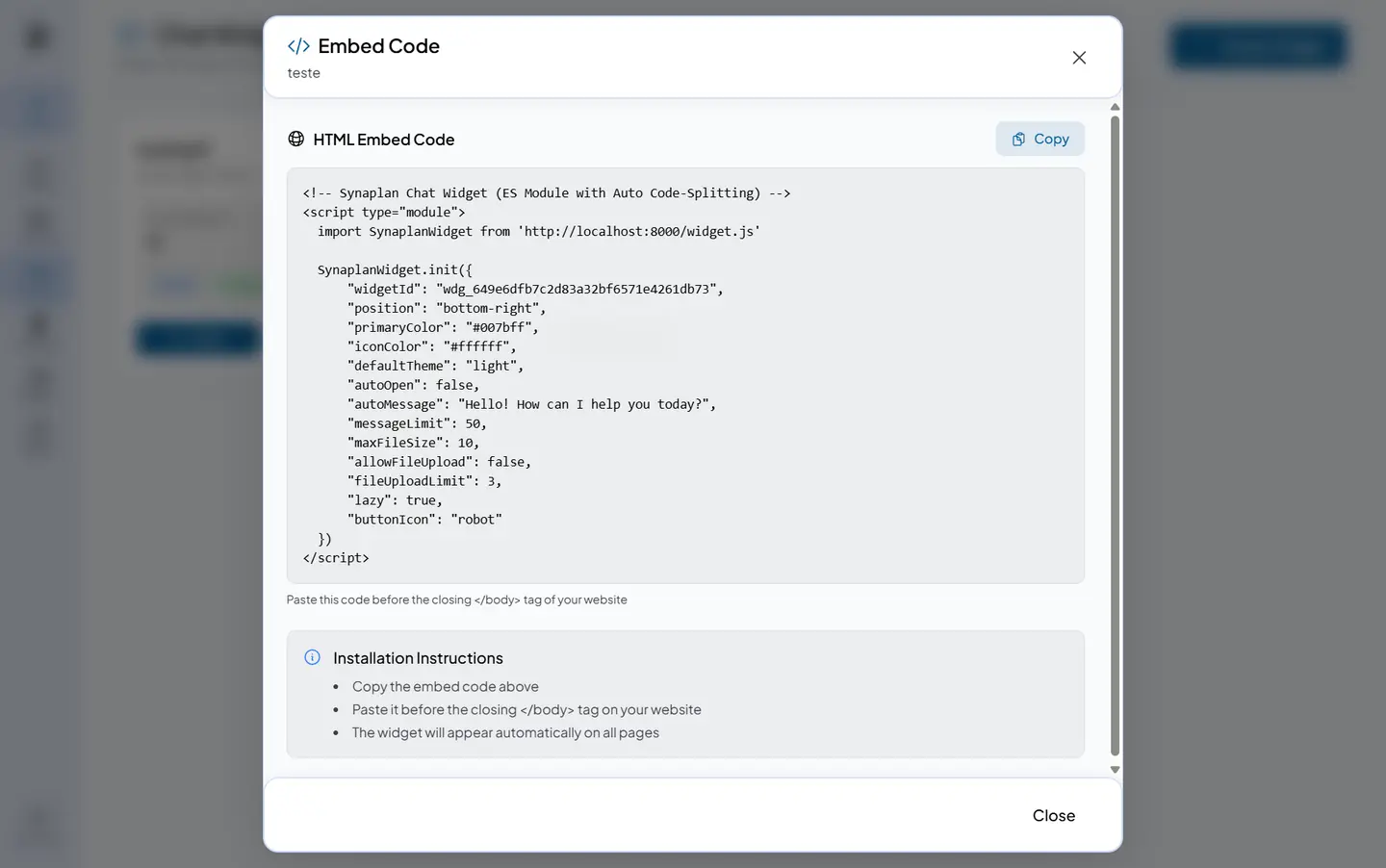
- Put the assistant on your website Paste one snippet into your site for a chat that answers visitors from your files, and a colleague can take over a chat when a person is needed.
- Answer on WhatsApp, email and Outlook The same assistant, with the same knowledge, replies on WhatsApp, by email and inside Outlook and Nextcloud or ownCloud.
- Approve before the AI acts Actions such as sending an email or creating a ticket wait for a person to approve them, and every step is logged.
- Share with your team Give colleagues accounts and groups to share folders, chats and saved assistants, and add your own logo and colours.
Replaces ChatGPT Business and Chatbase
Synaplan does the same job as ChatGPT Business and Chatbase. Here is what changes when you switch.
- No price per seat; you pay for the server and the AI you use
- Your chats, files and search index stay on your own server
- Staff chat, a website chat and WhatsApp and email replies from the same knowledge
- The cost of each answer is shown on the answer
- You need an API key from an AI provider, billed by that provider, or a model server you run
- It runs several services and its makers recommend a server with 8 GB of memory
- WhatsApp replies need a WhatsApp Business account with Meta
What happens when you click Deploy?
You do not need a server or any technical knowledge. Four steps, and Synaplan is running at its own web address.
- Step 1 Click Deploy and create your account
Deploy takes you to Cloudgate. Create an account, or log in if you have one. Synaplan itself is free.
- Step 2 Choose a server
No server? Get one from Cloudgate: pick a size and a country, and Cloudgate gets it ready. Already have one? Connect it instead.
- Step 3 Cloudgate sets up Synaplan
It prepares the server, makes the passwords the app needs and starts it. There is nothing to install and nothing to write down.
- Step 4 Open your app and sign in
Your app gets a free web address to start, without https. Add your own domain, like app.yourshop.com, and Cloudgate secures it with https for you.
New to Cloudgate? See what Cloudgate is
Run Cloudgate yourself? Deploy from your own console
In your Cloudgate console, open Templates and choose Synaplan.
Questions
Is Synaplan free?
Yes, self-hosted Synaplan is free and open source under the Apache-2.0 licence, with no paid features held back. You pay for your server and for the AI provider you connect. Its maker, metadist, also sells a hosted version, which you don't need to self-host it.
Do I need an AI API key to use Synaplan?
Yes, Synaplan installs the app but no AI model. You give an API key at setup or paste one in the app later, from a provider such as OpenAI, Anthropic, Google Gemini, Mistral or Groq, and that provider bills its own usage; some, such as Groq, have a free tier to start with. You can also connect a model server you run, such as Ollama.
How is Synaplan different from Open WebUI or LibreChat?
Synaplan is built to put one assistant on several channels, while Open WebUI and LibreChat are chat windows for a team. Synaplan adds a chat for your website, replies on WhatsApp and email, an Outlook add-in, the cost on every answer and an approval step before the AI acts. If you only want a team chat, Open WebUI or LibreChat is smaller and quicker to set up.
Is Synaplan a good alternative to Chatbase?
Yes, if you want a website chat that answers from your own files with no monthly message cap. Synaplan's widget can also hand a chat to a colleague, and the same knowledge answers on WhatsApp and email. Chatbase needs no server and no AI key of your own.
Can Synaplan answer customers on WhatsApp and email?
Yes, Synaplan replies on the channel the question came in on. Email works with any mailbox it can read over IMAP or Microsoft 365, and WhatsApp goes through Meta's official WhatsApp Business API, which needs a Meta business account.
How do I sign in to Synaplan the first time?
You sign in to Synaplan with the admin email you give Cloudgate at setup and the password Cloudgate created, shown on the app's variables page. There is no default password. Then add your colleagues from the admin area.
Is my data private with Synaplan?
Synaplan stores your chats, files and search index on your own server. When someone asks a question, the question and the matching passages from your files go to the AI provider you chose, so check its data terms, or run your own model server to keep everything in-house.
What server size do I need for Synaplan?
A server with 8 GB of memory, which is what Synaplan's makers recommend and what Cloudgate asks for, with the AI models running at a cloud provider. Disk space grows with the files you upload. Running your own AI models needs a much larger server.
Do I need technical skills to run Synaplan?
No. Click Deploy, create your Cloudgate account and choose a server, and Cloudgate sets up Synaplan and gives it a web address. You use it in your browser like any other online tool.
Do I need my own server for Synaplan?
No. When you deploy Synaplan, hosted Cloudgate can provide a server. If you already rent one, you can connect it instead.
Can I move my data from ChatGPT Business to Synaplan?
Most people export from ChatGPT Business and import into Synaplan. The official guides at docs.synaplan.com walk through it.
Related apps

Private AI chat over your own documents, for staff and your website.

A self-hosted AI chatbot for your website, answering from your docs.

Build AI chatbots that answer from your documents, on your website.

AI chat for your team, with every major AI model.