





Open-source alternatives to Jira

Plane is a free, open-source Jira alternative for tracking work items on boards, lists and timelines, with sprints (called cycles) and burn-down charts. Jira charges per user and Atlassian no longer sells a Server edition; Plane’s self-hosted Community Edition has no user limit.

8 alternatives Free apps Our pick: Plane

At a glance

App Good for Code Import from Jira Ease of use
Plane Software and product teams that want a Jira- or Linear-style tracker with no per-user fee Code Open source Import from Jira No Easy
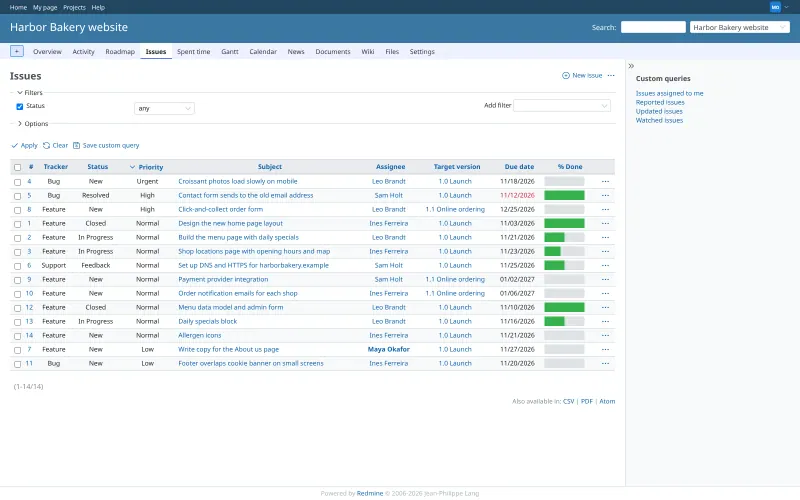
Redmine Teams that want a mature, very configurable issue tracker with wikis and Gantt charts for many projects Code Open source Import from Jira Partly Easy
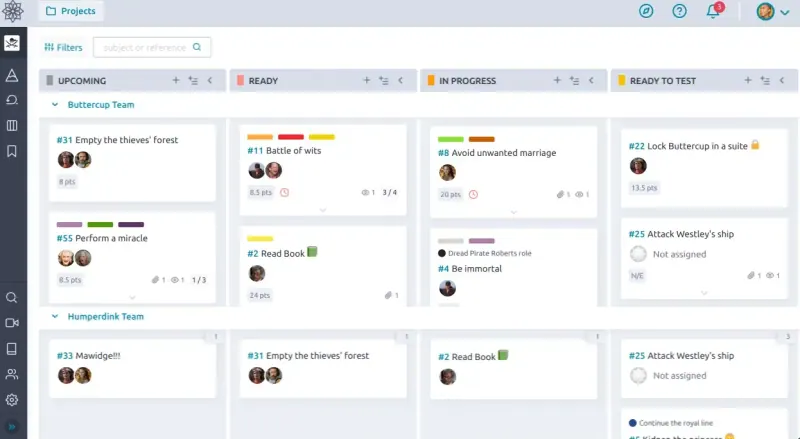
Taiga Small agile teams that plan in Scrum sprints or on a Kanban board, with no per-user fee Code Open source Import from Jira Partly Easy
Windshift Teams leaving Jira that want sprints, a service desk and test runs in one app, with their Jira history Code Open source Import from Jira Yes Easy
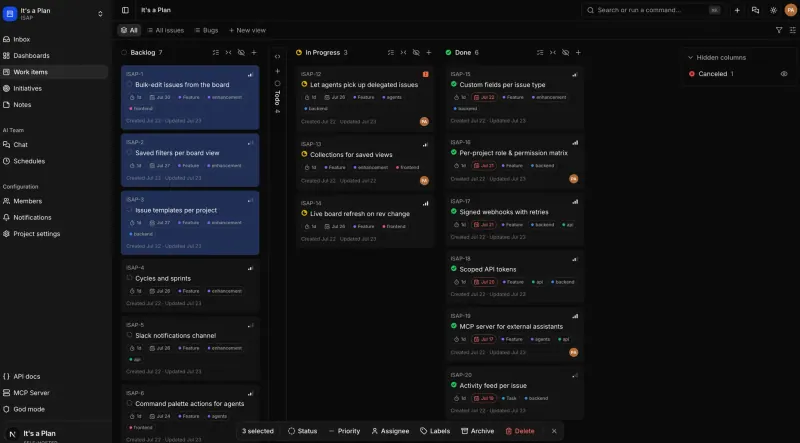
It's a Plan Teams that want a Linear-style issue tracker on their own server, with AI agents that can take issues Code Open source Import from Jira No Easy
OpenProject Teams that plan with Gantt charts and milestones and also want agile boards, with no per-user fee Code Open source Import from Jira Partly Some setup
Orbit Software teams that want a Linear-style, keyboard-first tracker with no paid tier at all Code Open source Import from Jira No Some setup
Kaneo Small teams that want a clean, simple task tracker with boards, timelines and GitHub links Code Open source Import from Jira Yes Easy

Why look for an alternative to Jira?

Jira, from Atlassian, is the most widely used tracker for software teams. Teams plan work as issues on boards and backlogs, run sprints, report on progress, and customise workflows and fields, with thousands of add-ons in the Atlassian Marketplace.

Teams look for an alternative because Jira is charged per user and gets complex to administer, and Atlassian has ended its Server edition, leaving a choice between its cloud and the more expensive Data Center. A self-hosted tracker such as Plane, OpenProject or Taiga covers sprints and boards on your own server, with no per-user fee in its free edition, and Redmine offers a lighter, highly configurable issue tracker with no paid edition at all. It's a Plan is a newer, Linear-style tracker with custom fields, cycles and Git links in its free Community edition. Windshift follows Jira's own concepts most closely and imports Jira Cloud and Data Center projects with their sprints and custom fields. Orbit, still a preview for self-hosting, is a keyboard-first tracker with sprints and docs and no paid tiers.

The alternatives, compared

Plane

Our pick

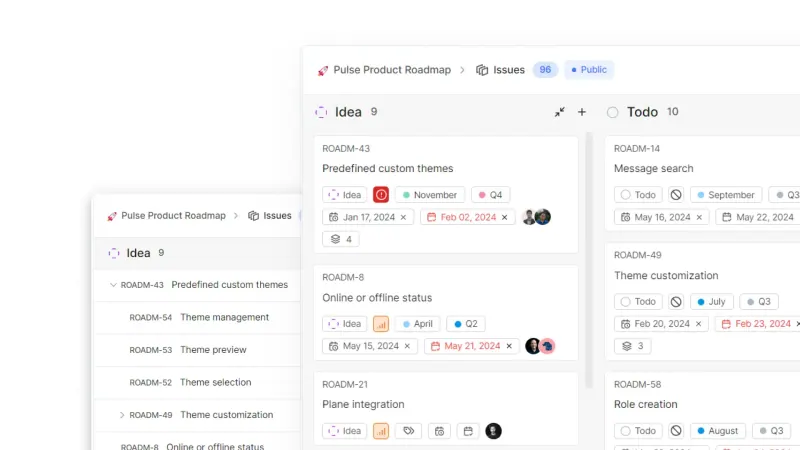
Project tracking with sprints, boards and timelines.

Covers Jira's core for software teams: work items with sub-items and relations, sprints (called cycles) with burn-down charts, boards, lists, a spreadsheet view and Gantt timelines, saved views and project pages. It is simpler and quicker to set up, but it has no marketplace like Jira's, and the free Community Edition has no custom workflows, work item types, epics or SSO.

What you gain
  • No per-user fee in the Community Edition, however many people join
  • Your projects, docs and files stay on your own server
  • A simpler, faster setup than Jira, with sprints, boards and timelines built in
What is different
  • No importer in the Community Edition, so Jira, Linear and Asana work does not move across in a few clicks
  • No phone app works with the Community Edition; use Plane in a phone's browser
  • No workflows, epics, custom work item types or single sign-on (SAML or OIDC), which are in Plane's paid Commercial Edition
Easy Open source

Issue tracking with Gantt charts, wikis and time logs.

A mature, very configurable issue tracker: custom trackers, statuses, workflows and roles, subtasks, Gantt charts, roadmaps, time tracking, a wiki and forum for each project, and links to Git or Subversion commits, with no user limit. It has no built-in boards, sprints or burn-down charts, its screens are plain next to Jira's, and there is no Jira importer, only CSV.

What you gain
  • Free and open source, with no paid edition and no limit on users or projects
  • Your issues, wikis and files stay on your own server
  • Very configurable issue types, workflows, custom fields and roles
What is different
  • No built-in Kanban board, sprints or burn-down charts; those come only from third-party plugins, some paid
  • No importer for Jira or Zoho Projects; Redmine imports issues and time entries from CSV files
  • A plain, older-looking interface than Jira or Zoho Projects
Easy Open source

Scrum sprints, backlogs and Kanban boards for agile teams.

A Scrum-first choice: a backlog of user stories with points, sprints with a task board and burn-down chart, Kanban boards with WIP limits, epics, a bug tracker and a wiki, all in the free self-hosted app. It has no Gantt timeline, no marketplace and no official phone app, and its development is slow, mostly fixes.

What you gain
  • No per-user fee, and every feature is included; nothing is held back for a paid edition
  • Backlog, sprints, burn-down charts, Kanban and epics, without Jira's setup and admin work
  • Your projects, files and history stay on your own server
What is different
  • Development is slow, with one or two small maintenance releases a year
  • No Gantt chart or timeline view, and no app marketplace like Jira's
  • No official phone app; Taiga is used in a web browser, including on a phone
Easy Open source

Issue tracking with a service desk and test runs, like Jira.

The closest match to Jira's own concepts: epics, stories and sub-tasks, boards, backlogs and sprints, roadmaps, custom fields, statuses and workflows, and a JQL-style query language, plus a service desk, test management, time tracking and an asset register in the free edition. Its importer brings issues, comments, attachments, worklogs, sprints, custom fields and Assets from Jira Cloud or Data Center. It is young, at version 0.9, has no marketplace, and SAML, SCIM and audit logs are in its paid Pro edition.

What you gain
  • No per-user price, and the free edition has unlimited users and workspaces
  • Service desk, test management, time tracking and an asset register come built in, not as paid add-ons
  • Your Jira projects come across with their sprints, custom fields, attachments and logged hours
What is different
  • Windshift is young (version 0.9 in 2026), so expect changes between releases
  • No marketplace like Atlassian's; extra features come from Windshift's own modules and plugins
  • SAML, SCIM provisioning and an audit log are kept for the paid Pro edition
Easy Open source

Linear-style issue tracking, with AI agents as teammates.

Covers Jira's core for software teams: issues with custom fields, issue types, sub-issues and links on boards, tables and timelines, cycles as sprints with burn-up charts, project dashboards and docs, and pull requests from GitHub, GitLab, Gitea, Forgejo and Bitbucket that move their issues. AI agents can join a project and take issues. It has no Jira importer and no marketplace, and audit logs and per-workspace single sign-on are in its paid Pro edition.

Easy Open source

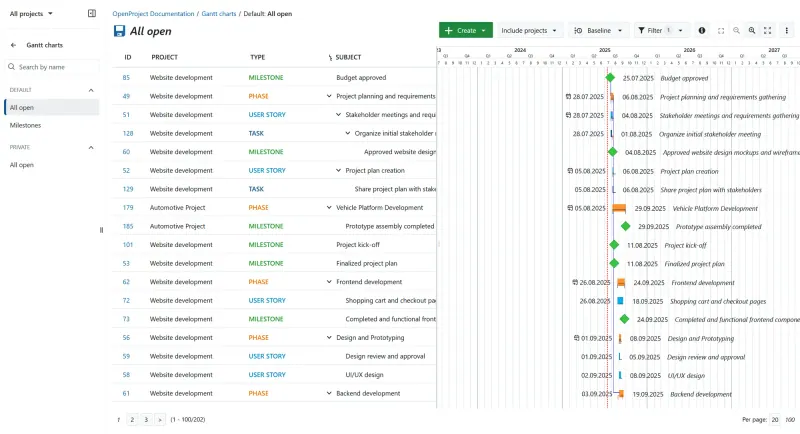
Gantt charts, agile boards and time tracking for projects.

Covers work packages such as bugs and user stories, agile boards, backlogs and sprints, with Gantt charts, time tracking and wikis, and links to GitHub and GitLab. It is broader on classic planning and less of a developer tool than Jira, and heavier to run. Its Jira Migrator, still in beta, imports from Jira Data Center but not from Jira Cloud.

Some setup Open source

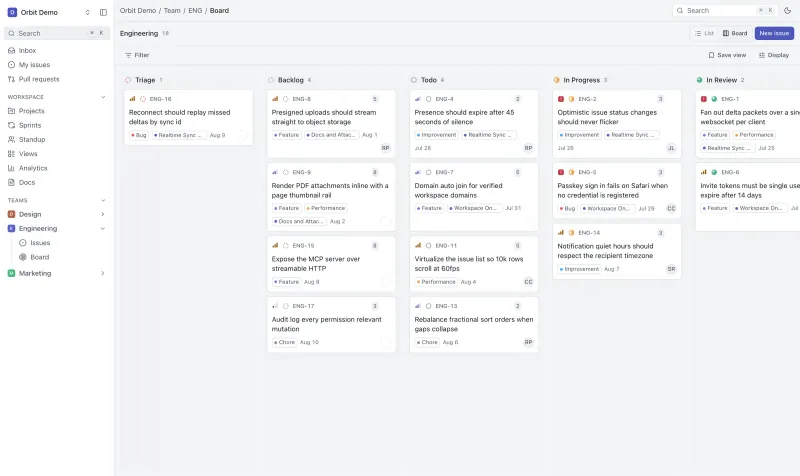
A free, self-hosted task manager with issues, sprints and docs.

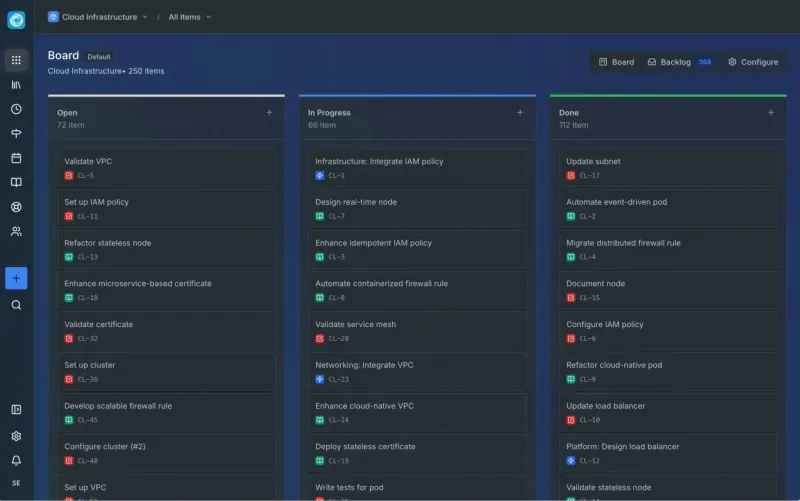
Covers the core of Jira for a small software team: issues with relations and sub-issues, boards, sprints with burndown charts, projects with milestones, analytics and a standup board, with GitHub pull requests linked once you set up a GitHub App. It has no custom fields, automation rules, marketplace or Jira importer, and its makers call self-hosting a preview.

Some setup Open source

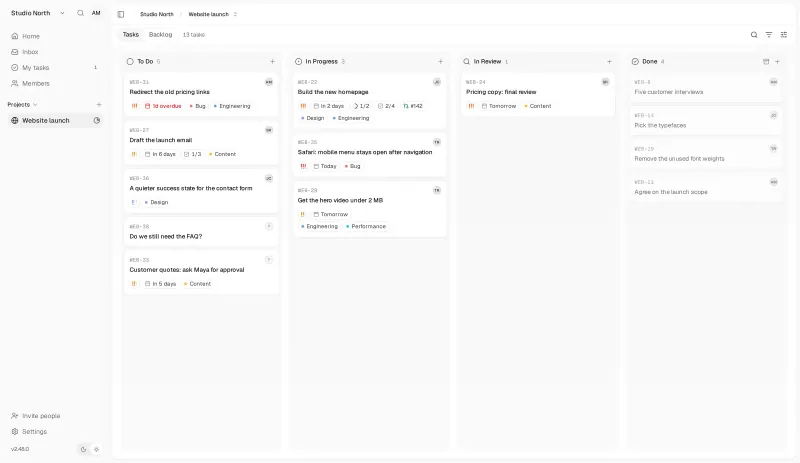
Simple self-hosted project boards, lists and Gantt charts for teams.

A lighter tracker with a built-in Jira importer for Jira Cloud and Data Center: tasks on a board, list, calendar or Gantt chart, with subtasks, dependencies, labels, comments, time tracking and GitHub, GitLab or Gitea links, and every feature free. It has no sprints or burn-down reports, and epics are only parent tasks.

Easy Open source

Moving from Jira

Plane's Community Edition has no Jira importer; the Jira importers belong to Plane's paid Commercial Edition. To move, export your Jira issues as CSV and bring in what you need through Plane's REST API with a short script, or start fresh with the open work and keep Jira read-only for history. Set up your projects, states and labels in Plane first, and plan your next sprint as a cycle. OpenProject's Jira Migrator, in beta, imports projects, issues with their attachments, dates and estimates, and basic custom fields from Jira Data Center 10 and 11; from Jira Cloud, export CSV and use OpenProject's REST API. Redmine has no Jira importer: export your Jira issues as CSV and bring them in with Redmine's issue import, after setting up trackers, statuses and custom fields that match. Taiga has a built-in Jira importer, but it is off by default and the Cloudgate template does not switch it on, so with Taiga you start fresh or move issues through its API. Kaneo has a built-in Jira importer for both Jira Cloud and Data Center, which brings over issues with their comments; sprints, attachments and custom fields do not come across. Jira workflows, automations and apps do not carry over to any of these apps. If you use Jira's Server edition, which Atlassian no longer supports, this is a good moment to move.

It's a Plan has no Jira importer either: start with your open work, or bring issues in through its REST API, and keep Jira read-only for history.

Windshift has the fullest Jira importer of these apps. Create the admin account on the first visit, then connect the importer to Jira Cloud or Jira Data Center with an API token: it brings projects, issues with their comments, attachments and worklogs, boards, sprints, custom fields and Jira Assets. Automation rules and Marketplace apps are not imported, so set those up again, and try it with one team first, since Windshift is still young.

Orbit has no Jira importer: create a project for each Jira project, add the open issues and plan the next sprint, and leave custom fields and automations behind, since Orbit has neither.

Questions

What is the best open-source alternative to Jira?

Start with Plane. All 8 are free and open source.

Is Plane free for unlimited users?

Yes, the self-hosted Community Edition has no user limit and is open source. Plane also sells a separate Commercial Edition with epics, SSO, importers and the mobile apps.

Should I choose Plane, OpenProject, Redmine, Taiga, Kaneo, It's a Plan, Windshift or Orbit?

Choose Plane for a fast, modern tracker for software teams. Choose OpenProject if you also plan with Gantt charts, track time and costs, or want to import from Jira Data Center. Choose Redmine for a mature, highly configurable issue tracker with a wiki and repository browsing for each project, on a modest server, if you can do without built-in boards and sprints. Choose Taiga if your team works in Scrum with story points and wants epics in the free edition. Choose Kaneo for a simpler tracker without sprints that imports from Jira Cloud. Choose It's a Plan for a Linear-style tracker with custom fields, issue types and cycles in the free edition, or if you want AI agents to take issues next to your team. Choose Windshift to keep Jira's way of working, with an importer that brings your sprints and custom fields and a service desk and test runs in the same app, if you are fine with a young project. Choose Orbit, still a self-hosting preview, for a keyboard-first tracker with sprints, docs and a standup board and no paid edition at all.

Does Plane have sprints like Jira?

Yes. Plane calls them cycles: time-boxed sprints with burn-down charts and progress for each one.

Does Plane's mobile app work with a self-hosted copy?

Not with the free Community Edition. Plane's iOS and Android apps work with its cloud and Commercial Edition only; the web app works in a phone's browser.

Are these Jira alternatives really free?

Yes, Plane, Redmine, Taiga, Windshift, It's a Plan, OpenProject, Orbit and Kaneo are free. To run them you need Cloudgate and a server. Use hosted Cloudgate, which can also provide the server, or install Cloudgate on a server of your own for free. Cloudgate's plans and prices are at cloudgate.octabyte.io/pricing. One server can run several apps.

Do I need a developer to replace Jira?

No. Cloudgate installs the app you choose on your server and gives it a secure web address, and you use it in your browser instead of Jira.