
Windshift
Issue tracking with a service desk and test runs, like Jira.
No server needed to start: Cloudgate can provide one. What happens when you click Deploy
What is Windshift?
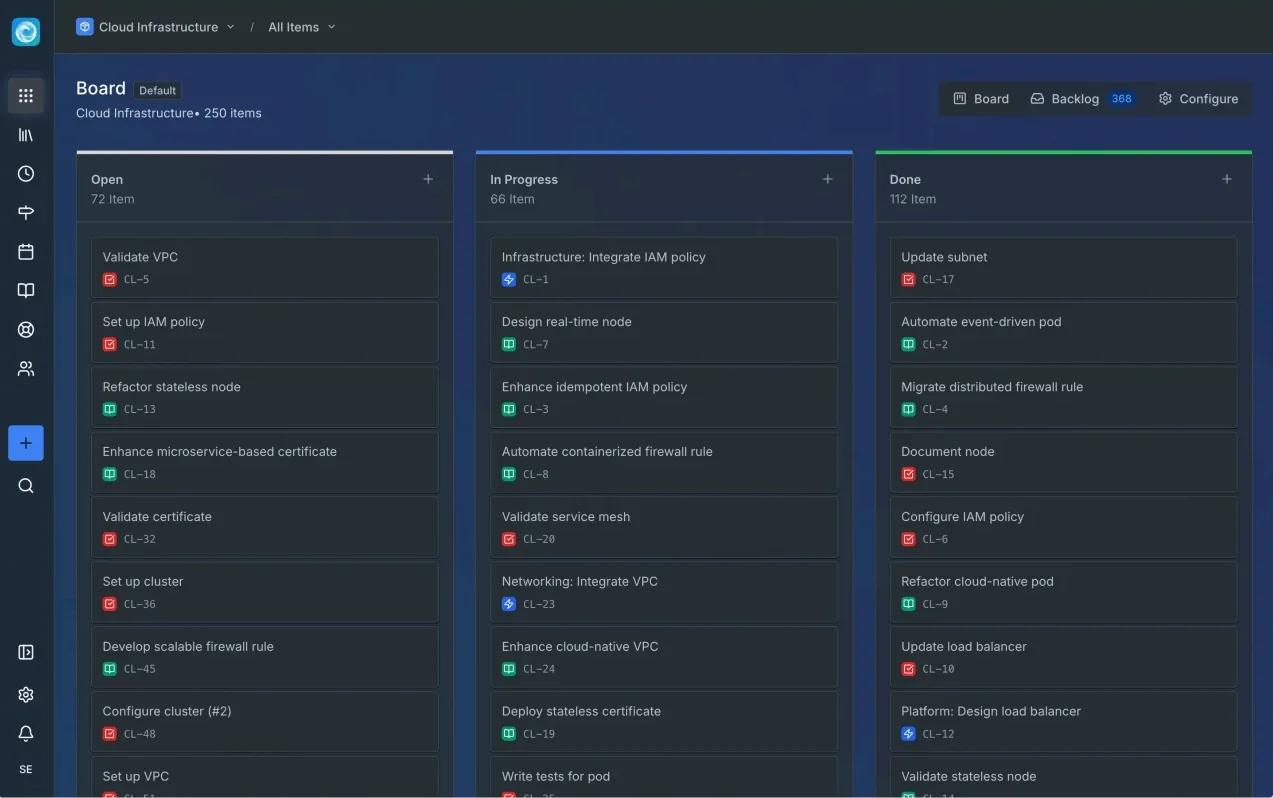
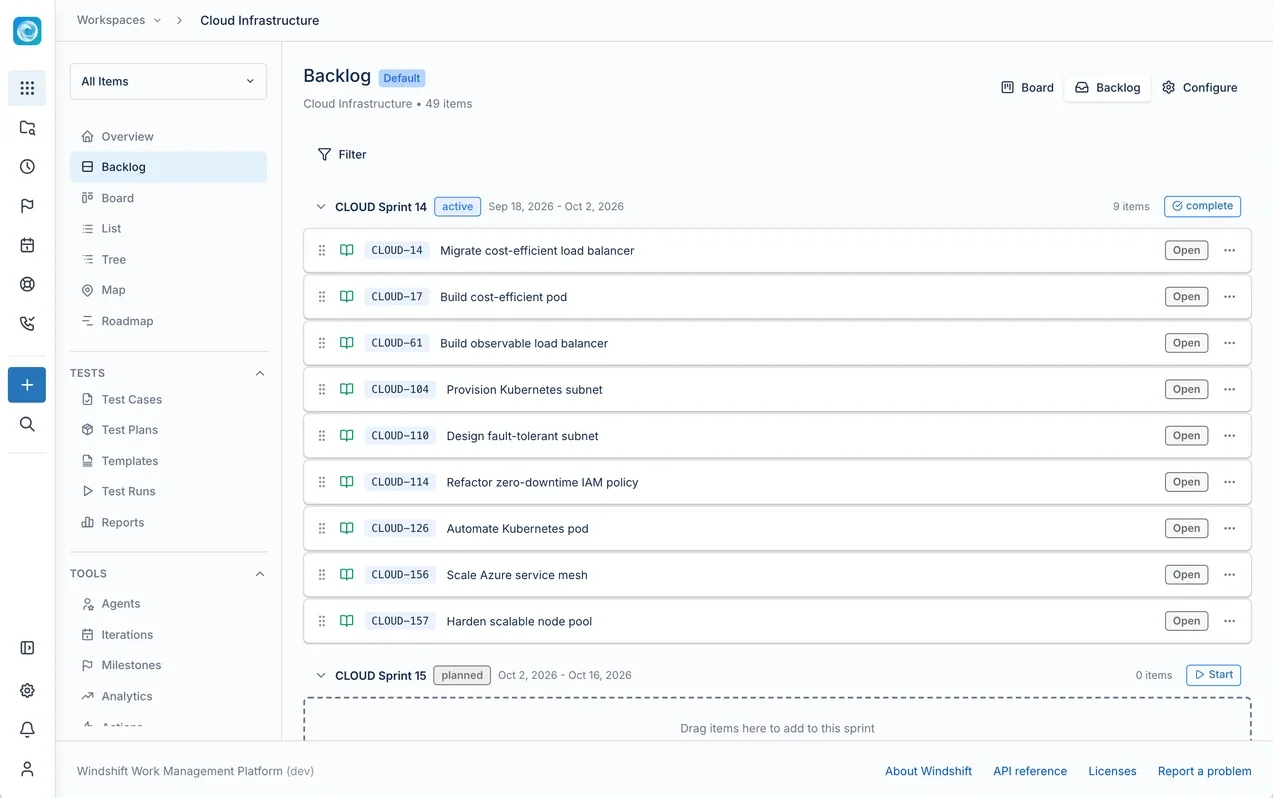
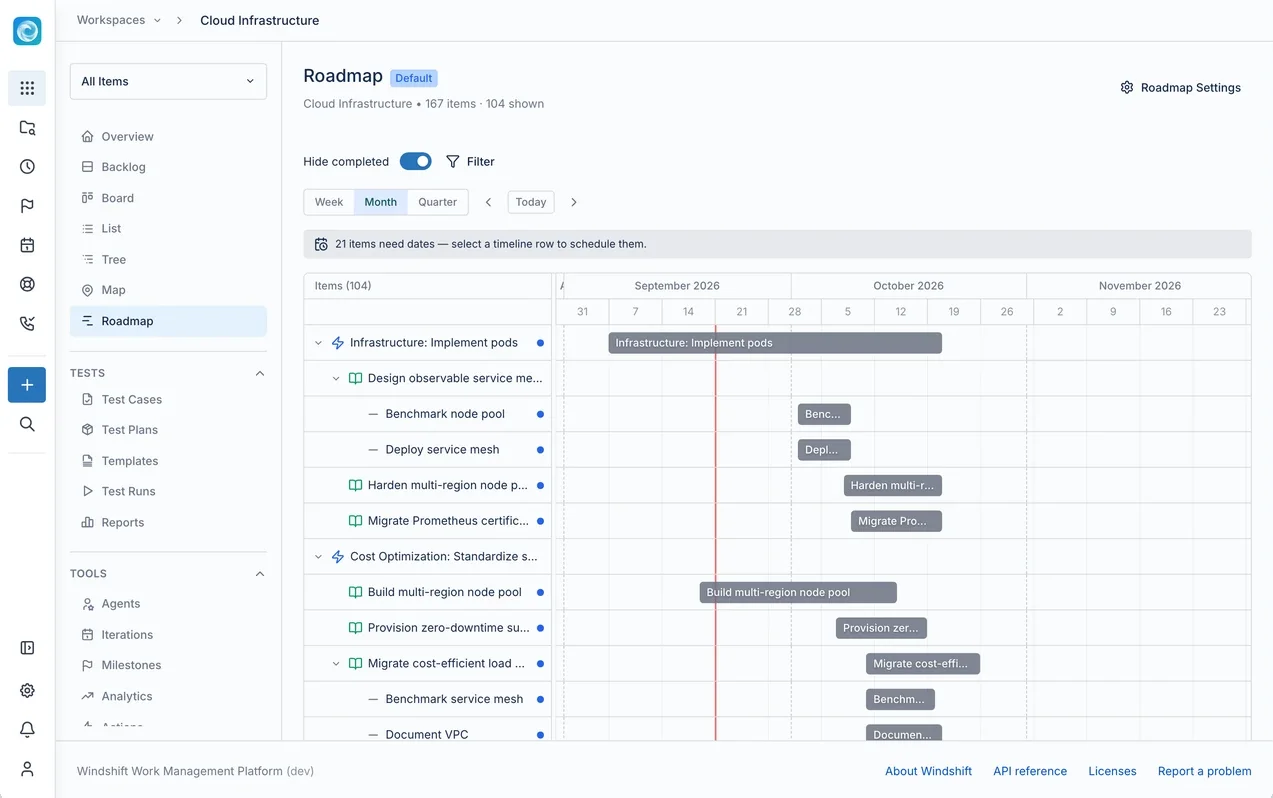
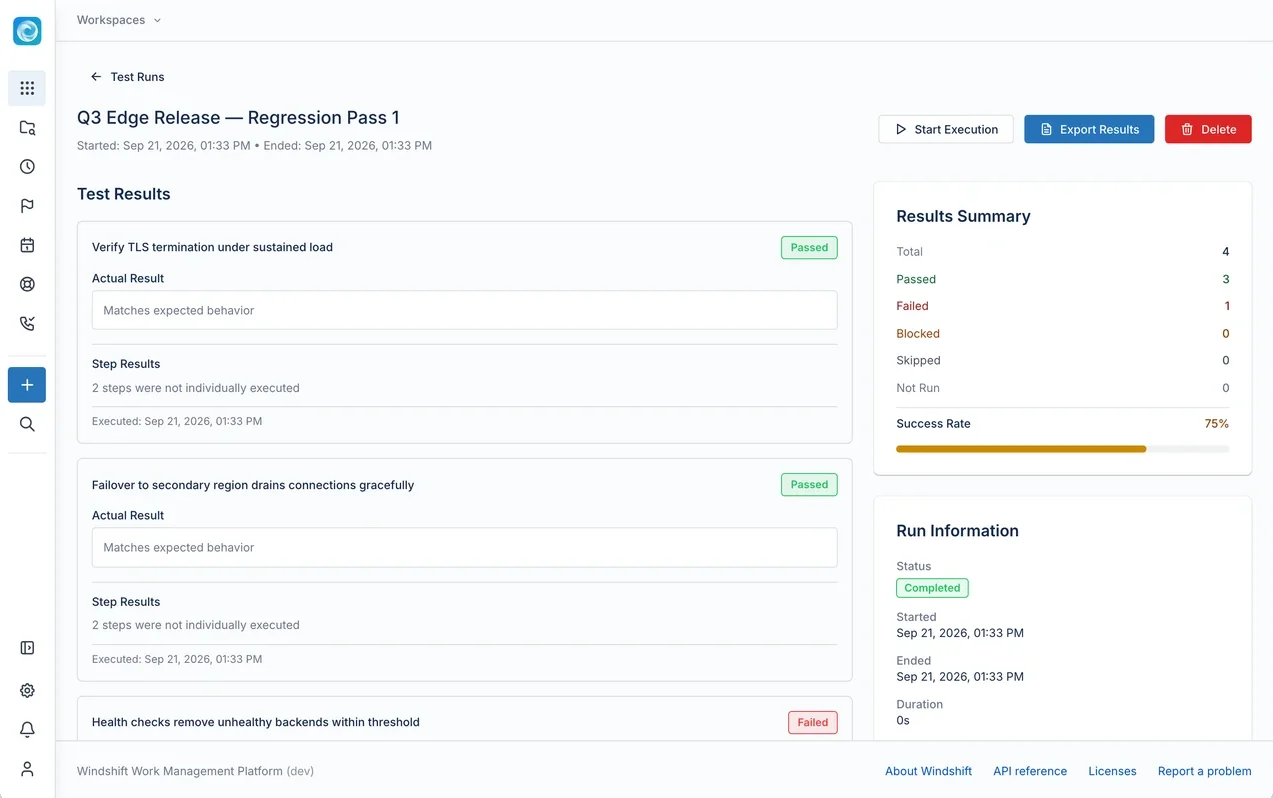
Self-hosted Windshift: a Jira-style tracker with sprints, roadmaps, a service desk, test runs and time tracking, plus a Jira importer.
Windshift is a free, open-source, self-hosted Jira alternative: one app for epics, sprints, boards, backlogs and roadmaps, with a service desk, test management, time tracking, knowledge pages and an asset register built in. Teams who know Jira find the same ideas here, such as custom workflows, custom fields and a Jira-style query language, without paying per user or buying add-ons.
What sets it apart is how much of a Jira setup it brings into one place, and how much of your history comes with you. Its importer reads Jira Cloud or Data Center and carries over issues, comments, attachments, logged hours, sprints and custom fields. A small software agency, for example, could run its sprints, take client requests through a branded portal, log billable hours against each client and record test results for a release, all on the same work items.
Windshift links to GitHub, GitLab, Gitea and Forgejo, works in twelve languages, and installs on phones as a web app. It is young, at version 0.9, so try it with one team first. Cloudgate installs Windshift on a server Cloudgate provides or one you connect, with the database it needs and a secure web address; you create the admin account on first visit.
What you can do with Windshift
- Plan the way Jira teams do Epics, stories and sub-tasks on boards and backlogs, with sprints, milestones, a hierarchy tree and a roadmap timeline.
- Shape each workspace Set your own item types, custom fields, screens, statuses, workflows and permissions for each team or product.
- Find work with queries Filter with a Jira-style query language, save the results as shared views, and follow progress on dashboards.
- Run a service desk Customers send requests through a branded portal or by email, and your team works them in queues with SLAs and approvals.
- Test before you release Write test cases, group them into test runs, record each result and see a report for the release.
- Track time on the work Start a timer or log hours by hand, split billable from internal time, and report by project and customer.
- Bring your Jira projects The built-in importer reads Jira Cloud or Data Center and brings issues, comments, attachments, worklogs, sprints, boards and custom fields.
- Connect your code Link branches, commits and pull requests from GitHub, GitLab, Gitea or Forgejo to the work item they belong to.
Replaces Jira and Jira Service Management
Windshift does the same job as Jira and Jira Service Management. Here is what changes when you switch.
- No per-user price, and the free edition has unlimited users and workspaces
- Service desk, test management, time tracking and an asset register come built in, not as paid add-ons
- Your Jira projects come across with their sprints, custom fields, attachments and logged hours
- Your work data stays on your own server, and you decide when to upgrade
- Windshift is young (version 0.9 in 2026), so expect changes between releases
- No marketplace like Atlassian's; extra features come from Windshift's own modules and plugins
- SAML, SCIM provisioning and an audit log are kept for the paid Pro edition
- On phones it is an installable web app, not an app-store app
What happens when you click Deploy?
You do not need a server or any technical knowledge. Four steps, and Windshift is running at its own web address.
- Step 1 Click Deploy and create your account
Deploy takes you to Cloudgate. Create an account, or log in if you have one. Windshift itself is free.
- Step 2 Choose a server
No server? Get one from Cloudgate: pick a size and a country, and Cloudgate gets it ready. Already have one? Connect it instead.
- Step 3 Cloudgate sets up Windshift
It prepares the server, makes the passwords the app needs and starts it. There is nothing to install and nothing to write down.
- Step 4 Open your app and sign in
Your app gets a free web address to start, without https. Add your own domain, like app.yourshop.com, and Cloudgate secures it with https for you.
New to Cloudgate? See what Cloudgate is
Run Cloudgate yourself? Deploy from your own console
In your Cloudgate console, open Templates and choose Windshift.
Questions
Is Windshift free?
Yes, Windshift is free and open source under the AGPL-3.0 licence, with unlimited users and workspaces. A paid Pro edition adds SAML sign-in, SCIM provisioning, several identity providers, an audit log and priority support; this template installs the free edition.
Is Windshift a good alternative to Jira?
Yes, for teams who want to keep Jira's way of working on their own server. Windshift uses the same ideas, such as epics, sprints, workflows, custom fields and a query language, and adds a service desk, test runs and time tracking. It is a young project, at version 0.9, so test it with one team before moving everyone.
Can I import my Jira projects into Windshift?
Yes, the built-in importer connects to Jira Cloud or Jira Data Center with an API token. It brings projects, issues, comments, attachments, worklogs, boards, sprints, custom fields and Jira Assets. Jira automation rules and Marketplace apps are not in its list, so set those up again in Windshift.
Can Windshift replace Jira Service Management?
Yes, for many teams. Windshift has a customer portal, email intake, request types, queues, SLAs with working calendars and approvals, and each request is a work item your developers can pick up directly.
How do I sign in to Windshift the first time?
The first person to open the Windshift web address is asked to create the admin account. There is no default password. Then create a workspace and invite your team, or connect single sign-on through OpenID Connect or LDAP.
Is there a Windshift phone app?
Yes, Windshift comes as a web app you install from the browser, with no app store. It opens your work, a timer and alerts, and can send push notifications for mentions, assignments and comments. There is also a desktop app for Mac.
Do Windshift's AI features cost extra?
No, Windshift's AI assistant and coding agents are free in the app, but they need an AI model you connect yourself. A hosted model provider charges you for what you use; a model you run yourself does not.
Do I need technical skills to run Windshift?
No. Click Deploy, create your Cloudgate account and choose a server, and Cloudgate sets up Windshift and gives it a web address. You use it in your browser like any other online tool.
Do I need my own server for Windshift?
No. When you deploy Windshift, hosted Cloudgate can provide a server. If you already rent one, you can connect it instead.
Related apps

Linear-style issue tracking, with AI agents as teammates.

A free, self-hosted task manager with issues, sprints and docs.

Project tracking with sprints, boards and timelines.

Issue tracking with Gantt charts, wikis and time logs.