Self-hosted alternatives to Trello

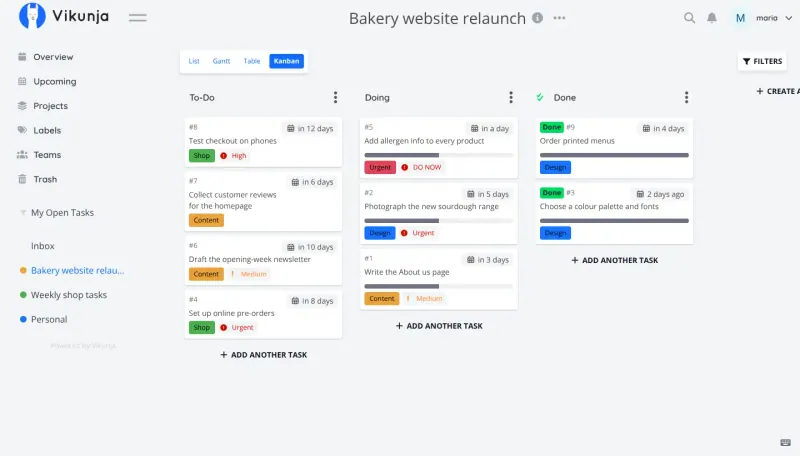
Vikunja is a free, open-source Trello alternative with Kanban boards plus list, Gantt and table views, and it can import your Trello boards. Trello’s free plan allows 10 boards and 10 collaborators per workspace and charges per user beyond that; the open-source board apps here have no such limits.

9 alternatives Free apps Our pick: Vikunja

At a glance

App Good for Code Import from Trello Ease of use
Vikunja People, families and small teams who want a private to-do list with boards and timelines Code Open source Import from Trello Yes Easy
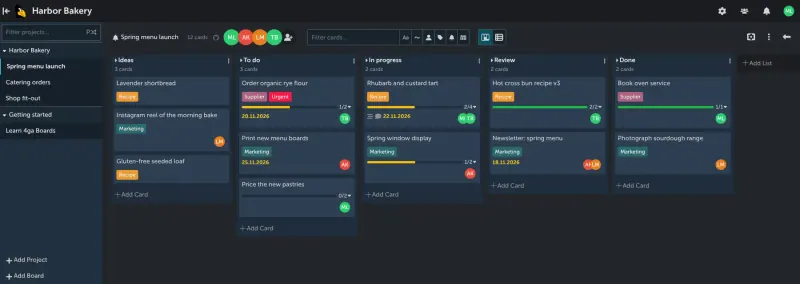
4ga Boards Small teams who want simple Trello-style boards that update live, with a list view and no per-user fee Code Open source Import from Trello Yes Easy
Eigenfocus Freelancers and solo business owners who want boards and time tracking in one app Code Source-available Import from Trello No Easy
Kan Small teams and freelancers who want simple Trello-style boards with no per-user fee Code Open source Import from Trello Yes Easy
Kanboard Small teams that want a plain Kanban board with work limits and no per-user fee Code Open source Import from Trello Partly Easy
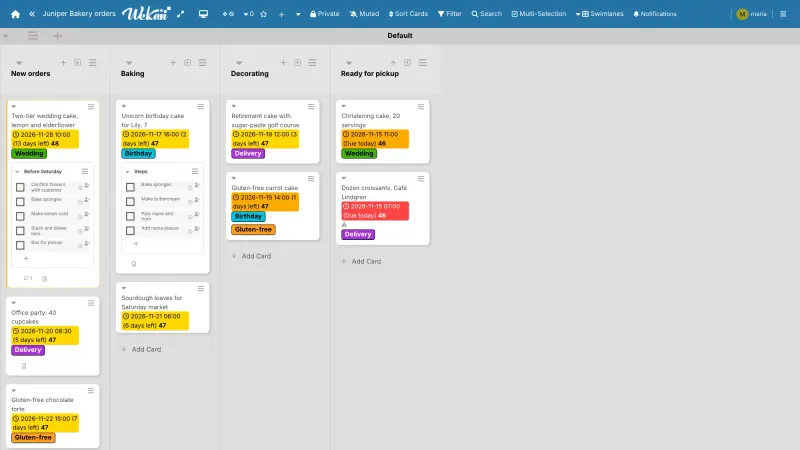
WeKan Teams who want Trello-style boards plus swimlanes, calendar and Gantt views and automation rules Code Open source Import from Trello Yes Easy
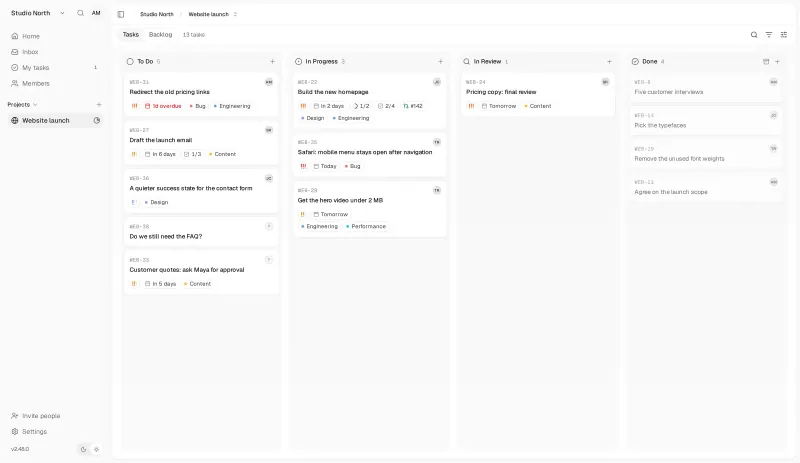
Kaneo Small teams that want a clean, simple task tracker with boards, timelines and GitHub links Code Open source Import from Trello Yes Easy
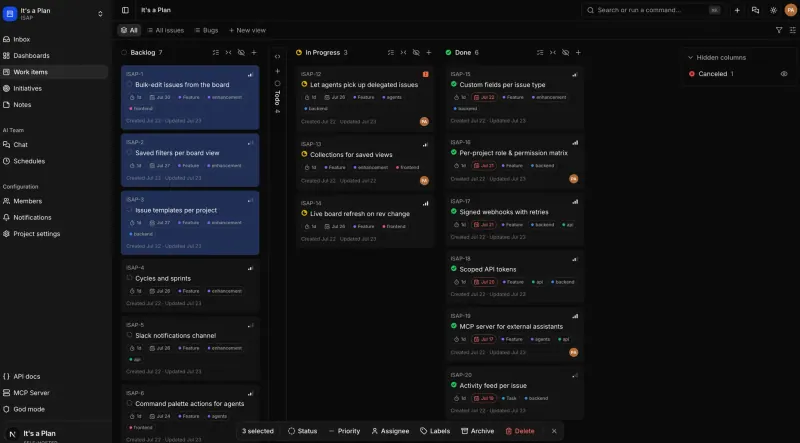
It's a Plan Teams that want a Linear-style issue tracker on their own server, with AI agents that can take issues Code Open source Import from Trello Yes Easy
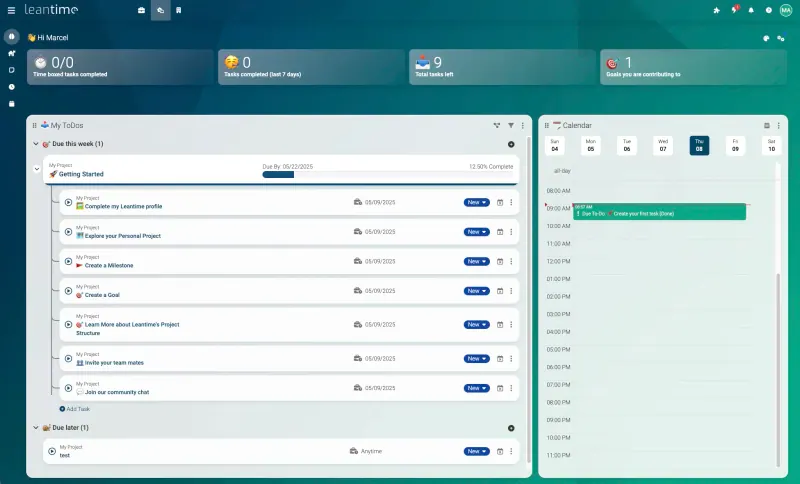
Leantime Small teams and non-project-managers who want tasks, goals and time tracking in one place Code Open source Import from Trello Partly Easy

Why look for an alternative to Trello?

Trello, from Atlassian, is a Kanban board app: cards move across lists, and Power-Ups add calendars, automations and integrations.

Teams look for an alternative because of its limits and per-user price. When we checked Trello's pricing page in November 2026, the free plan allowed 10 boards and 10 collaborators per workspace, and paid plans were charged per user. Others want their boards on their own server. A self-hosted app such as Vikunja, Kan, Kaneo, WeKan, Leantime, Kanboard or 4ga Boards gives you boards with no board or user limits. It's a Plan adds table, timeline and calendar views for a team that tracks issues, and imports Trello boards. Eigenfocus suits one person who wants boards and time tracking together; its free edition has one user.

The alternatives, compared

Vikunja

Our pick

A self-hosted to-do list with Kanban boards and Gantt charts.

Gives every project a Kanban board, plus list, Gantt and table views of the same tasks, with labels, due dates, attachments, subtasks and sharing by public link. It can import your Trello boards. It has no Power-Up marketplace or automations like Trello's.

Easy Open source

Trello-style kanban boards that update in real time.

Trello-style projects, boards, lists and cards with labels, members, due dates, task checklists, attachments and comments, updated in real time for everyone, plus a table-style list view of the same cards and a Markdown editor. It imports a Trello board from its JSON export with no Trello key needed, though attachments and members do not come across. It has no automations, Power-Ups, calendar view or phone apps.

What you gain
  • Free to self-host under the MIT licence, with no limit on boards or members
  • Your boards, cards and files stay on your own server
  • The same boards, lists and cards your team already knows from Trello, plus a list view
What is different
  • No automation, Power-Ups, calendar or timeline view
  • Web only, with no phone or desktop apps
  • A smaller project with a smaller community than Trello's
Easy Open source

Project boards with a time tracker on every task.

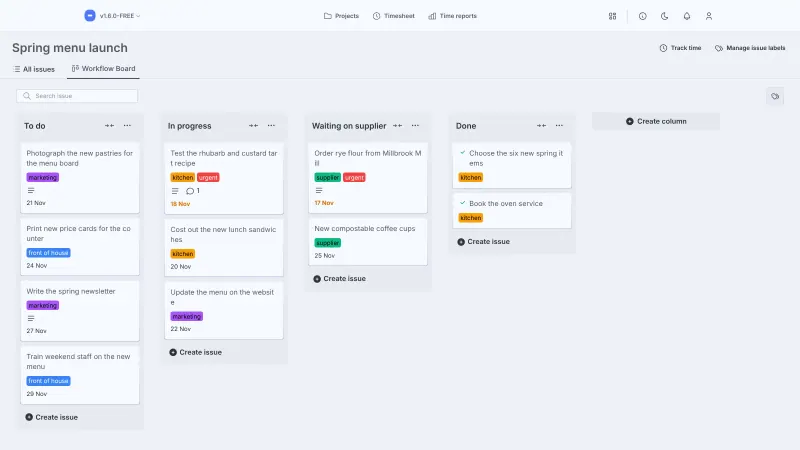
Kanban boards with your own columns plus a time tracker on every task, a weekly timesheet and time reports, which Trello needs a Power-Up for. The free edition is for one person, with no user accounts, so a team needs a paid edition. It is source-available rather than open source, cannot import Trello boards, and has no phone apps, automations or calendar view.

What you gain
  • Time tracking built in, with no add-on to buy
  • Unlimited projects and tasks, with no monthly fee
  • Your projects, files and hours stay on your own server
What is different
  • The free edition has one user; a team needs a paid edition
  • No import from Trello, so you start fresh
  • No phone apps, automations or calendar view
Easy Source-available

Kan

Simple Trello-style kanban boards for your team, on your own server.

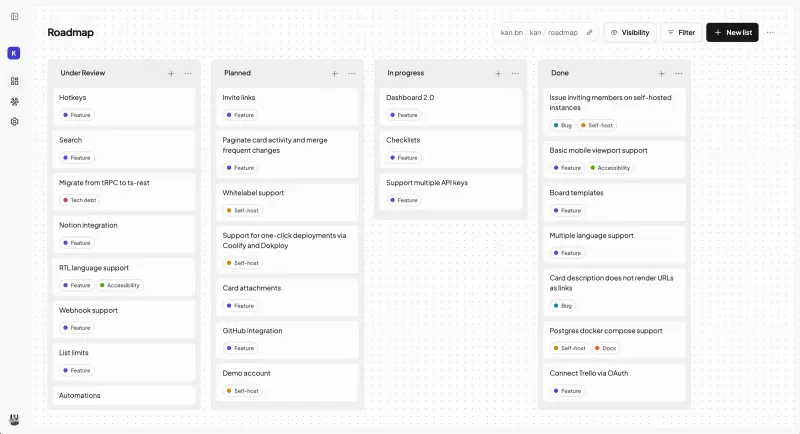
The closest look-alike: boards, lists and cards that work the way Trello's do, with labels, checklists, due dates, comments, an activity log and board templates, and it imports your Trello boards. It is young and web only, with no automations, Power-Ups or calendar view, and file attachments need extra storage that this template does not set up.

What you gain
  • Free to self-host, with every feature and no limit on members
  • Your boards and cards stay on your own server
  • The same boards, lists and cards your team already knows from Trello
What is different
  • No automation or Power-Ups like Trello's
  • Web only, with no phone or desktop apps
  • Younger than Trello, with features still being added
Easy Open source

A simple self-hosted Kanban board with limits on work in progress.

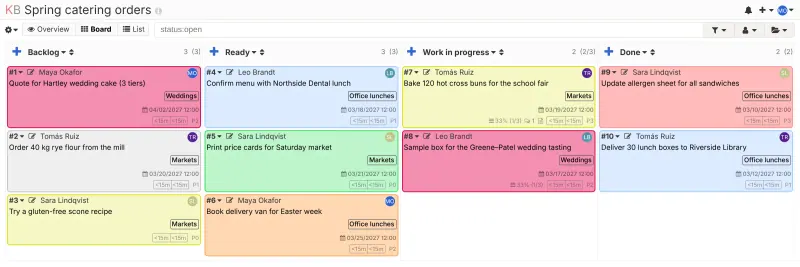
A plain, fast Kanban board that adds what Trello leaves to Power-Ups: work-in-progress limits per column, swimlanes, automatic actions, subtasks and time tracking. Its interface is older-looking and not practical on a phone, it has no phone app, the project is in maintenance mode with no major new features planned, and Trello boards come in only through community tools.

What you gain
  • Free to self-host, with every feature and no limit on users or boards
  • Your projects and tasks stay on your own server
  • Work-in-progress limits and swimlanes, which most simple boards lack
What is different
  • A plainer, older-looking design than Trello or Asana
  • No phone app, and the board is awkward on small phone screens
  • No built-in Trello import; community tools exist, but they take some work
Easy Open source

Kanban boards with swimlanes, calendars and rules.

The closest to Trello with automation: boards with swimlanes, lists and cards, plus table, calendar, Gantt and Scrum views, and Rules that work like Trello's Butler. It imports Trello boards, attachments included through Trello's API. The interface is busy, with many buttons and options, and there are no phone apps or Power-Ups.

What you gain
  • Free and open source, with every feature and no limit on boards or members
  • Automation rules, swimlanes and calendar views without a paid plan
  • Your boards, cards and files stay on your own server
What is different
  • A busier screen with many more buttons and options than Trello
  • No phone or desktop apps; it runs in the browser and can be added to a home screen
  • No Power-Up marketplace; rules and webhooks cover some of what Power-Ups do
Easy Open source

Simple self-hosted project boards, lists and Gantt charts for teams.

Boards that go further than Trello's: the same tasks also show as a list, calendar or Gantt chart, with subtasks, dependencies, labels, time tracking and GitHub links, and it imports your Trello boards, checklists, labels and comments. Each task has one assignee, there are no Power-Ups, and file attachments need extra storage that this template does not set up.

Easy Open source

Linear-style issue tracking, with AI agents as teammates.

Gives each project a board plus table, timeline and calendar views of the same issues, with labels, checklists, attachments and due dates, and it imports your Trello boards. It is an issue tracker for teams, with cycles, docs and AI agents, so it does more than a simple board. It has no Power-Ups, no Butler-style automations and no phone app.

Easy Open source

Simple project management with boards, timelines, goals and time.

A project tool for small teams where Kanban boards sit next to milestones on a timeline, goals and time tracking. It does more than a board, but it has no Trello importer, and recurring tasks and custom fields are paid plugins.

Easy Open source

Moving from Trello

Vikunja, Kan and Kaneo all import Trello boards: whoever runs the server adds a Trello app key to the app once, then each person connects their Trello account and picks the boards to bring in. WeKan imports a board's JSON export from Trello, or connects with a Trello API key and token to bring attachments too, and it can import Butler commands as Rules. Leantime has no Trello importer; bring your cards in through its CSV import of to-dos, or recreate the active boards by hand. Kanboard has no built-in Trello importer either; community tools such as the TrelloJSON2Kanboard plugin convert a Trello board export, or bring tasks in through Kanboard's CSV import. 4ga Boards imports a board straight from the JSON file Trello exports, with no app key: lists, cards, labels, checklists and comments come across, but attachments and members do not, so add your team and upload important files again. Eigenfocus has no Trello importer, so you set up your boards again and start fresh. Power-Ups do not carry over in any of them, and automations carry over only into WeKan, so note the ones your team depends on.

It's a Plan imports Trello boards too: enter a Trello API key and token on its import page and bring in one board at a time.

Questions

What is the best self-hosted alternative to Trello?

Start with Vikunja. All 9 are free to self-host. Vikunja, 4ga Boards, Kan, Kanboard, WeKan, Kaneo, It's a Plan and Leantime are open source; Eigenfocus (source-available) publishes its code under a licence with conditions an open-source licence does not have, such as limits on reselling it, keeping the maker's branding or a paid key for some features.

Should I choose Vikunja, Kan, Kaneo, WeKan, Leantime, Kanboard, 4ga Boards, Eigenfocus or It's a Plan?

Choose Vikunja for boards plus list, Gantt and table views and file attachments, with a Trello importer. Choose Kaneo for boards with a calendar and Gantt chart and links to GitHub, for teams that also write software. Choose Kan if you want boards that look and work most like Trello and nothing more. Choose WeKan if you rely on Butler-style automation, swimlanes or many views, and don't mind a busier screen. Choose Leantime if your team also needs milestones, goals and time tracking in the same place. Choose Kanboard if you run your work as a process with work-in-progress limits and swimlanes, and a plain interface is fine. Choose 4ga Boards for Trello-style boards with a table view and the simplest Trello import, a single file upload. Choose Eigenfocus if you work alone and want a time tracker on every card. Choose It's a Plan if your boards are really a team's issue tracker and you want cycles, docs and a timeline as well.

Do these apps limit boards or users?

Vikunja, Kan, Kaneo, WeKan, Leantime, Kanboard, 4ga Boards and It's a Plan's free Community edition set no limit on boards, projects or users when you run them yourself. Eigenfocus has no limit on projects or tasks, but its free edition is for one user only. When we checked in November 2026, Trello's free plan allowed 10 boards and 10 collaborators per workspace.

Which Trello alternatives can import my Trello boards?

Vikunja, Kan, Kaneo, WeKan, 4ga Boards and It's a Plan import Trello boards. WeKan brings attachments across through Trello's API, and 4ga Boards takes a single JSON export file without attachments or members. Kanboard takes Trello boards only through community tools, and Leantime and Eigenfocus have no Trello importer.

Are these Trello alternatives really free?

Vikunja, Kan, Kaneo, WeKan, Leantime, Kanboard and 4ga Boards are free and open source, and so is It's a Plan's Community edition, under the AGPL, with a paid Pro edition for extras such as single sign-on and an audit log; Leantime sells a few extras, such as recurring tasks and custom fields, as paid plugins. Eigenfocus is free for one person, with no limit on projects or tasks; a team needs its paid Essential or PRO edition, bought once, or the paid Eigenfocus Cloud. To run any of them you need Cloudgate and a server: use hosted Cloudgate, which can also provide the server, or install Cloudgate on a server of your own for free. Cloudgate's plans and prices are at cloudgate.octabyte.io/pricing.

Do I need a developer to replace Trello?

No. Cloudgate installs the app you choose on your server and gives it a secure web address, and you use it in your browser instead of Trello.