

Open-source alternatives to Linear

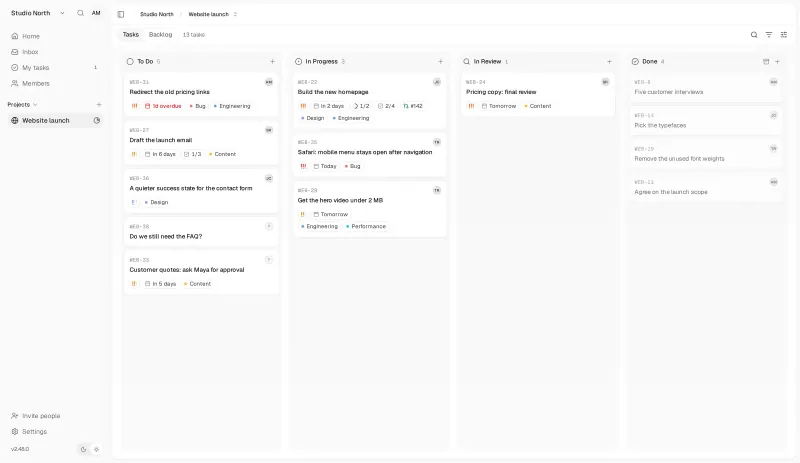
Plane is a free, open-source Linear alternative: a fast, modern tracker for work items, cycles and roadmaps that runs on your own server. Linear is cloud-only and charges per user; Plane’s Community Edition is free for any number of users, though it has no mobile app.

4 alternatives Free apps Our pick: Plane

At a glance

App Good for Code Import from Linear Ease of use
Plane Software and product teams that want a Jira- or Linear-style tracker with no per-user fee Code Open source Import from Linear No Easy
It's a Plan Teams that want a Linear-style issue tracker on their own server, with AI agents that can take issues Code Open source Import from Linear Yes Easy
Kaneo Small teams that want a clean, simple task tracker with boards, timelines and GitHub links Code Open source Import from Linear Yes Easy
Orbit Software teams that want a Linear-style, keyboard-first tracker with no paid tier at all Code Open source Import from Linear No Some setup

Why look for an alternative to Linear?

Linear is a fast, minimal issue tracker popular with software startups. Teams plan work in cycles, track issues and projects with keyboard shortcuts, and connect it to GitHub and Slack, with desktop and phone apps.

Teams look for an alternative because Linear is cloud-only and charged per user, so the bill grows with the team and all project data sits on Linear's servers. A self-hosted tracker such as Plane, Kaneo or It's a Plan works in a similar way and runs on your own server, with no per-user fee in their free editions. Orbit, newer and still a self-hosting preview, is keyboard first like Linear and has no paid tiers at all.

The alternatives, compared

Plane

Our pick

Project tracking with sprints, boards and timelines.

Works much like Linear, with cycles, a keyboard-friendly modern interface, work items on boards and lists, and project pages, and you can run it on your own server. Linear is more polished and has native apps. The free Community Edition has no GitHub or Slack integration, importer or mobile app.

Easy Open source

Linear-style issue tracking, with AI agents as teammates.

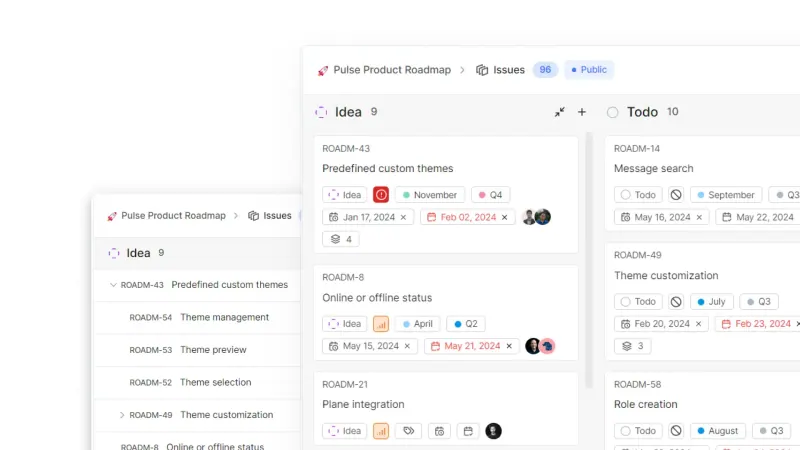
Works much like Linear: issues with custom fields, states and sub-issues on boards, tables, timelines and calendars, cycles that carry unfinished work forward, project dashboards and docs, and pull requests from GitHub, GitLab and other Git hosts that move their issues. It imports your Linear projects, and AI agents can join a project and take issues. It is younger than Linear and web only, with no native apps, and per-workspace sign-in, audit logs and agent workflows are in its paid Pro edition.

What you gain
  • No per-seat price in the free Community edition, however many people join
  • Your issues, docs and files stay on your own server
  • Linear and Trello projects come across with the built-in importers
What is different
  • No phone or desktop apps; use It's a Plan in a web browser, including on a phone
  • No importer for Jira or Asana, so that work is re-created by hand or through the API
  • AI agents need your own model API key or a coding tool on your computer, and you pay for what they use
Easy Open source

Simple self-hosted project boards, lists and Gantt charts for teams.

A simpler tracker with an importer for Linear: teams, issues, states, labels and comments come across. Tasks show as a board, list, calendar or Gantt chart, with subtasks, dependencies, time tracking and GitHub, GitLab or Gitea links, and every feature is free with no user limit. It has no cycles or sprints, one assignee per task, and its iPhone app costs a one-time fee per person to use with your own server.

What you gain
  • No per-user fee and no paid tiers, however many people join
  • Your projects and comments stay on your own server
  • A built-in importer for Linear, Jira and Trello
What is different
  • No sprints (cycles), burn-down charts or budgets
  • Each task has one assignee, so cards with several members keep only the first
  • Attaching files to tasks needs extra file storage that this setup does not include
Easy Open source

A free, self-hosted task manager with issues, sprints and docs.

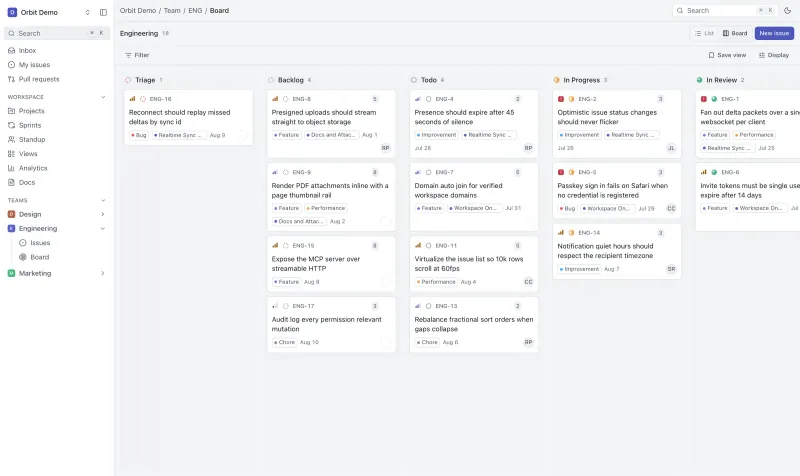
Works much like Linear: issues with priorities, estimates and sub-issues on lists and boards, sprints with burndown and carryover, projects with milestones, docs, a standup board and a Cmd K command palette, with changes showing live for everyone and no paid edition at all. Its makers call self-hosting a preview, not yet a supported production release, and it has no importer yet and no phone layout.

What you gain
  • No per-seat fee and no paid tier, however many people join
  • Your issues, docs and files stay on your own server
  • Sprints, docs, a standup board and analytics in one app
What is different
  • Its makers call self-hosting a preview, not yet a supported production release
  • No importer yet, so Linear or Jira work does not come across
  • No custom fields, automation rules, timeline view or time tracking yet
Some setup Open source

Moving from Linear

The Community Edition has no Linear importer; Plane offers one only in its Commercial Edition. Export your Linear issues as CSV and bring the open ones into Plane through its REST API, or recreate the current cycle and backlog by hand if they are small. Set up projects, states and labels in Plane before you move work, and keep Linear's history as an export. Linear's GitHub and Slack integrations have no free match, so link pull requests by hand or with webhooks. Kaneo has a built-in Linear importer that brings over teams, issues, states, labels and comments; cycles and attachments do not come across, and Kaneo's GitHub, GitLab and Gitea links are free.

It's a Plan imports from Linear in its free edition: enter a Linear API key on its import page and bring in one team's project at a time, repeating for each team. Then connect your Git host, so a pull request that says Fixes KEY-42 moves that issue along.

Orbit has no Linear importer yet, so add your open issues and current sprint by hand and keep Linear's export for history. Invite your team, set up a GitHub App if you want pull requests linked to issues, and try it on a small project first, since its self-hosted version is still a preview.

Questions

What is the best open-source alternative to Linear?

Start with Plane. All 4 are free and open source.

Can I self-host Linear?

No. Linear is only available as a cloud service. Plane's Community Edition works in a similar way and runs on your own server.

Does Plane connect to GitHub like Linear?

Not in the free Community Edition. The GitHub, GitLab and Slack integrations are in Plane's paid Commercial Edition; the free edition has a REST API and webhooks. Kaneo links tasks to GitHub, GitLab and Gitea in its free app.

Should I choose Plane, Kaneo or It's a Plan?

Choose Plane if your team plans in cycles and wants the tracker that works most like Linear. Choose Kaneo for a simpler tracker with board, list, calendar and Gantt views, free GitHub links and a built-in Linear importer, if you can do without sprints. Choose It's a Plan if you want cycles plus a free Linear importer and Git links, or AI agents that take issues next to your team.

Should I choose Plane or Orbit?

Plane for a team that needs a tracker it can rely on today, with timelines and more views. Orbit if you want no paid edition at all, a standup board and docs built in, and are happy to run software its makers still call a preview.

Are these Linear alternatives really free?

Yes, Plane, It's a Plan, Kaneo and Orbit are free. To run them you need Cloudgate and a server. Use hosted Cloudgate, which can also provide the server, or install Cloudgate on a server of your own for free. Cloudgate's plans and prices are at cloudgate.octabyte.io/pricing. One server can run several apps.

Do I need a developer to replace Linear?

No. Cloudgate installs the app you choose on your server and gives it a secure web address, and you use it in your browser instead of Linear.