
It's a Plan
Linear-style issue tracking, with AI agents as teammates.
No server needed to start: Cloudgate can provide one. What happens when you click Deploy
What is It's a Plan?
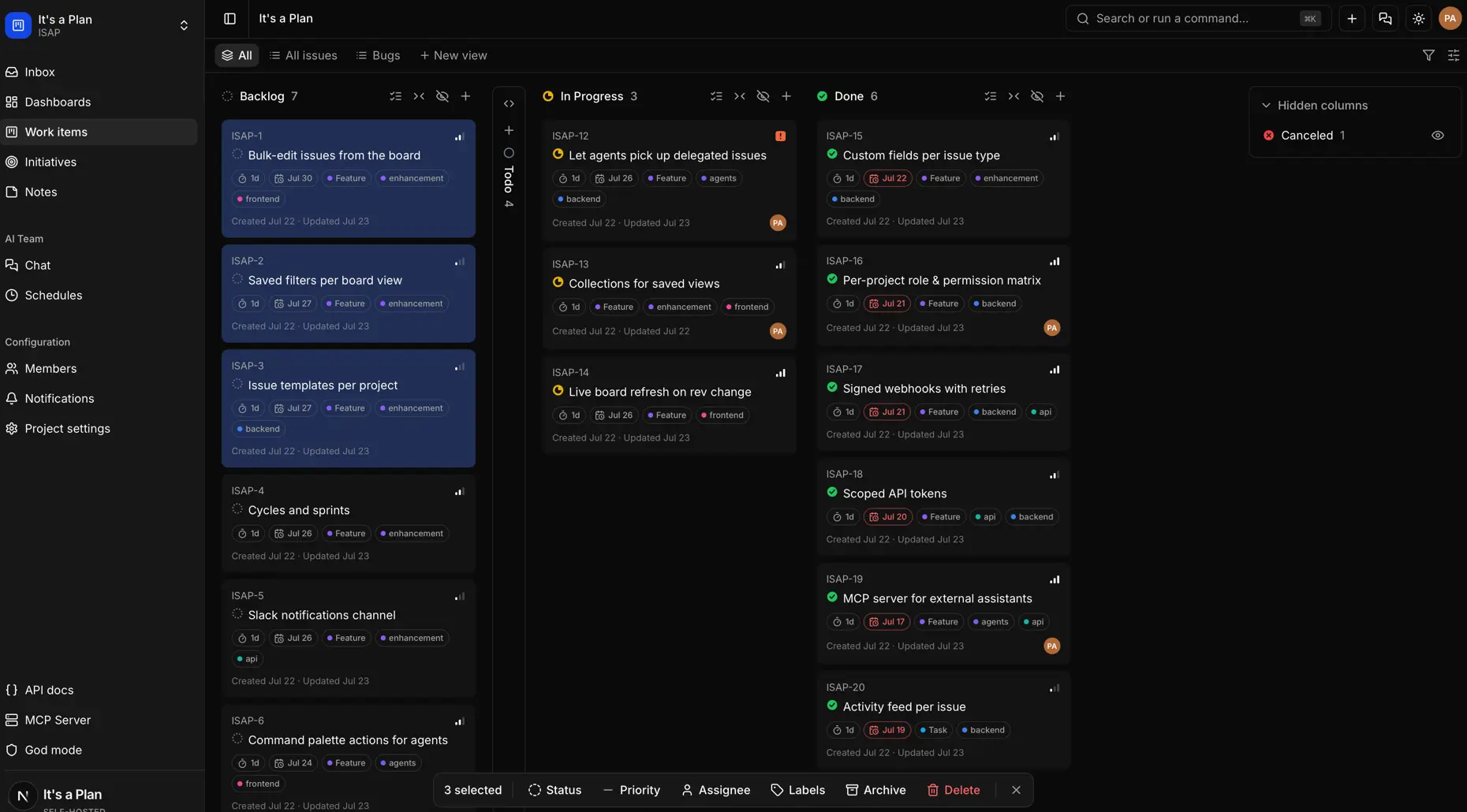
It's a Plan is a self-hosted, open-source issue tracker like Linear, with boards, cycles, docs and AI agents that take issues like a teammate.
It's a Plan is a self-hosted, open-source issue tracker and project management app, a free alternative to Linear and Jira where your team and AI agents work on the same board. This template installs the free Community edition.
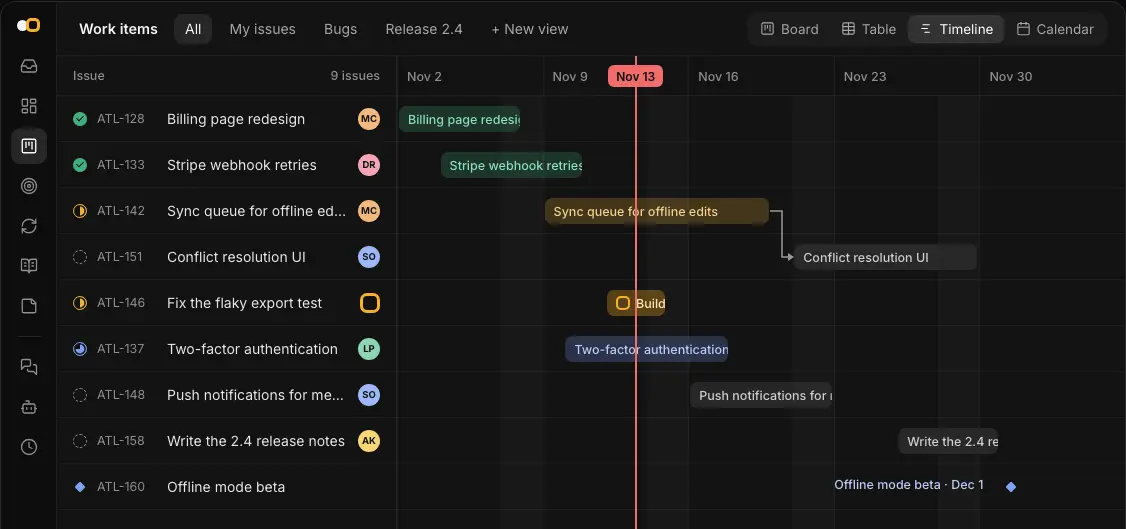
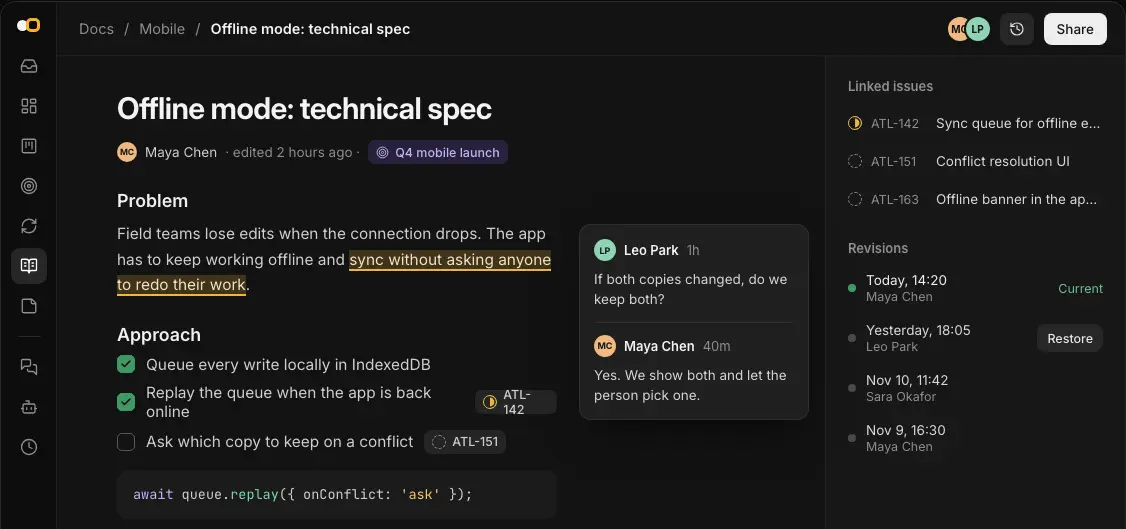
Each project has its own fields, labels and states. You can see its issues as a board, a table, a timeline or a calendar, plan the work in cycles (sprints), and keep specs and sticky-note boards next to the issues. An AI agent can join a project like a teammate: assign it an issue or @mention it, and it reports back on the issue. A small web agency, for example, could run each client project as a cycle, keep the brief in a doc, and hand an agent the routine bug reports.
It's a Plan works in any web browser, including on a phone; it has no phone apps. It imports projects from Linear, Trello and Plane, links pull requests from GitHub and GitLab, and has a REST API, webhooks and an MCP server. AI agents use your own model API key or a coding tool on your computer.
Cloudgate installs It's a Plan on a server Cloudgate provides or one you connect and gives it a secure web address. The first account registered becomes the admin, so register right after setup.
What you can do with It's a Plan
- Track issues your way Each project sets its own fields, labels, states and issue types, and issues have subtasks, checklists, files and links to related issues.
- See the work four ways Switch between a board, a table, a timeline and a calendar, and save the filters you use as a tab.
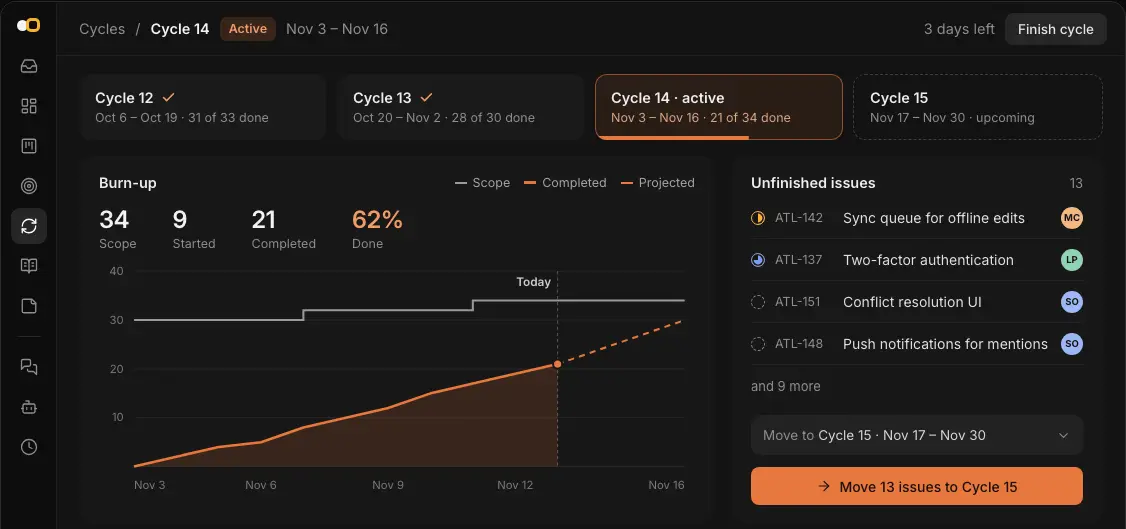
- Plan in cycles Time-box the work in cycles (sprints), follow a burn-up chart, and move what is left to the next cycle.
- Keep docs and notes with the work Write specs as linked pages with comments and revision history, and sketch ideas as sticky notes on a board.
- Hand issues to AI agents Add an AI agent to a project and give it an issue, an @mention or a schedule, then review what it did.
- Bring your projects across Import projects from Linear, Trello and Plane, with their issues and states.
- Follow progress on dashboards Project dashboards show throughput, a burn-up with a projected finish date, and how the work breaks down.
- Connect your own tools Link pull requests from GitHub, GitLab and others, and use the REST API, webhooks or the MCP server.
Replaces Linear, Jira and Trello
It's a Plan does the same job as Linear, Jira and Trello. Here is what changes when you switch.
- No per-seat price in the free Community edition, however many people join
- Your issues, docs and files stay on your own server
- Linear and Trello projects come across with the built-in importers
- AI agents work on the same board as your people, on the model or coding tool you choose
- No phone or desktop apps; use It's a Plan in a web browser, including on a phone
- No importer for Jira or Asana, so that work is re-created by hand or through the API
- AI agents need your own model API key or a coding tool on your computer, and you pay for what they use
- More workspaces, an audit log, agent workflows, AI budgets and public forms are in the paid Pro edition
What happens when you click Deploy?
You do not need a server or any technical knowledge. Four steps, and It's a Plan is running at its own web address.
- Step 1 Click Deploy and create your account
Deploy takes you to Cloudgate. Create an account, or log in if you have one. It's a Plan itself is free.
- Step 2 Choose a server
No server? Get one from Cloudgate: pick a size and a country, and Cloudgate gets it ready. Already have one? Connect it instead.
- Step 3 Cloudgate sets up It's a Plan
It prepares the server, makes the passwords the app needs and starts it. There is nothing to install and nothing to write down.
- Step 4 Open your app and sign in
Your app gets a free web address to start, without https. Add your own domain, like app.yourshop.com, and Cloudgate secures it with https for you.
New to Cloudgate? See what Cloudgate is
Run Cloudgate yourself? Deploy from your own console
In your Cloudgate console, open Templates and choose It's a Plan.
Questions
Is It's a Plan free?
Yes, the It's a Plan Community edition is free and open source under the AGPL-3.0 licence, with no per-seat price. A paid Pro edition adds more workspaces, per-workspace single sign-on, an audit log, agent workflows, AI budgets and public forms; this template installs the free Community edition.
Is It's a Plan a good alternative to Linear?
Yes, for teams that want Linear's way of working, with issues, cycles and a fast, modern board, on their own server. Linear is cloud-only, charges per seat and has phone and desktop apps, which It's a Plan does not.
Can It's a Plan import my projects from Linear, Trello or Plane?
Yes, It's a Plan imports a Linear team's project with an API key, a Trello board with an API key and token, and a Plane project, each from a project's Import/Export settings. It has no Jira or Asana importer.
How do AI agents work in It's a Plan?
In It's a Plan, an AI agent is a project member you can assign issues to, @mention in a comment or run on a schedule. Agents run on the server with a model API key you enter, or on your own computer through a coding tool such as Claude Code or Codex, and they report back on the issue.
How do I sign in to It's a Plan the first time?
There is no default password. Right after setup, open your It's a Plan web address and register; the first account becomes the admin, who can then choose whether others may sign up, set up email and invite the team.
Does It's a Plan have a phone app?
No, It's a Plan has no phone app, but it works in a phone's web browser, and it can send notifications by email or on Telegram.
What server size do I need for It's a Plan?
Cloudgate installs It's a Plan on a medium server with 2 GB of memory, which suits a small team.
Do I need technical skills to run It's a Plan?
No. Click Deploy, create your Cloudgate account and choose a server, and Cloudgate sets up It's a Plan and gives it a web address. You use it in your browser like any other online tool.
Do I need my own server for It's a Plan?
No. When you deploy It's a Plan, hosted Cloudgate can provide a server. If you already rent one, you can connect it instead.
Related apps

Simple self-hosted project boards, lists and Gantt charts for teams.

Project tracking with sprints, boards and timelines.

A free, self-hosted task manager with issues, sprints and docs.

Issue tracking with Gantt charts, wikis and time logs.