WeKan
Kanban boards with swimlanes, calendars and rules.
No server needed to start: Cloudgate can provide one. What happens when you click Deploy
What is WeKan?
Self-hosted WeKan is an open-source kanban board for teams: Trello-style boards with swimlanes, calendar and Gantt views, and automation rules.
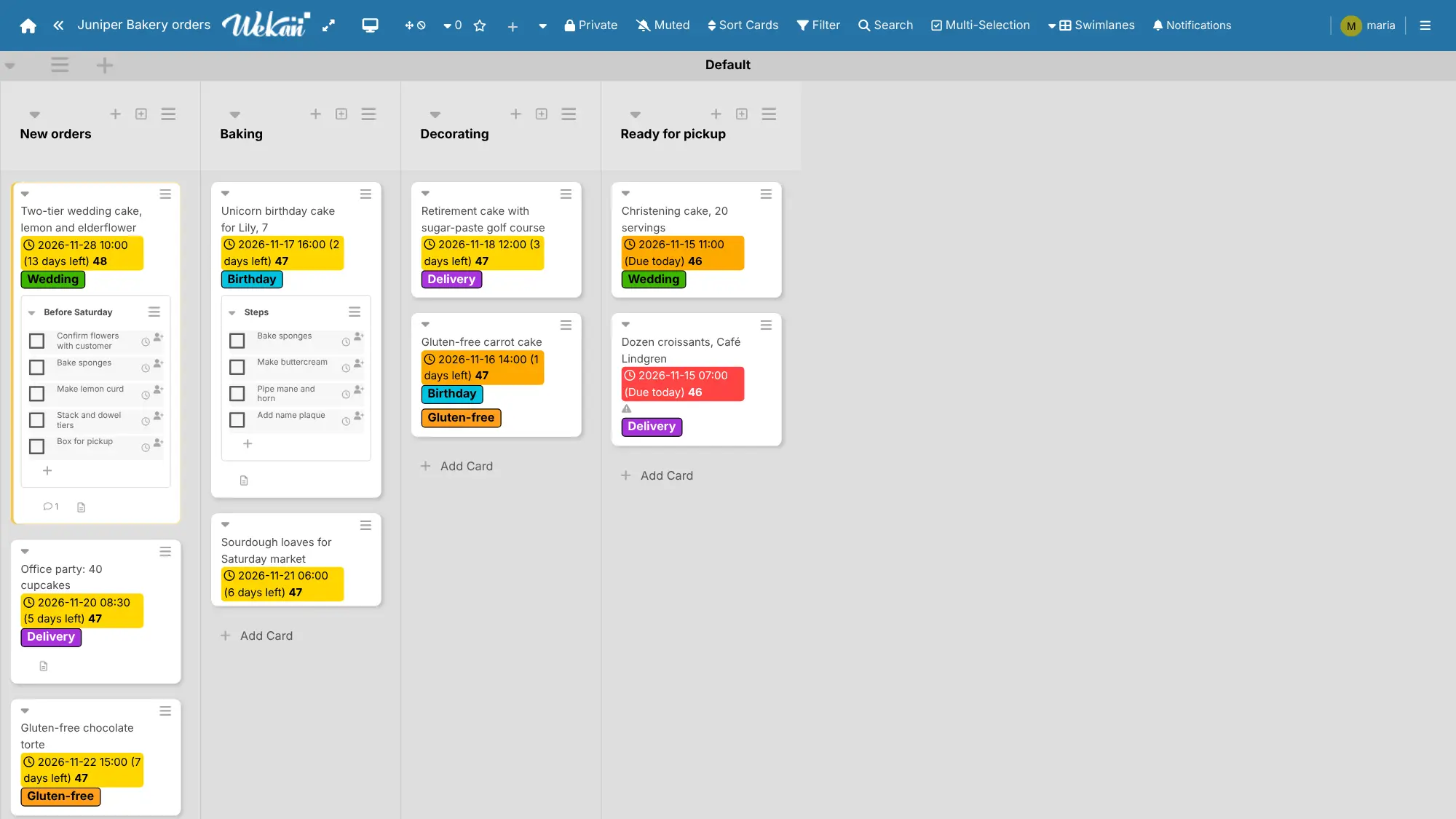
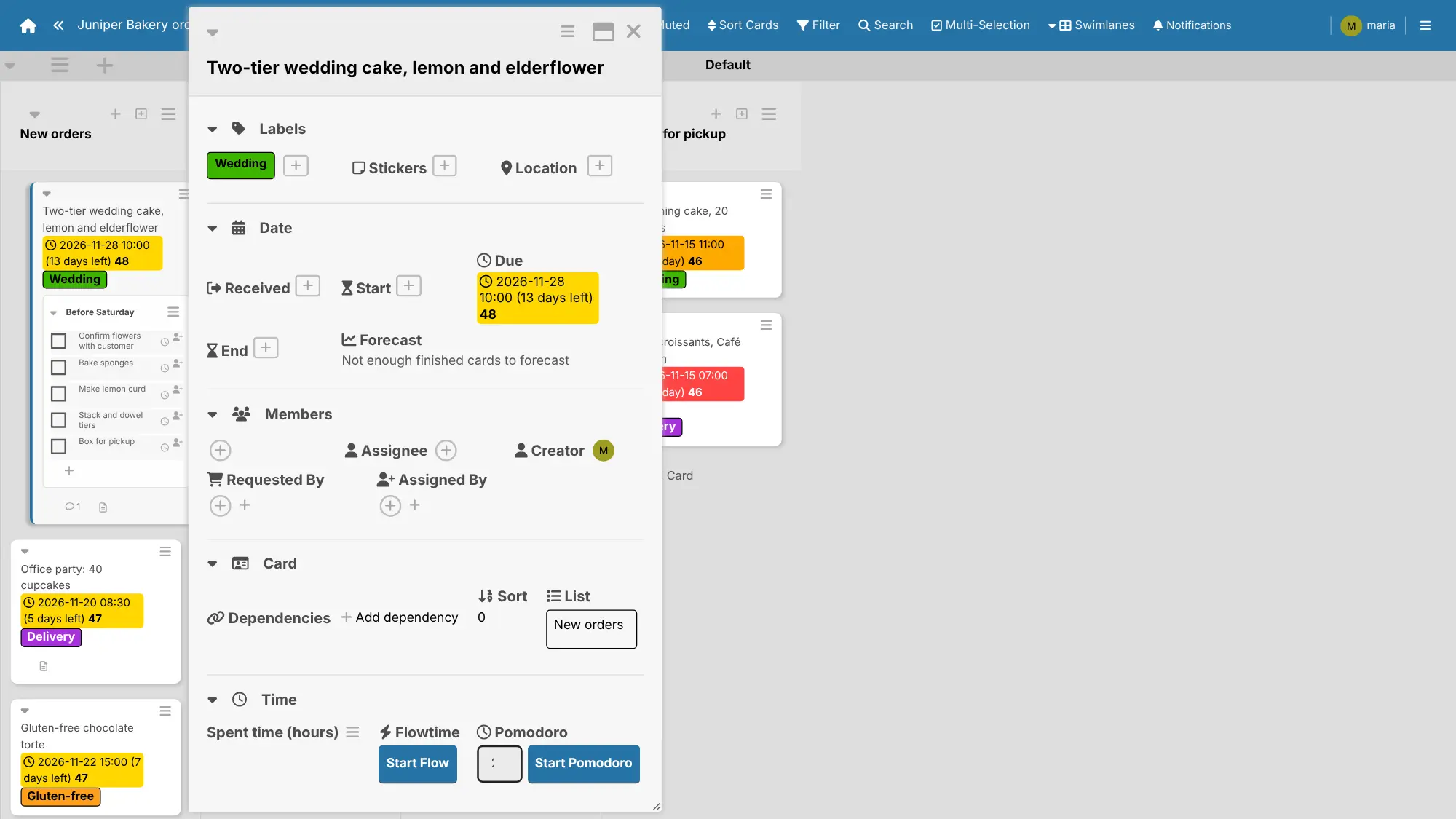
WeKan is a free, open-source, self-hosted kanban board and a long-running alternative to Trello. Your team plans work as cards in lists, splits a board into swimlanes, and adds labels, due dates, checklists, comments and files to each card.
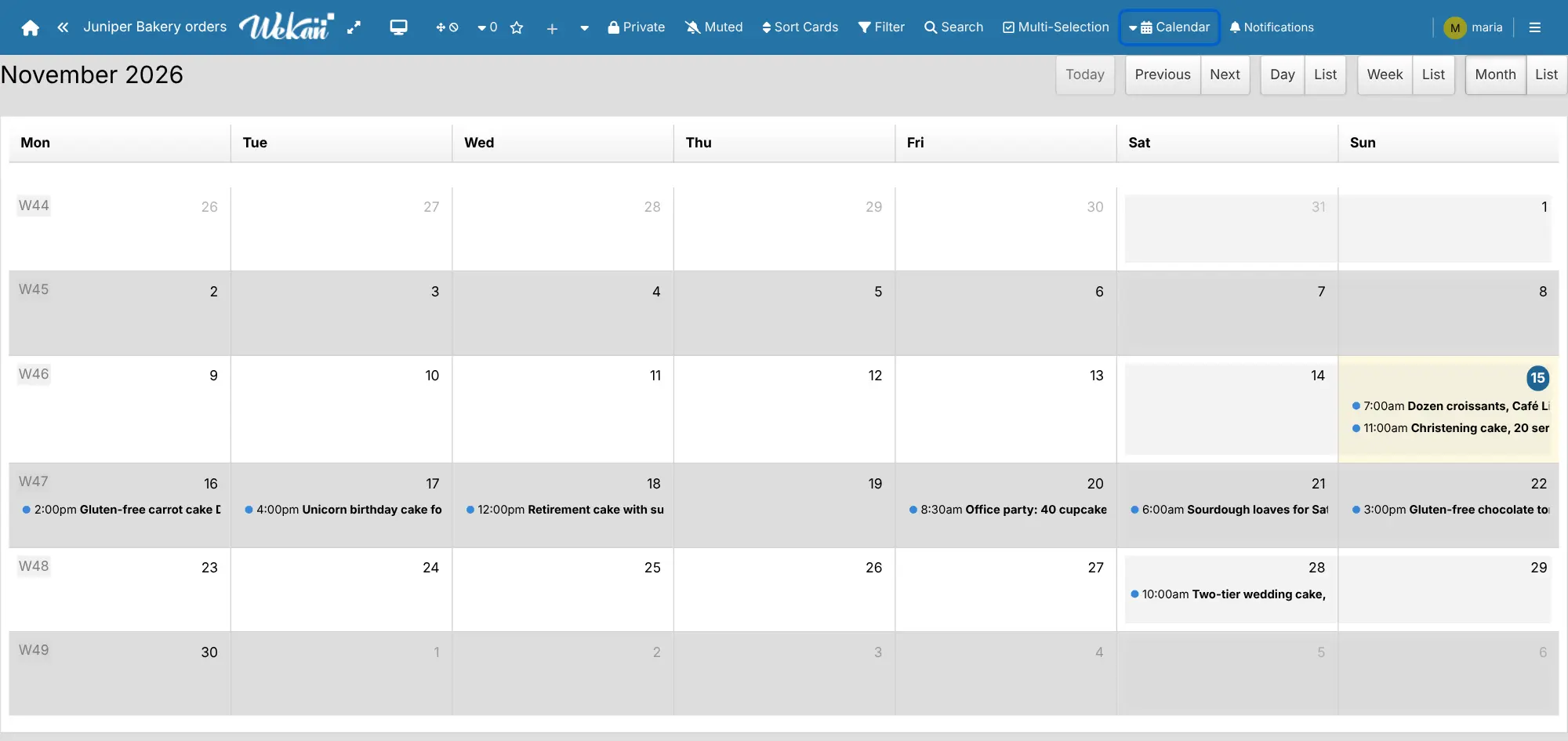
The same board can also be shown as a table, a calendar, a timeline or a Gantt chart, and rules handle routine steps, such as adding a label when a card reaches Done. A bakery, for example, could keep one board of cake orders with lists for New orders, Baking, Decorating and Ready for pickup, and check the calendar view each morning to see what is due.
If you are leaving Trello, WeKan imports your boards, and it also reads exports from Jira, Asana and many other tools. It runs in the web browser, including on a phone, where you can add it to your home screen. WeKan offers more options than Trello, so its screens take a little longer to learn.
Cloudgate installs WeKan and its database on your server and gives it a secure web address. Register the first account to become the admin, then turn off open registration so only the people you invite can join.
What you can do with WeKan
- Plan work on boards Move cards through lists, and split a board into swimlanes for each person, client or project.
- Keep the details on the card Add labels, start and due dates, checklists, comments, attachments and your own custom fields.
- See the same work another way Switch a board to a table, a calendar, a timeline, a Gantt chart or Scrum sprints and backlog.
- Let rules do the routine Set up rules such as "when a card moves to Done, add a label", much like Trello's Butler.
- Bring your boards with you Import boards from Trello, Jira, Asana, a spreadsheet and many other tools.
- Export any time Save a board as PDF, Excel, CSV or JSON, or follow its due dates as a calendar feed.
- Decide who sees what Keep boards private or public, invite members per board, and organise people into teams.
- Sign in with your company account Connect LDAP, SAML or OAuth2 sign-in if your business already has one.
Replaces Trello
WeKan does the same job as Trello. Here is what changes when you switch.
- Free and open source, with every feature and no limit on boards or members
- Automation rules, swimlanes and calendar views without a paid plan
- Your boards, cards and files stay on your own server
- Imports your Trello boards, including attachments when you connect Trello
- A busier screen with many more buttons and options than Trello
- No phone or desktop apps; it runs in the browser and can be added to a home screen
- No Power-Up marketplace; rules and webhooks cover some of what Power-Ups do
- New versions come out very often, and the project asks you to keep it up to date
What happens when you click Deploy?
You do not need a server or any technical knowledge. Four steps, and WeKan is running at its own web address.
- Step 1 Click Deploy and create your account
Deploy takes you to Cloudgate. Create an account, or log in if you have one. WeKan itself is free.
- Step 2 Choose a server
No server? Get one from Cloudgate: pick a size and a country, and Cloudgate gets it ready. Already have one? Connect it instead.
- Step 3 Cloudgate sets up WeKan
It prepares the server, makes the passwords the app needs and starts it. There is nothing to install and nothing to write down.
- Step 4 Open your app and sign in
Your app gets a free web address to start, without https. Add your own domain, like app.yourshop.com, and Cloudgate secures it with https for you.
New to Cloudgate? See what Cloudgate is
Run Cloudgate yourself? Deploy from your own console
In your Cloudgate console, open Templates and choose WeKan.
Questions
Is WeKan free?
Yes, WeKan is free and open source under the MIT licence. A self-hosted WeKan has every feature, including the Admin Panel, with no limit on boards or members; the WeKan team charges only for its hosted service and for commercial support.
Is WeKan a good alternative to Trello?
Yes, if your team wants Trello-style boards with more built in. WeKan has lists, cards, labels, checklists and due dates like Trello, plus swimlanes, calendar and Gantt views and automation rules, but its screen is busier and it has no phone apps or Power-Ups.
Can I import my boards from Trello into WeKan?
Yes, WeKan imports Trello boards with their lists, cards, labels, checklists and comments. You can upload a board's JSON export from Trello, or connect a Trello API key and token to pick boards and bring their attachments too.
How do I sign in to WeKan the first time?
Open WeKan's web address, choose Register and create an account with a username, email and password; the first account becomes the admin. Then untick Self-Registration under People in the Admin Panel, so only people you invite can join.
Does WeKan need an email server?
No, WeKan works without one, and password sign-in needs no email. Add your email settings in the Admin Panel when you want WeKan to send board invitations, notifications and password resets.
Is there a WeKan phone app?
No, WeKan has no app in the App Store or Google Play. It works in a phone's web browser, and you can add it to your home screen from Safari or Chrome so it opens like an app.
Do I need technical skills to run WeKan?
No. Click Deploy, create your Cloudgate account and choose a server, and Cloudgate sets up WeKan and gives it a web address. You use it in your browser like any other online tool.
Do I need my own server for WeKan?
No. When you deploy WeKan, hosted Cloudgate can provide a server. If you already rent one, you can connect it instead.
Related apps

Simple Trello-style kanban boards for your team, on your own server.

Trello-style kanban boards that update in real time.

Project boards with a time tracker on every task.

A simple self-hosted Kanban board with limits on work in progress.