

Open-source alternatives to Todoist

Vikunja is a free, open-source Todoist alternative: a to-do app with projects, due dates, reminders, recurring tasks and labels, plus list, Kanban, Gantt and table views. Todoist keeps its calendar layout, custom reminders and more than five projects for paid plans; self-hosted Vikunja has every view and feature free, though its phone app is basic.

6 alternatives Free apps Our pick: Vikunja

At a glance

App Good for Code Import from Todoist Ease of use
Vikunja People, families and small teams who want a private to-do list with boards and timelines Code Open source Import from Todoist Yes Easy
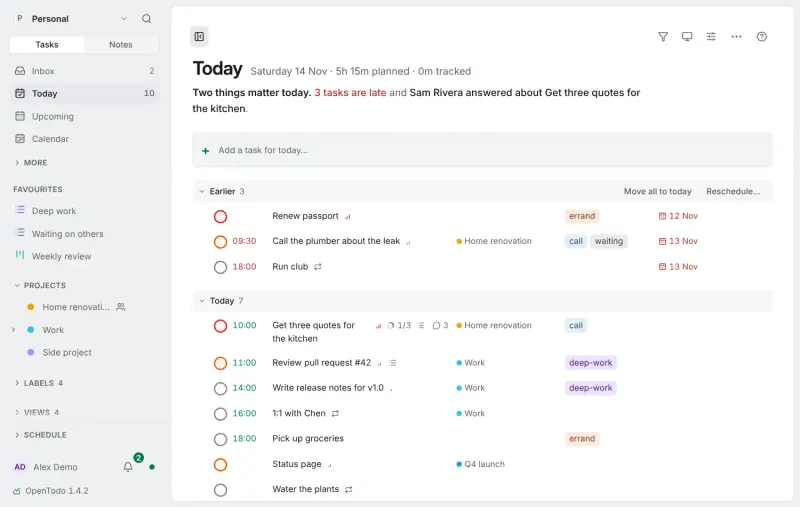
OpenTodo People, families and small teams who want a Todoist-style to-do list that works offline on every device Code Open source Import from Todoist Yes Easy
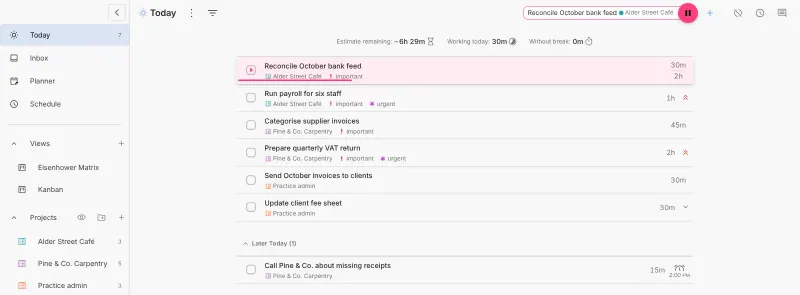
Super Productivity Freelancers and individuals who plan their day and track time per task or client Code Open source Import from Todoist Yes Some setup
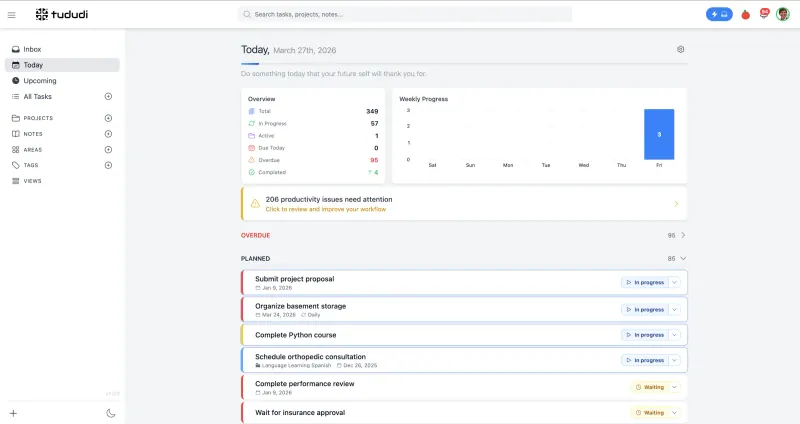
tududi People and families who want a private to-do list with projects, recurring tasks and a daily plan Code Open source Import from Todoist Partly Easy
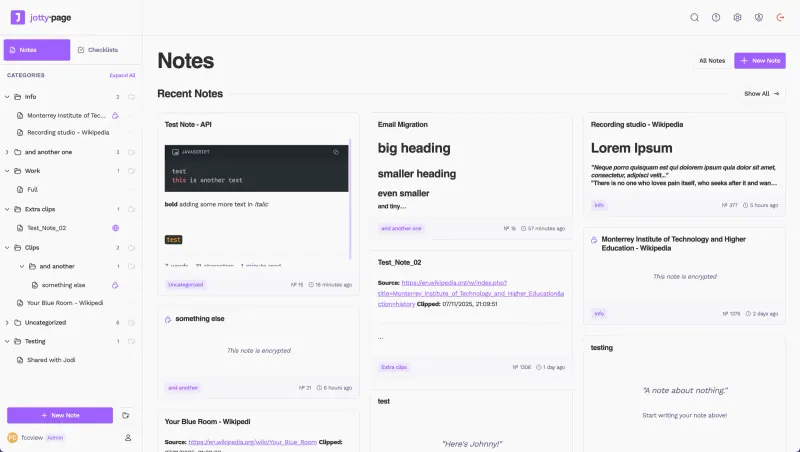
Jotty Households and small teams who want shared notes, checklists and simple task boards Code Open source Import from Todoist No Easy
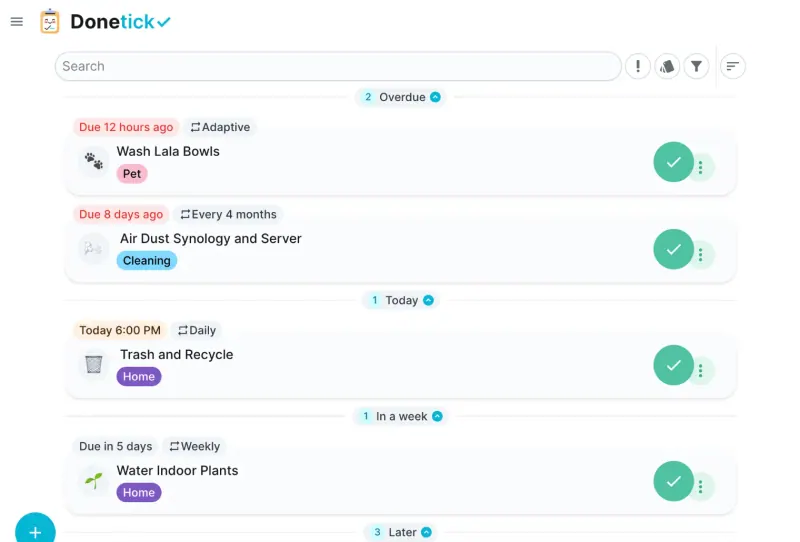
Donetick Families and house-shares who want to share recurring chores, rotate them fairly and reward them with points Code Open source Import from Todoist No Easy

Why look for an alternative to Todoist?

Todoist is a popular to-do list app for personal and team tasks, with projects, due dates, labels and quick task entry on every device.

People look for an alternative because many features sit behind its paid plans. When we checked Todoist's pricing page in November 2026, the free plan allowed five personal projects and three filters and left out the calendar layout and custom reminders. Others want their task list on their own server. Vikunja has every view and feature in its free app, with no project limit; tududi keeps a personal or family to-do list with habits and a daily plan, Donetick shares household chores, and Super Productivity is a personal to-do list with a day planner, time tracking and a Todoist importer. OpenTodo works offline on every device, with time blocking, a focus timer and a Todoist importer.

The alternatives, compared

Vikunja

Our pick

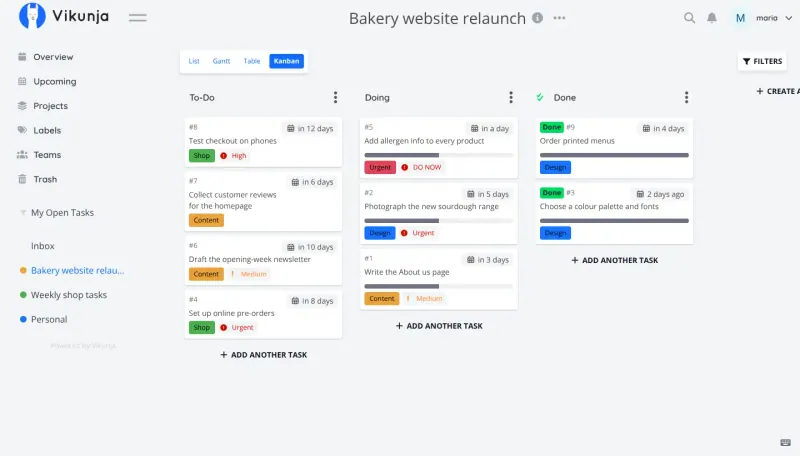
A self-hosted to-do list with Kanban boards and Gantt charts.

A to-do app with projects and subprojects, due dates, reminders, recurring tasks, labels, priorities and saved filters, plus list, Kanban, Gantt and table views. Typing a task with a date or label adds them for you, much like Todoist's quick add. Todoist has polished phone apps and more integrations; Vikunja's phone app covers only the basics, so it works best in the browser or through CalDAV.

What you gain
  • No subscription or per-user price; the whole app is free
  • Kanban, Gantt and table views come with every project
  • Your tasks stay on your own server
What is different
  • The phone app covers only the basics, so most people use the web app
  • Fewer integrations than Todoist or Trello, and no Power-Ups or automations
  • Importing from Todoist, Trello or Microsoft To Do needs extra setup first
Easy Open source

An offline-first, self-hosted Todoist alternative with time blocking.

A Todoist-style to-do list with quick add in plain words, such as "Call Sarah next Wed 3pm #work p1", Today and Upcoming views, projects as a list, board or timeline, and projects shared with family or a team. It adds time blocking on a day or week calendar, a focus timer and habits, works offline on every device, and imports Todoist backups or fetches your tasks with an API token. The project is only months old, its iPhone app is a first release and its Android app is downloaded from GitHub.

What you gain
  • Every feature is free, with no limit on projects or people
  • Your tasks stay on your own server, with no tracking
  • Time blocking, a focus timer and habits sit next to your tasks
What is different
  • The iPhone app is a first release, and the Android app is a download from GitHub for now
  • Fewer ready-made integrations with other services than Todoist
  • It is a young project, first released in October 2026
Easy Open source

A self-hosted to-do list, time tracker and day planner in one.

A personal to-do list with projects, sub-tasks, tags, recurring tasks and Todoist-style quick add, plus a day planner, time tracking per task and focus timers. It imports your active Todoist projects and tasks. It is built for one person, with no shared projects or team accounts, and the web version keeps tasks in your browser until you turn on sync.

What you gain
  • Every feature is free, with no premium tier
  • Time tracking, a day schedule and focus timers in the same app as your to-do list
  • Tasks and tracked hours sync through your own server, not a vendor's cloud
What is different
  • It is a personal tool, with no shared projects or team accounts
  • In the browser, tasks are kept on each device until you turn sync on
  • Sync to your server uses the app's WebDAV option, which upstream marks as experimental
Some setup Open source

A self-hosted to-do list that plans your day, alone or as a family.

A personal and household to-do list with areas, projects, recurring tasks, a quick-add box that understands dates, habits and a plan for each day, and projects you can share with family or a small team. It has no native phone apps, so you use it as a web app or sync tasks over CalDAV, and it has no Todoist importer, only spreadsheet import.

What you gain
  • Every feature is free, with no limit on projects, tasks or people
  • Your tasks and notes stay on your own server
  • Family members and colleagues share one workspace at no extra cost
What is different
  • No phone apps in the app stores; you use the web app or a CalDAV reminders app
  • No direct importer from Todoist, TickTick or Things, only spreadsheet import
  • The AI assistant needs your own API key from an AI provider
Easy Open source

Notes, checklists and task boards in plain files.

Lighter than Todoist: checklists with categories and progress bars, and task boards in Kanban columns with subtasks and time tracking, next to notes, shared with other people on your server. It has no due-date reminders, recurring tasks or calendar view, and no phone app beyond a web app on your home screen, so it suits shared lists more than a daily task planner.

Easy Open source

A self-hosted chore app that shares and rotates household chores.

For the chores side of Todoist in a family or house-share: recurring tasks typed in plain words, rotation of who does each one, and points for finished tasks. It is not a general project or work to-do list, its phone apps are early, and it cannot import from Todoist.

Easy Open source

Moving from Todoist

Vikunja has a Todoist importer. It needs one-time setup by whoever runs the server: register an app in Todoist's developer console and add its keys to Vikunja, and the Vikunja address must be reachable from the internet. Then each person picks Todoist in Vikunja's import settings and signs in. Check your recurring tasks and reminders afterwards, and connect your calendar app over CalDAV if you want tasks there.

Super Productivity imports from Todoist with a personal API token, which you copy from Todoist's settings. Active projects, tasks, sub-tasks, labels and due dates come across; completed tasks do not. Turn on sync with the password from Cloudgate in each browser or app, so the same list appears on your other devices.

tududi has no Todoist importer, but it imports spreadsheets: export a project from Todoist as a CSV file, import it in tududi, match the columns and review the tasks before saving; an import can be undone for 7 days. Check recurring tasks afterwards. Donetick has no importer, so add your household chores again by typing them in plain words, such as "take the bins out every Monday", and invite the household with the group's invite code. Jotty has no Todoist importer either, so recreate the lists you share as Jotty checklists or task boards by hand.

OpenTodo imports a Todoist backup, which Todoist keeps for Premium accounts, or a project's CSV export. On a free plan, paste a Todoist API token instead and OpenTodo fetches your projects, sections, labels, tasks and comments, though not completed tasks. Create the owner account on the first visit, open Settings, then Data, then Import data, and check the preview before importing; a whole import can be undone. Then install the app on your phone and invite your family or team with invitation links.

Questions

What is the best open-source alternative to Todoist?

Start with Vikunja. All 6 are free and open source.

Should I choose Vikunja, OpenTodo, tududi, Donetick, Super Productivity or Jotty?

Choose Vikunja to share projects with other people, with list, Kanban, Gantt and table views and a Todoist importer. Choose OpenTodo for Todoist-style quick add and shared projects that work offline on every device, with time blocking and a focus timer. Choose tududi for a personal or family to-do list with areas, habits and a daily plan. Choose Donetick to share and rotate household chores. Choose Super Productivity if the list is only yours and you also want to plan your day and track time per task. Choose Jotty if you mostly keep shared checklists and simple task boards alongside notes, since it has no due-date reminders, recurring tasks or calendar view.

Does Vikunja have recurring tasks and reminders?

Yes. Tasks can repeat, for example every week or month, and have due dates and reminders, all in the free app.

Is there a Vikunja phone app?

Yes, but it supports only basic features. Most people use Vikunja in the phone's browser, or see their tasks in a calendar app through CalDAV.

Are these Todoist alternatives really free?

Yes, Vikunja, OpenTodo, Super Productivity, tududi, Jotty and Donetick are free. To run them you need Cloudgate and a server. Use hosted Cloudgate, which can also provide the server, or install Cloudgate on a server of your own for free. Cloudgate's plans and prices are at cloudgate.octabyte.io/pricing. One server can run several apps.

Do I need a developer to replace Todoist?

No. Cloudgate installs the app you choose on your server and gives it a secure web address, and you use it in your browser instead of Todoist.