


Open-source alternatives to Flickr

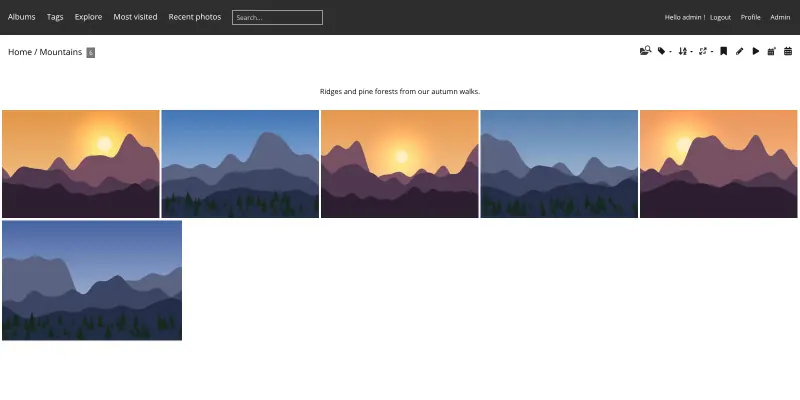
Piwigo is a free, open-source Flickr alternative for publishing photo albums on your own website, with tags, public and private albums, comments and downloads. Flickr is a hosted community on someone else’s platform; self-hosted Piwigo has no storage plan or ads, though it has no community of other photographers.

5 alternatives Free apps Our pick: Piwigo

At a glance

App Good for Code Ease of use
Piwigo Clubs, photographers, schools and organisations that share albums publicly or privately on their own site Code Open source Some setup
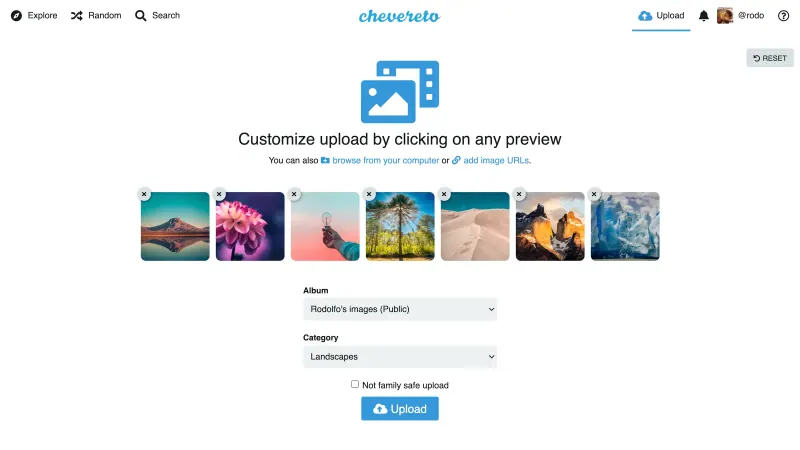
Chevereto Communities, forums and individuals who want their own Imgur-style site to upload images and share them by link Code Open source Easy
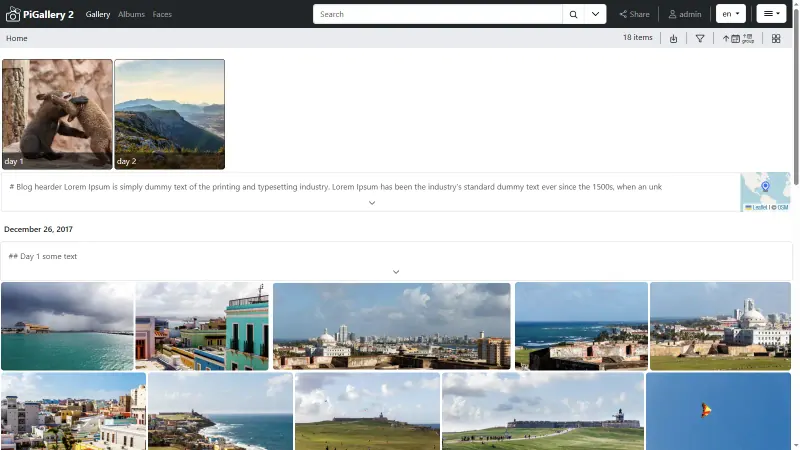
PiGallery2 Photographers and families who keep photos in folders and want a fast private gallery to browse and share them Code Open source Easy
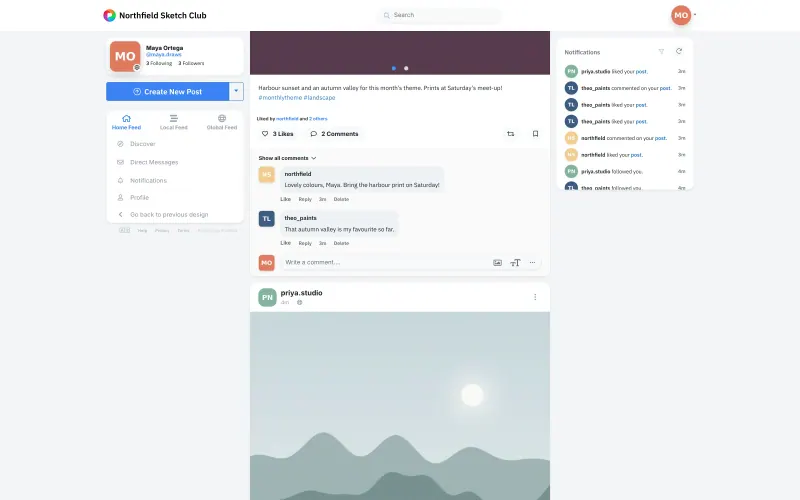
Pixelfed Photography clubs, schools, artists and families who want their own ad-free photo feed Code Open source Some setup
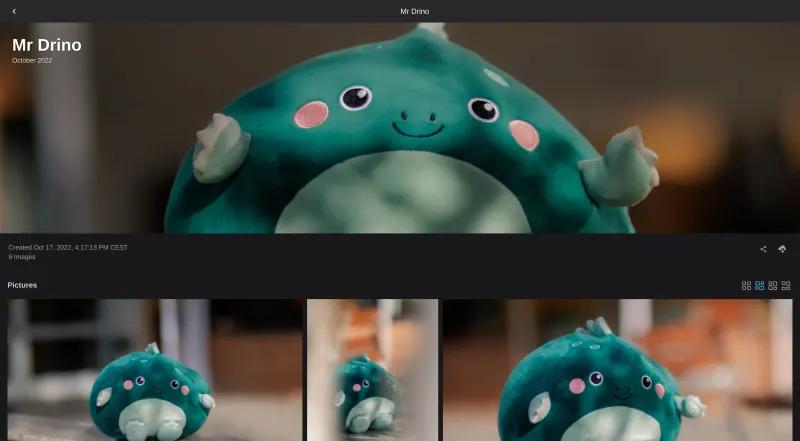
Lychee Photographers and small studios who send private galleries to clients on their own web address Code Open source Easy

Why look for an alternative to Flickr?

Flickr is one of the oldest photo-sharing communities: photographers upload photos to albums, tag them, and find and follow each other's work.

People look for an alternative when they want a photo site under their own name rather than a profile on someone else's platform. A self-hosted Piwigo or Lychee shows your albums on your own web address, with fine control over who sees what and no storage plan; in return, it brings no community of other photographers and you run the server. Pixelfed is the social option: people follow you and comment, much as on Flickr, though it is a weaker archive.

The alternatives, compared

Piwigo

Our pick

A self-hosted photo gallery to organise and share large collections.

Covers Flickr's core as your own photo website: albums and sub-albums, tags, descriptions, photo details, comments, favourites and downloads, with public albums or private ones for chosen people and groups. There is no storage plan, only your server's disk. It has no community or discovery feed to bring new viewers, and playing videos needs a plugin.

What you gain
  • No storage plan or photo limit; you are limited only by your server's disk
  • Your gallery lives at your own web address, under your own name
  • Fine control over who sees which album, by user and group
What is different
  • There is no community or discovery feed to bring new viewers to your photos
  • There are no print sales or client proofing like SmugMug's
  • The default themes look plainer than Flickr or SmugMug; a new theme helps
Some setup Open source

Image hosting to upload pictures and share them by link.

An upload-and-share site rather than a gallery: upload photos and short videos, organise them in albums with optional passwords, categories and tags, and share each one by link or embed code, with accounts for other people if you allow them and an Explore page to browse. The free edition has no followers or likes, and spam controls are in its paid editions.

Easy Open source

A fast, self-hosted photo gallery for the folders you already have.

A private gallery of the photo folders you already have, with search by place, date, keyword or person, a map of geotagged photos, camera details, and share links with an optional password and expiry. It has no community, followers, comments or public profiles, and no albums beyond your folders and saved searches.

Easy Open source

Photo sharing like Instagram, with no ads or algorithm.

The one with Flickr's community side: followers, a feed, likes, comments, hashtags and collections, and people on other Pixelfed and Mastodon servers can follow you too. It is weaker as a photo archive: posts hold a few photos each, with no deep albums or browsing by camera details, and there is no Flickr importer.

Some setup Open source

A self-hosted photo gallery for sending clean albums to clients.

A photo site under your own name with albums, tags, star ratings, camera details and a map of geotagged photos, with no storage plan. It has no community, followers, discovery or visitor comments, and no phone app yet.

Easy Open source

Moving from Flickr

Piwigo has no Flickr importer in its core, so request your Flickr data download from your account settings, then upload the photos to Piwigo, either in the web uploader or from your phone with the Piwigo app. Recreate your albums, and use the Batch Manager to add tags, titles and dates to many photos at once. Set each album to public or private and give groups of users access to the private ones. Lychee has no Flickr importer either: upload the photos from your data download in the browser, sort them into albums, and tag many at once. With Pixelfed, post your best photos from the data download as new posts, add hashtags so people can find them, and group them into collections. Then add a link to your new gallery or Pixelfed profile on your Flickr profile so followers can find it.

Chevereto has no Flickr importer either: upload the photos from your data download into albums, or have an admin add whole folders with its bulk importer.

For PiGallery2, unpack your Flickr data download into folders, one per album, and upload them at the file manager address Cloudgate sets up; PiGallery2 shows each folder as it is and reads the photos' dates, places and keywords.

Questions

What is the best open-source alternative to Flickr?

Start with Piwigo. If you want something simpler, try Chevereto. All 5 are free and open source.

Should I choose Piwigo, Lychee, Chevereto, PiGallery2 or Pixelfed?

Choose Piwigo for a full photo website with public and private albums, comments and fine control over who sees what. Choose Lychee for a clean portfolio with ratings and a map of where photos were taken. Choose Chevereto if you mostly upload pictures to share by link or embed in forums and websites; its followers and likes are paid. Choose PiGallery2 for a private, searchable gallery of photo folders you already have, with a map and share links. Choose Pixelfed if you want followers, likes and comments, as on Flickr, more than a large archive.

Can people follow my photos on Piwigo, Lychee, Chevereto or PiGallery2 like on Flickr?

No. Piwigo, Lychee and PiGallery2 have no social feed or followers, and Chevereto keeps followers and likes for its paid editions. Visitors browse your gallery, its recent photos and tags, and you share links to albums or single photos wherever your audience already is.

Is there a Flickr alternative with followers and comments?

Yes, Pixelfed. People follow your account, see your photos in a feed, and like and comment on them, including people on other Pixelfed and Mastodon servers. It suits sharing with a community more than keeping a large archive.

Can I keep my photos' camera details and tags?

Yes. Piwigo reads the EXIF and IPTC details stored in each photo file, such as the camera, date and keywords, when you upload it. Lychee shows each photo's camera, lens and exposure details and puts geotagged photos on a map. PiGallery2 reads the same details from the files.

Can PiGallery2 show my photos on a map?

Yes. It reads the location saved in each photo and places it on a map, and it can show .gpx tracks from walks or rides too.

Are these Flickr alternatives really free?

Yes, Piwigo, Chevereto, PiGallery2, Pixelfed and Lychee are free. To run them you need Cloudgate and a server. Use hosted Cloudgate, which can also provide the server, or install Cloudgate on a server of your own for free. Cloudgate's plans and prices are at cloudgate.octabyte.io/pricing. One server can run several apps.

Do I need a developer to replace Flickr?

No. Cloudgate installs the app you choose on your server and gives it a secure web address, and you use it in your browser instead of Flickr.