
PiGallery2
A fast, self-hosted photo gallery for the folders you already have.
No server needed to start: Cloudgate can provide one. What happens when you click Deploy




What is PiGallery2?
PiGallery2 is a fast, self-hosted photo gallery that turns your photo folders into a private website to browse, search, map and share your pictures.
PiGallery2 is a free, open-source, self-hosted photo gallery that turns your photo folders into a fast, private website, in place of a SmugMug or Flickr subscription. It shows your folders exactly as you organised them and never changes the photos in them.
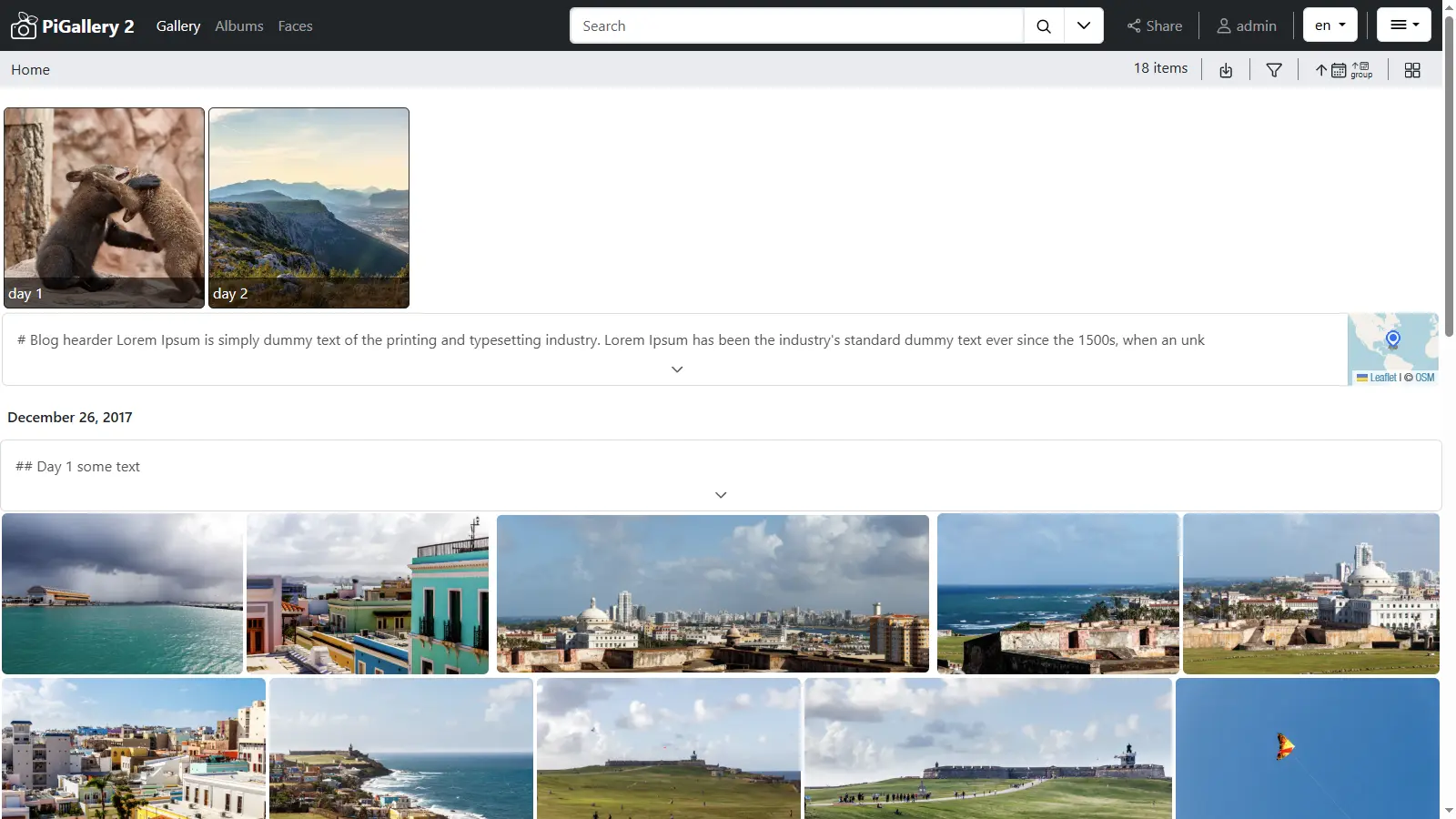
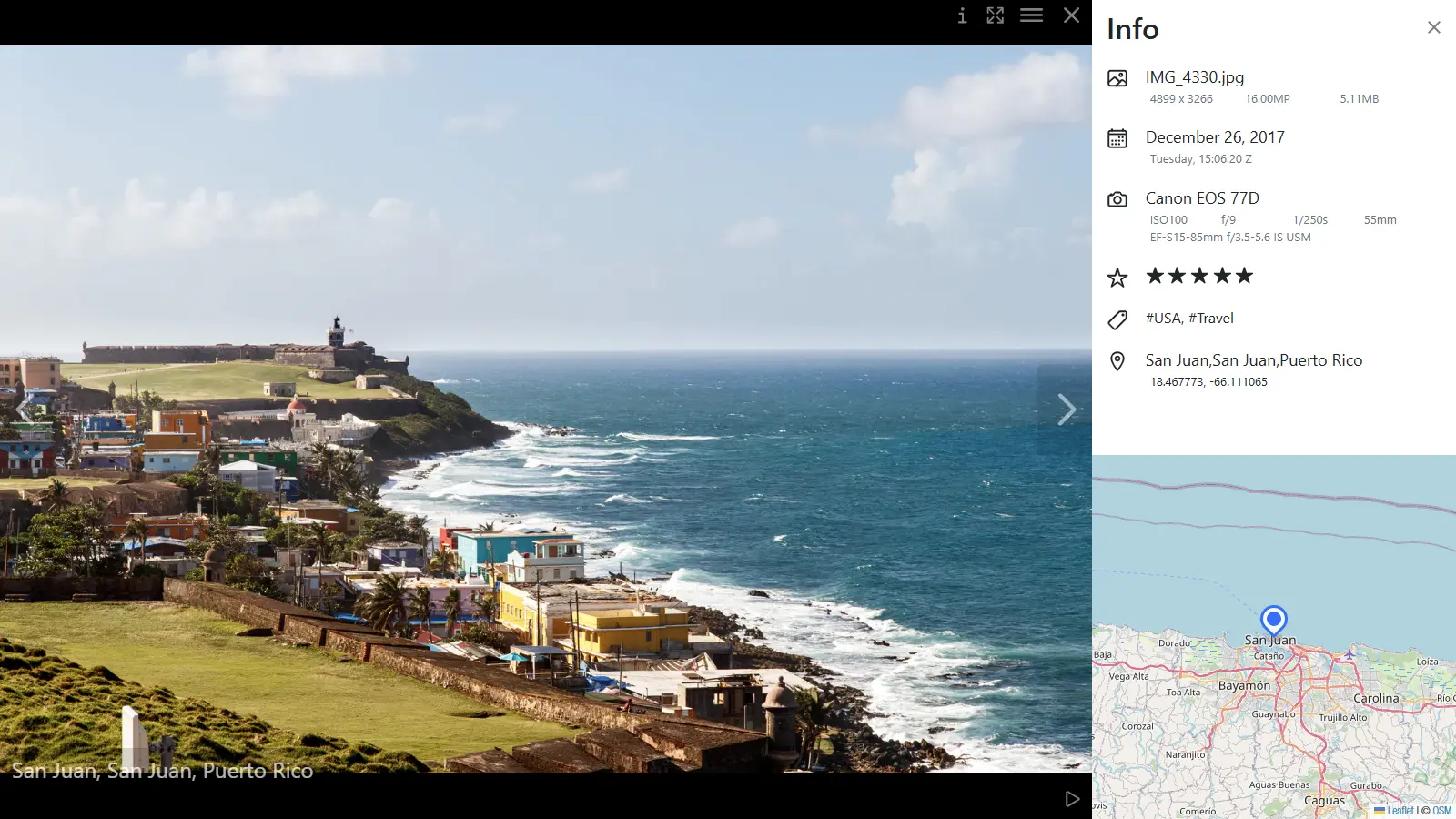
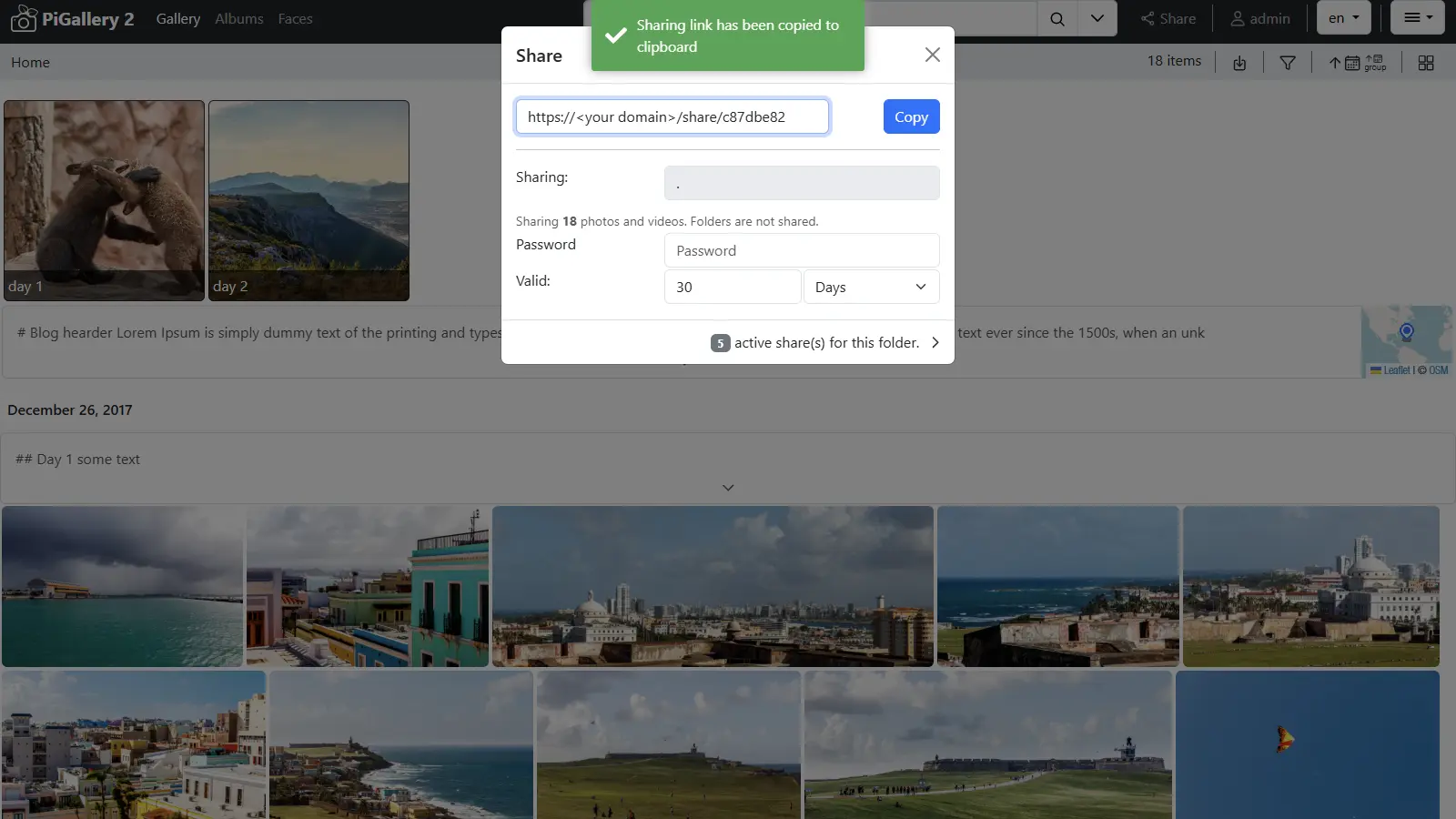
Open the gallery in any browser to scroll through your folders, open a photo full screen with its camera details, find pictures by keyword, person, place or date, and see them on a map. To share, you send a link to one folder, with a password and an expiry date if you like. A walking-tour company, for example, could keep one folder per tour, see on the map where each photo was taken, and send guests a link to that day's pictures after the walk.
PiGallery2 is light enough for a small server and works on phones too, where you can add it to the home screen. It has no albums of its own beyond folders and saved searches, no face recognition and no phone backup app, so it suits photos you already sort into folders.
Cloudgate installs PiGallery2 on your server with a secure web address, plus a simple file manager at a second address for uploading your photo folders. You sign in as admin with the password Cloudgate shows you.
What you can do with PiGallery2
- Browse your folders as a gallery Your folders and subfolders appear as they are, with every photo in a neat grid and the originals never changed.
- See every photo's details Open a photo full screen with its date, camera, lens, rating, keywords and the place it was taken.
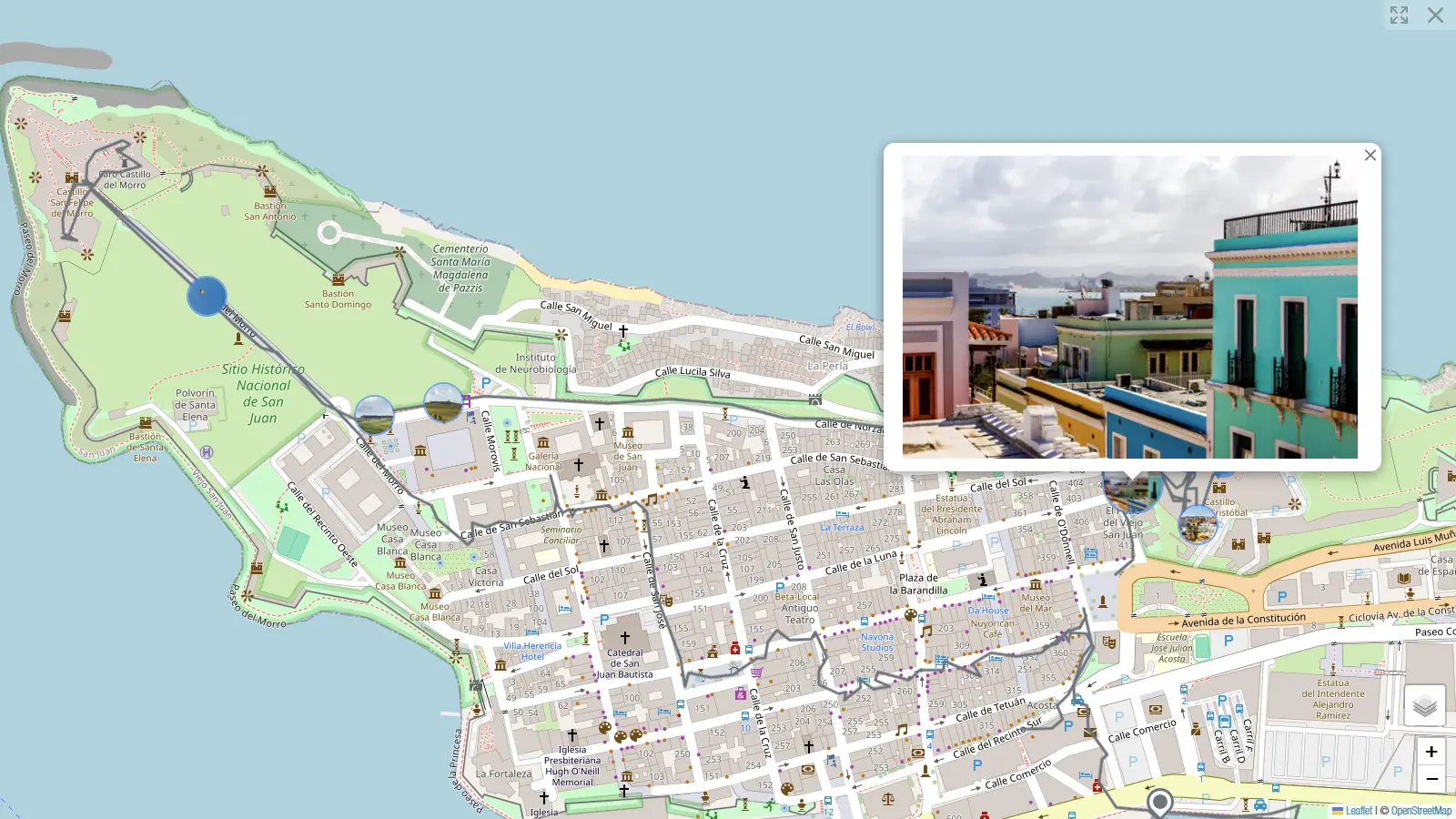
- Find photos on a map Photos with location data appear on a map where they were taken, and route files from a GPS watch show the path you walked.
- Search by person, place or date Search by keyword, person, place, date or rating, or for photos taken near a town, and save any search as an album.
- Share with a link Share a folder with a link that can have a password and an expiry date, so guests see only that folder.
- Give each person their own access Add users with different rights, and choose which folders each person can see.
- Play videos and run a photo frame Watch videos in the browser, and turn any folder or search into a slideshow for a screen on the wall.
Replaces SmugMug and Flickr
PiGallery2 does the same job as SmugMug and Flickr. Here is what changes when you switch.
- No subscription or storage plan; you are limited only by your server's disk
- Your photos stay in your own folders, in their original quality
- Runs on a small, cheap server
- Unlimited users and share links, with no paid edition
- No print sales, client proofing or storefront like SmugMug's
- No community, comments or discovery feed like Flickr's
- Albums come from your folders and saved searches, not by dragging photos into albums
- It does not recognise faces on its own; it shows names already tagged in your photos
What happens when you click Deploy?
You do not need a server or any technical knowledge. Four steps, and PiGallery2 is running at its own web address.
- Step 1 Click Deploy and create your account
Deploy takes you to Cloudgate. Create an account, or log in if you have one. PiGallery2 itself is free.
- Step 2 Choose a server
No server? Get one from Cloudgate: pick a size and a country, and Cloudgate gets it ready. Already have one? Connect it instead.
- Step 3 Cloudgate sets up PiGallery2
It prepares the server, makes the passwords the app needs and starts it. There is nothing to install and nothing to write down.
- Step 4 Open your app and sign in
Your app gets a free web address to start, without https. Add your own domain, like app.yourshop.com, and Cloudgate secures it with https for you.
New to Cloudgate? See what Cloudgate is
Run Cloudgate yourself? Deploy from your own console
In your Cloudgate console, open Templates and choose PiGallery2.
Questions
Is PiGallery2 free?
Yes. PiGallery2 is free, open-source software under the MIT licence, with no paid edition or locked features, so you pay only for your server.
Is PiGallery2 a good alternative to SmugMug or Flickr?
Yes, for showing and sharing your own photos privately. PiGallery2 turns your photo folders into a fast gallery with search, a map and password-protected share links, on your own web address. It has no print sales, client proofing or photo community, so it does not replace those parts.
How do I sign in to PiGallery2 the first time?
Use the user name admin and the password Cloudgate shows you after setup. PiGallery2's usual admin/admin login is never created, and you can add more users in the settings.
How do I add my photos to PiGallery2?
You upload them at the second web address Cloudgate gives you, a file manager that comes with this template, in folders named the way you want them shown. PiGallery2 picks up a folder when you open it in the gallery.
Does PiGallery2 have albums?
Not in the usual sense. In PiGallery2 your folders are the albums, and any search, such as one keyword or one person, can be saved as an album that updates on its own.
Can I move my photos from SmugMug or Flickr to PiGallery2?
Not automatically. PiGallery2 has no importer, so download your originals from SmugMug or Flickr first, then upload the folders to your server.
Does PiGallery2 recognise faces or back up my phone?
No. PiGallery2 shows names that are already tagged in your photos by programs like Lightroom or digiKam, and it has no backup app. For automatic phone backup and face recognition, Immich or PhotoPrism is the better choice.
Do I need technical skills to run PiGallery2?
No. Click Deploy, create your Cloudgate account and choose a server, and Cloudgate sets up PiGallery2 and gives it a web address. You use it in your browser like any other online tool.
Do I need my own server for PiGallery2?
No. When you deploy PiGallery2, hosted Cloudgate can provide a server. If you already rent one, you can connect it instead.
Related apps

A self-hosted photo gallery for sending clean albums to clients.

A self-hosted photo gallery to organise and share large collections.

A self-hosted photo gallery that turns your folders into albums.

Image hosting to upload pictures and share them by link.