
Pixelfed
Photo sharing like Instagram, with no ads or algorithm.
No server needed to start: Cloudgate can provide one. What happens when you click Deploy
What is Pixelfed?
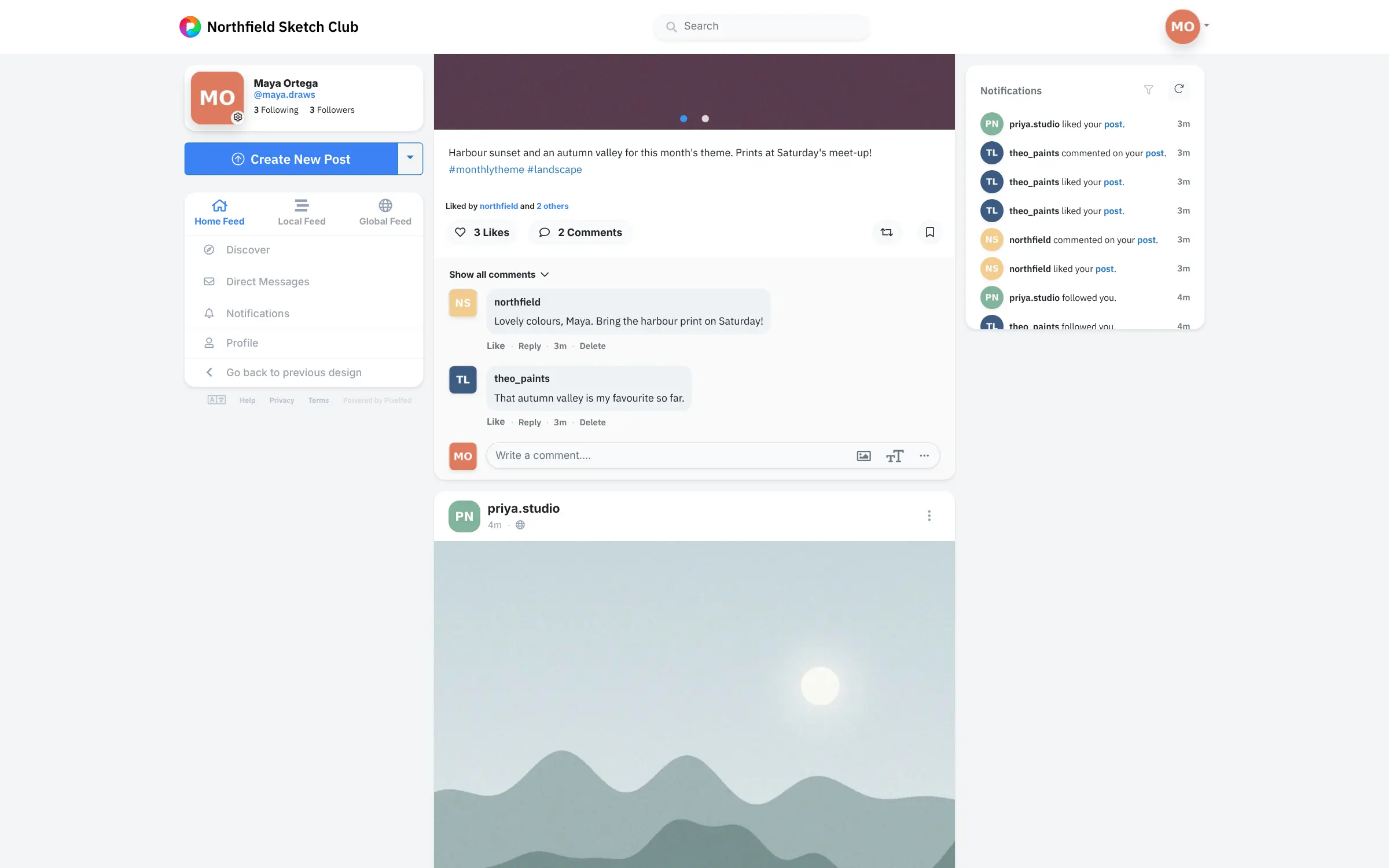
Pixelfed is self-hosted photo sharing like Instagram, without ads: a time-ordered feed, likes, comments and messages for your club, school or family.
Pixelfed is a free, open-source, self-hosted photo sharing network: an ad-free alternative to Instagram where your members post photos, follow each other, and like and comment, with the feed in time order rather than chosen by an algorithm. It can also stand in for the community side of Flickr.
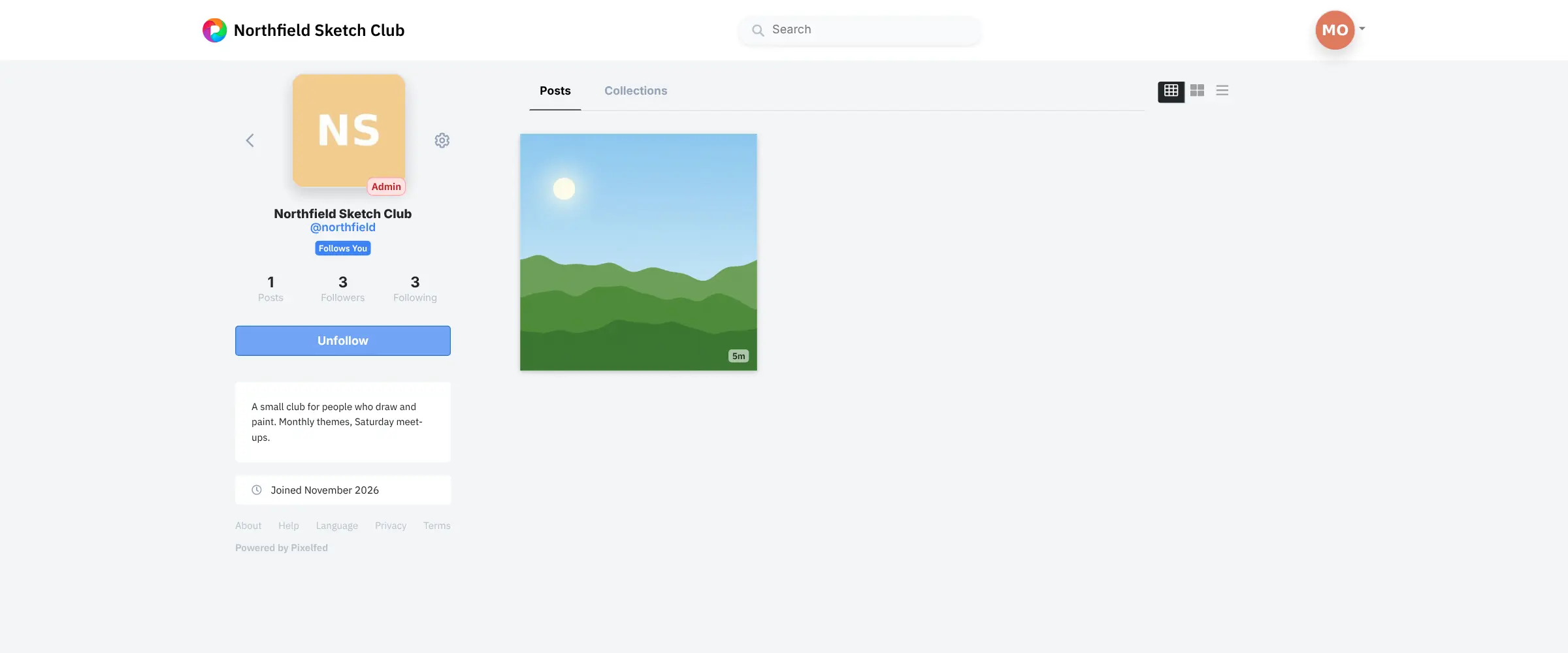
Each member gets a profile with a grid of their pictures, and can post albums, add captions and hashtags, tag people, make collections and send direct messages. A photography club, for example, could give every member an account, post a monthly theme, and gather the best entries into a collection before the next meet-up.
Pixelfed is part of the fediverse, so people on Mastodon and on other Pixelfed servers can follow your members, while you decide who can sign up on yours. There are official apps for iPhone and Android, and anyone moving from Instagram can import their posts with captions and hashtags.
Cloudgate installs Pixelfed on a server Cloudgate provides or one you connect, with everything it needs to process photos in the background, and gives it a secure web address. You sign in as the admin with the password Cloudgate shows. Add an email service so new members can confirm their address, and plan disk space for your photos, which grows as your community posts.
What you can do with Pixelfed
- Share photos and short videos Post one picture or a small album with a caption, hashtags, tagged people and a description of each photo for people who can't see it.
- See posts in time order The home feed shows the people you follow, newest first, with no ads and no algorithm choosing what you see.
- Like, comment and message Members like, comment on and share each other's posts, and send direct messages.
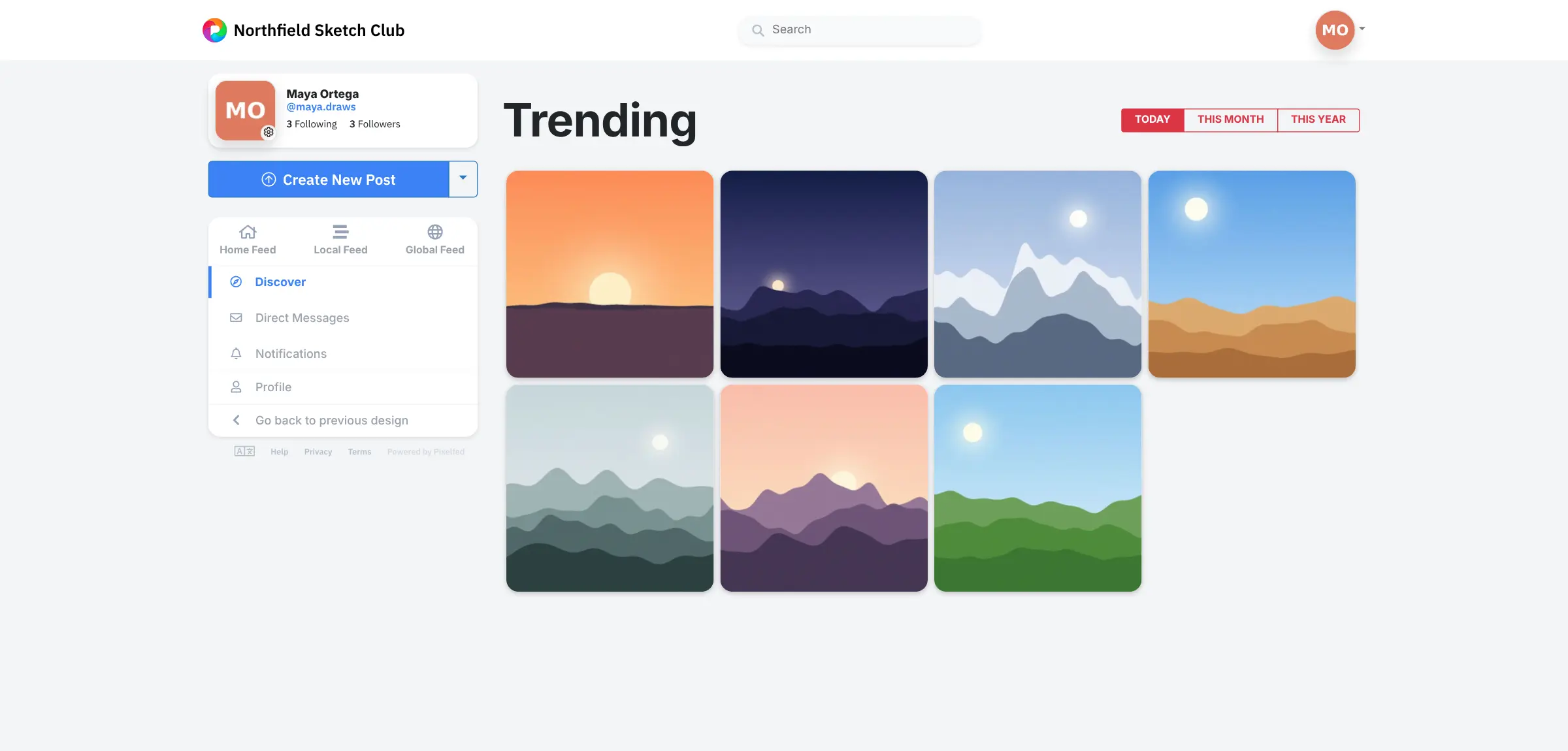
- Explore what your group posts A Discover page shows trending posts, and anyone can browse a hashtag or a member's grid of photos.
- Gather posts into collections Group posts into named collections, such as a theme, an event or a portfolio.
- Decide who can join Keep sign-ups closed and add people yourself, use invites, or open the server to anyone, with a cap on the number of accounts.
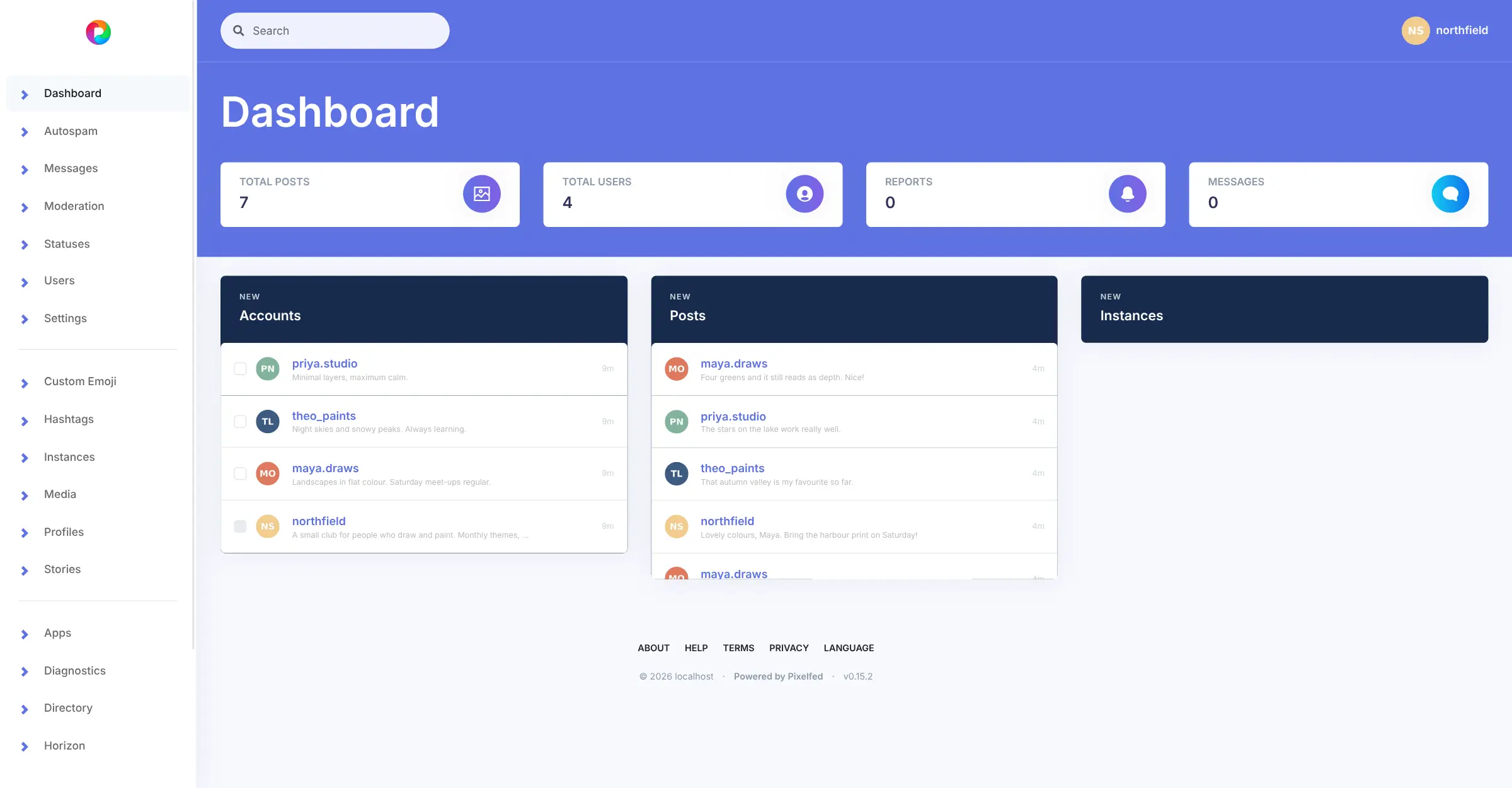
- Moderate from one dashboard Handle reports, catch spam, manage accounts and hashtags, and block other servers from the admin dashboard.
- Connect to the fediverse People on other Pixelfed servers and on Mastodon can follow your members, and your members can follow them back.
Replaces Instagram and Flickr
Pixelfed does the same job as Instagram and Flickr. Here is what changes when you switch.
- No ads, no tracking and no algorithm deciding who sees your photos
- Your group's photos stay on your server, under rules you set
- Accounts on your own web address, so people know the space is yours
- Your Instagram posts can come with you, with their captions and hashtags
- The audience is your members and whoever follows them, far smaller than Instagram's
- There are no Reels, shopping or creator tools
- You handle moderation, updates and backups, and photos fill your server's disk over time
- New members need an email service to confirm their address
What happens when you click Deploy?
You do not need a server or any technical knowledge. Four steps, and Pixelfed is running at its own web address.
- Step 1 Click Deploy and create your account
Deploy takes you to Cloudgate. Create an account, or log in if you have one. Pixelfed itself is free.
- Step 2 Choose a server
No server? Get one from Cloudgate: pick a size and a country, and Cloudgate gets it ready. Already have one? Connect it instead.
- Step 3 Cloudgate sets up Pixelfed
It prepares the server, makes the passwords the app needs and starts it. There is nothing to install and nothing to write down.
- Step 4 Open your app and sign in
Your app gets a free web address to start, without https. Add your own domain, like app.yourshop.com, and Cloudgate secures it with https for you.
New to Cloudgate? See what Cloudgate is
Run Cloudgate yourself? Deploy from your own console
In your Cloudgate console, open Templates and choose Pixelfed.
Questions
Is Pixelfed free?
Yes. Pixelfed is free, open-source software under the AGPL licence, and there is no paid edition, so every feature is in the version you install. You pay only for your server, your domain and an email service.
Is Pixelfed a good alternative to Instagram?
Yes, if you want an Instagram-style photo feed for your own group with no ads and no algorithm. Pixelfed has profiles, a time-ordered feed, likes, comments, collections and direct messages. It has no Reels or shopping, and its audience is your members plus people who follow them from other servers.
Can I move my photos from Instagram to Pixelfed?
Yes. Pixelfed has a built-in Instagram import that brings over your photos with their captions and hashtags, up to 1,000 posts per account by default. Download your information from Instagram's Accounts Center in JSON format, then upload the file in Pixelfed's import settings. The admin switches the import on first.
Is there a Pixelfed app for iPhone and Android?
Yes. Pixelfed has official apps for iPhone and Android that sign in to any Pixelfed server, including yours. It also works in any web browser, and many Mastodon apps can sign in to it too.
Can people on Mastodon follow my Pixelfed accounts?
Yes. Pixelfed uses the same open standard as Mastodon (ActivityPub), so people on Mastodon and on other Pixelfed servers can follow your members' public posts, and your members can follow them back.
Can I keep my Pixelfed server private to my group?
Yes. Pixelfed sign-ups start closed, so only the people you add or invite can join, and members can make their own accounts private. The server is still connected to the fediverse, so public posts can be seen and followed from other servers.
How do I sign in to Pixelfed the first time?
Sign in to Pixelfed with the admin email you chose at setup and the password Cloudgate shows on the app's variables page, then change that password. From the admin dashboard you can add members, send invites or open sign-ups.
Do I need technical skills to run Pixelfed?
No. Click Deploy, create your Cloudgate account and choose a server, and Cloudgate sets up Pixelfed and gives it a web address. You use it in your browser like any other online tool.
Do I need my own server for Pixelfed?
No. When you deploy Pixelfed, hosted Cloudgate can provide a server. If you already rent one, you can connect it instead.
Related apps

Your own fediverse network, with privacy set post by post.

A Facebook-style social network of your own, linked to the fediverse.

Your own social network in the fediverse.

A Misskey-based social network that works with Mastodon apps.