
Lychee
A self-hosted photo gallery for sending clean albums to clients.
No server needed to start: Cloudgate can provide one. What happens when you click Deploy




What is Lychee?
Lychee is a self-hosted photo gallery to organise photos in albums and share them with clients, family or the public, in place of SmugMug or Pixieset.
Lychee is a free, open-source, self-hosted photo gallery for organising your photos in albums and sharing them with clients, family or the public, in place of a SmugMug, Pixieset or Flickr subscription. Your photos stay in their original quality on your own server, with no storage plan.
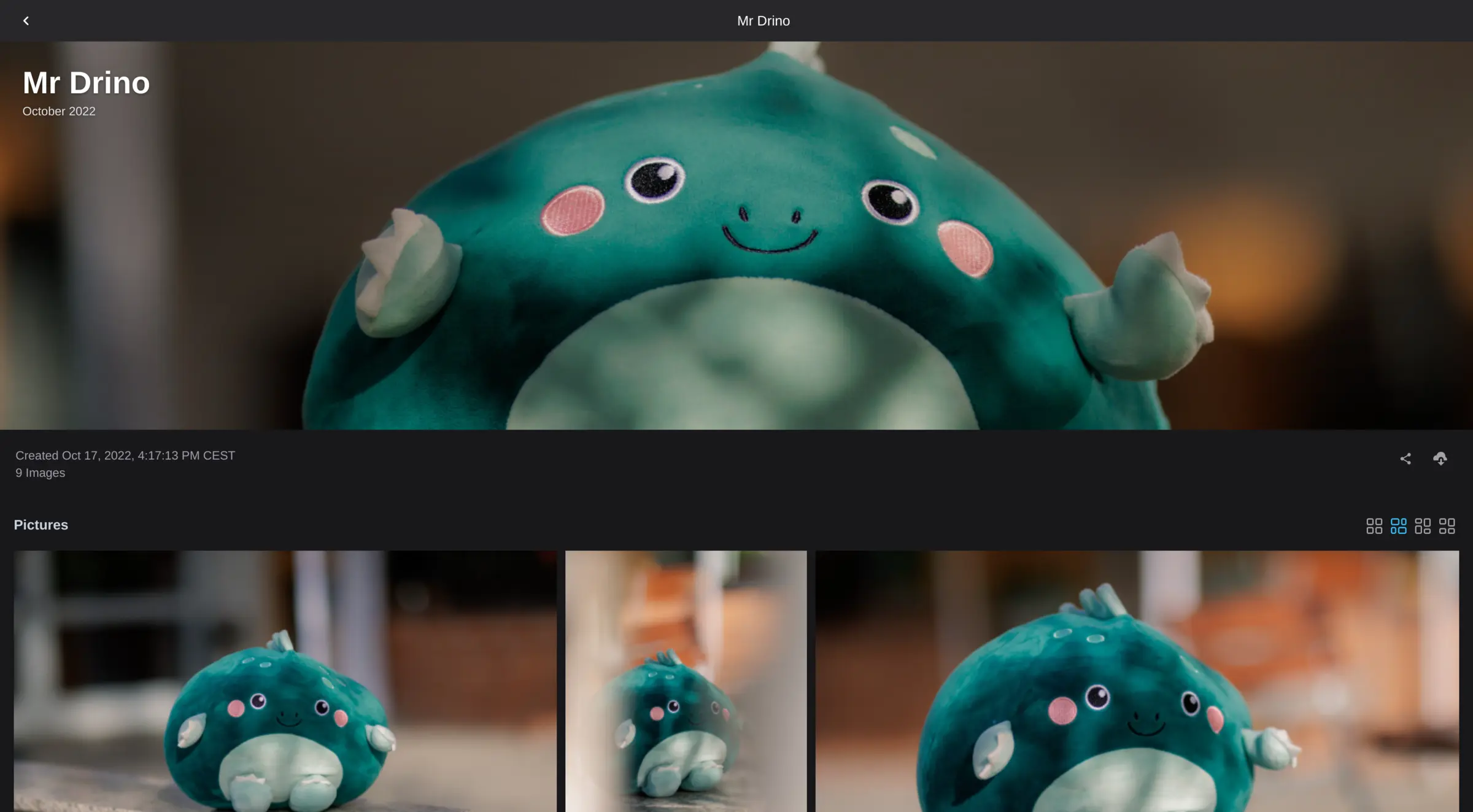
You upload photos and videos by dragging them into the browser, sort them into albums and sub-albums, and choose a cover, a header photo and a layout for each. An album can be public, protected by a password, or shared only with chosen user accounts, and you decide whether visitors may download. A wedding photographer, for example, could put each couple's photos in a password-protected album and send them the link, so they can browse a clean gallery and download every picture in full resolution.
Lychee shows each photo's camera details, puts geotagged photos on a map, and lets you tag many photos at once and rate them. It works in any web browser; there is no phone app yet. Watermarks, user groups and upload quotas come with the paid Supporter Edition.
Cloudgate installs Lychee and its database on your server and gives it a secure web address. The first person to open that address creates the admin account.
What you can do with Lychee
- Organise photos in albums Put photos and videos in albums and sub-albums, each with its own cover, header photo and layout.
- Share a gallery privately Protect an album with a password, or share it only with chosen user accounts.
- Let clients download in full quality Visitors download single photos or a whole album as a ZIP file at the original resolution, if you allow it.
- Show the details of every shot Each photo shows its camera, lens and exposure details, and geotagged photos appear on a map.
- Tag, rate and find photos Tag photos one by one or in bulk, rate them from one to five stars, and let smart albums gather every photo with a chosen tag.
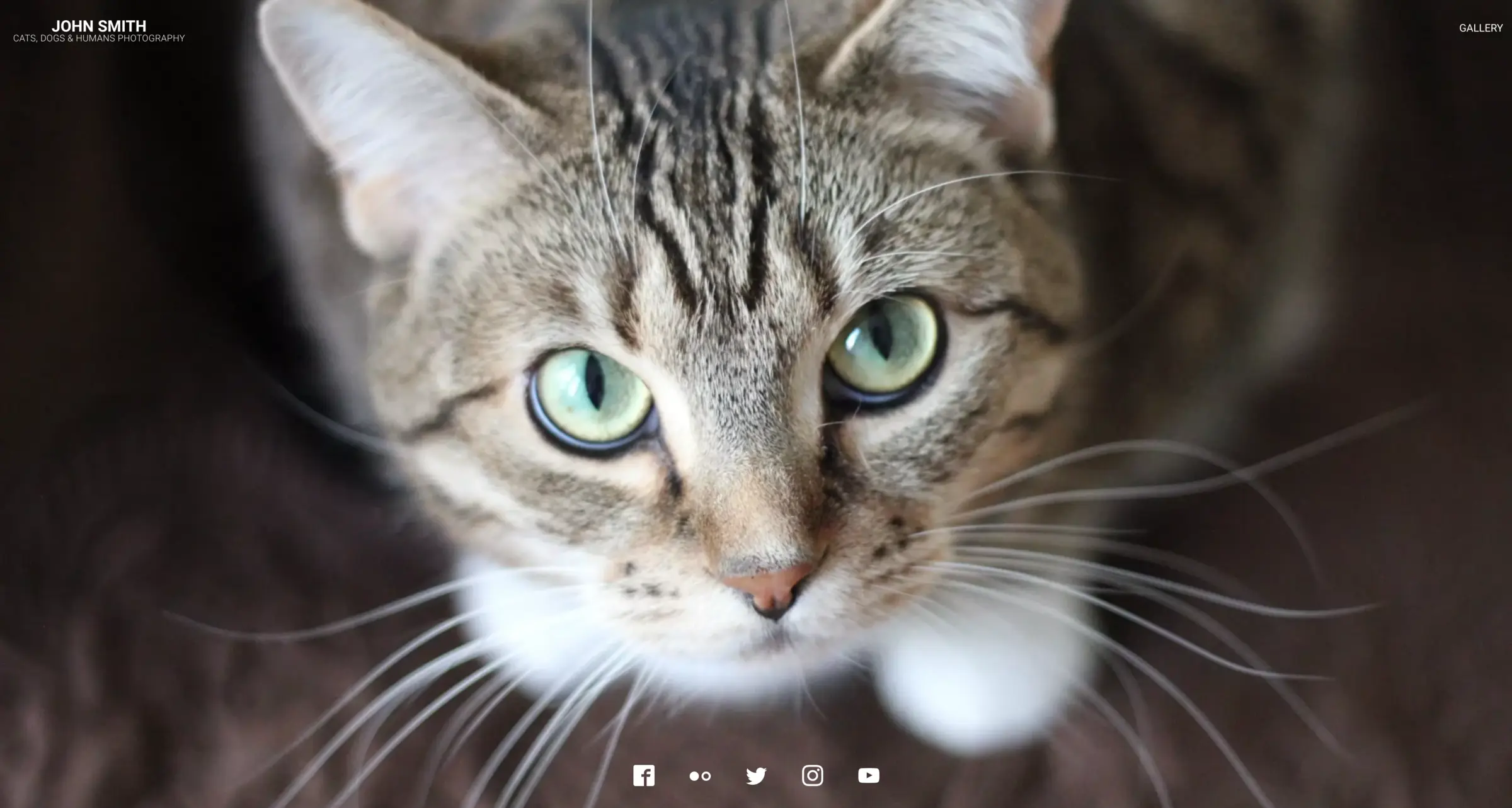
- Give your gallery a front page A full-screen landing page shows one photo with your name and social links, and albums can be embedded in your website.
Replaces SmugMug, Pixieset and Flickr
Lychee does the same job as SmugMug, Pixieset and Flickr. Here is what changes when you switch.
- No subscription or storage plan; you are limited only by your server's disk
- Photos are kept in their original quality
- Galleries live at your own web address
- Unlimited albums, users and uploads in the free edition
- No client proofing, favourites or print lab like Pixieset's or SmugMug's
- Watermarks, user groups and upload quotas need the paid Supporter Edition
- There is no phone app yet; clients and you use the web browser
- There is no community or discovery feed like Flickr's
What happens when you click Deploy?
You do not need a server or any technical knowledge. Four steps, and Lychee is running at its own web address.
- Step 1 Click Deploy and create your account
Deploy takes you to Cloudgate. Create an account, or log in if you have one. Lychee itself is free.
- Step 2 Choose a server
No server? Get one from Cloudgate: pick a size and a country, and Cloudgate gets it ready. Already have one? Connect it instead.
- Step 3 Cloudgate sets up Lychee
It prepares the server, makes the passwords the app needs and starts it. There is nothing to install and nothing to write down.
- Step 4 Open your app and sign in
Your app gets a free web address to start, without https. Add your own domain, like app.yourshop.com, and Cloudgate secures it with https for you.
New to Cloudgate? See what Cloudgate is
Run Cloudgate yourself? Deploy from your own console
In your Cloudgate console, open Templates and choose Lychee.
Questions
Is Lychee free?
Yes. Lychee is free, open-source software under the MIT licence, with unlimited albums, users and uploads, so you pay only for your server. An optional Supporter Edition, €5 a month as of November 2026, unlocks extras such as watermarks, user groups, upload quotas and statistics, and a Pro add-on adds a webshop.
Is Lychee a good alternative to SmugMug or Pixieset?
Yes, Lychee can replace SmugMug or Pixieset for showing and delivering galleries. Lychee gives you clean albums on your own web address, password-protected or shared with chosen accounts, with full-resolution downloads and no storage plan. It has no proofing, where clients pick favourites, and no print lab, so those stay with another service.
Can I share a private Lychee gallery with one client?
Yes. In Lychee, make the album public with a password and send the client the link and password, or create an account for the client and share the album with that account only. You choose whether they can download the photos.
How do I sign in to Lychee the first time?
The first person to open Lychee's web address is asked to create the admin account, so do this right after setup. The admin can then add other users or send invite links.
Can I move my photos from SmugMug or Flickr to Lychee?
Not automatically. Lychee has no importer for SmugMug or Flickr, so download your originals from them first, then upload them to Lychee in the browser, or import them from a web link or Dropbox.
Does Lychee have a phone app?
No. Lychee works in any web browser, including on phones, and its team has started work on an Android and iPhone app. For automatic phone backup, Immich is the better choice.
Should I choose Lychee or Piwigo?
Choose Lychee for a clean, modern gallery to send albums to clients. Choose Piwigo for a large archive that needs free user groups, plugins and phone apps for uploads.
Do I need technical skills to run Lychee?
No. Click Deploy, create your Cloudgate account and choose a server, and Cloudgate sets up Lychee and gives it a web address. You use it in your browser like any other online tool.
Do I need my own server for Lychee?
No. When you deploy Lychee, hosted Cloudgate can provide a server. If you already rent one, you can connect it instead.
Related apps

A self-hosted photo gallery to organise and share large collections.

A fast, self-hosted photo gallery for the folders you already have.

Image hosting to upload pictures and share them by link.

A self-hosted photo gallery that turns your folders into albums.