


Open-source alternatives to SmugMug

Piwigo is a free, open-source SmugMug alternative for showing large photo collections as galleries on your own website, with private albums for chosen people and groups. SmugMug is a paid subscription service; self-hosted Piwigo has no subscription, though it has no print sales or client proofing.

4 alternatives Free apps Our pick: Piwigo

At a glance

App Good for Code Ease of use
Piwigo Clubs, photographers, schools and organisations that share albums publicly or privately on their own site Code Open source Some setup
Lychee Photographers and small studios who send private galleries to clients on their own web address Code Open source Easy
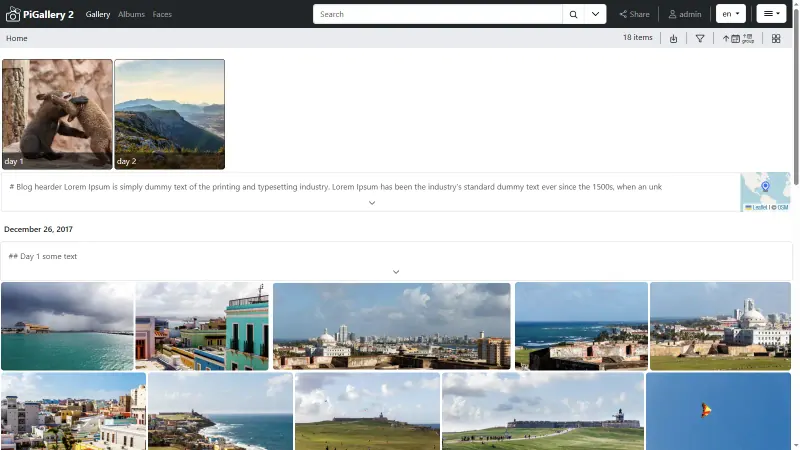
PiGallery2 Photographers and families who keep photos in folders and want a fast private gallery to browse and share them Code Open source Easy
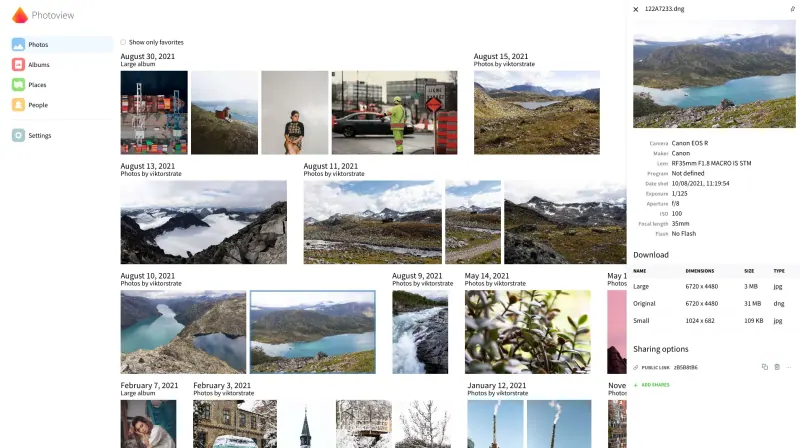
Photoview Photographers and families who keep photos as files and want a fast, private gallery to browse and share them Code Open source Some setup

Why look for an alternative to SmugMug?

SmugMug is a photo hosting and gallery service for photographers: unlimited photo storage, customisable gallery websites, client galleries and print sales.

People look for an alternative because the subscription keeps running for as long as the photos are online, which is a lot for a club, school or organisation that mainly needs to share a large collection. A self-hosted Piwigo or Lychee shows your galleries on your own web address with private albums and no storage plan, and Photoview and PiGallery2 show photos you already keep in folders, with password-protected share links. In return, none of them has print sales or client proofing, and you run the server.

The alternatives, compared

Piwigo

Our pick

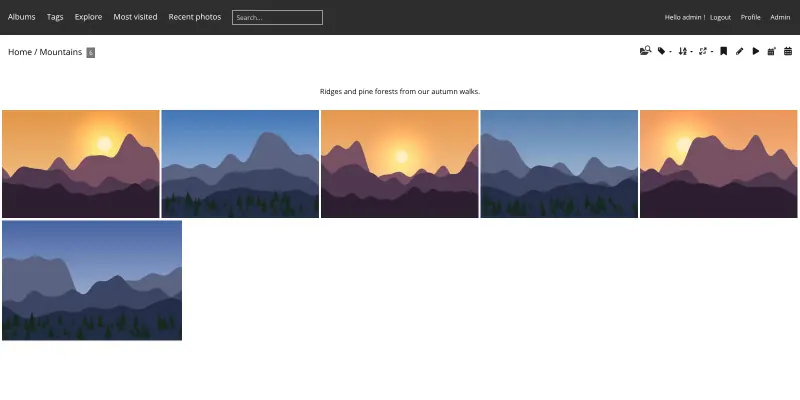
A self-hosted photo gallery to organise and share large collections.

Covers SmugMug's gallery side: large collections in albums and sub-albums, private albums for chosen users and groups, downloads, themes and your own web address, with every plugin free. It has no print sales, client proofing or shop, and photos are served from your own server rather than a delivery network.
Some setup Open source

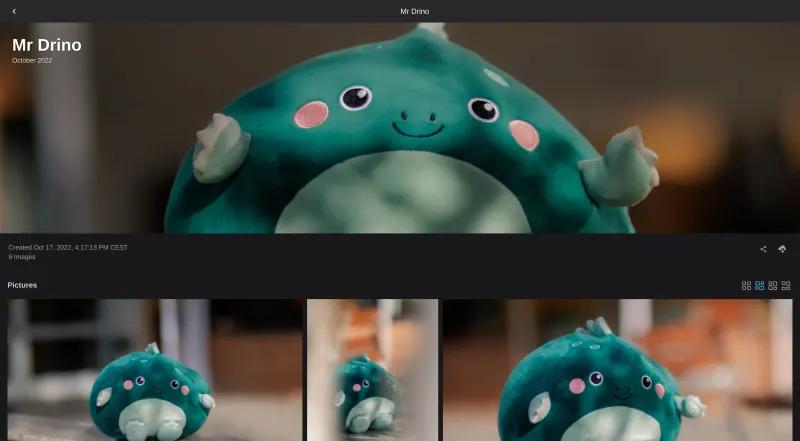
A self-hosted photo gallery for sending clean albums to clients.

A cleaner, more modern gallery for sending albums to clients: password-protected or account-only albums, full-resolution downloads as a ZIP, and your own web address with no storage plan. Like Piwigo it has no print sales or client proofing, and watermarks and user groups need its paid Supporter Edition.

What you gain
  • No subscription or storage plan; you are limited only by your server's disk
  • Photos are kept in their original quality
  • Galleries live at your own web address
What is different
  • No client proofing, favourites or print lab like Pixieset's or SmugMug's
  • Watermarks, user groups and upload quotas need the paid Supporter Edition
  • There is no phone app yet; clients and you use the web browser
Easy Open source

A fast, self-hosted photo gallery for the folders you already have.

A fast, light gallery for photos you already keep in folders: it shows them as they are on disk, never changes them, and adds search, a map, camera details and password-protected share links that can expire. There are no albums to build or uploads to manage, and like the others it has no print sales, client proofing or shop.

What you gain
  • No subscription or storage plan; you are limited only by your server's disk
  • Your photos stay in your own folders, in their original quality
  • Runs on a small, cheap server
What is different
  • No print sales, client proofing or storefront like SmugMug's
  • No community, comments or discovery feed like Flickr's
  • Albums come from your folders and saved searches, not by dragging photos into albums
Easy Open source

A self-hosted photo gallery that turns your folders into albums.

A fast gallery for photos kept as folders on your server, with RAW files, camera details and faces grouped by person, and albums or single photos shared by link with an optional password. It has no print sales, proofing, custom gallery website or expiry dates for share links, and uploads go through a separate upload app.

Some setup Open source

Moving from SmugMug

There is no SmugMug importer, so download your originals from SmugMug before you cancel, then upload them to Piwigo with its web uploader or phone app. Recreate your galleries as albums, use the Batch Manager to tag and date many photos at once, and set private albums for clients, members or staff, giving each the right user group. If you sold prints through SmugMug, you will need a separate shop or print lab for that. Then point your website's gallery links to Piwigo. Lychee has no SmugMug importer either: drag your originals into the browser, or import them from a web link or Dropbox, then protect each client's album with a password or share it with their account.

With Photoview, upload your originals in one folder per album at the upload address Cloudgate adds, press Scan All in its settings, then share each album by link with a password. PiGallery2 has no importer either; it reads your folders, so download your SmugMug originals into one folder per gallery, upload them at the file manager address Cloudgate sets up, and share each client's folder with a link, a password and an expiry date.

Questions

What is the best open-source alternative to SmugMug?

Start with Piwigo. If you want something simpler, try Lychee. All 4 are free and open source.

Can I share a private album with one client or group?

Yes. In Piwigo, make the album private and give access to a single user or a group of users. In Lychee, protect the album with a password or share it with chosen accounts; user groups are in its paid Supporter Edition. In Photoview, share the album by link with a password. In PiGallery2, share the folder with a link, a password and an expiry date.

Should I choose Piwigo, Lychee, Photoview or PiGallery2?

Piwigo for a large archive with free user groups, plugins and phone apps for uploads. Lychee for a clean, modern gallery to send albums to clients. Photoview if you keep your photos, including RAW files, in folders and want faces grouped by person. PiGallery2 if your photos are already sorted in folders and you want them online as they are, quickly, on a small server.

Can I put a watermark on my photos?

Yes. In Piwigo, with a free plugin from its extensions catalogue, which also has plugins for maps, video playback and more. In Lychee, watermarks come with the paid Supporter Edition.

Are these SmugMug alternatives really free?

Yes, Piwigo, Lychee, PiGallery2 and Photoview are free. To run them you need Cloudgate and a server. Use hosted Cloudgate, which can also provide the server, or install Cloudgate on a server of your own for free. Cloudgate's plans and prices are at cloudgate.octabyte.io/pricing. One server can run several apps.

Do I need a developer to replace SmugMug?

No. Cloudgate installs the app you choose on your server and gives it a secure web address, and you use it in your browser instead of SmugMug.