
OpenTodo
An offline-first, self-hosted Todoist alternative with time blocking.
No server needed to start: Cloudgate can provide one. What happens when you click Deploy



What is OpenTodo?
OpenTodo is a self-hosted to-do list like Todoist: plan your day, block out time, work offline on every device and share projects with family or a team.
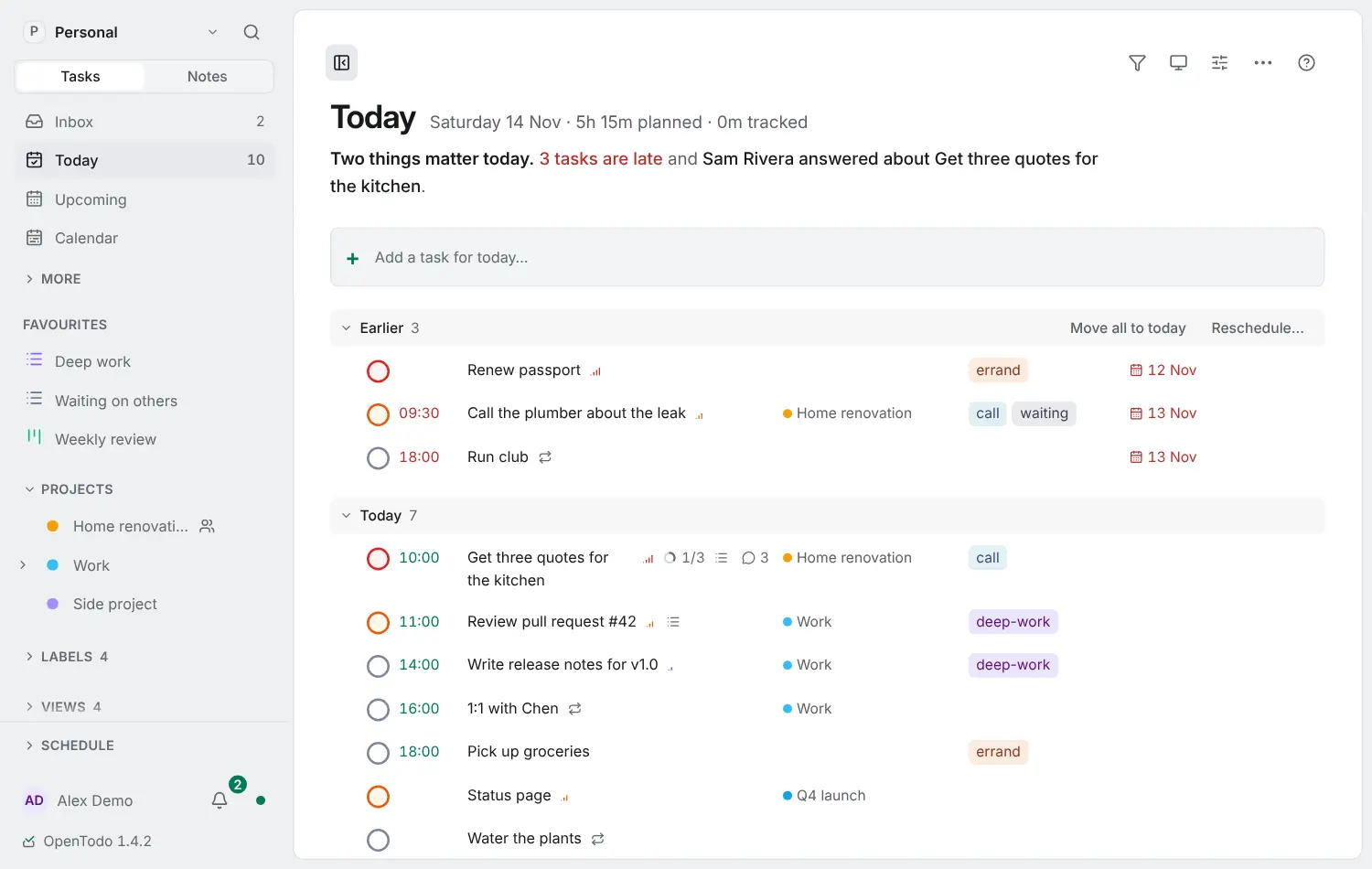
OpenTodo is a free, open-source, self-hosted to-do list app and an alternative to Todoist, TickTick and Things. It keeps your tasks, projects and daily plan on your own server, and it works offline on your phone and computer, syncing when you are back online.
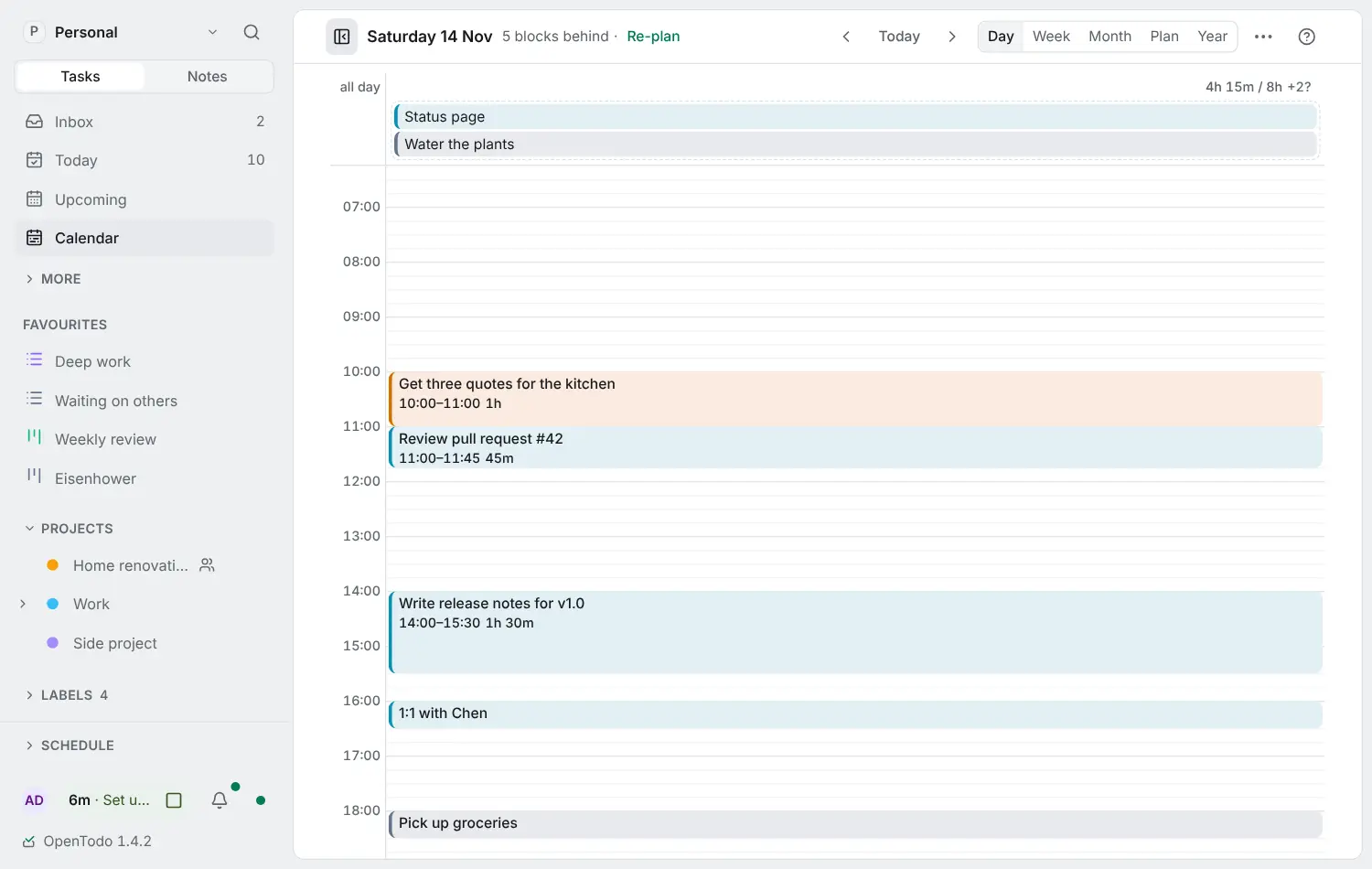
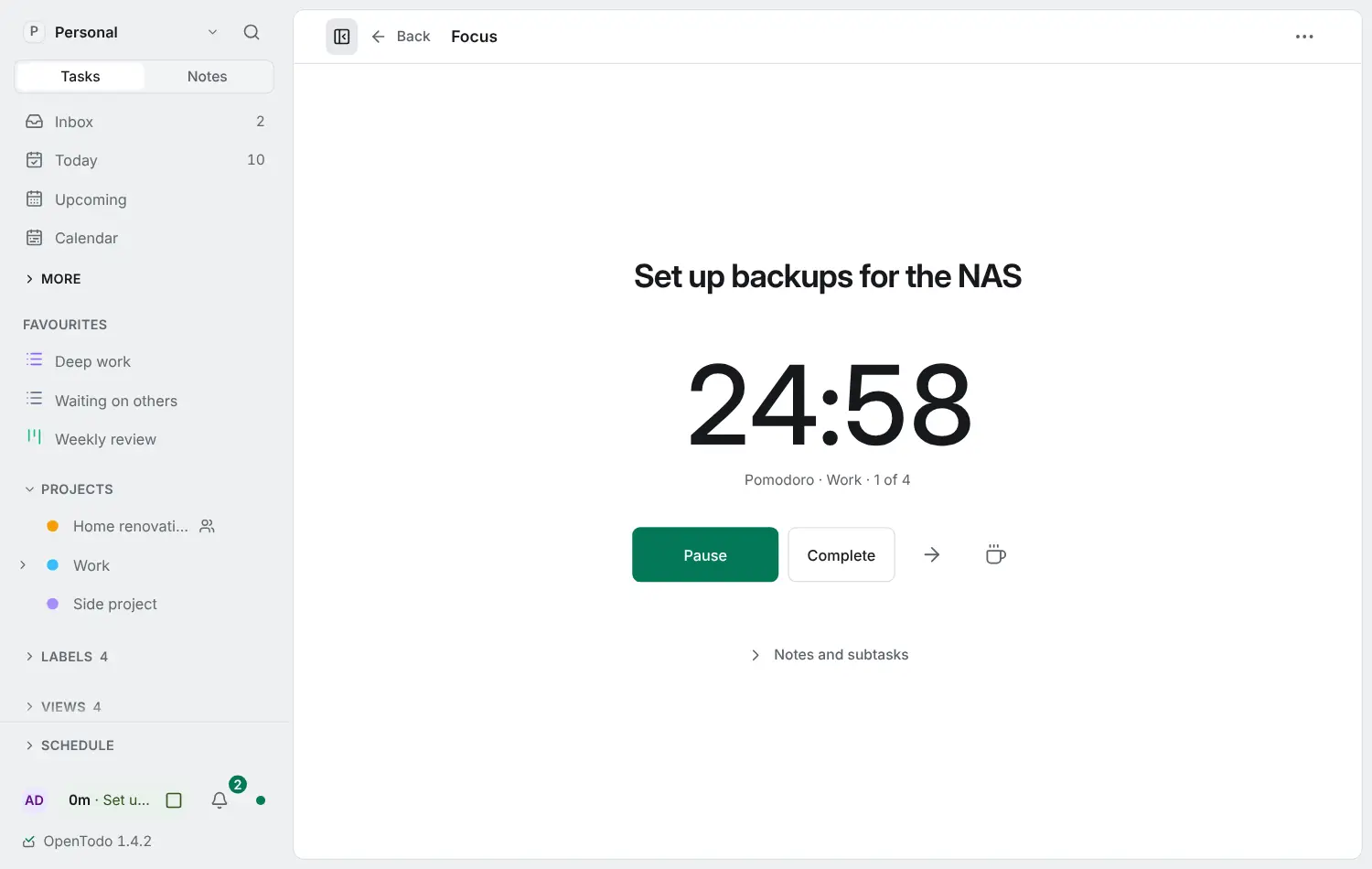
You type tasks the way you say them, and the Today view shows what is due and what is late. Give tasks a length and drag them onto the day calendar to see whether your day fits, then open one in Focus with a Pomodoro timer. Projects can be a list, a board or a timeline, and you can share them with family or colleagues. A small building firm, for example, could keep a shared project for each job, assign the tasks to the people on site and tick them off from a phone with no signal.
OpenTodo has an iPhone and iPad app, an Android app and a web app you can add to any home screen, and it imports your tasks from Todoist, TickTick, Things and Microsoft To Do. It has no tracking, and end-to-end encryption is there if you want it. Cloudgate installs OpenTodo on your server with a secure web address; the first person to open it becomes the owner.
What you can do with OpenTodo
- Add tasks the way you say them Type "Call Sarah next Wed 3pm #work p1" and the date, time, project and priority are filled in for you.
- See what matters today Today lists what is due and what is late, with one sentence at the top naming what needs you first.
- Block out your day Give tasks a length and drag them onto the day or week calendar to see whether everything fits.
- Focus on one task Start a Pomodoro, Flowtime or countdown timer on a task, and the time is logged to it.
- Share projects Share a project as a list, board or timeline, give each person viewer, editor or admin rights, and assign tasks.
- Work offline on every device Each phone and computer keeps its own copy, so you can add and tick off tasks with no signal and it syncs later.
- Bring your tasks with you Import from Todoist, TickTick, Things, Microsoft To Do, Apple Reminders and more, with a preview and undo.
- Keep it private No tracking or analytics, scheduled backups, and optional end-to-end encryption so the server holds only scrambled text.
Replaces Todoist, TickTick, Things and Microsoft To Do
OpenTodo does the same job as Todoist, TickTick, Things and Microsoft To Do. Here is what changes when you switch.
- Every feature is free, with no limit on projects or people
- Your tasks stay on your own server, with no tracking
- Time blocking, a focus timer and habits sit next to your tasks
- Your Todoist, TickTick or Things tasks come across with the importer
- The iPhone app is a first release, and the Android app is a download from GitHub for now
- Fewer ready-made integrations with other services than Todoist
- It is a young project, first released in October 2026
- The optional AI assistant needs your own key from an AI provider, which they charge for
What happens when you click Deploy?
You do not need a server or any technical knowledge. Four steps, and OpenTodo is running at its own web address.
- Step 1 Click Deploy and create your account
Deploy takes you to Cloudgate. Create an account, or log in if you have one. OpenTodo itself is free.
- Step 2 Choose a server
No server? Get one from Cloudgate: pick a size and a country, and Cloudgate gets it ready. Already have one? Connect it instead.
- Step 3 Cloudgate sets up OpenTodo
It prepares the server, makes the passwords the app needs and starts it. There is nothing to install and nothing to write down.
- Step 4 Open your app and sign in
Your app gets a free web address to start, without https. Add your own domain, like app.yourshop.com, and Cloudgate secures it with https for you.
New to Cloudgate? See what Cloudgate is
Run Cloudgate yourself? Deploy from your own console
In your Cloudgate console, open Templates and choose OpenTodo.
Questions
Is OpenTodo free?
Yes, OpenTodo is free and open source under the AGPL-3.0 licence. Nothing is held back for a paid plan, so the version on your own server has every feature; you pay only for the server.
Is OpenTodo a good alternative to Todoist?
Yes. OpenTodo is a good alternative to Todoist if you want Todoist-style quick add, Today and Upcoming views and shared projects on your own server, plus time blocking, a focus timer and offline use on every device. Todoist has more integrations and longer-established phone apps.
Can I import my tasks from Todoist or TickTick into OpenTodo?
Yes, OpenTodo imports Todoist backups and project exports, or fetches your tasks with a Todoist API token, and it reads TickTick's backup file. It also imports from Things, Microsoft To Do, Apple Reminders, Google Tasks and others, and shows a preview before anything is saved.
How do I sign in to OpenTodo the first time?
The first person to open your OpenTodo web address creates the owner account with a name, email and password. After that, sign-up is closed and other people join through invitation links you send from the settings.
Does OpenTodo have phone apps?
Yes. OpenTodo has an iPhone and iPad app in the App Store, an Android app you download from the project's GitHub page, and the web app installs on any phone's home screen. All of them keep working offline and sync when you are back online.
Can my family or team share lists in OpenTodo?
Yes. In OpenTodo you can share any project with other people as viewer, editor or admin, assign tasks, comment and see what changed. Everyone can edit offline, and changes merge when they sync.
What server size do I need for OpenTodo?
The smallest server is enough for OpenTodo, because it is one light app with its data in a single file. The project says it idles at about 20 MB of memory and runs on a Raspberry Pi.
Do I need technical skills to run OpenTodo?
No. Click Deploy, create your Cloudgate account and choose a server, and Cloudgate sets up OpenTodo and gives it a web address. You use it in your browser like any other online tool.
Do I need my own server for OpenTodo?
No. When you deploy OpenTodo, hosted Cloudgate can provide a server. If you already rent one, you can connect it instead.
Related apps

A self-hosted to-do list that plans your day, alone or as a family.
A self-hosted to-do list, time tracker and day planner in one.

A self-hosted to-do list with Kanban boards and Gantt charts.

Trello-style kanban boards that update in real time.