







Open-source alternatives to Obsidian

SilverBullet is a free, open-source Obsidian alternative that keeps your notes as plain Markdown files, with wiki links, backlinks, a daily journal and tasks, and opens in any browser from your own server. Obsidian is free to use but proprietary, and charges for Sync and Publish; self-hosted SilverBullet reaches the same notes from every device at no cost and works offline, though it has no app-store app and a smaller plugin library.

11 alternatives Free apps Our pick: SilverBullet

At a glance

App Good for Code Import from Obsidian Ease of use
SilverBullet One person or a small team keeping private Markdown notes, a journal and a wiki Code Open source Import from Obsidian Partly Easy
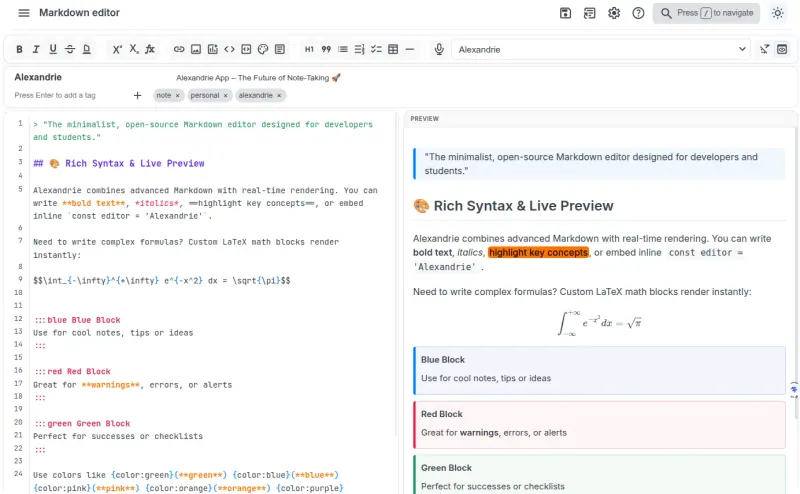
Alexandrie Teams, students and researchers who write in Markdown with formulas and diagrams, and want shared workspaces that also work offline Code Open source Import from Obsidian Partly Easy
Many Notes Markdown notes in folders, opened in any browser and shared with a few people Code Open source Import from Obsidian Partly Easy
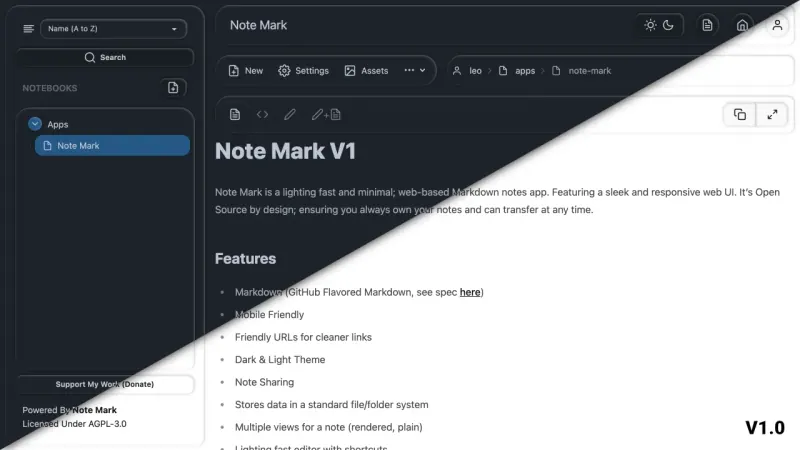
Note Mark People who want plain Markdown notes in the browser, with some shared or published Code Open source Import from Obsidian No Easy
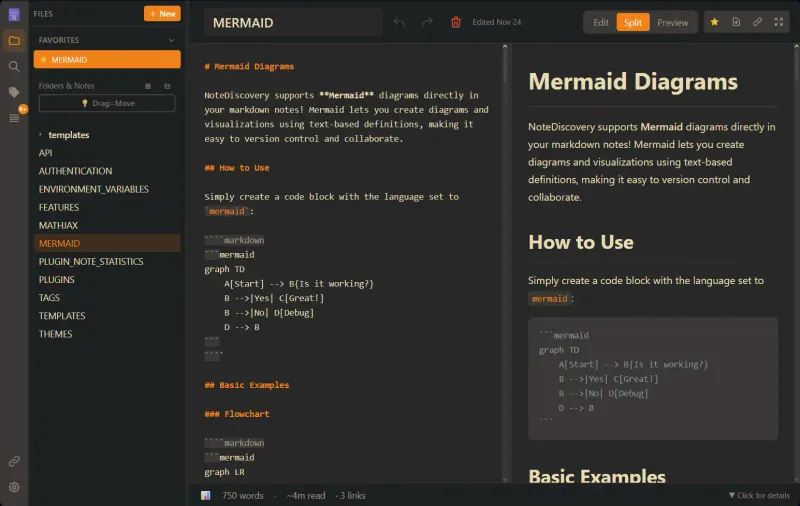
NoteDiscovery One person or a small team who want Obsidian-style Markdown notes in the browser, kept as plain files Code Open source Import from Obsidian Partly Easy
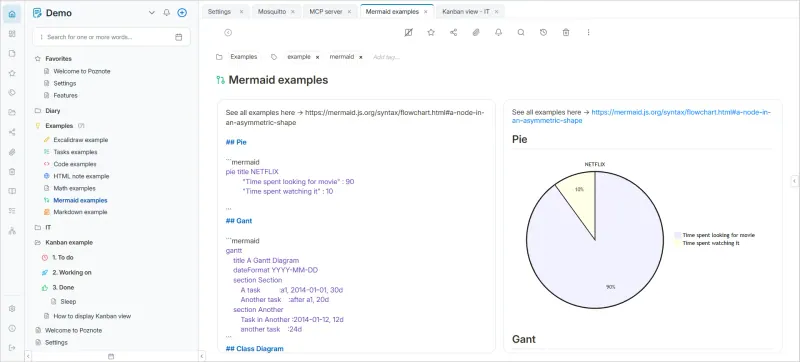
Poznote People and small teams who want notes, tasks and a diary in one app, kept as plain files Code Open source Import from Obsidian Yes Easy
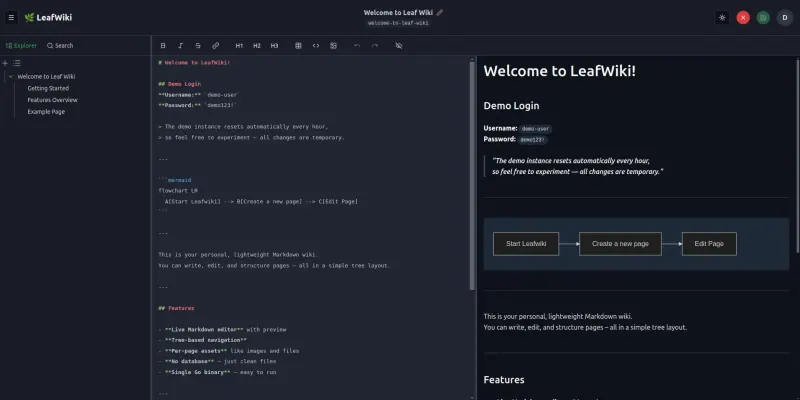
LeafWiki Small teams that want a simple, private wiki for how-tos and runbooks, kept as plain Markdown files Code Open source Import from Obsidian Partly Easy
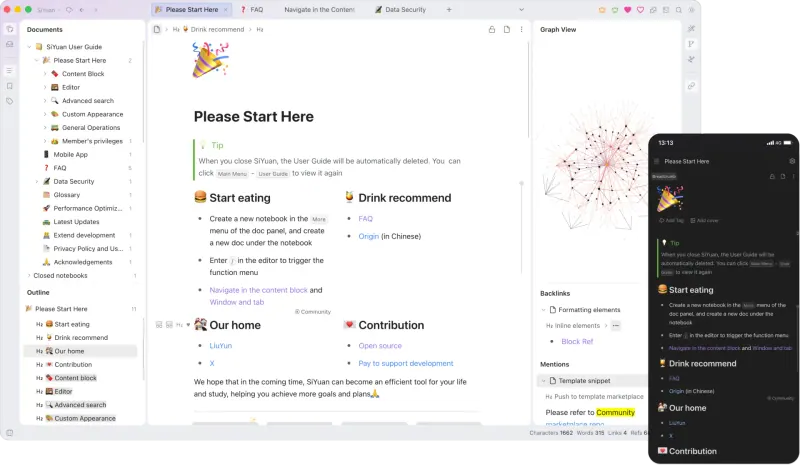
SiYuan One person who wants Notion-style notes with linked blocks and databases, in the browser Code Open source Import from Obsidian No Easy
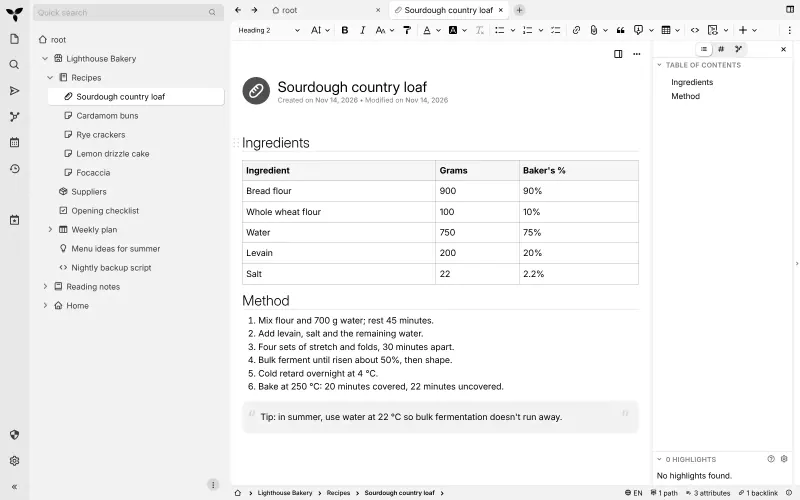
Trilium Notes One person building a private knowledge base of notes, for years Code Open source Import from Obsidian Partly Easy
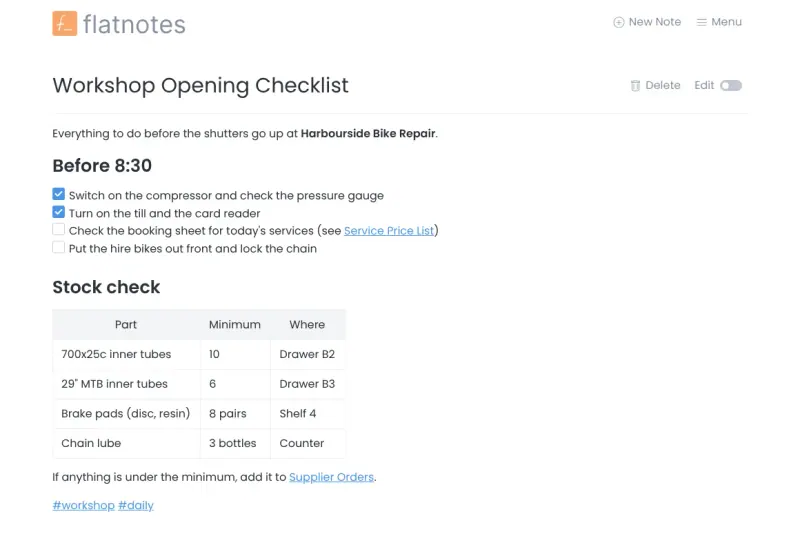
flatnotes One person who wants a simple, private notes site, with notes kept as plain Markdown files Code Open source Import from Obsidian Partly Easy
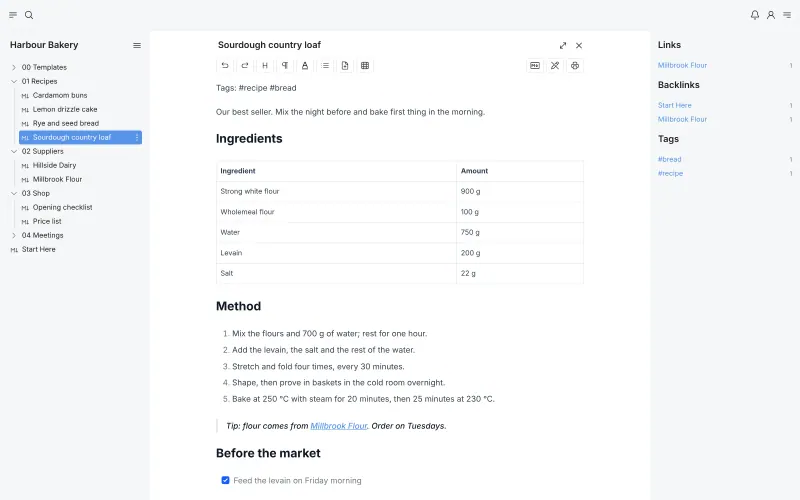
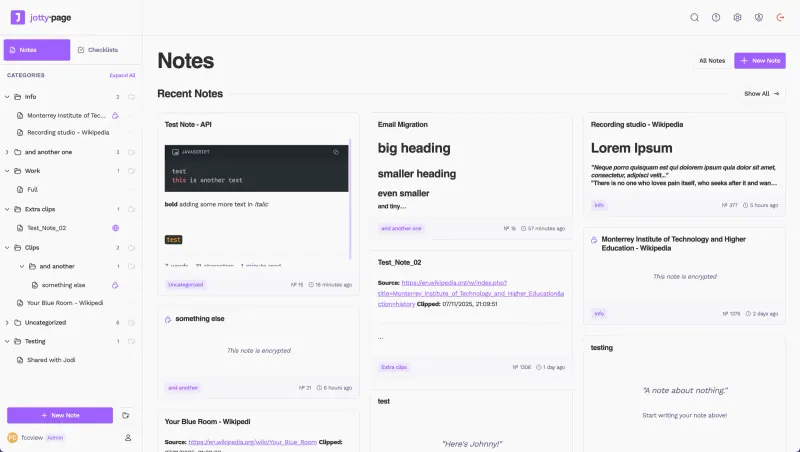
Jotty Households and small teams who want shared notes, checklists and simple task boards Code Open source Import from Obsidian Partly Easy

Why look for an alternative to Obsidian?

Obsidian is a note-taking app that keeps your notes as Markdown files on your own device, with links between notes, a graph view, a large collection of community plugins and official apps for computers and phones.

People look for an alternative because Obsidian is proprietary and its sync is a paid add-on. When we checked its pricing page in November 2026, the app was free, Obsidian Sync cost $4 per user a month and Publish $8 per site a month, both billed yearly. SilverBullet is open source and keeps the same plain Markdown files with wiki links, on your own server, so every device opens the same notes in a browser with no sync subscription. Trilium Notes, also open source, has desktop apps that sync with your server and a deeper note tree, though it keeps notes in a database. SiYuan runs in the browser on your own server and adds databases and flashcards, though it keeps notes in its own format. LeafWiki, Note Mark and flatnotes, all open source, also keep your notes as Markdown files on your server: LeafWiki as a shared wiki that imports your vault, Note Mark as a simple notebook that can publish notes as web pages, and flatnotes as the simplest of all, a folder of notes with wikilinks and tags that opens in any browser. Poznote, open source too, keeps notes as Markdown files like Obsidian and imports your vault, with backlinks and a graph view. Many Notes keeps a vault as a folder of Markdown files, like Obsidian, and lets several people share vaults in the browser, but it has no sync to desktop apps or offline mode. Jotty, open source too, keeps notes as Markdown files as well and lets several people share them in the browser, with checklists and Kanban boards. Alexandrie, open source as well, suits teams, students and researchers who write in Markdown with formulas and diagrams, sharing workspaces with permissions, and works offline from the browser, though it keeps notes in a database.

The alternatives, compared

SilverBullet

Our pick

Markdown notes, journal and wiki in your browser.

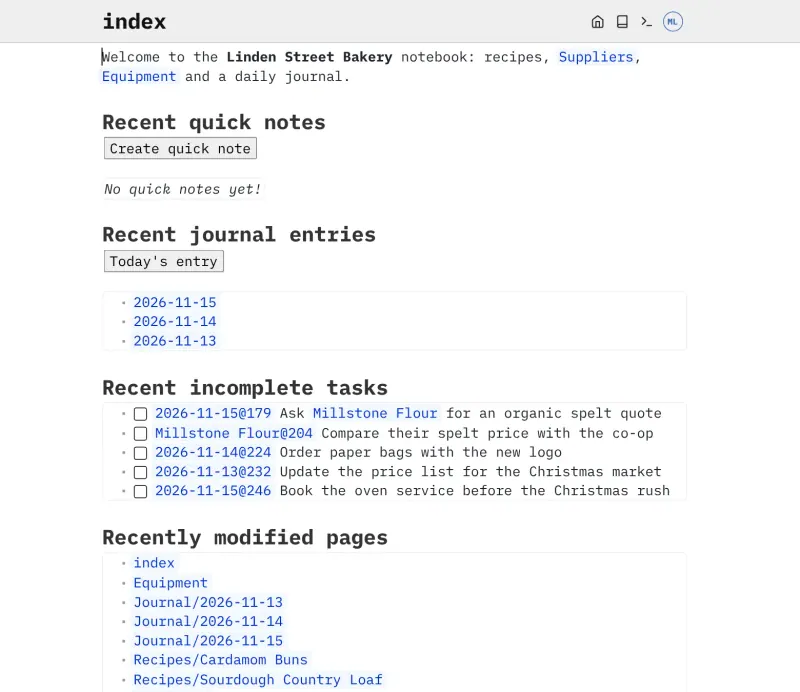
The closest to Obsidian here: notes stay plain Markdown files in a folder, with a live-preview editor, wiki links, linked mentions, a daily journal, tasks and queries over your notes. It runs on your server and opens in any browser, and installs as a web app that works offline and syncs when you reconnect. It has no app-store app and a smaller plugin library, and its queries need a little code.

What you gain
  • One web address reaches the same notes from every device, with no sync subscription
  • Notes stay plain Markdown files on your own server, so you can take them anywhere
  • Linked notes written in Obsidian keep working, because SilverBullet finds pages by name
What is different
  • There is no app-store phone app; you install it from the phone's browser instead
  • Its plugin library is much smaller than Obsidian's
  • Live tables and scripts are written as short code, so they suit technical users
Easy Open source

A self-hosted Markdown knowledge base for maths, diagrams and teams.

Markdown-first like Obsidian, with a live side-by-side preview, maths formulas, Mermaid diagrams, callout blocks and snippets, but built for teams: workspaces and nested documents shared with five permission levels or public links, and a Kanban board per category. It installs from the browser as a web app that works offline and syncs. Notes live in a database on the server rather than as files in a folder, and it has no graph view, backlinks or plugin library.

What you gain
  • Your notes, files and backups stay on your own server, with no subscription and no paid tier
  • Maths formulas, diagrams and coloured note blocks are built in, with no plugins to add
  • Team workspaces with read, write and admin rights on every page, not only a private vault
What is different
  • Pages are stored in the app's database, not as plain Markdown files in a folder you can open elsewhere
  • No importer for Notion or Confluence; you bring in Markdown files or Alexandrie backups
  • No Notion-style databases, and no large plugin library as in Obsidian
Easy Open source

Obsidian-style Markdown notes in your browser, on your own server.

Keeps vaults the way Obsidian does, as plain folders of Markdown files, with links, backlinks, tags and templates, opened in any browser on your own server, with several users and shared vaults. It has no graph view, canvas, plugins, offline mode or native apps, and its links are standard Markdown links, so Obsidian's wiki links don't connect after an import.

What you gain
  • Your notes open in any browser, on any computer, with no sync subscription
  • Notes stay as Markdown files in folders on your own server
  • Separate accounts for each person, and vaults you can share
What is different
  • No phone or desktop app and no offline editing; it runs in the browser and can be installed as a web app
  • No wiki-style [[links]], graph view, canvas or plugins
  • Links between notes are normal Markdown links, so Obsidian's [[links]] do not connect after an import
Easy Open source

Markdown notes you can share or publish on the web.

Keeps your notes as Markdown files in folders, much like a vault, in notebooks with notes nested inside notes, and can make any note public at a clean web address at no cost, which covers what many people use Obsidian Publish for. It has no backlinks, graph view, plugins or offline apps, search looks at titles only, and it cannot import a vault.

What you gain
  • Publishing notes on the web costs nothing, unlike Obsidian Publish
  • Your notes open in any browser, from any computer, with no sync subscription
  • Notes stay Markdown files in folders, much like an Obsidian vault
What is different
  • No backlinks, graph view or plugins
  • No desktop or phone apps, so you need a connection to your server
  • Search looks at note titles only, not the text inside notes
Easy Open source

A fast Markdown notebook with links, a graph and search.

Close to Obsidian's way of working: notes stay plain Markdown files in folders, with [[double bracket]] links, backlinks, a graph view, tags and templates, edited in any browser on your own server. It has far fewer plugins than Obsidian, no phone or desktop apps, and one shared password rather than user accounts.

What you gain
  • Your notes stay plain Markdown files in folders on your own server
  • Open and edit them from any browser, with no paid sync plan
  • Obsidian-style links, backlinks and graph view
What is different
  • One shared password for the whole app, with no separate user accounts
  • No phone or desktop apps, though it installs on a phone like an app from the browser
  • Far fewer plugins than Obsidian, and no Evernote import or web clipper
Easy Open source

Notes, tasks and a daily diary, saved as plain files.

The closest to Obsidian's way of working: notes kept as plain Markdown and HTML files, links between notes with backlinks and a graph view, and it imports a zipped Obsidian vault, all in a browser on your own server with accounts for other people. Aliases, heading links, embeds, Dataview and canvases don't carry over, there is no plugin ecosystem, and there is no official desktop or phone app, though it installs from the browser and keeps recent notes offline.

What you gain
  • Notes, tasks, boards and a diary in one app at no cost
  • Your notes are plain Markdown or HTML files on your own server
  • An Obsidian vault moves across in one ZIP file
What is different
  • One person edits a note at a time; there is no live co-editing
  • No Notion-style databases, and no Evernote or OneNote importer
  • Phone use is in the browser or as an installed web app; native apps come from the community
Easy Open source

A light self-hosted wiki that keeps your pages as Markdown files.

A wiki for your Markdown notes on your own server: it imports a vault as a ZIP, turns Obsidian-style links into links between pages, shows backlinks and keeps every page as a plain Markdown file. It is a shared wiki in the browser rather than a personal notes app, with no graph view, plugins or offline and phone apps, and one person edits a page at a time.

Easy Open source

A self-hosted, block-based notes app for your own knowledge base.

Has Obsidian's linked notes, backlinks and graph view, and adds block references, Notion-style databases, flashcards and PDF annotation, all in a browser on your own server. Notes are kept in SiYuan's own format rather than Markdown files, the SiYuan desktop and phone apps can't connect to the server, and the server version can't import Markdown files.

Easy Open source

A private knowledge base for years of notes, on your own server.

Builds a large personal knowledge base in a tree of notes, with rich text, code notes, canvas drawings, mind maps, note maps, scripting, per-note encryption and version history, and imports Markdown. Unlike Obsidian, it keeps notes in a database rather than Markdown files, it is built for one person, and it has no official phone app, only a mobile web version and community apps.

Easy Open source

Markdown notes you find by search and tags, not folders.

Stores notes the way Obsidian does: every note is a plain Markdown file, with [[wikilinks]], #tags and fast full-text search, served in a browser from your server so every device sees the same notes without a sync subscription. It has no plugins, graph view, folders or phone app, and it reads only notes at the top level of its folder, so a vault with subfolders needs flattening.

Easy Open source

Notes, checklists and task boards in plain files.

Keeps notes as plain Markdown files in a folder, like Obsidian, with wikilinks, backlinks and a map of linked notes, but in the browser on your own server, with several users sharing notes and folders, plus checklists and Kanban boards. It has no plugins and no phone or desktop apps, only a web app you add to your home screen, and works offline only for pages you already opened.

Easy Open source

Moving from Obsidian

An Obsidian vault is a folder of Markdown files, and SilverBullet reads it as it is: it finds wiki links by page name, so links between notes keep working without rewriting them. Its web app has no upload importer, so copy the vault's files into the space's folder on the server, or paste notes into new pages. Plugin features and Obsidian-only syntax may not carry over, so check your most-used notes first. Then install SilverBullet as a web app on each computer and phone from the browser.

Trilium imports Markdown, so bring your Obsidian vault across as files: zip the vault folder and import it into a note in Trilium, which keeps your folders as a tree. Check links between notes and embedded images afterwards, since Obsidian's wiki-style links and plugin features may not all carry over. Then install the Trilium desktop app on each computer and connect it to your server so your notes sync.

SiYuan's server version can't import Markdown files, so with SiYuan you copy notes across by hand, starting with the ones you use most, and keep your vault as a read-only archive.

Jotty reads Markdown files as they are: whoever runs the server copies your vault's files into your Jotty notes folder, the folders become the sidebar, and wikilinks between notes keep working.

LeafWiki imports a vault directly: zip the vault folder and import it as an editor or admin, and Obsidian-style links become links between pages; it works best with a tidy folder structure, and plugin content does not carry over. Note Mark has no import, so paste notes in one at a time, starting with the ones you want to share or publish.

Poznote imports an Obsidian vault directly: zip the vault folder and import it, and your notes, folders, front-matter tags, [[links]], images and PDFs come across. Aliases, links to headings, embeds, Dataview queries and canvases do not, so check the notes that rely on them.

NoteDiscovery keeps notes as Markdown files in folders, so you can copy your vault's notes and folders into its notes folder; check links and embedded images afterwards, since plugin features don't carry over.

flatnotes reads Markdown files directly, so copy your vault's notes into its notes folder on the server; it reads only the top level of that folder, so move notes out of subfolders first and use #tags in place of folders.

Many Notes imports whole vaults as zip files: zip your Obsidian vault folder and import it, and your Markdown files and folders come across, though wiki links and plugin features do not work there.

Alexandrie bulk-imports Markdown files and media: choose a workspace and import your vault's notes, then check links between notes and embedded images, since wiki links and plugin features may not carry over. Install it from the browser on each device to keep notes offline.

Questions

What is the best open-source alternative to Obsidian?

Start with SilverBullet. All 11 are free and open source.

Which Obsidian alternative keeps notes as Markdown files?

SilverBullet, LeafWiki, Note Mark, NoteDiscovery, Poznote, flatnotes, Many Notes and Jotty. Each keeps notes as plain Markdown or HTML files on your server, so you can read, back up or move them with any other tool; SilverBullet is the closest to a personal Obsidian vault, flatnotes also keeps wikilinks and tags, and Many Notes keeps each vault as a folder of Markdown files you can export as a zip. Trilium, SiYuan and Alexandrie keep notes in their own storage; Trilium exports Markdown or HTML when you ask, and Alexandrie exports a ZIP.

Does SilverBullet work on my phone and offline?

Yes. SilverBullet installs from the browser as a web app on phones and computers, keeps a copy of your notes on the device, and syncs changes when you are back online. There is no app-store app.

Should I choose SilverBullet, Trilium, SiYuan, Poznote, flatnotes or Jotty?

Choose SilverBullet for plain Markdown notes with wiki links, a journal and queries, in any browser. Choose Poznote to keep your notes as Markdown files and bring your vault with you, since it imports Obsidian vaults. Choose flatnotes for the simplest setup: a flat folder of Markdown notes with wikilinks, tags and full-text search. Choose Trilium for a large personal knowledge base with desktop apps that sync with your server. Choose SiYuan for block references, databases and flashcards. Choose Jotty if several people share notes, checklists and Kanban boards kept as Markdown files.

Does Trilium store notes as Markdown files?

No. Trilium keeps notes in a database on your server, and exports them as Markdown or HTML when you want files.

Can Trilium sync between computers like Obsidian Sync?

Yes, at no cost. Trilium's desktop apps for Windows, macOS and Linux sync with your own Trilium server; keep the server and every app on the same version.

Is there a Trilium phone app?

Not an official one. Trilium's server has a mobile web version you can add to your home screen, and community apps exist for Android and iPhone.

Can I publish notes as web pages, like Obsidian Publish?

Yes, with Note Mark or LeafWiki, at no cost. Note Mark makes any single note public at a clean web address; LeafWiki can open the whole wiki for anyone to read while only signed-in people edit.

Is SilverBullet's desktop app free?

The SilverBullet server Cloudgate installs is free and open source for any use. The separate SilverBullet Desktop app is proprietary: free for personal use, with a paid licence for work. You don't need it, since the server works in any browser.

Are these Obsidian alternatives really free?

Yes, SilverBullet, Alexandrie, Many Notes, Note Mark, NoteDiscovery, Poznote, LeafWiki, SiYuan, Trilium Notes, flatnotes and Jotty are free. To run them you need Cloudgate and a server. Use hosted Cloudgate, which can also provide the server, or install Cloudgate on a server of your own for free. Cloudgate's plans and prices are at cloudgate.octabyte.io/pricing. One server can run several apps.

Do I need a developer to replace Obsidian?

No. Cloudgate installs the app you choose on your server and gives it a secure web address, and you use it in your browser instead of Obsidian.