Open-source alternatives to Google Keep

Memos is a free, open-source Google Keep alternative for quick notes and checklists, written in Markdown on a private timeline you can look back through by day. Google Keep is free but stores every note in your Google account; self-hosted Memos keeps them on your own server, though it has no official phone app.

5 alternatives Free apps Our pick: Memos

At a glance

App Good for Code Import from Google Keep Ease of use
Memos People and households who want a private place for quick daily notes and checklists Code Open source Import from Google Keep No Easy
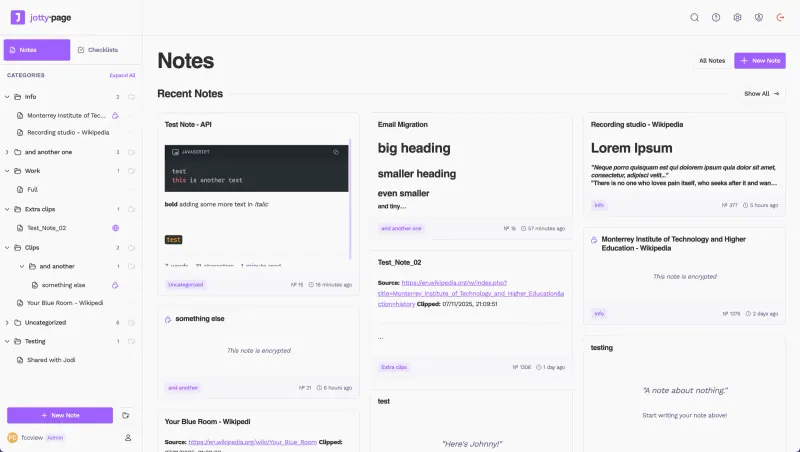
Jotty Households and small teams who want shared notes, checklists and simple task boards Code Open source Import from Google Keep No Easy
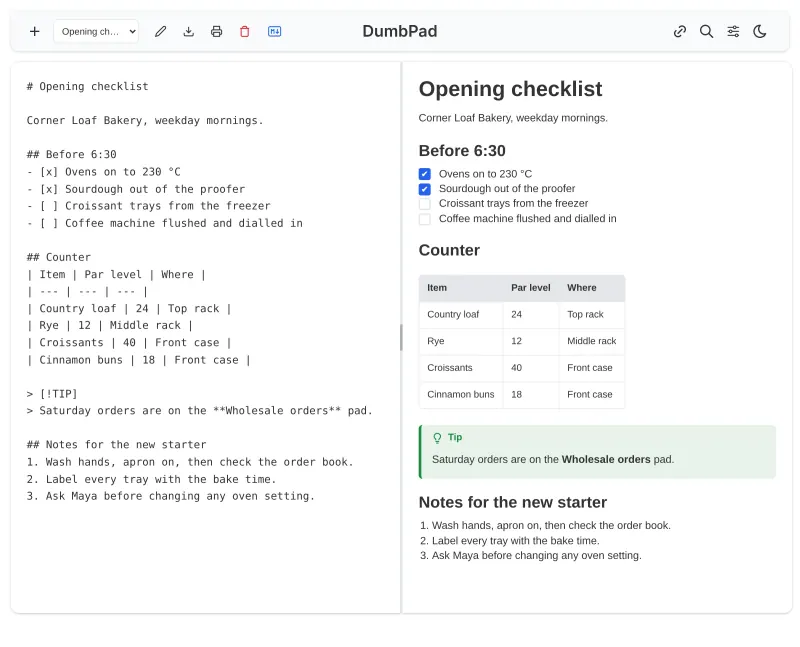
DumbPad One person or a small team that wants a quick shared notepad behind a PIN, with no accounts to manage Code Open source Import from Google Keep No Easy
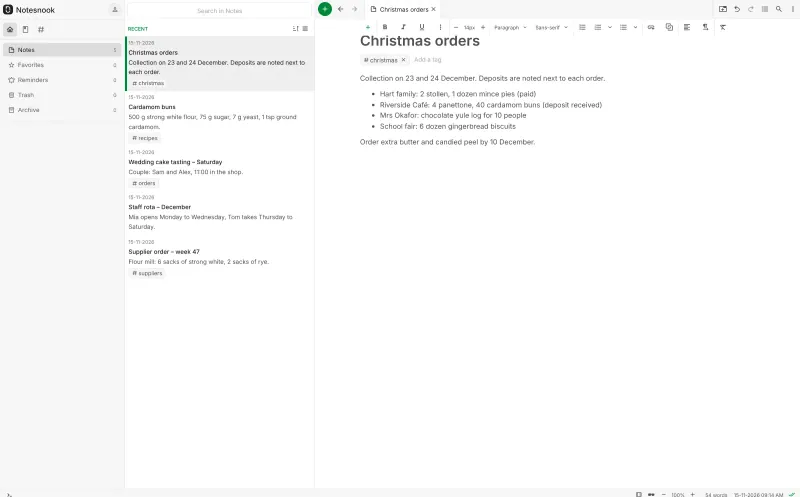
Notesnook Sync Server People who want private, encrypted notes on every device, including their phone Code Open source Import from Google Keep Yes Some setup
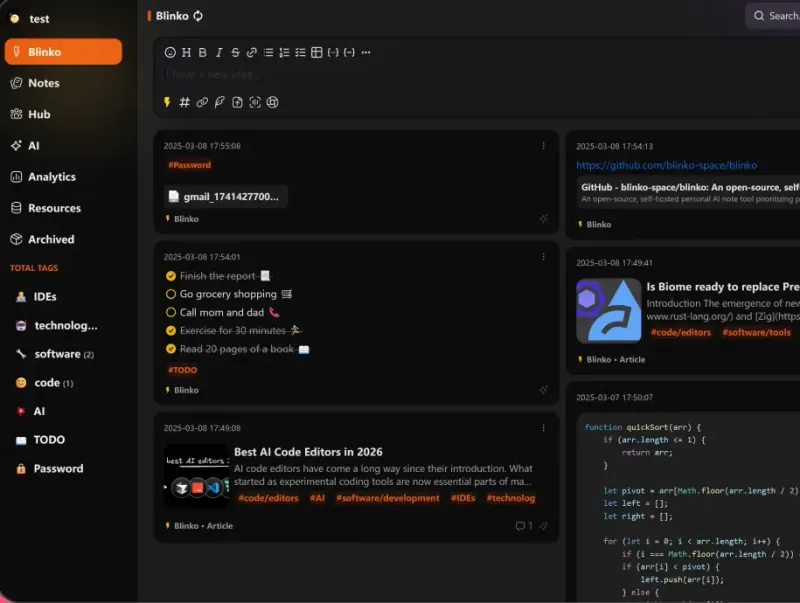
Blinko People who want a private quick-notes timeline, with optional AI search over their own notes Code Open source Import from Google Keep No Easy

Why look for an alternative to Google Keep?

Google Keep is Google's free note app for quick notes, checklists, photos, voice notes and reminders, with labels, colours, shared notes and apps for phones and the web.

People look for an alternative because Keep stores every note in a Google account, and they want their notes on a server they control. Others want Markdown, a timeline they can look back through, or a way to publish a note on the web. Memos is a small self-hosted app for quick notes and checklists, and Notesnook an encrypted notes app with phone apps; both keep everything on your own server.

The alternatives, compared

Memos

Our pick

Jot down quick notes and checklists on a private timeline.

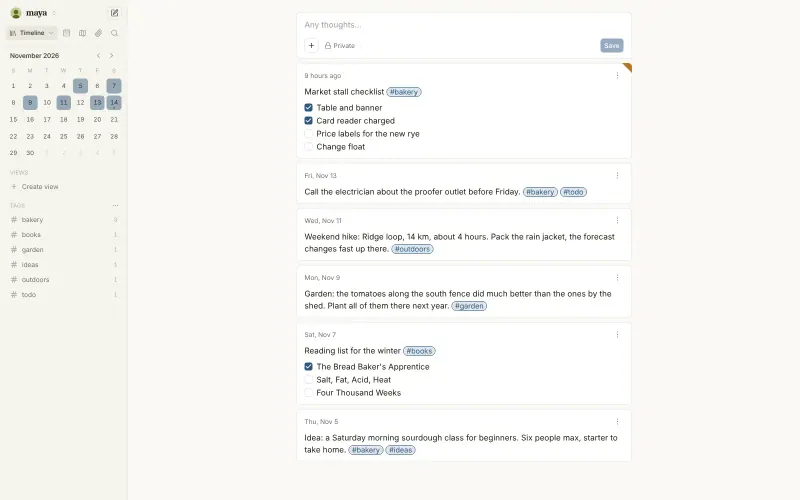
Covers Keep's quick-note job: short or long notes in Markdown, checklists, tags, pinning, photos and attachments, on a timeline with a calendar to look back by day, with each note private, shared with a Space or public. It has no official phone app, no reminders and no voice notes, and two people cannot edit the same note together.

What you gain
  • Your notes stay on your own server, not in your Google account
  • Markdown formatting, tags and a calendar to look back day by day
  • Several people can have their own accounts on one Memos
What is different
  • There is no official phone app; you use Memos in your phone's browser
  • There are no reminders or voice notes
  • Two people cannot edit the same note together
Easy Open source

Notes, checklists and task boards in plain files.

Covers Keep's notes and checklists and adds folders, Kanban task boards, links between notes and per-note encryption, with several people on one server sharing notes, lists or whole folders. Notes are kept as plain Markdown files rather than in a database. It has no phone app, only a web app you add to your home screen, no reminders and no Keep importer.

What you gain
  • Your notes and lists stay on your own server, not in a Google or Todoist account
  • Notes, checklists and Kanban boards live in one app, sorted into folders
  • Notes are plain Markdown files you can open and back up without Jotty
What is different
  • There is no app-store phone app; you install Jotty from your phone's browser
  • There are no due-date reminders, recurring tasks or calendar view
  • There is no importer for Google Keep or Todoist
Easy Open source

A simple self-hosted notepad that saves as you type, behind a PIN.

The simplest choice here: a notepad in the browser with named notepads that save as you type, Markdown checklists with a preview, search, and one shared PIN instead of accounts, so two people can edit the same list at once. It has no labels, reminders, pictures, voice notes or phone app, and no Keep importer.

Easy Open source

Sync your encrypted Notesnook notes through a server you own.

The choice if you want Keep's phone apps and reminders: Notesnook has official apps for Android, iPhone, desktop and the web, with checklists, notebooks, tags, colours and reminders, and it imports a Google Keep export. Every note is encrypted on your device before it syncs. Its self-hosted sync server is still in beta, and each app has to be pointed at your server's addresses.

Some setup Open source

Catch quick thoughts and keep notes, with AI search if you want it.

Quick notes and longer Markdown notes on a timeline, with nested tags, to-do checklists, attachments and voice recordings, plus optional AI search and chat over your notes with an AI key you add. It has apps for Android and desktop but not iPhone, no reminders like Keep's, and no Google Keep importer.

Easy Open source

Moving from Google Keep

There is no Google Keep importer. Download your notes with Google Takeout, which exports Keep as files you can open in a browser, and copy the notes you want into Memos, using tags in place of Keep's labels. Checklists become Markdown task lists. Then add Memos to your phone's home screen from the browser, so a new note is one tap away. Notesnook has a Google Keep importer: point its web or desktop app at your server, create your account, and import the Takeout export there, then install the Notesnook phone app and sign in with the same server. Blinko has no Keep importer either: copy across the notes you want, using tags for Keep's labels, then install its Android or desktop app and point it at your Blinko address. Jotty has no Keep importer either: copy notes from the Takeout files into Jotty, turn Keep's checklists into Jotty checklists, and use folders in place of labels. DumbPad has no Keep importer: make a notepad for each list or topic and paste the notes in, writing checklists as Markdown task lists.

Questions

What is the best open-source alternative to Google Keep?

Start with Memos. All 5 are free and open source.

Is there a Memos phone app?

Not an official one. The web app works in a phone's browser, and community apps exist for Android and iPhone, though they can lag behind new Memos versions. If an official phone app matters, choose Notesnook, which has apps for Android and iPhone.

Can I share notes with my family in Memos?

Yes. Each memo can be private, shared with a Space, or public on the web, and a Space lets several people write alongside each other while each keeps their own memos.

Does Memos have reminders?

No. Memos has no reminders or alarms; use a calendar or to-do app for those. Notesnook has reminders on every device; Blinko, Jotty and DumbPad have none either.

Which is best for shared family checklists?

Jotty. Its checklists have categories, drag-and-drop ordering and a progress bar, and you can share a list or a whole folder with other people on your server, choosing whether they can edit it.

Should I choose Memos, Notesnook, Blinko or Jotty?

Choose Memos for quick notes in your browser on a simple timeline, with the least setup. Choose Notesnook if you want official phone apps, reminders and end-to-end encryption, and are happy to point each app at your server. Choose Blinko if you want quick notes with optional AI search over them, and an Android or desktop app. Choose Jotty for notes and checklists shared with family or a team, kept as plain Markdown files. Choose DumbPad for a plain shared notepad behind one PIN, with no accounts to manage.

Are these Google Keep alternatives really free?

Yes, Memos, Jotty, DumbPad, Notesnook Sync Server and Blinko are free. To run them you need Cloudgate and a server. Use hosted Cloudgate, which can also provide the server, or install Cloudgate on a server of your own for free. Cloudgate's plans and prices are at cloudgate.octabyte.io/pricing. One server can run several apps.

Do I need a developer to replace Google Keep?

No. Cloudgate installs the app you choose on your server and gives it a secure web address, and you use it in your browser instead of Google Keep.