NoteDiscovery
A fast Markdown notebook with links, a graph and search.
No server needed to start: Cloudgate can provide one. What happens when you click Deploy



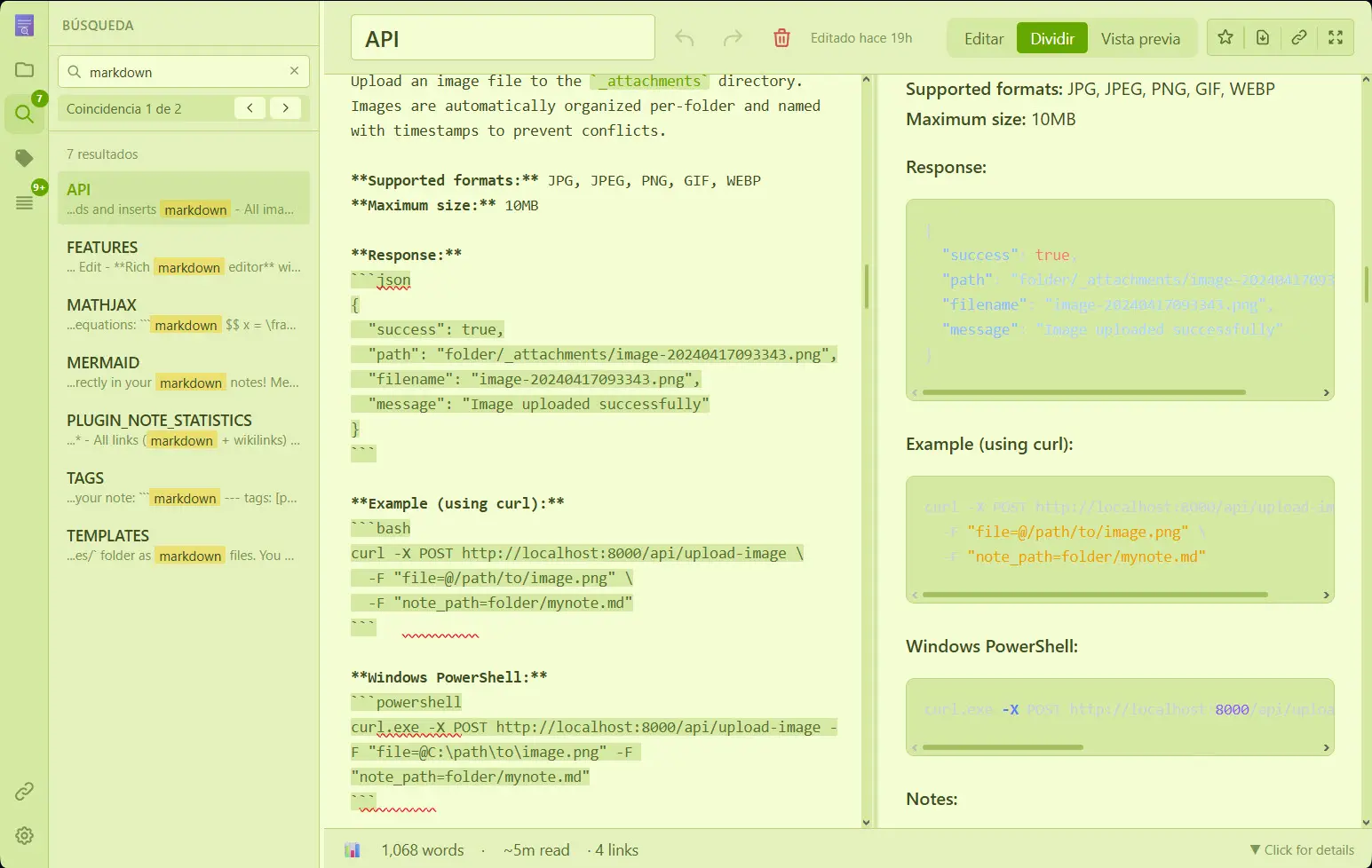

What is NoteDiscovery?
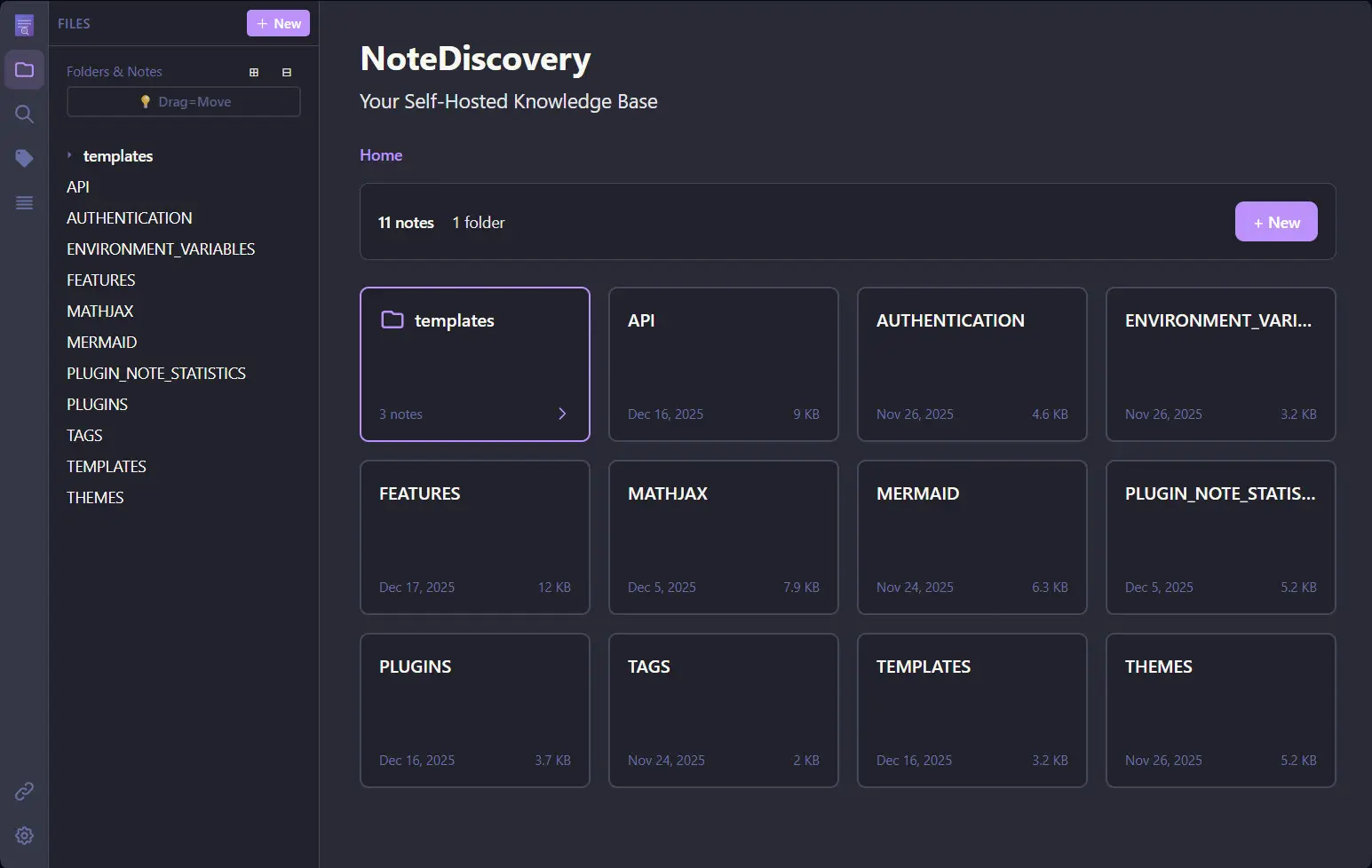
NoteDiscovery is a self-hosted Markdown notes app with wikilinks, backlinks, a graph view and fast search, kept as plain files on your server.
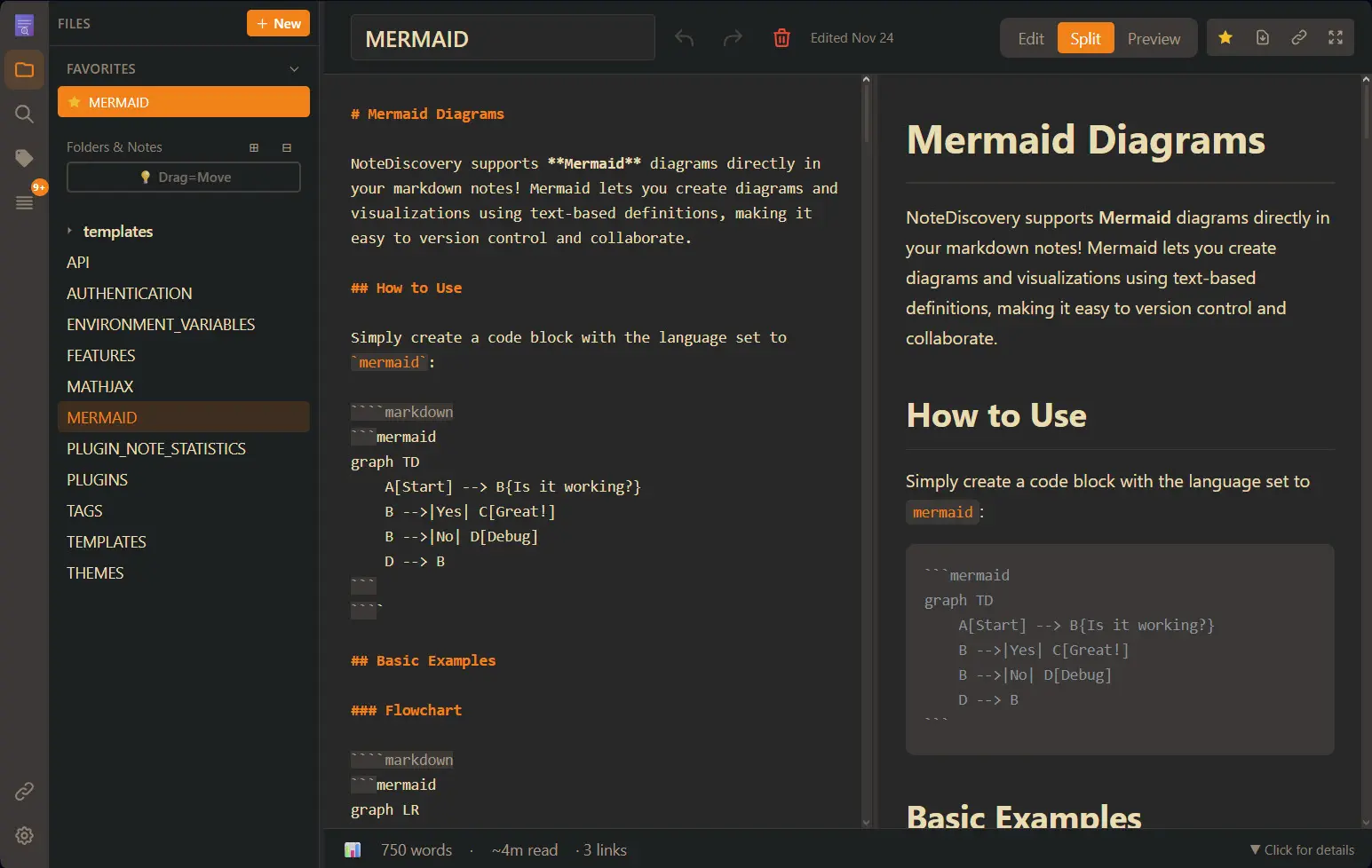
NoteDiscovery is a free, open-source, self-hosted note-taking app that keeps your notes as plain Markdown files and opens them in any web browser, a lightweight alternative to Obsidian with paid sync or to Evernote. You write in Markdown with a live preview, link notes together with [[double brackets]], and find anything with fast full-text search.
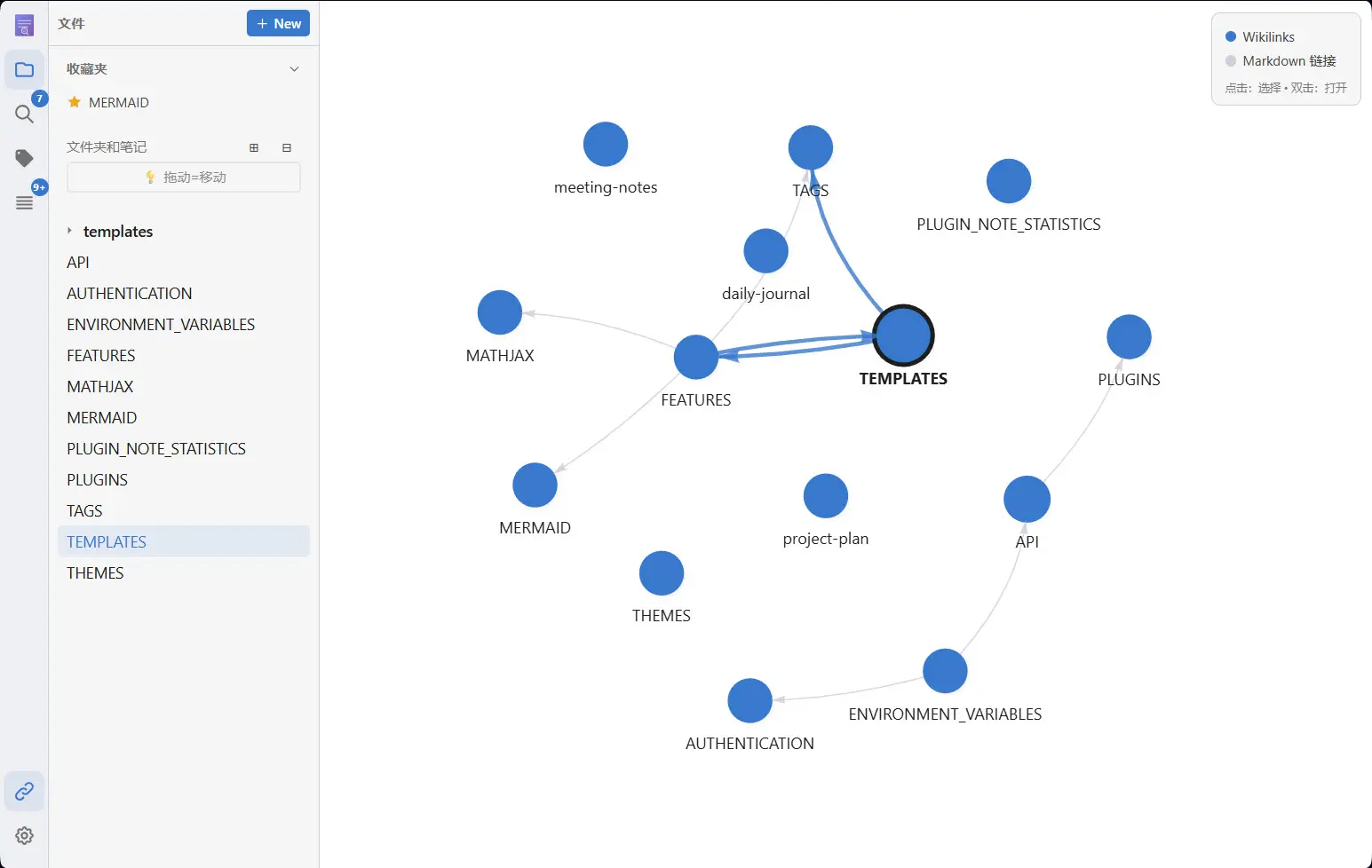
Backlinks show which notes point to the one you are reading, a graph draws how everything connects, and tags, favourites and an outline panel keep long notes easy to move around. A small accounting firm, for example, could keep its procedures, client checklists and meeting notes in one place, link each client note to the right procedure, and open them from the office or from home.
Notes stay ordinary Markdown files in folders, so they are easy to back up and never locked into a special format. NoteDiscovery works in any browser, installs on a phone like an app, and can be connected to AI assistants through MCP.
Cloudgate installs NoteDiscovery on a server Cloudgate provides or one you connect and gives it a secure web address. Sign in with the password Cloudgate creates, shown on the app's variables page. The app has one password rather than user accounts, so it suits one person or a team that shares all its notes.
What you can do with NoteDiscovery
- Write in Markdown with a live preview Edit, preview or see both side by side, with autosave, tick-box task lists, tables, code, maths and Mermaid diagrams.
- Link notes and see the connections Link notes with [[double brackets]], see which notes link back, and explore everything on an interactive graph.
- Find anything fast Search the text of every note, filter by tags, and jump between headings with the outline panel.
- Start from templates Create meeting notes, journals or project pages from your own templates with the date and title filled in.
- Add pictures, sketches and files Drop or paste images, audio, video and PDFs into a note, or draw a quick sketch in the built-in drawing editor.
- Share a note with anyone Make a public link with a QR code for one note, or export it as a web page or print it.
- Let your AI assistant help NoteDiscovery includes an MCP connection, off unless you turn it on, that lets AI assistants such as Claude or Cursor search, read and write your notes.
Replaces Obsidian and Evernote
NoteDiscovery does the same job as Obsidian and Evernote. Here is what changes when you switch.
- Your notes stay plain Markdown files in folders on your own server
- Open and edit them from any browser, with no paid sync plan
- Obsidian-style links, backlinks and graph view
- Free and open source under the MIT licence
- One shared password for the whole app, with no separate user accounts
- No phone or desktop apps, though it installs on a phone like an app from the browser
- Far fewer plugins than Obsidian, and no Evernote import or web clipper
- Two people editing the same note at the same moment can overwrite each other; NoteDiscovery asks before saving over a newer version
What happens when you click Deploy?
You do not need a server or any technical knowledge. Four steps, and NoteDiscovery is running at its own web address.
- Step 1 Click Deploy and create your account
Deploy takes you to Cloudgate. Create an account, or log in if you have one. NoteDiscovery itself is free.
- Step 2 Choose a server
No server? Get one from Cloudgate: pick a size and a country, and Cloudgate gets it ready. Already have one? Connect it instead.
- Step 3 Cloudgate sets up NoteDiscovery
It prepares the server, makes the passwords the app needs and starts it. There is nothing to install and nothing to write down.
- Step 4 Open your app and sign in
Your app gets a free web address to start, without https. Add your own domain, like app.yourshop.com, and Cloudgate secures it with https for you.
New to Cloudgate? See what Cloudgate is
Run Cloudgate yourself? Deploy from your own console
In your Cloudgate console, open Templates and choose NoteDiscovery.
Questions
Is NoteDiscovery free?
Yes, NoteDiscovery is free and open source under the MIT licence, with no paid plan or subscription. You pay only for a small server.
Is NoteDiscovery a good alternative to Obsidian?
Yes, if you want Obsidian-style notes in the browser. NoteDiscovery keeps plain Markdown files with [[wikilinks]], backlinks, tags and a graph view, and every device opens the same notes with no sync plan. It has far fewer plugins and no desktop or phone apps.
Can I use my existing Markdown or Obsidian notes?
Yes, NoteDiscovery reads plain Markdown files in folders, including [[wikilinks]] and Obsidian-style image embeds. Copy your notes into its notes folder and they appear in the app; there is no one-click importer.
Can several people have their own NoteDiscovery accounts?
No, NoteDiscovery has one password for the whole app rather than user accounts. Everyone who signs in sees and edits the same notes, which suits one person or a small team that shares everything.
Is there a NoteDiscovery phone app?
No, but NoteDiscovery works in a phone's browser and can be installed to the home screen like an app on Android and iPhone.
Can AI assistants read my NoteDiscovery notes?
Only if you turn it on. NoteDiscovery includes an MCP connection that lets assistants such as Claude or Cursor search, create and organise notes; it is off in this template, so nothing is shared with an AI service unless you set it up.
What server size do I need for NoteDiscovery?
The smallest server is enough, because NoteDiscovery is one light app that keeps notes as files, with no database.
Do I need technical skills to run NoteDiscovery?
No. Click Deploy, create your Cloudgate account and choose a server, and Cloudgate sets up NoteDiscovery and gives it a web address. You use it in your browser like any other online tool.
Do I need my own server for NoteDiscovery?
No. When you deploy NoteDiscovery, hosted Cloudgate can provide a server. If you already rent one, you can connect it instead.
Can I move my data from Obsidian to NoteDiscovery?
Most people export from Obsidian and import into NoteDiscovery. The official guides at github.com walk through it.
Related apps
Notes, tasks and a daily diary, saved as plain files.

A private knowledge base for years of notes, on your own server.

Markdown notes you find by search and tags, not folders.
Obsidian-style Markdown notes in your browser, on your own server.