
SilverBullet
Markdown notes, journal and wiki in your browser.
No server needed to start: Cloudgate can provide one. What happens when you click Deploy
What is SilverBullet?
SilverBullet is a self-hosted Markdown notes app with linked pages, a daily journal, tasks and live tables, kept as plain files on your own server.
SilverBullet is a free, open-source, self-hosted notes app for Markdown notes, a daily journal and a personal or team wiki, and an alternative to Obsidian and, for simple notes and wikis, Notion. You write in your browser, link pages to each other, and every page stays a plain Markdown file on your own server.
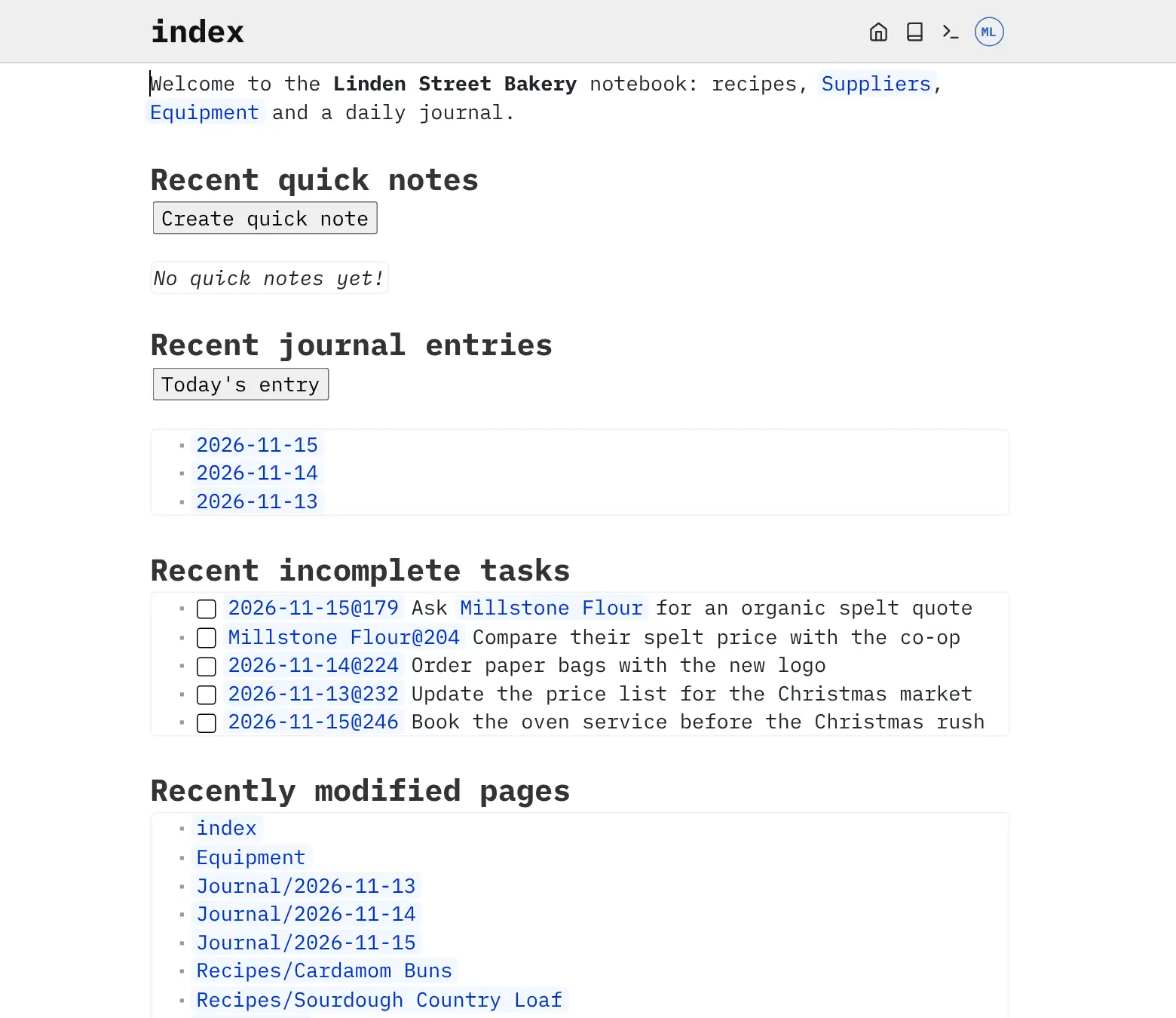
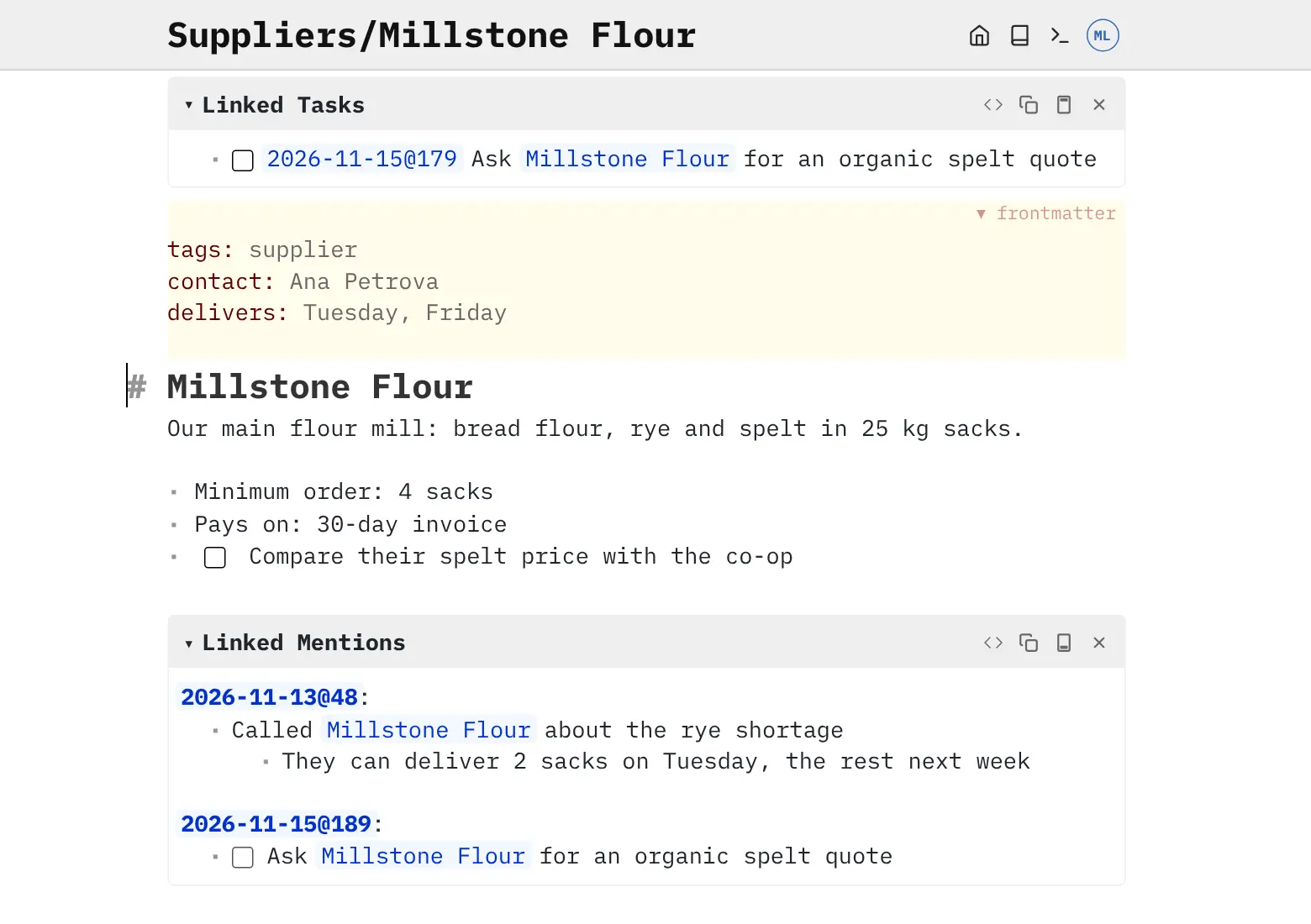
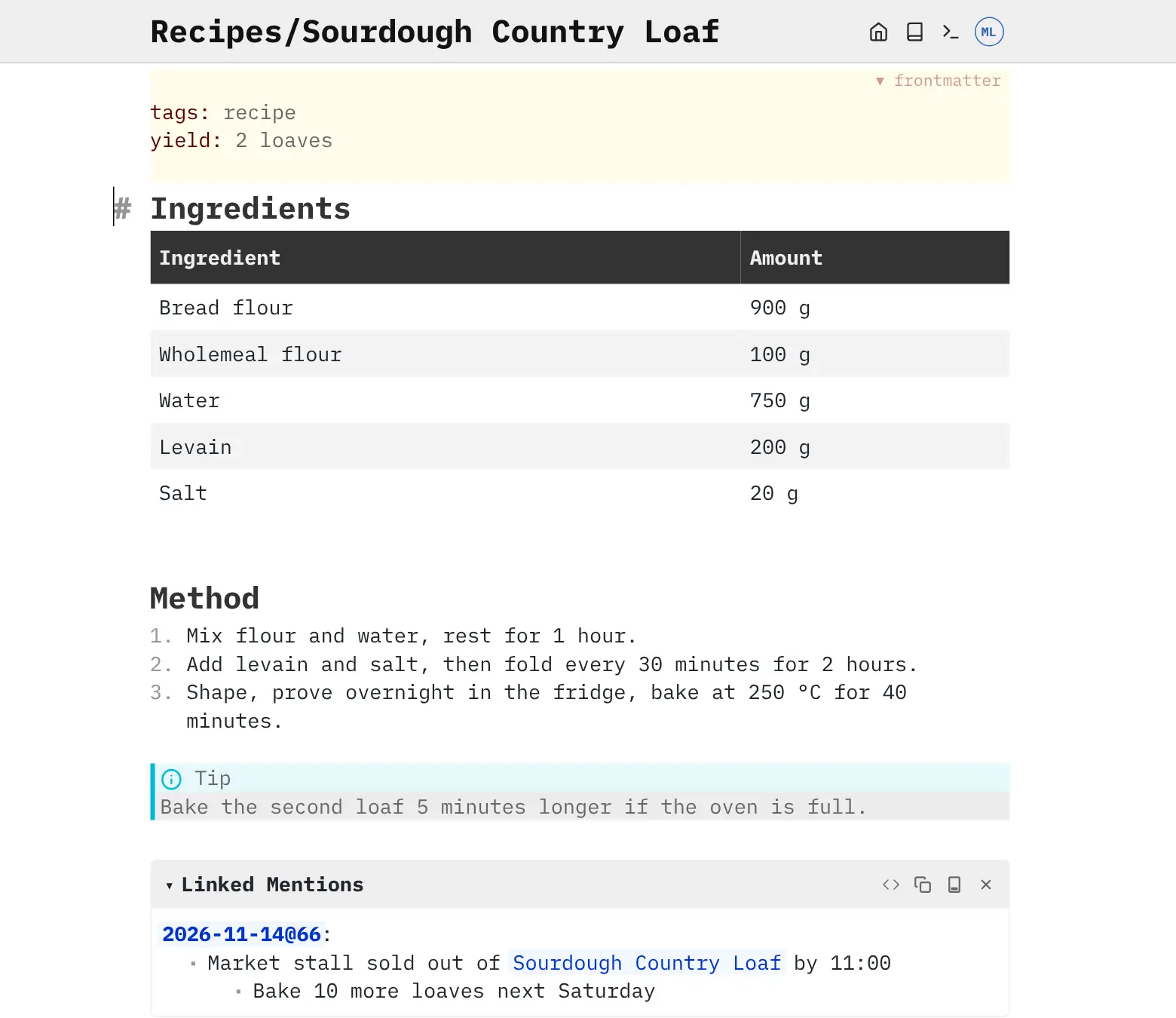
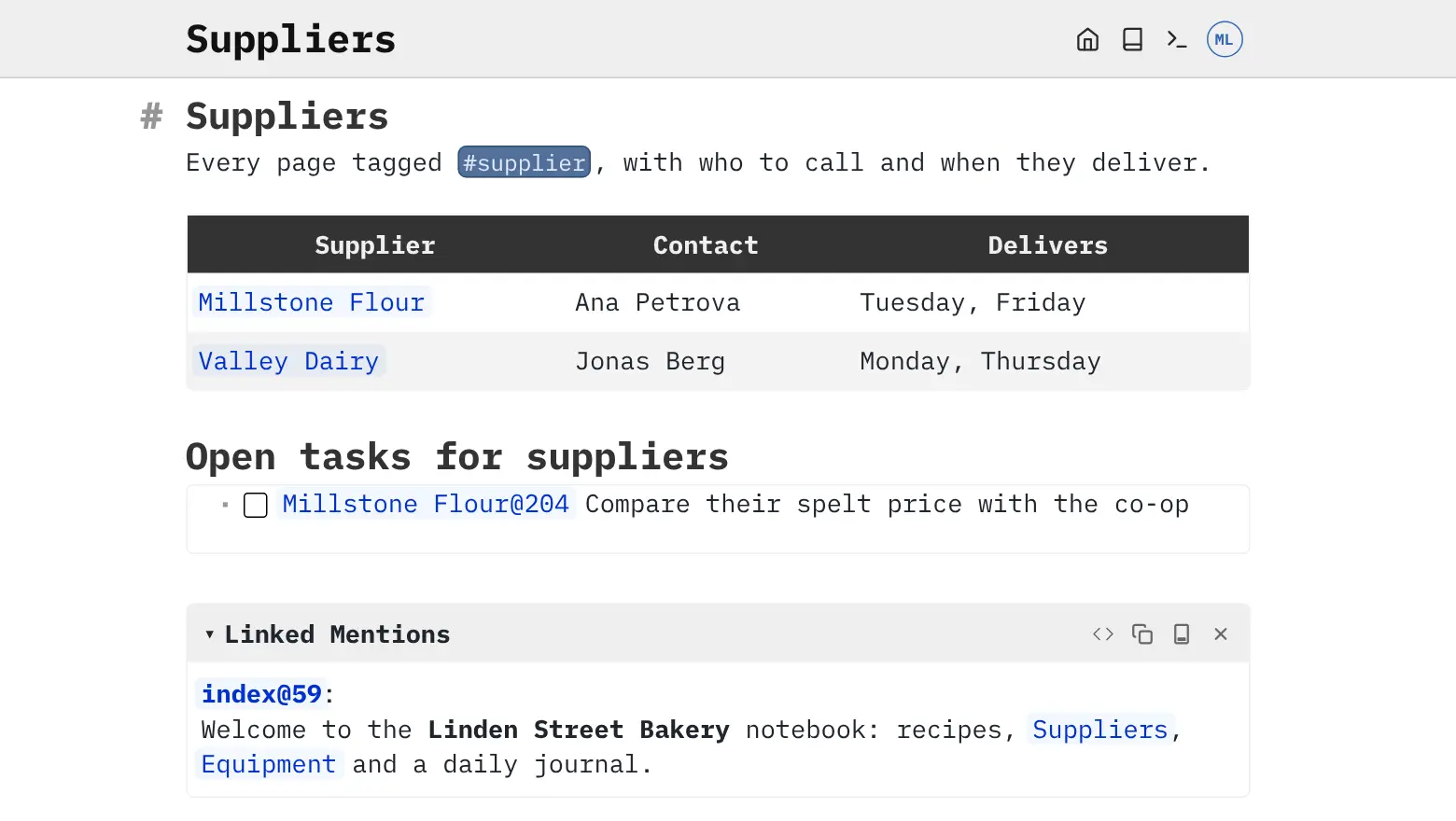
Each page lists the notes that mention it, so a daily journal builds a history for every customer, supplier or project you write about. Tick boxes become tasks you can see in one list, and tagged pages can be shown as live tables. A bakery, for example, could keep recipes, supplier details and a daily log in one notebook, and open a supplier's page to see every call and delivery noted about them.
SilverBullet works in any browser and installs from the browser as an app on phones and computers, where it keeps working offline and syncs when you reconnect. The admin can add accounts for colleagues, and a notebook can be published as a read-only website. Notes written in Obsidian are Markdown files it can read.
Cloudgate installs SilverBullet on a server Cloudgate provides or one you connect and gives it a secure web address. Open that address right after setup to create your admin account and first notebook.
What you can do with SilverBullet
- Write in Markdown with live preview Headings, lists, tables and links show formatted as you type, and every page is a plain Markdown file.
- Link pages like a wiki Link one page to another, and each page lists every note that mentions it.
- Keep a daily journal One click opens today's page, and entries that mention a topic also appear on that topic's page.
- Track tasks in any note Tick boxes work anywhere, and the home page gathers every open task from across your notes.
- Turn notes into tables Tag pages and add details such as a contact or a date, then list them in a live table that updates itself.
- Use it offline on any device Install it from the browser on your phone or computer, keep writing without a connection, and it syncs when you are back online.
- Share with your team or the public Give colleagues their own accounts with read or write access, or publish a notebook as a read-only website.
- Go back to earlier versions Turn on revision history to keep every saved change and see who made it.
Replaces Obsidian and Notion
SilverBullet does the same job as Obsidian and Notion. Here is what changes when you switch.
- One web address reaches the same notes from every device, with no sync subscription
- Notes stay plain Markdown files on your own server, so you can take them anywhere
- Linked notes written in Obsidian keep working, because SilverBullet finds pages by name
- Accounts for colleagues and a public read-only notebook are included, at no extra cost
- There is no app-store phone app; you install it from the phone's browser instead
- Its plugin library is much smaller than Obsidian's
- Live tables and scripts are written as short code, so they suit technical users
- Shared pages merge changes when two people edit, rather than showing live co-editing like Notion
What happens when you click Deploy?
You do not need a server or any technical knowledge. Four steps, and SilverBullet is running at its own web address.
- Step 1 Click Deploy and create your account
Deploy takes you to Cloudgate. Create an account, or log in if you have one. SilverBullet itself is free.
- Step 2 Choose a server
No server? Get one from Cloudgate: pick a size and a country, and Cloudgate gets it ready. Already have one? Connect it instead.
- Step 3 Cloudgate sets up SilverBullet
It prepares the server, makes the passwords the app needs and starts it. There is nothing to install and nothing to write down.
- Step 4 Open your app and sign in
Your app gets a free web address to start, without https. Add your own domain, like app.yourshop.com, and Cloudgate secures it with https for you.
New to Cloudgate? See what Cloudgate is
Run Cloudgate yourself? Deploy from your own console
In your Cloudgate console, open Templates and choose SilverBullet.
Questions
Is SilverBullet free?
Yes. The SilverBullet server is free and open source under the MIT licence, for any number of users at home or at work, with no paid edition. The separate SilverBullet Desktop app, which you don't need, is free for personal use and needs a paid licence for work use.
Is SilverBullet a good alternative to Obsidian?
Yes, if you want your Markdown notes on your own server and open in any browser. Both keep notes as plain Markdown files with links between pages, and SilverBullet reads Obsidian-style links, so a folder of Obsidian notes works without rewriting them. Obsidian has native apps and a much larger plugin library.
How do I sign in to SilverBullet the first time?
Open SilverBullet's web address right after setup and a short setup wizard asks you to create the admin account, with a username and password you choose, and then your first notebook. Whoever opens the address first becomes the admin, so do it straight away.
Can more than one person use SilverBullet?
Yes. The SilverBullet admin creates an account for each person and gives them read or write access to each notebook, and you can sign in with Google Workspace or another single sign-on service. There is no self-signup and no password reset email; the admin sets a new password.
Is there a SilverBullet phone app?
No, there is no app in the app stores. You open SilverBullet in your phone's browser and add it to the home screen, where it gets its own icon, works offline and syncs when you are back online.
Do I need to know how to code to use SilverBullet?
No. In SilverBullet, writing, linking pages, the journal and tasks need no code. Live tables, custom commands and scripts are written in a small scripting language, so those parts suit people who are comfortable with a little code.
What server size does SilverBullet need?
A small one. The SilverBullet project says a few hundred megabytes of memory is enough, and it needs no separate database because your notes are files in a folder.
Do I need my own server for SilverBullet?
No. When you deploy SilverBullet, hosted Cloudgate can provide a server. If you already rent one, you can connect it instead.
Can I move my data from Obsidian to SilverBullet?
Most people export from Obsidian and import into SilverBullet. The official guides at docs.silverbullet.md walk through it.
Related apps

Obsidian-style Markdown notes in your browser, on your own server.
Notes, tasks and a daily diary, saved as plain files.

A self-hosted Markdown knowledge base for maths, diagrams and teams.

A self-hosted, block-based notes app for your own knowledge base.