
Many Notes
Obsidian-style Markdown notes in your browser, on your own server.
No server needed to start: Cloudgate can provide one. What happens when you click Deploy
What is Many Notes?
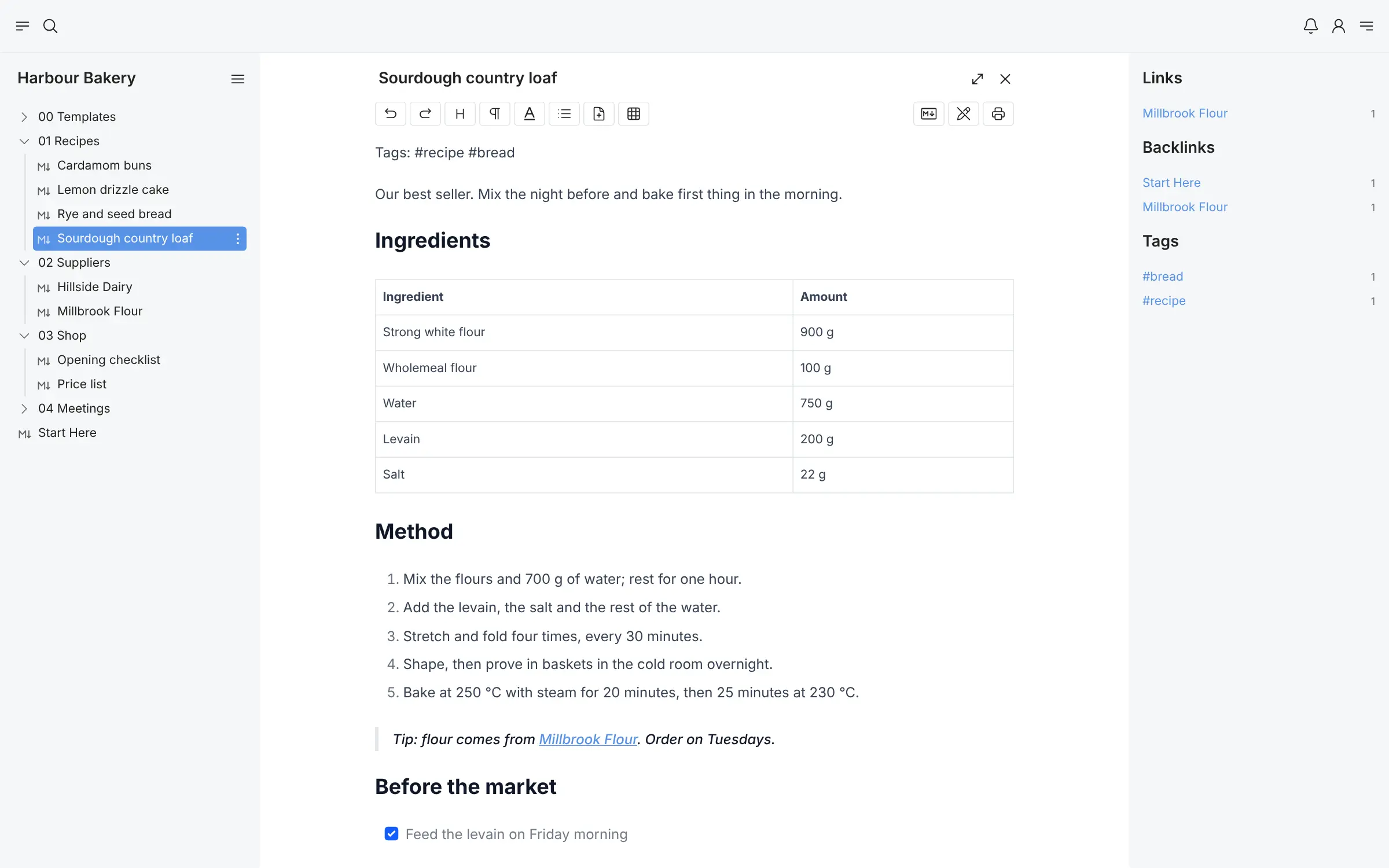
Many Notes is a self-hosted Markdown notes app in your browser, with Obsidian-style vaults, links, backlinks, tags, search and sharing.
Many Notes is a free, open-source, self-hosted Markdown note-taking app that works like Obsidian in your web browser: notes live in vaults of folders, with links, backlinks, tags and templates. Each note is also saved as an ordinary Markdown file on your server, so your notes stay yours and are easy to export.
Unlike Obsidian, there is nothing to install or sync on each device. You open one web address from any computer, every person has their own account, and you can invite colleagues to a shared vault. A small bakery, for example, could keep its recipes, supplier details and opening checklist in one vault that the owner and the head baker both edit, and link each recipe to the supplier it orders from.
Many Notes has no phone or desktop apps and no offline mode, but it works in a phone's browser and can be installed as a web app. You can import a vault as a zip of Markdown files and export it the same way.
Cloudgate installs Many Notes on a server Cloudgate provides or one you connect, and gives it a secure web address. Register the first account straight away to become the admin.
What you can do with Many Notes
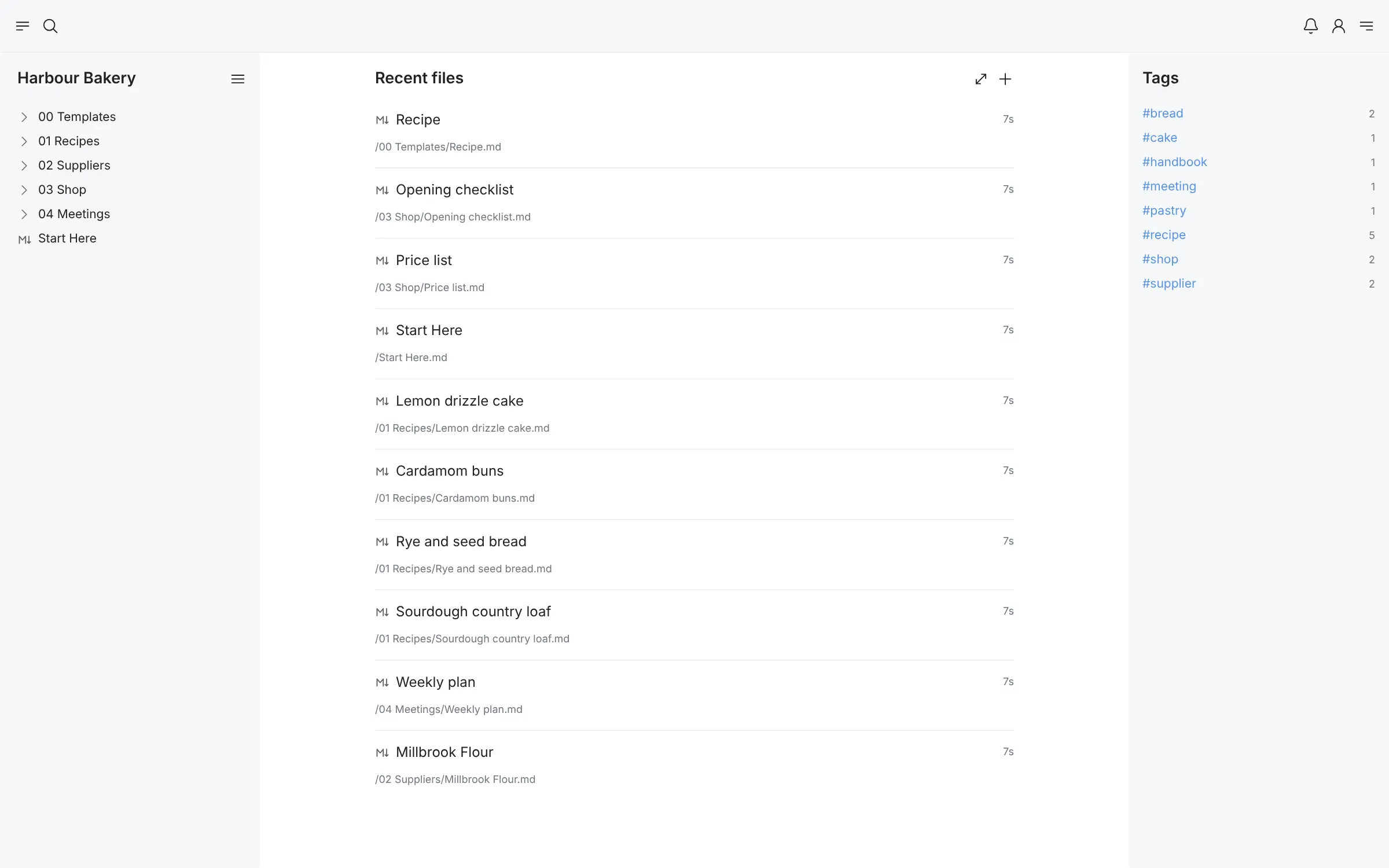
- Keep notes in vaults Each vault is a set of folders and Markdown notes, and each person can have as many vaults as they like.
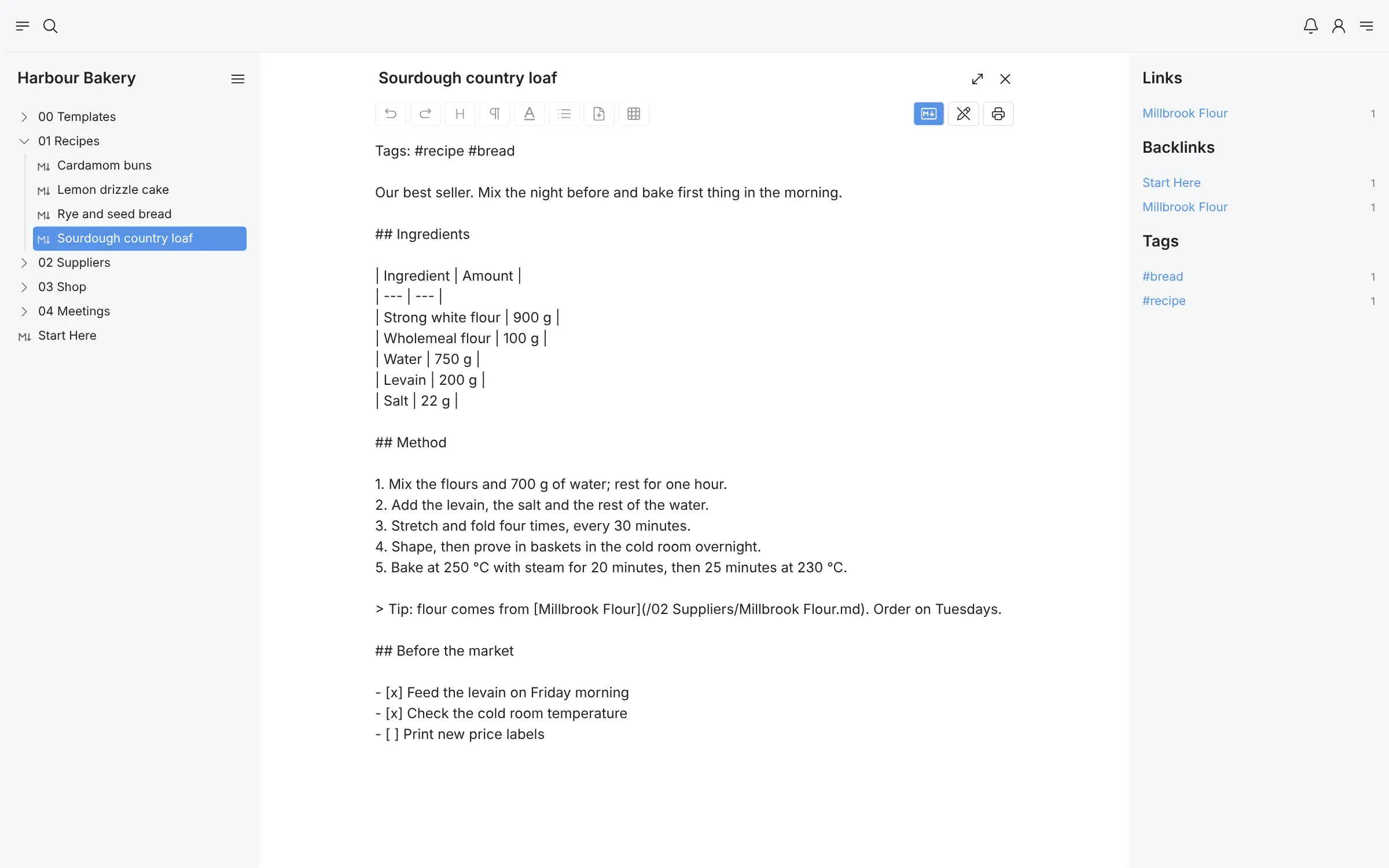
- Write with a toolbar or in Markdown Format headings, tables, task lists and code with buttons, or switch to plain Markdown, and every change saves itself.
- Connect your notes Links, backlinks and tags appear beside each note, so related notes are one click away.
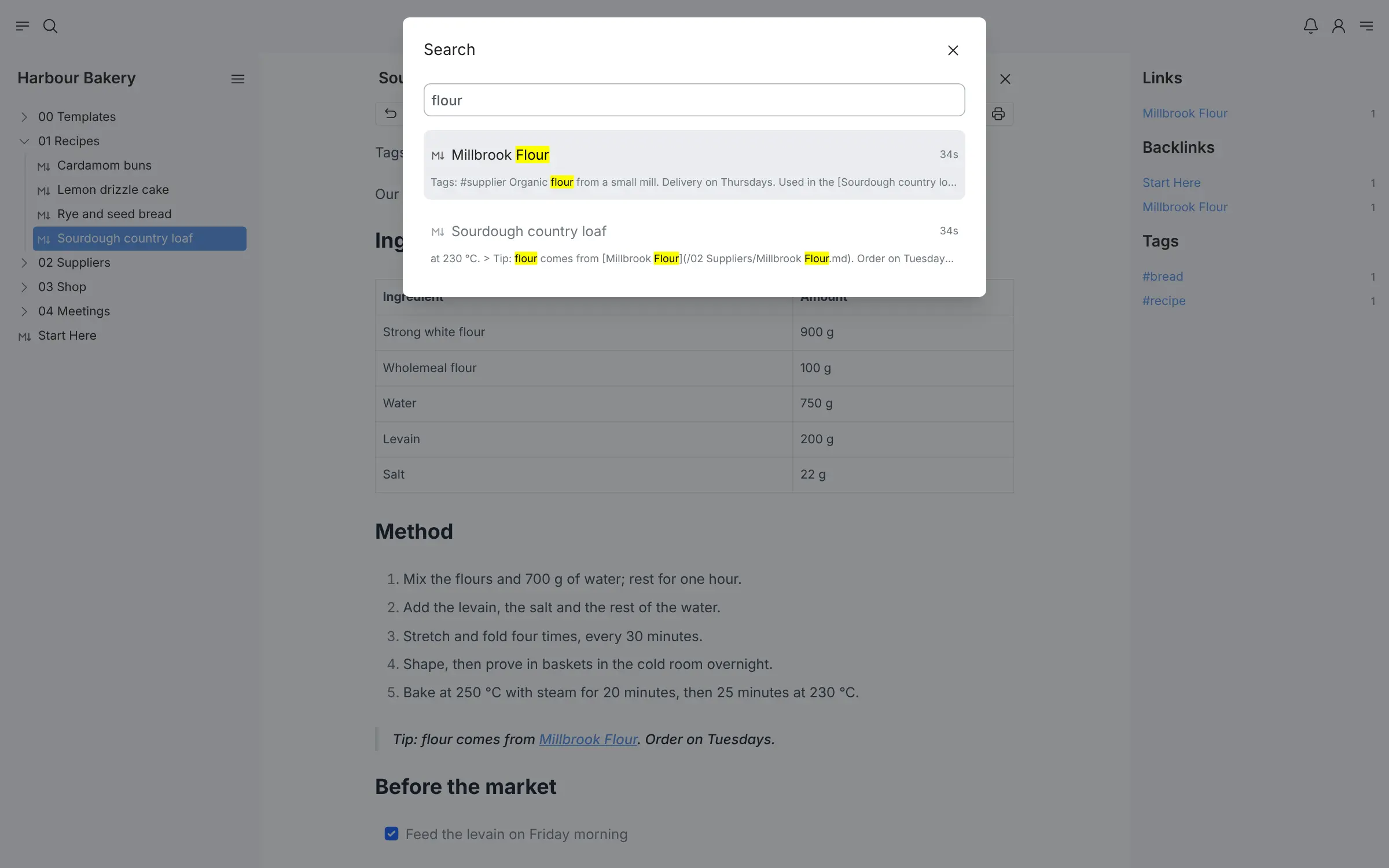
- Find any note fast Search looks through titles and text across a vault and still finds words you mistype.
- Share a vault Invite other people on your Many Notes to a vault, and the screen updates live as they make changes.
- Start from a template Keep a folder of templates and apply one to a new note for a consistent layout.
- Store files beside your notes Keep images, PDFs, audio and video in the same vault, and paste or drop files straight into a note.
- Take your notes with you Export any vault as a zip of Markdown files, import one the same way, or print a note to PDF.
Replaces Obsidian and Notion
Many Notes does the same job as Obsidian and Notion. Here is what changes when you switch.
- Your notes open in any browser, on any computer, with no sync subscription
- Notes stay as Markdown files in folders on your own server
- Separate accounts for each person, and vaults you can share
- Free and open source, with no paid edition
- No phone or desktop app and no offline editing; it runs in the browser and can be installed as a web app
- No wiki-style [[links]], graph view, canvas or plugins
- Links between notes are normal Markdown links, so Obsidian's [[links]] do not connect after an import
- A younger project than Obsidian, still before version 1.0
What happens when you click Deploy?
You do not need a server or any technical knowledge. Four steps, and Many Notes is running at its own web address.
- Step 1 Click Deploy and create your account
Deploy takes you to Cloudgate. Create an account, or log in if you have one. Many Notes itself is free.
- Step 2 Choose a server
No server? Get one from Cloudgate: pick a size and a country, and Cloudgate gets it ready. Already have one? Connect it instead.
- Step 3 Cloudgate sets up Many Notes
It prepares the server, makes the passwords the app needs and starts it. There is nothing to install and nothing to write down.
- Step 4 Open your app and sign in
Your app gets a free web address to start, without https. Add your own domain, like app.yourshop.com, and Cloudgate secures it with https for you.
New to Cloudgate? See what Cloudgate is
Run Cloudgate yourself? Deploy from your own console
In your Cloudgate console, open Templates and choose Many Notes.
Questions
Is Many Notes free?
Yes, Many Notes is free and open source under the MIT licence, with no paid edition and no features held back. You pay only for the server it runs on.
Is Many Notes a good alternative to Obsidian?
Yes, if you want Obsidian-style vaults of Markdown notes that open in any browser from your own server and can be shared with other people. Obsidian has phone and desktop apps, offline use, wiki-style links, a graph view and plugins, which Many Notes does not.
Can I import my Obsidian vault into Many Notes?
Partly. Zip your Obsidian vault folder and import it into Many Notes as a new vault, and your folders, notes and files come across. Obsidian's [[wiki links]] and plugin features are not understood, so links between notes need changing to normal Markdown links.
How do I sign in to Many Notes the first time?
Open your Many Notes address and register; there is no default login. The first account created becomes the admin, so register straight away, then turn off sign-ups in the settings if you don't want others to create accounts.
Can several people use Many Notes?
Yes, everyone in Many Notes gets their own account and their own vaults. You can invite other users to a vault so you work in it together, and changes show up on screen as they happen.
Is there a Many Notes phone app?
No, there is no app in the app stores. Many Notes works in a phone's browser and can be added to your home screen as an installable web app, but it needs a connection to your server.
Are my Many Notes notes stored as Markdown files?
Yes, Many Notes saves every note as a plain Markdown file in folders on your server, and you can export any vault as a zip of those files. That keeps your notes easy to back up and to move to another app.
Do I need technical skills to run Many Notes?
No. Click Deploy, create your Cloudgate account and choose a server, and Cloudgate sets up Many Notes and gives it a web address. You use it in your browser like any other online tool.
Do I need my own server for Many Notes?
No. When you deploy Many Notes, hosted Cloudgate can provide a server. If you already rent one, you can connect it instead.
Related apps

Notes, tasks and a daily diary, saved as plain files.

Markdown notes, journal and wiki in your browser.

A self-hosted, block-based notes app for your own knowledge base.

A self-hosted Markdown knowledge base for maths, diagrams and teams.