


Open-source alternatives to Feedly

FreshRSS is the free, open-source Feedly alternative we recommend: one reader for every news site, blog and YouTube channel you follow, with no limit on feeds. Feedly caps its free plan and keeps its AI features for paid plans; self-hosted FreshRSS has no plans at all, and what you read stays on your server.

6 alternatives Free apps Our pick: FreshRSS

At a glance

App Good for Code Import from Feedly Ease of use
FreshRSS People and teams who follow many sites and want one reader with no feed limit Code Open source Import from Feedly Yes Easy
CommaFeed People and small teams who want a Google Reader-style reader with categories and phone app sync Code Open source Import from Feedly Yes Easy
Glean People who follow many feeds and want them ranked by what they like, with read later and bookmarks in one app Code Open source Import from Feedly Yes Easy
LetterFeed People who read many email newsletters and want them in a feed reader, out of their inbox Code Open source Import from Feedly No Some setup
Miniflux People who want a fast, distraction-free reader with nothing extra to manage Code Open source Import from Feedly Yes Easy
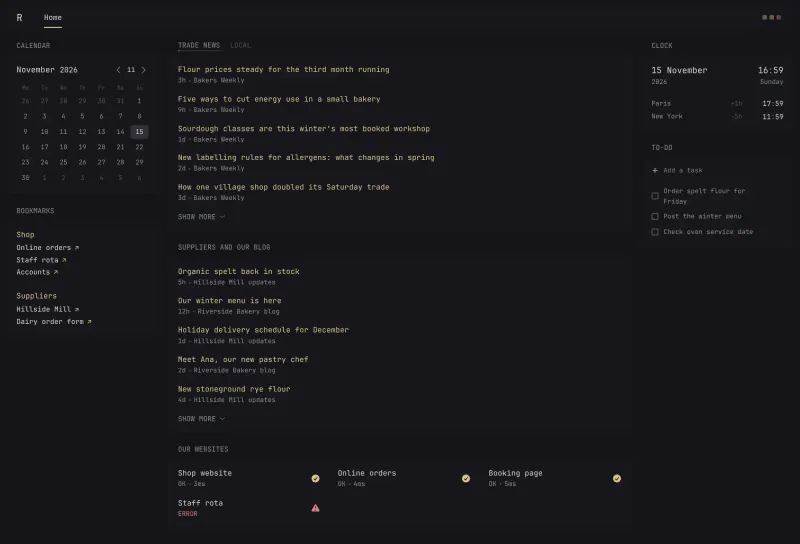
Glance People who want one fast home page with their news, links and site status, set up in a text file Code Open source Import from Feedly No Some setup

Why look for an alternative to Feedly?

Feedly is a hosted feed reader: you follow news sites, blogs and other sources, and Feedly gathers their new articles in one place, on the web and in its phone apps.

People look for an alternative because Feedly caps how many sources its free plan follows, and keeps faster updates and its AI features for paid plans. Some also prefer that the list of sites they read is not stored by a company. A self-hosted reader such as FreshRSS or Miniflux follows as many feeds as you like with no subscription, keeps your reading on your own server, and one install can serve a whole family or team. Glean, still young, ranks your unread articles by what you liked and keeps read later and bookmarks in the same app. LetterFeed brings your email newsletters into whichever reader you choose, as feeds.

The alternatives, compared

FreshRSS

Our pick

A self-hosted RSS reader for every news site and blog you follow.

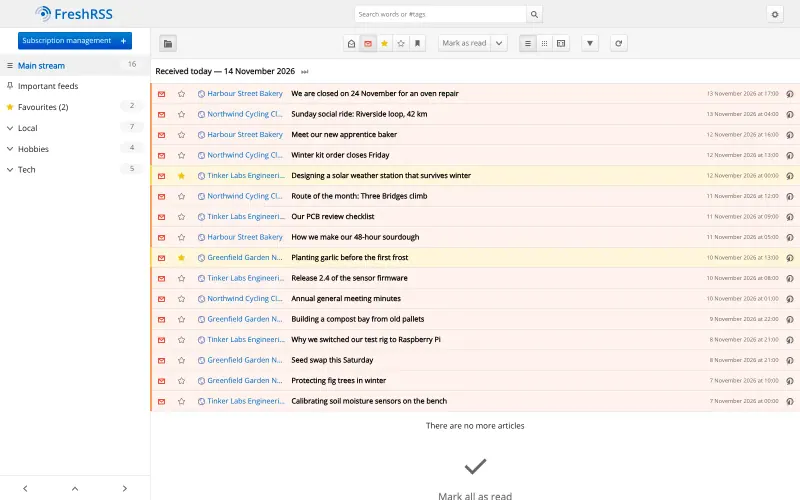
Follows news sites, blogs, YouTube channels and podcasts with no limit on feeds, with list, grid and reading views, starred articles, saved searches and mark-as-read rules. Phone apps such as NetNewsWire, Reeder Classic and FeedMe sync with it. It has no AI summaries or AI ranking, no official phone app, and looks plainer than Feedly.

What you gain
  • No limit on how many feeds you follow, and no subscription
  • What you read stays on your own server
  • One server for your whole family or team
What is different
  • No AI summaries or AI ranking of articles
  • There is no official FreshRSS phone app; you pick a third-party one
  • It looks plainer than Feedly or Inoreader
Easy Open source

A self-hosted RSS reader in the style of Google Reader.

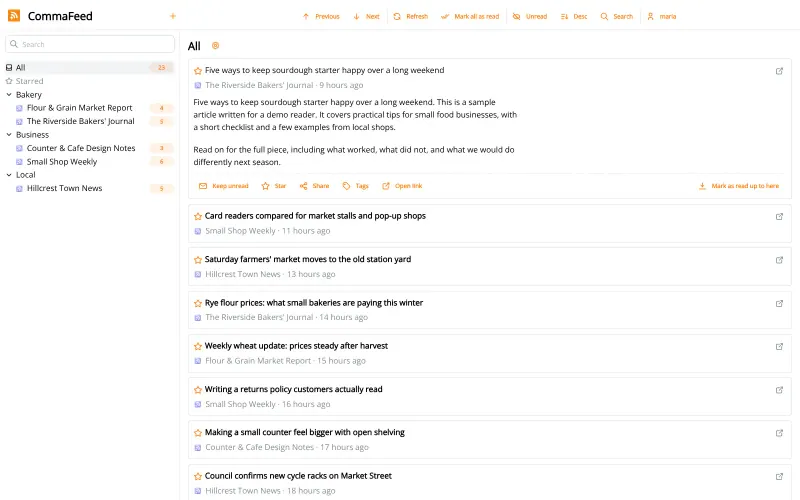
A Google Reader-style reader: feeds sorted into categories with unread counts, four layouts, light and dark themes, keyboard shortcuts, starred articles, search, rules that mark articles as read, and push notifications for new articles. Phone apps sync through its Fever and Google Reader APIs. It has no AI features, boards or notes, no official phone app, and fewer extensions than FreshRSS.

What you gain
  • No subscription and no limit on feeds
  • Your feed list and reading history stay on your server
  • A plain, fast reader with a classic folder layout
What is different
  • No AI summaries, boards or team newsletters like Feedly
  • No official phone app; you use a third-party app that syncs
  • Starred articles and boards from Feedly do not move across, only your feeds
Easy Open source

A self-hosted RSS reader with a Smart feed, read later and bookmarks.

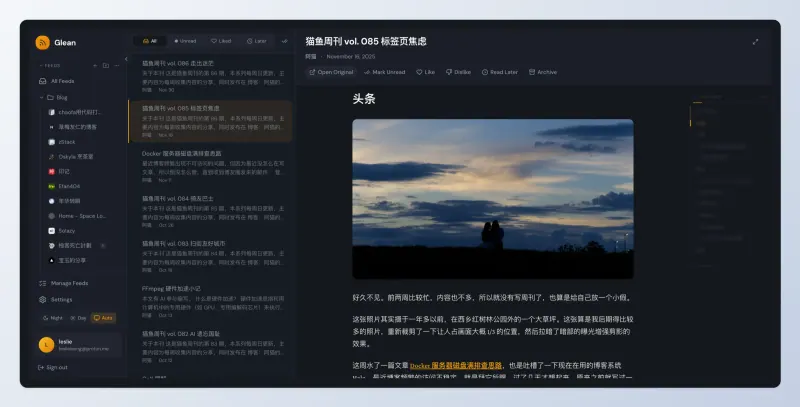
Follows RSS and Atom feeds with no feed limit, in folders and tags, with a three-pane reader, full article text for feeds that send only a summary, and a Smart view that ranks unread articles by what you liked, with a read-later list and bookmarks in the same app. It has no phone app and no sync with reader apps, AI-based ranking needs a paid embedding API key, and its makers say it is not yet ready for production use.

What you gain
  • No subscription and no limit on how many feeds you follow
  • Ranking, read later and bookmarks in one free app
  • What you read and like stays on your own server
What is different
  • A young project that is still in development, with frequent updates
  • No phone app, and no sync with third-party reader apps
  • AI summaries and auto-tagging are planned, not available yet
Easy Open source

Turn email newsletters into RSS feeds for any reader.

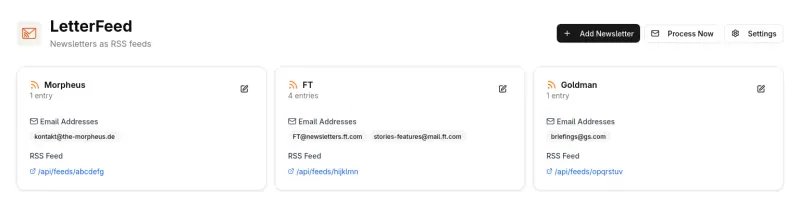
Not a reader but a feed maker for your email newsletters: it signs in to a mailbox you already have and turns each newsletter you list into its own feed, plus one combined feed, that FreshRSS or any other reader here can follow. That covers Feedly's paid newsletters-as-feeds feature for free, but you still need a feed reader alongside it.

What you gain
  • Newsletters as feeds with no paid plan, unlike Feedly Pro+
  • Works with any feed reader you like, including self-hosted ones
  • No new email address to hand out; you use the mailbox you have
What is different
  • LetterFeed is not a reader; you still need a feed reader to read the feeds
  • You need a mailbox that allows IMAP access, and you set it up yourself
  • It checks for new issues on a schedule, not the moment they arrive
Some setup Open source

A minimalist RSS reader that is fast, quiet and free of clutter.

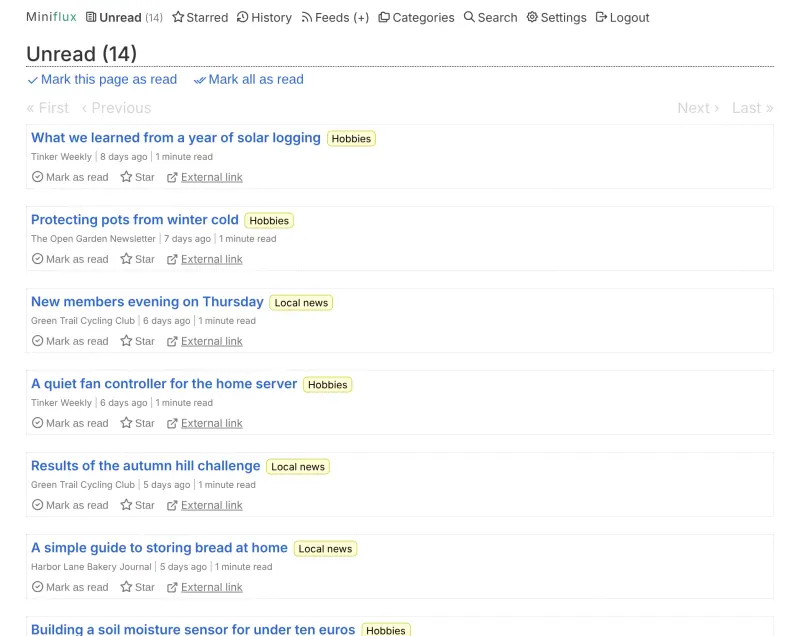
The lighter, minimalist choice: one fast, plain list of new articles from every feed, with full-text fetching for feeds that send only a summary, tracker removal and keyboard shortcuts, and no feed limit. It saves articles to apps such as Wallabag, Instapaper and Readwise Reader. It has no AI features, boards, plugins or official phone app, and shows no article thumbnails.

What you gain
  • No limit on how many feeds you follow, and no subscription
  • What you read stays on your own server, with trackers removed
  • A simple, fast page with no ads and no telemetry
What is different
  • Small on purpose, with no plugins or extensions to add features
  • No AI summaries, AI ranking or boards
  • No official phone app; you use the web app or a third-party one
Easy Open source

A self-hosted start page with your news, weather, links and to-dos.

Not a feed reader but a start page that shows the latest headlines from your feeds next to weather, bookmarks and other widgets. It has no read or unread state, no starring, no OPML import and no phone-app sync, so it suits skimming headlines rather than reading everything.

Some setup Open source

Moving from Feedly

In Feedly, export your sources as an OPML file. In FreshRSS, open Subscription management, then Import / export, and import that file; in Miniflux, use Import under Feeds; in CommaFeed, use the OPML tab on the Subscribe screen; in Glean, use Import OPML on its Manage Feeds page. Your feeds come across with their folders as categories. Starred articles, boards and notes from Feedly do not move with the OPML file. To read on your phone, turn on the Google Reader or Fever API, in your FreshRSS profile, Miniflux's Integrations settings or CommaFeed's settings, and add your reader's address to a phone app that supports it. Glean has no phone-app sync, so read it in your phone's browser. Glance has no OPML import: add each feed's address to an RSS widget in its glance.yml settings file. LetterFeed has nothing to import from Feedly: enter your mailbox's IMAP details, add each newsletter with its sender address, then subscribe to the feed address it shows in your new reader.

Questions

What is the best open-source alternative to Feedly?

Start with FreshRSS. All 6 are free and open source.

Should I choose FreshRSS, Miniflux or CommaFeed?

Choose FreshRSS if you want extensions, grid and reading views, and feeds made from web pages. Choose Miniflux if you want the simplest, fastest reader with privacy filtering built in. Choose CommaFeed if you miss Google Reader: a classic tree of categories, four layouts and push notifications in a light app. All three are free and sync with phone reader apps.

Can I move my Feedly feeds to FreshRSS?

Yes. Export an OPML file from Feedly and import it in FreshRSS; your feeds and folders come across in one step. Saved articles and boards do not.

Is there a FreshRSS app for my phone?

Not an official one. FreshRSS works with free and paid reader apps that use the Google Reader or Fever API, such as NetNewsWire, Reeder Classic, FeedMe and Readrops, and read and starred articles stay in step.

Do FreshRSS, Miniflux and CommaFeed have AI features like Feedly's?

No. None of them has AI summaries or AI ranking. They show every article from your feeds, and you narrow them down with categories, search and filter rules.

Where does Glean fit?

Glean suits someone who follows many feeds and wants them sorted for them: mark articles Like or Dislike, and its Smart view puts the ones you are most likely to want first, with read later and bookmarks built in. It is young, with no phone app or sync with reader apps, and its makers say it is not yet ready for production use, so FreshRSS is the safer choice for most people.

Is Glance a Feedly alternative?

Only for skimming headlines. Glance shows the newest items from each feed on a start page, but it does not track what you have read, star articles or sync with phone apps; for that, choose FreshRSS, Miniflux or CommaFeed.

Can I get email newsletters in my feed reader without paying for Feedly?

Yes, with LetterFeed. It checks a mailbox you already have, gives each newsletter its own feed address, and FreshRSS, Miniflux or CommaFeed follow those feeds like any other.

Are these Feedly alternatives really free?

Yes, FreshRSS, CommaFeed, Glean, LetterFeed, Miniflux and Glance are free. To run them you need Cloudgate and a server. Use hosted Cloudgate, which can also provide the server, or install Cloudgate on a server of your own for free. Cloudgate's plans and prices are at cloudgate.octabyte.io/pricing. One server can run several apps.

Do I need a developer to replace Feedly?

No. Cloudgate installs the app you choose on your server and gives it a secure web address, and you use it in your browser instead of Feedly.