
Glance
A self-hosted start page with your news, weather, links and to-dos.
No server needed to start: Cloudgate can provide one. What happens when you click Deploy
What is Glance?
Glance is a free, self-hosted start page with your news feeds, weather, calendar, bookmarks, to-dos and website status on one fast page.
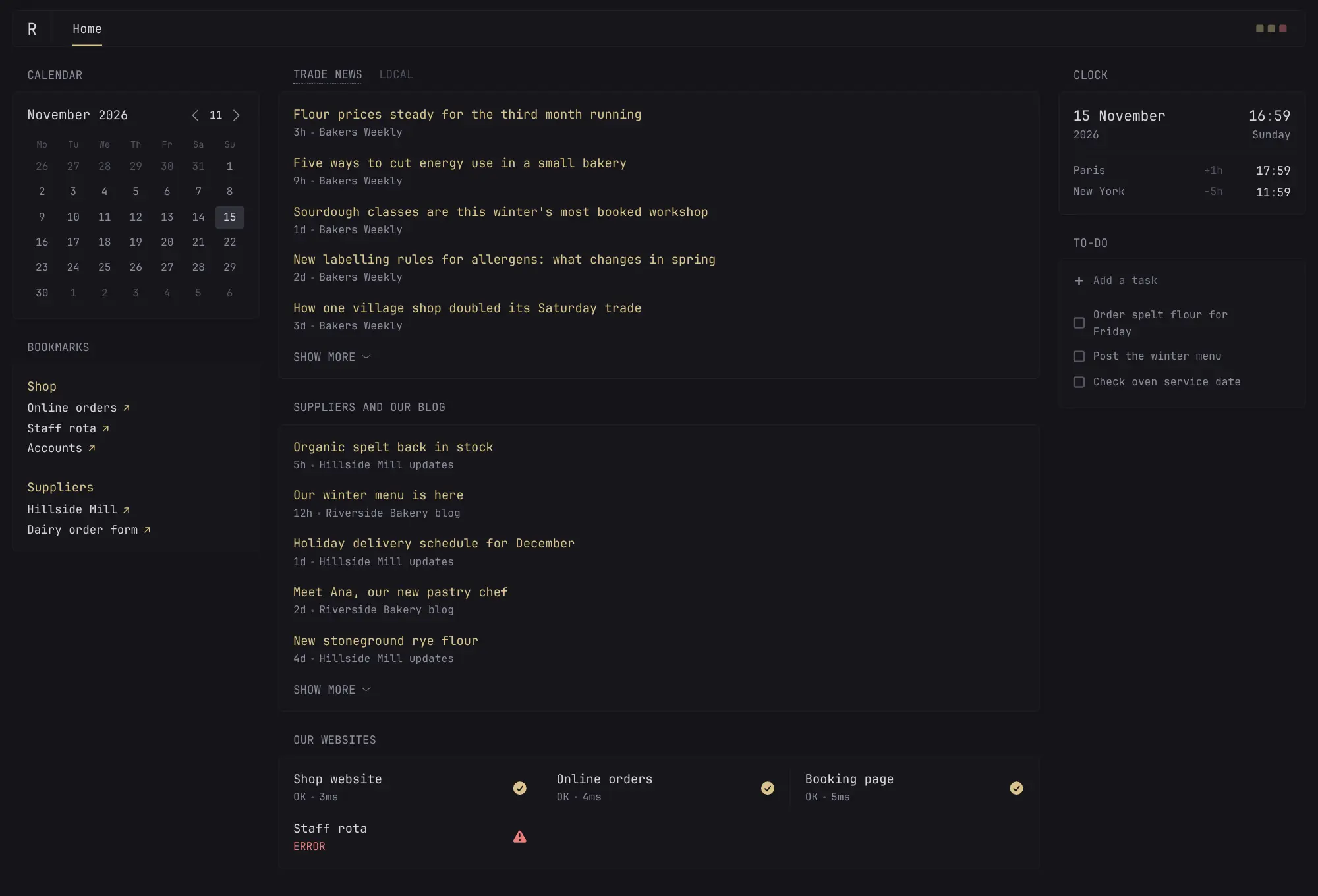
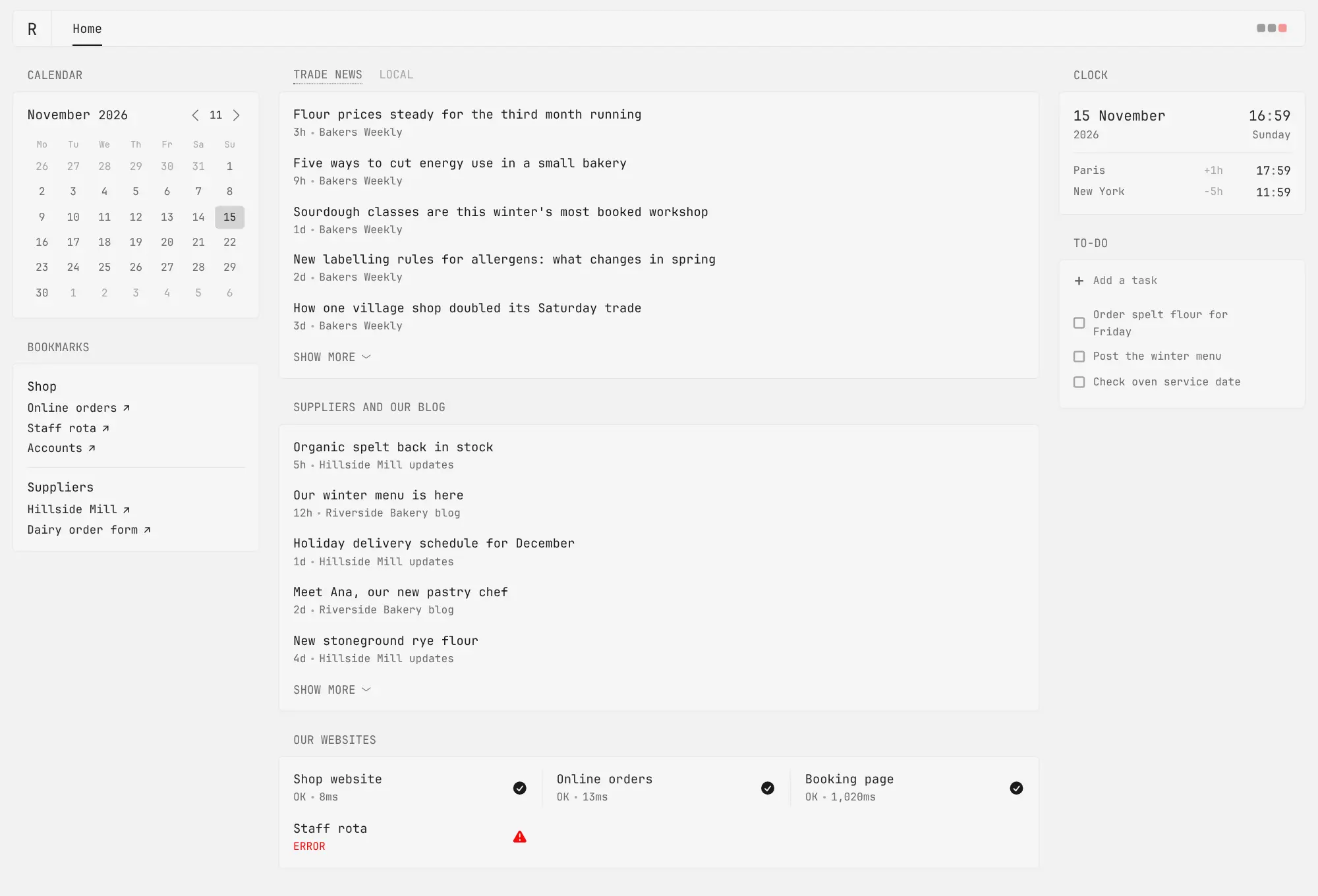
Glance is a free, open-source, self-hosted start page that puts the news, weather, links and website status you check every day on one fast page, in place of start.me or a Feedly dashboard. Set it as your browser's home page and see the newest headlines from your feeds, Reddit, Hacker News and YouTube channels next to a calendar, a clock, stock prices and a to-do list.
A bakery owner, for example, could keep one page with trade news and local news side by side, updates from the flour supplier, bookmarks for online orders, the staff rota and the accounts, and a list showing whether the shop website and booking page are up, all read over the first coffee of the day.
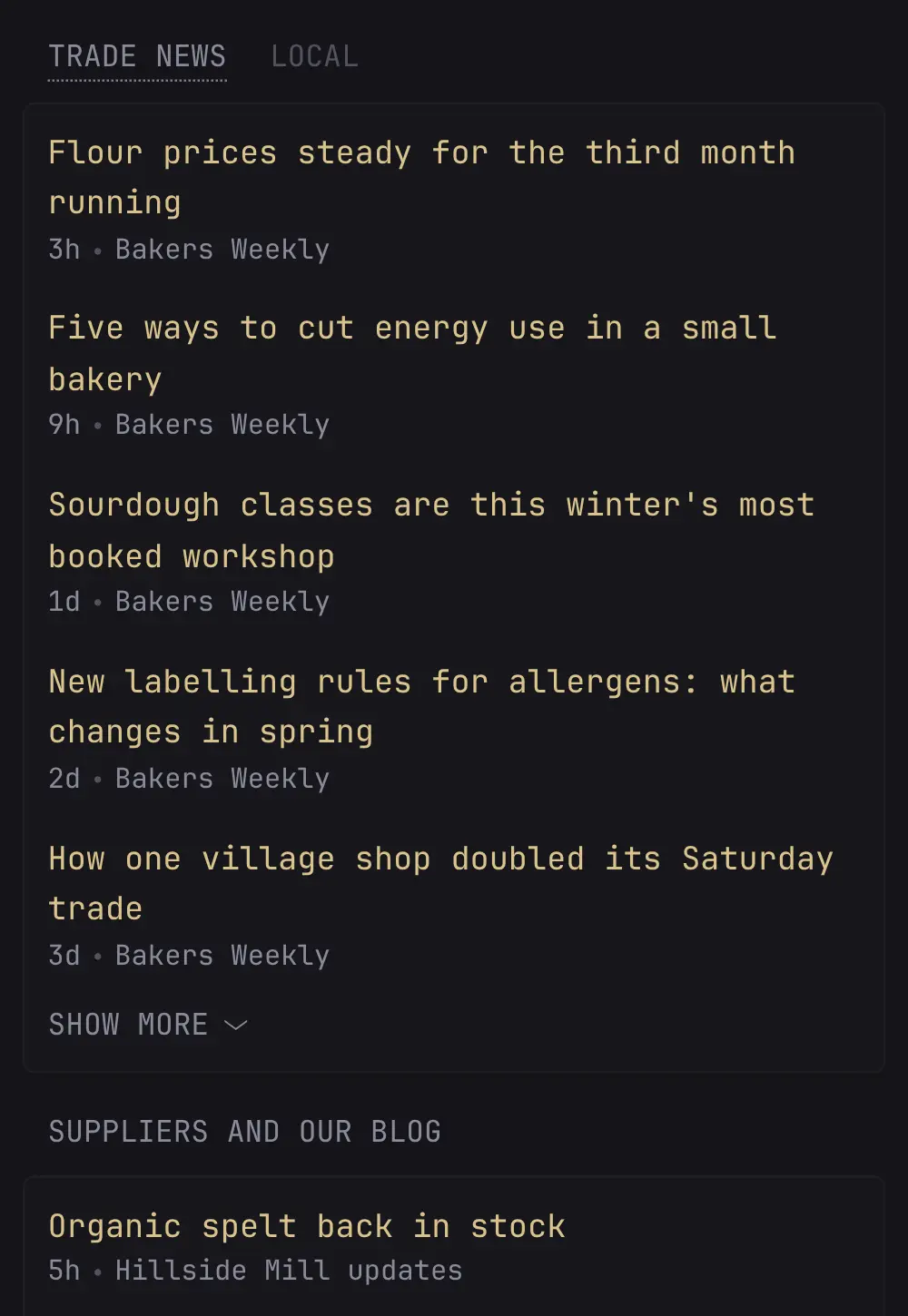
Glance works in any browser and has a layout made for phones. There is no drag-and-drop editor: you choose pages and widgets in one plain settings file. Cloudgate installs Glance on a server Cloudgate provides or one you connect, gives it a secure web address with a sign-in, and starts you with a ready-made page using the weather for your town.
What you can do with Glance
- Your feeds on one page Show the latest headlines from news sites, blogs, Reddit, Hacker News and YouTube channels side by side.
- Weather, calendar and clock See today's forecast for your town, a month calendar and the time in other cities at a glance.
- Bookmarks and search Keep the links you open every day in named groups, with a search box at the top of the page.
- Check your websites are up List your websites and see which ones respond and how fast, right on the page.
- Prices and to-dos Follow stock and crypto prices with a small chart, and keep a quick to-do list in your browser.
- Pages, themes and phone layout Add as many pages as you need, pick light or dark colours, and use the same page on your phone.
- Private sign-in Only the people you give a username and password can open your page.
Replaces start.me and Feedly
Glance does the same job as start.me and Feedly. Here is what changes when you switch.
- No subscription, ads or account with another company
- The sites you follow and the links you keep stay on your own server
- Widgets that start pages rarely have, such as website status and prices
- A very light page that loads quickly, on a computer or a phone
- You change the page by editing a text file, not by dragging widgets around
- It shows the latest headlines but is not a full feed reader, with no read or starred articles
- No browser extension, phone app or import from start.me or Feedly
- The page doesn't refresh by itself; reload it to see new items
What happens when you click Deploy?
You do not need a server or any technical knowledge. Four steps, and Glance is running at its own web address.
- Step 1 Click Deploy and create your account
Deploy takes you to Cloudgate. Create an account, or log in if you have one. Glance itself is free.
- Step 2 Choose a server
No server? Get one from Cloudgate: pick a size and a country, and Cloudgate gets it ready. Already have one? Connect it instead.
- Step 3 Cloudgate sets up Glance
It prepares the server, makes the passwords the app needs and starts it. There is nothing to install and nothing to write down.
- Step 4 Open your app and sign in
Your app gets a free web address to start, without https. Add your own domain, like app.yourshop.com, and Cloudgate secures it with https for you.
New to Cloudgate? See what Cloudgate is
Run Cloudgate yourself? Deploy from your own console
In your Cloudgate console, open Templates and choose Glance.
Questions
Is Glance free?
Yes, Glance is free and open source under the AGPL-3.0 licence, with no paid plan or paid features. You pay only for your server.
Is Glance a good alternative to start.me?
Yes, if you want a private start page with feeds, weather, bookmarks and a to-do list and don't mind editing a text file. Glance has no drag-and-drop editor, browser extension or import from start.me, so you add your links and feeds again by hand.
Can Glance replace Feedly?
Partly. Glance shows the newest headlines from every feed you list on one page, but it does not keep track of what you have read, has no starred articles and no phone app sync. For full feed reading, a reader such as FreshRSS is a better fit.
How do I sign in to Glance and change my page?
Sign in with the username admin and the password Cloudgate generated, which it shows you after setup. Cloudgate starts you with a page of news, weather for the town you chose, bookmarks and prices; you change it, and add more people, in Glance's settings file, and Glance picks up the change when the file is saved.
Does Glance update by itself?
No, Glance fetches new headlines, weather and prices when you open or reload the page, and keeps them for a while so the page stays fast. The clock and the "2h ago" times do move on their own.
Does Glance have a phone app?
No, there is no app, but Glance has a layout made for phones, so you open the same web address in your phone's browser and switch between columns at the bottom of the screen.
What server size do I need for Glance?
The smallest server is enough. Glance is a single small program that uses little memory, so Cloudgate gives it the smallest size.
Do I need technical skills to run Glance?
No. Click Deploy, create your Cloudgate account and choose a server, and Cloudgate sets up Glance and gives it a web address. You use it in your browser like any other online tool.
Do I need my own server for Glance?
No. When you deploy Glance, hosted Cloudgate can provide a server. If you already rent one, you can connect it instead.
Can I move my data from start.me to Glance?
Most people export from start.me and import into Glance. The official guides at github.com walk through it.
Related apps

A self-hosted RSS reader in the style of Google Reader.

A self-hosted RSS reader for every news site and blog you follow.

A self-hosted RSS reader with a Smart feed, read later and bookmarks.

Turn email newsletters into RSS feeds for any reader.