




Open-source alternatives to Pinboard

linkding is the free, open-source Pinboard alternative we recommend: a fast, private list of bookmarks with tags, notes and a read-later flag, and it imports your Pinboard export. Pinboard is a paid, closed-source service; self-hosted linkding has no fee of its own and keeps your bookmarks on your server, though it does not search inside saved pages.

6 alternatives Free apps Our pick: linkding

At a glance

App Good for Code Import from Pinboard Ease of use
linkding People and small teams who want a fast, private bookmark list with tags Code Open source Import from Pinboard Yes Easy
ArchiveBox Researchers, journalists, lawyers and teams who need lasting, private copies of web pages Code Open source Import from Pinboard Yes Easy
Shaarli One person who wants a light, private bookmark list or a public link blog Code Open source Import from Pinboard Yes Easy
Grimoire One person who saves lots of reference links and wants to search inside them Code Open source Import from Pinboard Yes Easy
LinkAce Teams and researchers who keep a long-lived link collection and want to know when links break Code Open source Import from Pinboard Partly Easy
Shiori People who want a light, private bookmark list that keeps a readable copy of every page Code Open source Import from Pinboard Partly Easy

Why look for an alternative to Pinboard?

Pinboard is a paid bookmarking service for people who want a fast, private place to save links. You tag what you save, mark it read or unread, and search your collection later; a higher-priced account adds an archived copy of each page and search inside those pages. Its code is not public.

People look for an alternative when they would rather not pay a yearly fee for a list of links, or would rather keep their bookmarks on a server they control. Others want an account for each person in a family or team, or to know when a saved link stops working. A self-hosted linkding keeps the same plain, tag-based way of working, with notes and a read-later flag, adds user accounts and shared bookmarks, and keeps everything on your own server. Grimoire suits one person who wants Pinboard's archive-style search: it saves the text of each page and searches inside it. Shaarli is the lighter choice for one person, and can also publish your public links as a link blog with RSS feeds. Shiori keeps an offline copy of each page and searches its text. LinkAce adds lists and regular checks for broken links. ArchiveBox replaces the archival account itself, keeping a full copy of every bookmarked page in several formats.

The alternatives, compared

linkding

Our pick

A fast, self-hosted bookmark manager with tags, notes and read later.

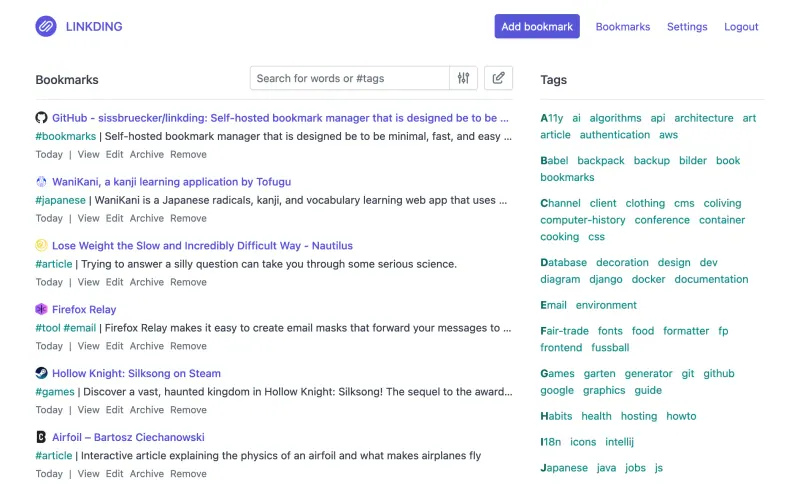
The closest self-hosted match to Pinboard: a fast list of bookmarks with tags, notes, a read-later flag, bulk editing, private or shared links, and extensions for Firefox and Chrome. It imports Pinboard's HTML export with your tags. It does not search inside saved pages, page copies go to the Internet Archive rather than your own server, and its phone apps are community-made, such as Pinkt on Android, which also works with Pinboard.

What you gain
  • Free and open source, with no paid plan and no bookmark limit
  • Your bookmarks stay on your own server, private by default
  • A plain, quick list that opens and searches fast
What is different
  • Tags only, with no folders or collections
  • Search covers titles, descriptions, notes and tags, not the text of saved pages
  • No official phone apps; you use the browser or a community app
Easy Open source

A self-hosted web archive that keeps lasting copies of web pages.

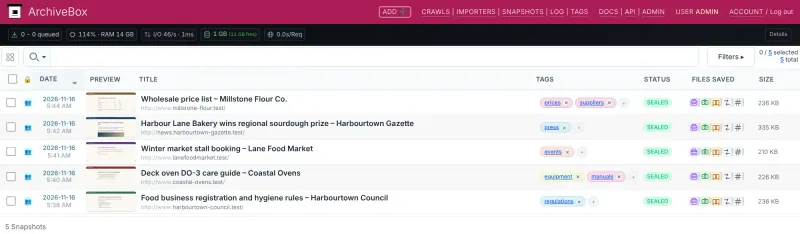
Does what Pinboard's archival account is for, at a larger scale: it reads your Pinboard export and saves each bookmarked page as a web page copy, screenshot, PDF, text and WARC file, with any video, on your server, and searches inside the saved text. It is a web archive, not a bookmark list: there are no notes, read-later flag or shared collections, its screens look like an admin tool, and disk use grows quickly.

What you gain
  • Copies of every page stay on your own server, with no yearly fee per gigabyte or per account
  • More formats per page than a bookmark archive, including PDF, WARC and saved video
  • Feeds and pages saved on a schedule, with no limit on how many pages you keep
What is different
  • It is an archive, not a bookmark manager, so there are no notes, highlights or shared collections
  • The interface looks like an admin tool rather than a polished reading app
  • Disk use grows quickly, especially if you save videos
Easy Open source

A fast, self-hosted bookmark list and link blog for one person.

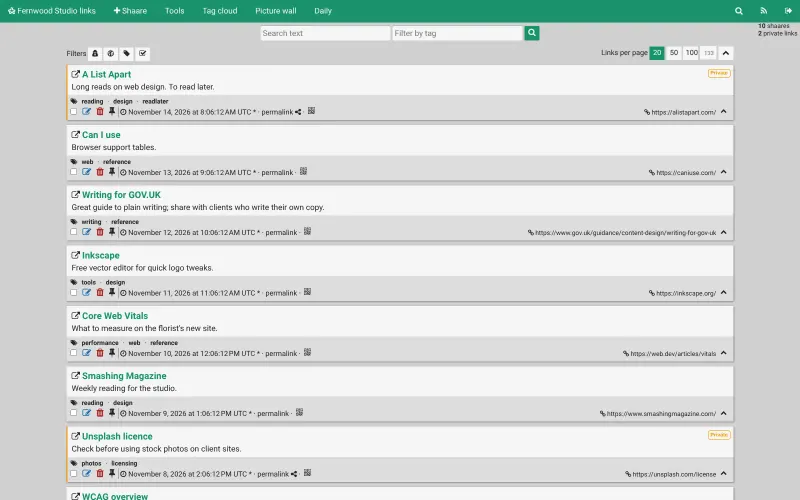
A lighter, single-user take on Pinboard's plain list: save links and text notes with tags, mark them private or public, and search them with tag filters, with RSS feeds and a daily digest that make the public links a link blog. It imports Pinboard's HTML export, keeping tags and private status. It has one login only, no search inside saved pages, no page copies and no official browser extensions or phone apps; a bookmarklet saves new links.

What you gain
  • No subscription and no limits on how many links you keep
  • Your bookmarks stay on your own server, with no tracking
  • A public link blog with feeds, alongside your private links
What is different
  • One account only, with no team or family sharing
  • No search inside saved pages and no stored copies of them
  • Phone apps and browser extensions are made by the community, not the project
Easy Open source

A self-hosted bookmark manager that searches inside saved pages.

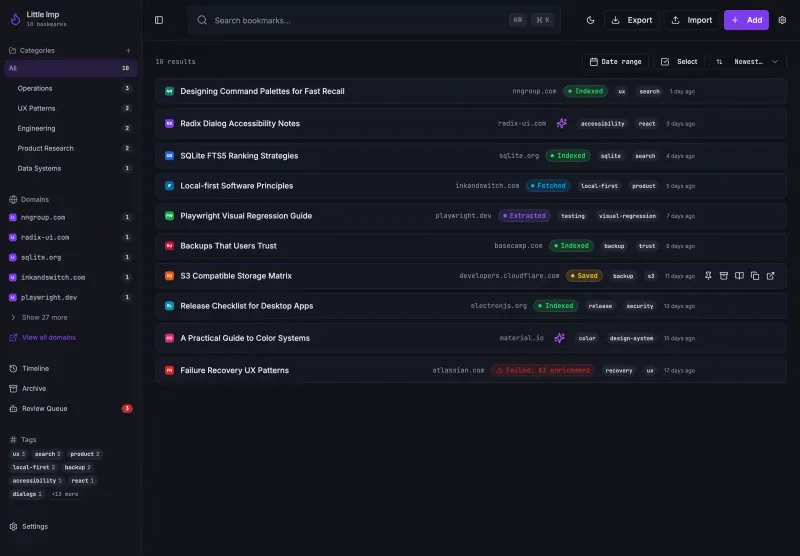
Adds what Pinboard keeps for its archival account: it saves the readable text of each page and searches inside it, with nested categories, tags, notes and a read-later list, and it imports Pinboard's HTML export. It is for one person only, with no accounts or sharing, and has no phone apps or published browser extension yet, so you save links with its bookmarklet.

Easy Open source

A self-hosted bookmark archive that tells you when links break.

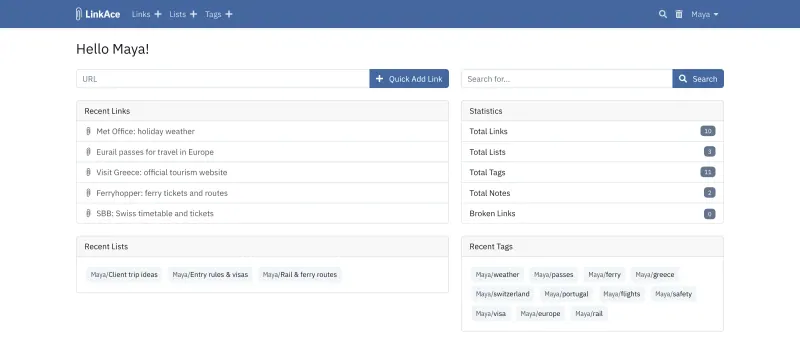
Keeps Pinboard's tagged, private-or-public list of links and adds lists, notes, several user accounts and a check every two hours that flags links that have broken or moved. It imports Pinboard's HTML export with your tags. Copies of pages go to the Wayback Machine rather than your server, it does not search inside saved pages, and it has no official phone app or browser extension, only a bookmarklet and community tools.

Easy Open source

A light, self-hosted bookmark manager that saves pages offline.

A light bookmark list with tags, like Pinboard, that also keeps a readable copy and an optional offline archive of each page on your own server and searches their text, which on Pinboard needs the higher-priced archival account. It has no official phone app, its browser extension is in beta, and it imports your Pinboard export with a one-time command on the server.

Easy Open source

Moving from Pinboard

In Pinboard's settings, export your bookmarks in HTML format. Sign in to linkding as admin, open its settings page and import that file: your links come across with their titles, descriptions and tags. Install the linkding extension for Firefox or Chrome, or the bookmarklet in other browsers, so new links go to linkding, and add the other people who need an account from linkding's admin panel. Grimoire imports the same HTML file from its Import button, then fetches and saves the text of each page, so give a large collection time; save new links with its bookmarklet. Keep your Pinboard export as a backup, especially if you paid for Pinboard's page archive, since those archived copies do not move across.

With Shaarli, open Tools, then Import links, and upload the same HTML file: tags come across, and links you kept private in Pinboard stay private. Drag Shaarli's bookmarklet to your browser's toolbar to save new links.

Shiori imports the same HTML file with a one-time command on the server, shiori import followed by the file, and keeps the tags.

LinkAce takes the same file through its bookmarks import, with your tags. After that, save new links with its bookmarklet, invite colleagues once you have added a mail server, and use the Broken Links filter now and then to fix what has gone stale.

ArchiveBox reads the same Pinboard export and archives every page in it again, so give a large collection time and enough disk; turn off video saving if you don't need it. Turn off its setting that also sends each link to the Internet Archive if your bookmarks are private.

Questions

What is the best open-source alternative to Pinboard?

Start with linkding. All 6 are free and open source.

Can I import my Pinboard bookmarks into linkding?

Yes. Export your bookmarks from Pinboard as an HTML file and import it on linkding's settings page; links, descriptions and tags come across. Pinboard's archived page copies do not.

Should I choose linkding, Grimoire, Shaarli, Shiori or LinkAce?

Choose linkding for the closest match to Pinboard: a plain, fast list with a read-later flag, official browser extensions and an account for each person in a family or team. Choose Grimoire if you save alone and want to search inside the text of the pages you saved, which linkding cannot do. Choose Shaarli for one person who wants the lightest possible bookmark list, or a public link blog with RSS feeds; it stores everything in files, with no database. Choose Shiori if you want an offline copy of each page you save, searchable by its text. Choose LinkAce if several people keep one collection and you want to know when links break.

Does linkding have full-text search like Pinboard's archival account?

No. linkding searches the title, description, notes, tags and address of each bookmark, not the text of the saved page. It can ask the Internet Archive to keep a copy of each page instead.

Which Pinboard alternative keeps an offline copy of each page?

Shiori. It keeps a readable copy of each page you save, and optionally a full offline archive, on your own server, and its search covers the saved text as well as titles. Grimoire saves the readable text of each page but not a full copy.

Which alternative replaces Pinboard's archival account?

ArchiveBox. It saves each page as a web page copy, screenshot, PDF, text and WARC file on your server and searches the saved text, like Pinboard's archival account. It is an archive rather than a bookmark manager, so you can pair it with linkding for everyday bookmarking.

Is there a linkding app for my phone?

There is no official app, but linkding works in a phone's browser and can be added to the home screen. Community apps also connect to it, such as Pinkt on Android, which works with Pinboard too.

Are these Pinboard alternatives really free?

Yes, linkding, ArchiveBox, Shaarli, Grimoire, LinkAce and Shiori are free. To run them you need Cloudgate and a server. Use hosted Cloudgate, which can also provide the server, or install Cloudgate on a server of your own for free. Cloudgate's plans and prices are at cloudgate.octabyte.io/pricing. One server can run several apps.

Do I need a developer to replace Pinboard?

No. Cloudgate installs the app you choose on your server and gives it a secure web address, and you use it in your browser instead of Pinboard.