

D

Open-source alternatives to Dropbox Sign

Documenso is the open-source Dropbox Sign (formerly HelloSign) alternative we recommend: send PDFs to be signed online, with a REST API, webhooks, embedded signing, reminders and bulk sending all in its free edition. Dropbox Sign charges a monthly plan per user and prices its API separately; self-hosted Documenso and DocuSeal have no per-user fee, and signed documents stay on your server.

2 alternatives Free apps Our pick: Documenso

At a glance

App Good for Code Ease of use
Documenso Small businesses and developers who want e-signatures with a free API and embedded signing on their own server Code Open source Some setup
DocuSeal Small teams that send contracts and forms for signature without a per-user fee Code Open source Some setup

Why look for an alternative to Dropbox Sign?

Dropbox Sign, called HelloSign until Dropbox renamed it, is an e-signature service. You upload a document, add signers and fields, and they sign in the browser; it also has templates, team plans and a developer API for adding signing to other apps.

Teams look for an alternative because plans are charged per user each month, the API is priced separately, and signed agreements are stored on Dropbox's servers. A self-hosted signing app such as Documenso does the same send-and-sign job with an API, webhooks and embedded signing included and no per-user fee, and keeps the documents on your own server. DocuSeal is a lighter option, with embedding and reminders in its paid edition.

The alternatives, compared

Documenso

Our pick

Send documents for e-signature, like DocuSign.

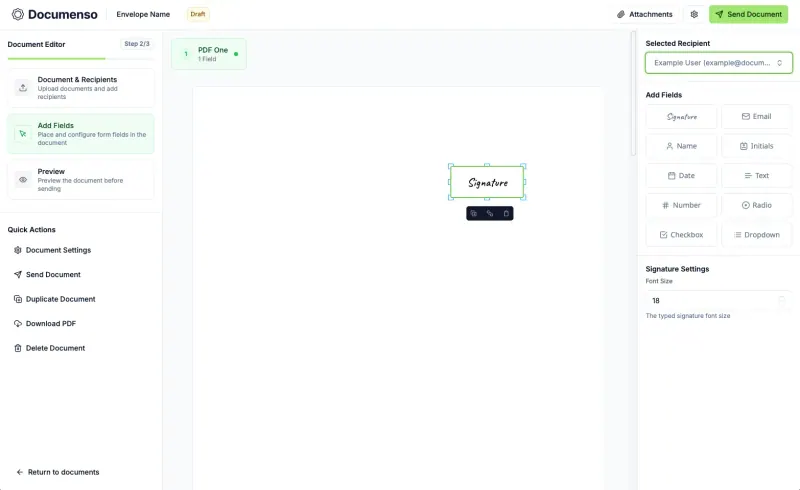
Matches Dropbox Sign's send-and-sign flow and its developer side: a REST API, webhooks and embedded signing with SDKs for React, Vue, Angular and others are free, as are templates, reminders, bulk sending and teams. It has no Dropbox Sign importer, SSO and the embedded editor need a paid licence, and it needs PostgreSQL, a signing certificate and an email server.
Some setup Open source

Send contracts and forms for e-signature from your own server.

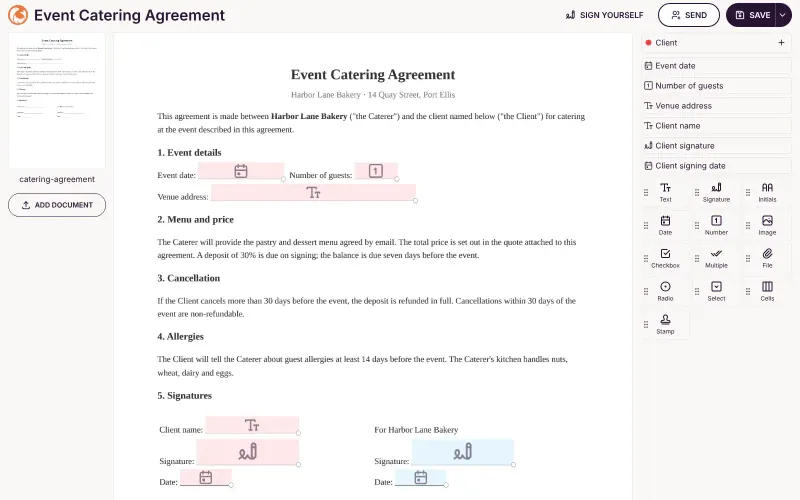
The same core signing flow as Dropbox Sign, place fields on a PDF, send it to several signers and get back a signed copy with an audit log, plus a REST API and webhooks for developers. Embedding signing in your own app is a paid DocuSeal Pro feature, and reminders, bulk sending and SSO are paid as well.

Some setup Open source

Moving from Dropbox Sign

Neither app imports from Dropbox Sign. Download your completed documents and their audit trails from Dropbox Sign before you cancel. Then upload the PDFs you send most often to Documenso and place their fields once, so each becomes a reusable template. If you use the Dropbox Sign API, your code needs rewriting against Documenso's API; its embedding SDKs replace Dropbox Sign's embedded signing, and webhooks tell your app when a document is signed. Enter your email service's details when you set Documenso up, because it emails every signing request. In DocuSeal the steps are the same: make templates from your PDFs, rewrite API calls against its API, and add your email server in its settings.

Questions

What is the best open-source alternative to Dropbox Sign?

Start with Documenso. Both are free and open source.

Is there a free, self-hosted HelloSign alternative?

Yes. Documenso and DocuSeal are both free and open source, run on your own server and send documents for e-signature the same way. Dropbox Sign was called HelloSign until 2022.

Can I embed signing in my own app with Documenso?

Yes. Embedded signing is free in Documenso, with SDKs for React, Vue, Svelte, Solid, Preact and Angular. The embedded document editor, for building documents inside your app, needs a paid licence.

Does DocuSeal have an API like Dropbox Sign?

Yes. The free edition has a REST API and webhooks for sending documents and hearing when they are signed. Embedding the signing form or builder in your own app is a paid Pro feature.

Are these Dropbox Sign alternatives really free?

Yes, Documenso and DocuSeal are free. To run them you need Cloudgate and a server. Use hosted Cloudgate, which can also provide the server, or install Cloudgate on a server of your own for free. Cloudgate's plans and prices are at cloudgate.octabyte.io/pricing. One server can run several apps.

Do I need a developer to replace Dropbox Sign?

No. Cloudgate installs the app you choose on your server and gives it a secure web address, and you use it in your browser instead of Dropbox Sign.