
Open-source alternatives to Crowdin

Weblate is the free, open-source Crowdin alternative we recommend for translating apps, websites and documentation: it connects to your Git repository, sends new strings to translators and commits the translations back. Crowdin is a hosted, paid service; self-hosted Weblate has no paid features and keeps your strings and translations on your own server.

3 alternatives Free apps Our pick: Weblate

At a glance

App Good for Code Import from Crowdin Ease of use
Weblate Software and website teams translating their product with staff, freelancers or volunteers Code Open source Import from Crowdin Partly Some setup
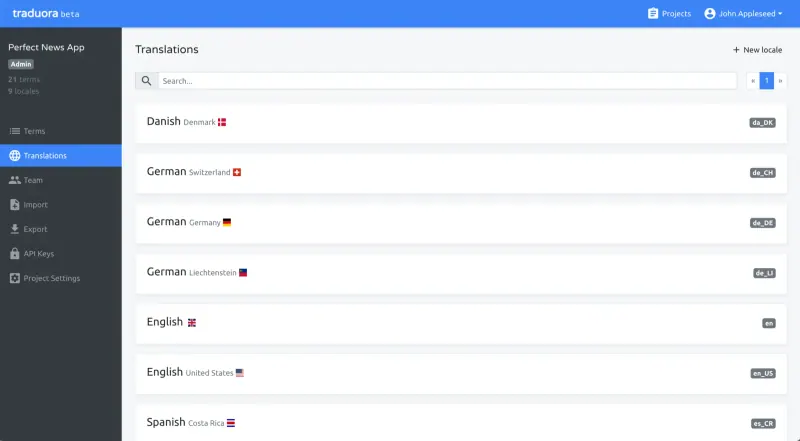
Ever Traduora Small software teams that want a simple, free place to translate their app's text Code Open source Import from Crowdin Partly Some setup
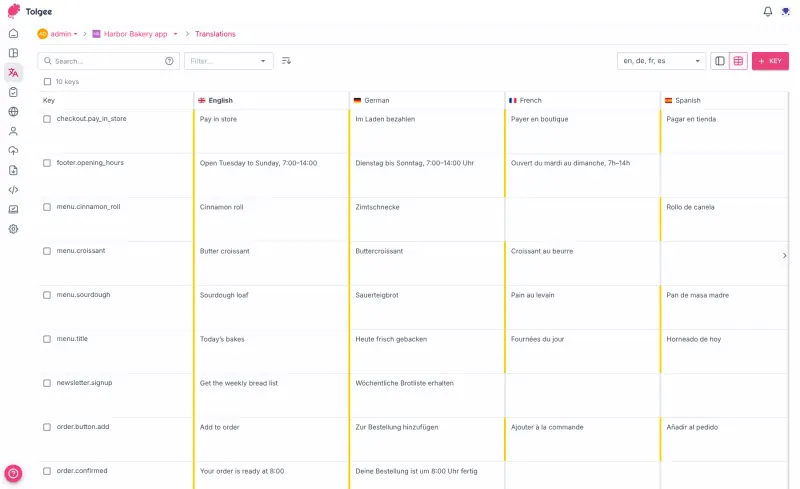
Tolgee Small product teams translating a web or mobile app, editing text right inside the app Code Open source Import from Crowdin Partly Some setup

Why look for an alternative to Crowdin?

Crowdin is a cloud localization platform. Teams connect their code repository or upload files, and translators, agencies and community volunteers translate in Crowdin's online editor, with translation memory, machine translation and a marketplace of integrations.

Teams look for an alternative because Crowdin is a paid hosted service, so the cost rises as projects and teams grow, and every string of an unreleased product sits on Crowdin's servers. A self-hosted Weblate does the same Git-based work with no paid features in the software, for one fixed server cost, and keeps your strings and translations on your own server. Tolgee does the job for smaller product teams that want to translate inside their app. Ever Traduora is a simpler choice for small teams that only need one place to keep and translate their app's text files.

The alternatives, compared

Weblate

Our pick

Translate your app, website and docs together, on your own server.

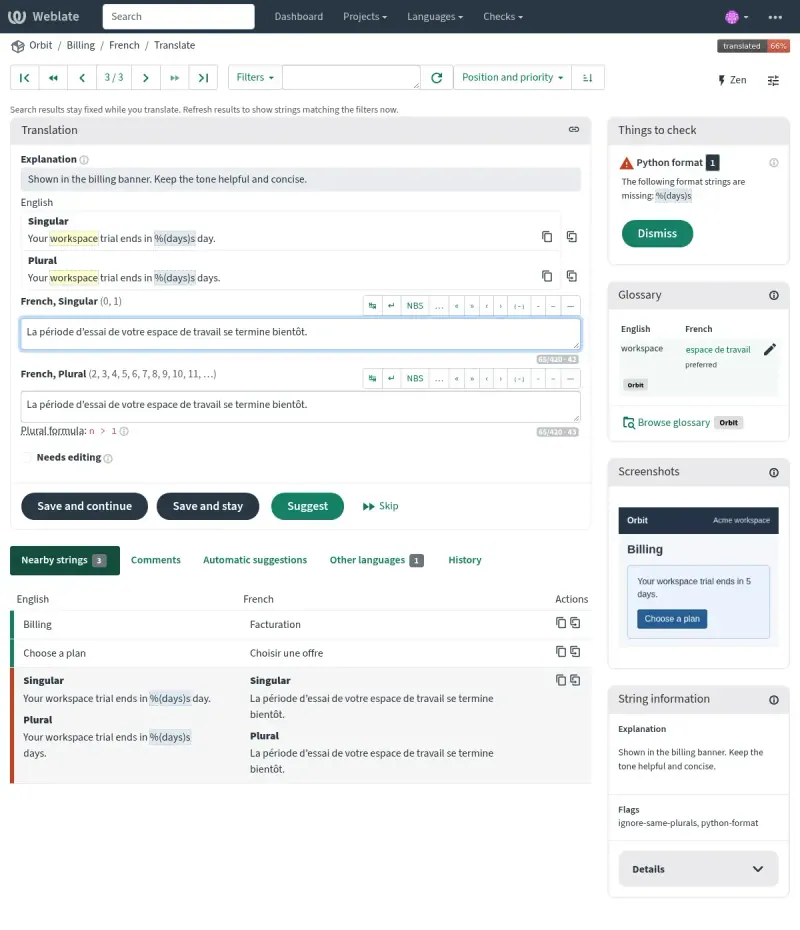
Covers Crowdin's core for software teams: it connects to the Git repository that holds your translation files, picks up new strings, and commits translations back or opens pull requests, with translation memory, glossaries, quality checks and reviews, all in the free self-hosted app. It reads about 50 file formats, and machine translation from DeepL, Google Translate, OpenAI, LibreTranslate and others is optional. Crowdin has a larger marketplace of integrations and in-context editing.

What you gain
  • No plan priced by the number of strings or languages, and no paid features to unlock
  • Your source text and translations stay on your own server
  • Translations are committed straight to your repository, with credit to each translator
What is different
  • Built around Git, so the smoothest setup needs your translation files in a repository
  • More technical to set up and run than a cloud service, and it needs an email service
  • Moving over brings your files and translation memory, not your old workflows, comments or history
Some setup Open source

Keep your app's translations in one place, with your translators.

A much smaller tool than Crowdin, for a team that only needs one place to translate its app's files: projects with languages, a plain web editor, labels, Admin, Editor and Viewer roles, a REST API and import and export of 12 file formats such as JSON, XLIFF, gettext PO and Android and Apple strings. It has no machine translation, translation memory, glossary, Git sync or integrations, but no paid features or seat limit.

Some setup Open source

App translation, edited right inside your own app.

Covers Crowdin's job for a product team translating a web or mobile app: a browser editor with all languages side by side, translation memory, machine translation from your own DeepL, Google, AWS or Azure keys, comments, history, and in-context editing in your running app. It imports Crowdin's exported files in many formats. Free self-hosting stops at 10 seats, and glossaries, tasks and QA checks need a paid licence.

Some setup Open source

Moving from Crowdin

There is no direct import from Crowdin, so you move the translations themselves. Download all your translations from Crowdin as a ZIP file and commit the files to your repository, or upload them to Weblate if you do not use a repository. In Weblate, create a project and add a component for each set of translation files; it finds the languages and strings already there. Translation memory can come across as a TMX file, and glossaries can be imported too. Workflows, permissions and history stay in Crowdin, so set up your teams and review rules again in Weblate. For Tolgee, unzip the download and import the files into a new Tolgee project; a developer can then connect your app with Tolgee's code library or CLI for in-context editing.

For Ever Traduora, export each language from Crowdin as a file, create a project in Traduora with the same languages, and import each file into its language. Invite your team as editors or viewers once an email service is set up, since invitations go out by email, and have your build fetch translations through Traduora's API with a project key. Translation memory and glossaries stay behind, because Traduora has neither.

Questions

What is the best open-source alternative to Crowdin?

Start with Weblate. All 3 are free and open source.

Can Weblate use machine translation like Crowdin?

Yes, if you want it. Weblate can suggest translations from DeepL, Google Translate, Microsoft Translator, OpenAI, Anthropic, LibreTranslate, a local Ollama model and others, using each service's own key. It works fully without any of them.

What does Crowdin have that Weblate does not?

A larger marketplace of integrations, and in-context editing. Weblate gives translators context in its editor instead, with explanations, nearby strings and screenshots of where the text appears. Tolgee does have in-context editing: hold Alt or Option and click a text in your running app.

Do I need a Git repository?

No. Weblate works best with one, but you can upload your translation files and download them again when they are done. Tolgee does not use a repository at all: you import files, or developers pull translations with its CLI or code libraries.

Can Ever Traduora replace Crowdin?

For a small team that imports and exports its translation files, yes. Traduora does not connect to your Git repository and has no translation memory, glossaries or machine translation, so if you rely on Crowdin syncing with Git, Weblate is the closer match.

Are these Crowdin alternatives really free?

Weblate is free, with no paid features in the self-hosted software. Tolgee's open-source core is free for up to 10 seats, with unlimited translation keys; more seats and team features such as tasks, glossaries, quality checks, branching and single sign-on need a licence priced on request. Machine translation services such as DeepL bill you for their own use. Ever Traduora is free too, with no seat limit. To run any of these apps you need Cloudgate and a server: use hosted Cloudgate, which can also provide the server, or install Cloudgate on a server of your own for free. Cloudgate's plans and prices are at cloudgate.octabyte.io/pricing.

Do I need a developer to replace Crowdin?

No. Cloudgate installs the app you choose on your server and gives it a secure web address, and you use it in your browser instead of Crowdin.