
Documenso
Send documents for e-signature, like DocuSign.
No server needed to start: Cloudgate can provide one. What happens when you click Deploy
What is Documenso?
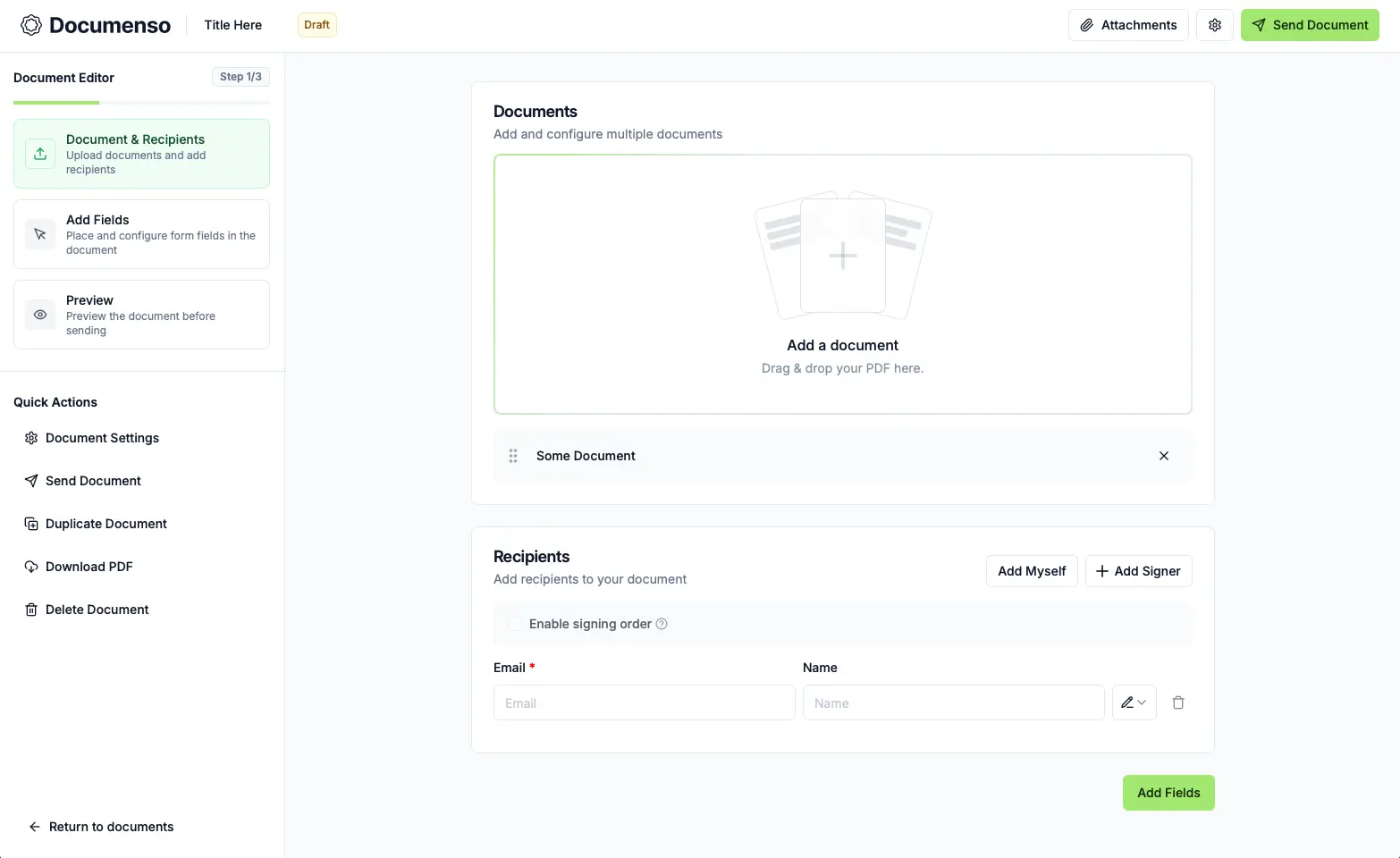
Self-hosted Documenso is an open-source e-signature app: upload a PDF, add signers and fields, and send it to be signed online instead of DocuSign.
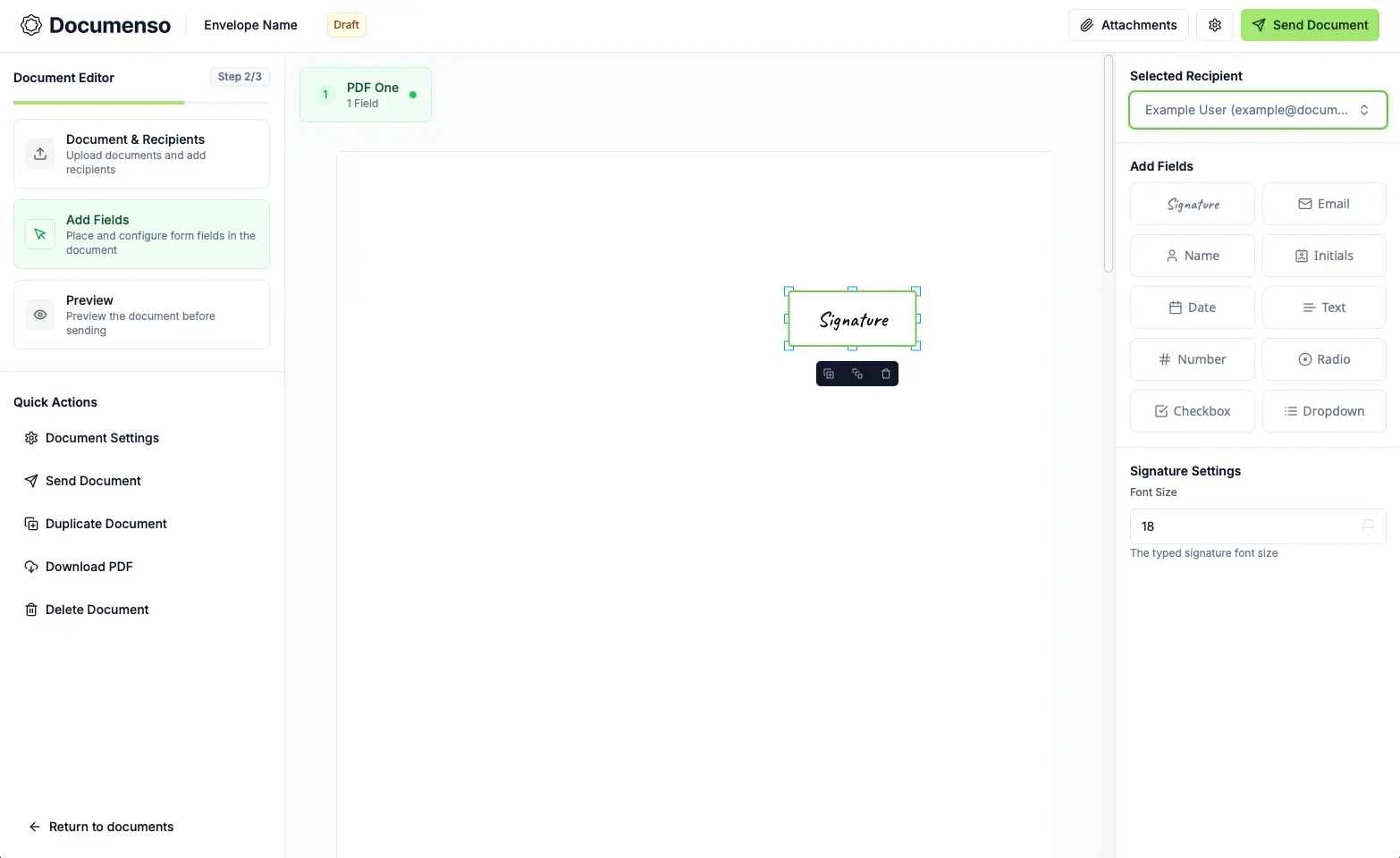
Documenso is an open-source, self-hosted e-signature app that replaces DocuSign, Dropbox Sign and Adobe Acrobat Sign for sending documents to be signed online. You upload a PDF, add the people who need to sign, place signature, date and text fields, and send it; recipients sign in their web browser without making an account. The finished PDF is sealed with a digital certificate and comes with a page showing who signed and when.
A small design agency, for example, could save its client contract as a template, send it to each new client with the agency's director signing second, and let Documenso email reminders until it is signed. With a spreadsheet, it could send the same freelancer agreement to twenty people at once.
Documenso is open source, with some enterprise features under a paid licence. The free edition includes templates, reminders, bulk send, teams and branding, and developers get an API, webhooks and signing they can embed in their own app. Compared with DocuSeal, it puts more in the free edition but needs a little more server.
Cloudgate installs Documenso on a server Cloudgate provides or one you connect, with its database and a signing certificate, and gives it a secure web address. You enter your email service's details during setup, so signing requests go out by email.
What you can do with Documenso
- Send a PDF to be signed Upload a PDF, add the people who need to sign, place their fields and send it, all in three steps.
- Place every kind of field Add signature, initials, name, email, date, text, number, checkbox, radio and dropdown fields to the page.
- Set who does what Make each person a signer, approver, viewer, assistant or copied recipient, and choose the order they sign in.
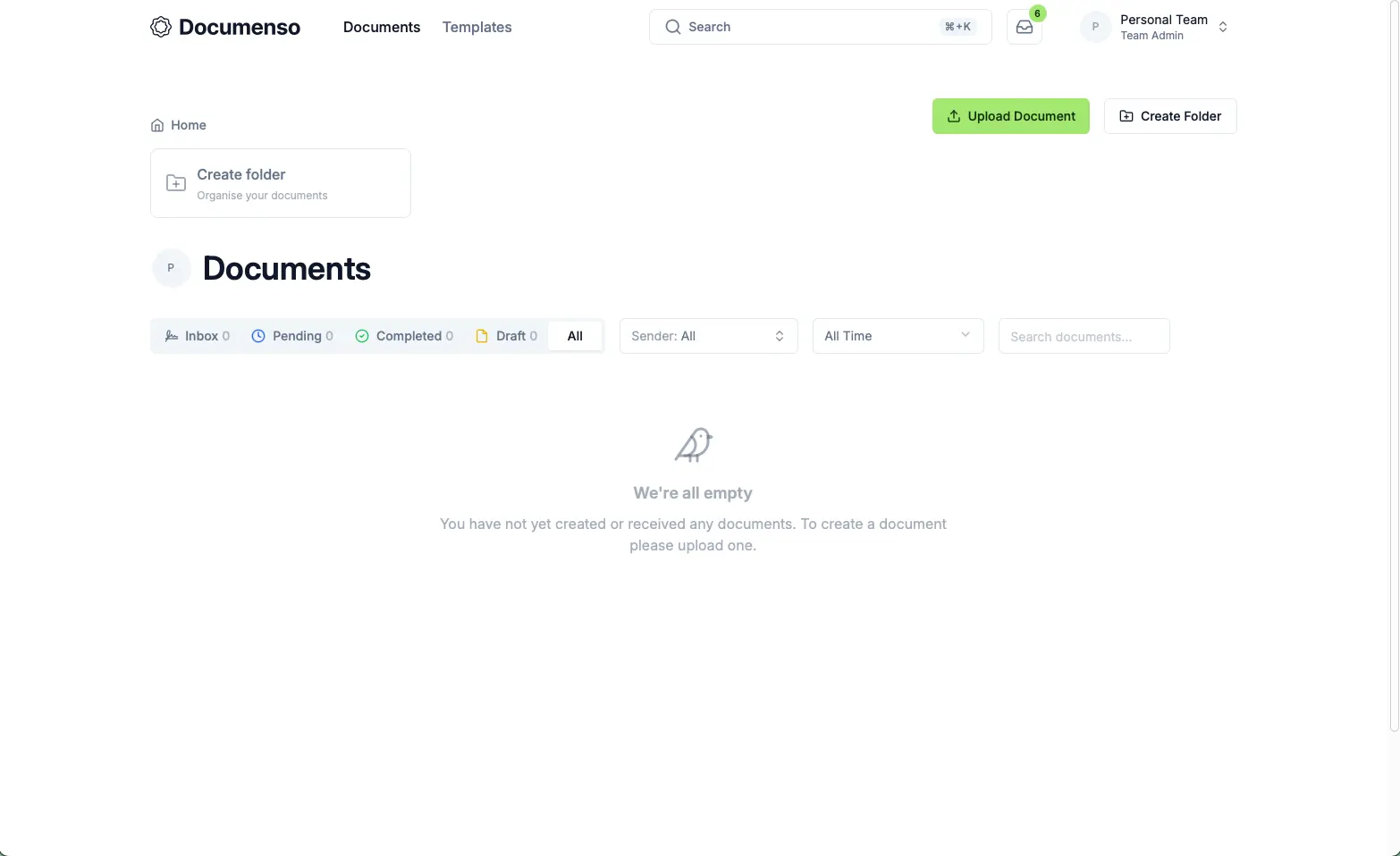
- Reuse templates and send in bulk Save a document as a template, send it to many people at once from a spreadsheet, or share a public link anyone can use to sign it.
- Remind people automatically Documenso emails a reminder to anyone who hasn't signed yet, and signing requests can expire after a date you set.
- Get a sealed, signed PDF Each finished PDF is sealed with a digital certificate and comes with a page showing who signed and when.
- Work in teams Group people into organisations and teams, choose who sees which documents, and add your own branding.
- Connect your own software A free API, webhooks and embeddable signing let developers send documents and collect signatures inside their own app.
Replaces DocuSign, Dropbox Sign, Adobe Acrobat Sign and PandaDoc
Documenso does the same job as DocuSign, Dropbox Sign, Adobe Acrobat Sign and PandaDoc. Here is what changes when you switch.
- No fee per user or per document; you pay only for your server
- Your contracts and signed copies stay on your own server
- Reminders, bulk send, teams, branding, the API and embedded signing are all in the free edition
- The source code is open, so you can see how signing works
- SSO, asking signers to sign in again before signing, sending from your own email domain and the embedded editor need a paid licence
- Nothing imports from DocuSign, Dropbox Sign or Adobe; download your old signed documents and upload PDFs again
- Only basic electronic signatures for now; EU advanced and qualified signatures are planned, not available
- No phone apps and far fewer integrations; signers use their web browser
What happens when you click Deploy?
You do not need a server or any technical knowledge. Four steps, and Documenso is running at its own web address.
- Step 1 Click Deploy and create your account
Deploy takes you to Cloudgate. Create an account, or log in if you have one. Documenso itself is free.
- Step 2 Choose a server
No server? Get one from Cloudgate: pick a size and a country, and Cloudgate gets it ready. Already have one? Connect it instead.
- Step 3 Cloudgate sets up Documenso
It prepares the server, makes the passwords the app needs and starts it. There is nothing to install and nothing to write down.
- Step 4 Open your app and sign in
Your app gets a free web address to start, without https. Add your own domain, like app.yourshop.com, and Cloudgate secures it with https for you.
New to Cloudgate? See what Cloudgate is
Run Cloudgate yourself? Deploy from your own console
In your Cloudgate console, open Templates and choose Documenso.
Questions
Is Documenso free?
Yes, Documenso is open source under the AGPL-3.0 licence, and you pay only for your server. Some enterprise features are under a separate paid licence, such as SSO, asking signers to sign in again before signing, sending from your own email domain and the embedded document editor. Signing, templates, reminders, bulk send, teams, branding, the API and embedded signing are free.
Is Documenso a good alternative to DocuSign?
Yes, Documenso handles the everyday DocuSign job of sending a PDF to several people, getting it signed in the browser and keeping a sealed, signed copy. It has signing order, recipient roles, templates, reminders and bulk send, but far fewer integrations, no phone apps and, so far, no EU advanced or qualified signatures.
How is Documenso different from DocuSeal?
Documenso puts more in its free edition, while DocuSeal is lighter to run. Both are open source under the AGPL-3.0 licence. Documenso's free edition includes reminders, bulk send, teams, branding and embedded signing, which are paid extras in DocuSeal; DocuSeal needs fewer server resources, and its paid Pro edition can import DocuSign template exports, which Documenso can't.
Are Documenso signatures legally binding?
Documenso says its signatures meet the US ESIGN Act and UETA and count as simple electronic signatures under the EU's eIDAS rules. Advanced and qualified eIDAS signatures are planned but not available yet. Each signed PDF is sealed with a digital certificate and has a page showing who signed and when. For contracts with special legal requirements, check with a lawyer.
How do I sign in to Documenso the first time?
Click Sign Up on Documenso's web address and create an account with your email and password, then confirm it with the link Documenso emails you. There is no default login. Every new account is a regular user; making one the instance admin is a change in the database, which Documenso's own guide explains.
Can I move my documents from DocuSign to Documenso?
No, Documenso has no importer for DocuSign, Dropbox Sign or Adobe. Download your signed documents from your old service to keep them, then upload your PDFs to Documenso and place the fields again, saving the ones you reuse as templates.
What server size do I need for Documenso?
A small server is enough, because Documenso needs at least 1 CPU, 1 GB of memory and 10 GB of disk, and recommends 2 CPUs and 2 GB for regular use. Cloudgate sets it up together with its database, and you can move to a bigger server later.
Do I need technical skills to run Documenso?
No. Click Deploy, create your Cloudgate account and choose a server, and Cloudgate sets up Documenso and gives it a web address. You use it in your browser like any other online tool.
Do I need my own server for Documenso?
No. When you deploy Documenso, hosted Cloudgate can provide a server. If you already rent one, you can connect it instead.
Related apps

Send contracts and forms for e-signature from your own server.

PDF tools that run in your browser, so files never upload.

Online office for Word, Excel and PowerPoint files.
Convert images, video, documents and e-books on your own server.