D

Open-source alternatives to DocuWare

Paperless-ngx is a free, open-source DocuWare alternative that reads the text in your scanned and digital documents, tags them and makes every page searchable. DocuWare is a paid business system sold on subscription; Paperless-ngx has no licence fee, though it has no approval workflows or e-signatures.

3 alternatives Free apps Our pick: Paperless-ngx

At a glance

App Good for Code Import from DocuWare Ease of use
Paperless-ngx Households, freelancers and small offices filing bills, receipts and contracts Code Open source Import from DocuWare No Easy
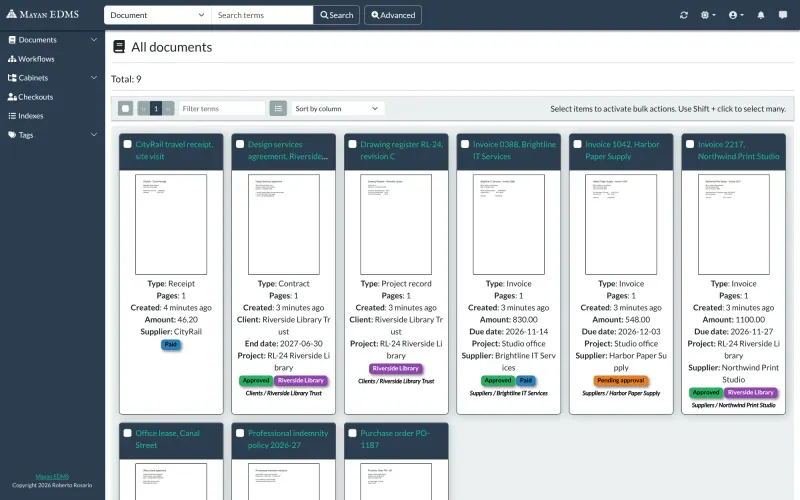
Mayan EDMS Offices that need document approvals, version history and strict access control Code Open source Import from DocuWare Partly Some setup
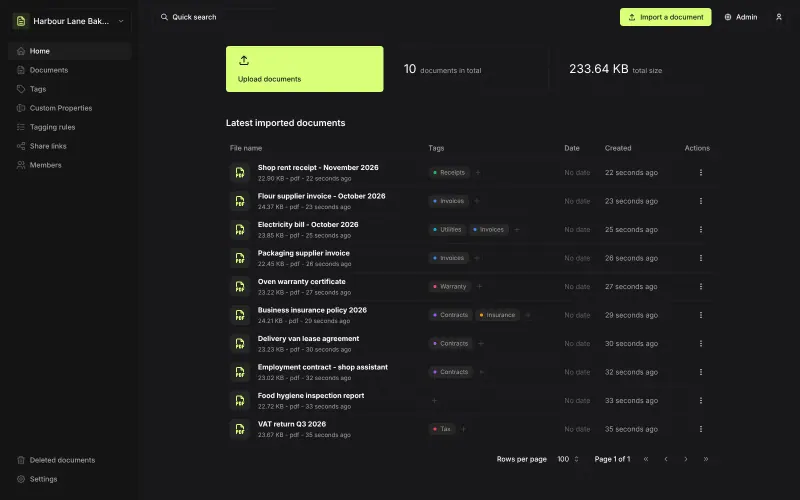
Papra Households and small teams who want a simple, searchable paper archive Code Open source Import from DocuWare No Easy

Why look for an alternative to DocuWare?

DocuWare is a document management system for businesses, sold as a cloud service or for your own servers. It captures paper and digital documents, indexes them, stores them in a searchable archive, and runs workflows such as invoice approvals, with retention rules and e-signatures.

Small offices look for an alternative because DocuWare is a paid business system sold on subscription, usually set up by a partner, which is a lot for a team that mainly wants its paperwork scanned, filed and searchable. A self-hosted app such as Paperless-ngx does that archive job with no licence fee: it reads every page, suggests tags and keeps both the original and an archive copy on your own server. Mayan EDMS adds approval workflows, versions and an audit log for teams that need them.

The alternatives, compared

Paperless-ngx

Our pick

Document filing that reads, tags and finds your papers.

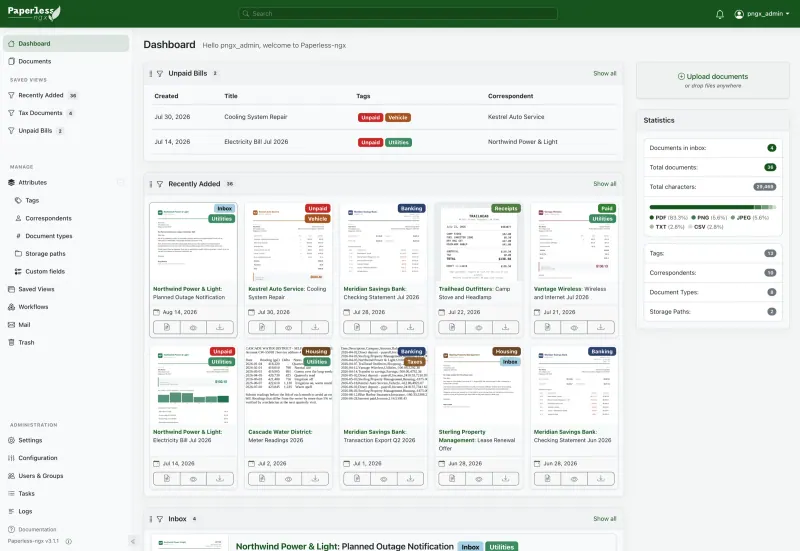
Does the core job of a document management system: it takes in scans, PDFs and email attachments, reads them with OCR, stores a PDF/A archive copy, learns to tag them and makes every page searchable, with workflows, permissions and an audit history. It has no approval workflows, e-signatures, retention rules or vendor support, so it suits small offices more than regulated departments.

What you gain
  • No subscription; every feature is free and open source
  • Your documents stay on your own server, and auto-tagging runs there too
  • Text inside every scan becomes searchable, not just file names
What is different
  • It does not scan; you need a scanner or a phone scanning app
  • No official phone app, only community apps
  • No e-signatures, retention rules or vendor support like DocuWare
Easy Open source

Document management with approvals, versions and OCR.

The closer match for DocuWare's business features: document types with your own index fields, OCR, version history, check-out and check-in, multi-step approval workflows with escalation, a permission for every action and a full audit log, capturing from scanners, email and watched folders. It needs a bigger server and more setup than Paperless-ngx, has no e-signing service, and support is community-based unless you buy professional services.

What you gain
  • No licence or per-user fees; every feature is free and open source
  • Approval workflows, versions and an audit trail like a paid business system
  • Your documents and their history stay on your own server
What is different
  • It needs a bigger server and takes time to set up document types, fields and workflows
  • Web only, with no official phone or desktop apps
  • No importer from DocuWare, M-Files or Laserfiche; you bring files in and recreate your fields
Some setup Open source

A light, self-hosted archive for receipts, bills and contracts.

Covers the archive and search side for a household or small office: upload files or forward emails, it reads them with OCR, tags them by rules and makes them searchable, with shared organisations, roles and optional encryption of stored files. It has no approval workflows, e-signatures, retention rules or vendor support, and it is newer and simpler than Paperless-ngx.

Easy Open source

Moving from DocuWare

There is no DocuWare importer. Export your documents from DocuWare as files, then drop them into Paperless-ngx by uploading them in the browser, or in batches through its consume folder; it reads and indexes each one. Index fields from DocuWare do not come across, so recreate the important ones first as tags, correspondents, document types and custom fields, and add workflows that set them on new documents. Start with this year's documents, check that search and tagging work the way you want, then bring in the archive. For new paper, point your scanner at the consume folder or forward email to a mailbox Paperless-ngx watches. Moving to Mayan EDMS works the same way: recreate your DocuWare index fields as metadata on document types, rebuild approvals as workflows, then load the exported files by bulk upload or a watched folder. Papra takes the same exported files through its browser upload, a watched folder or its command-line tool; recreate your index fields as tags and custom properties first, and add tagging rules for new documents.

Questions

What is the best open-source alternative to DocuWare?

Start with Paperless-ngx. All 3 are free and open source.

Should I choose Paperless-ngx or Mayan EDMS?

Paperless-ngx for a small office or household that wants paperwork scanned, tagged and searchable with little setup. Mayan EDMS for a business that needs DocuWare-style approvals, versions, detailed permissions and an audit log, and can give it a bigger server and setup time.

Does Paperless-ngx have workflows like DocuWare?

Yes, simpler ones. Workflows run when a document is added, changed or on a schedule, and can assign tags, fields and permissions, send an email or call a webhook. There are no multi-step approval workflows with sign-off; Mayan EDMS has them.

Can Paperless-ngx scan documents?

No. A scanner or phone app does the scanning; Paperless-ngx takes the files from a watched folder, an email inbox, the web upload or its API.

Should I choose Paperless-ngx or Papra?

Choose Paperless-ngx for the more complete document system, with workflows, mail rules and a tagging model that learns. Choose Papra for a simpler archive that runs in one small container, with shared organisations for a family or team.

Are documents encrypted in Paperless-ngx?

No, files are stored unencrypted on the server, and the project advises running it only on a server you trust, with backups.

Are these DocuWare alternatives really free?

Yes, Paperless-ngx, Mayan EDMS and Papra are free. To run them you need Cloudgate and a server. Use hosted Cloudgate, which can also provide the server, or install Cloudgate on a server of your own for free. Cloudgate's plans and prices are at cloudgate.octabyte.io/pricing. One server can run several apps.

Do I need a developer to replace DocuWare?

No. Cloudgate installs the app you choose on your server and gives it a secure web address, and you use it in your browser instead of DocuWare.