
D

Open-source alternatives to DocuSign

DocuSeal is a free, open-source DocuSign alternative: upload a PDF, place the fields, and send it to be signed in any browser, with a signed copy and audit log at the end. DocuSign plans charge per user and cap how many envelopes you can send; self-hosted DocuSeal has no per-user or per-document fee.

2 alternatives Free apps Our pick: DocuSeal

At a glance

App Good for Code Import from DocuSign Ease of use
DocuSeal Small teams that send contracts and forms for signature without a per-user fee Code Open source Import from DocuSign Partly Some setup
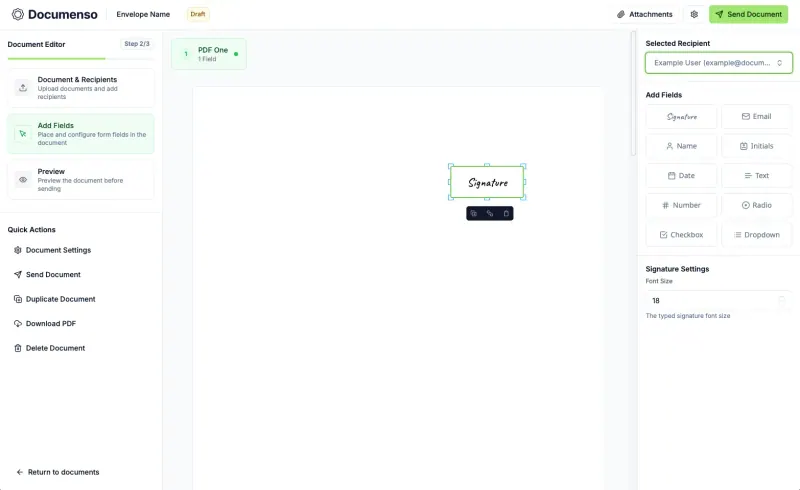
Documenso Small businesses and developers who want e-signatures with a free API and embedded signing on their own server Code Open source Import from DocuSign No Some setup

Why look for an alternative to DocuSign?

DocuSign is the best-known e-signature service. You upload a document, mark where each person signs, and send it as an envelope; signers sign in the browser and everyone gets a completed copy with a certificate of who signed and when. It is used for sales contracts, HR paperwork, leases and approvals.

People look for an alternative mainly because of price. Plans are charged per user and limit how many envelopes each user can send, so a small business that signs a lot of documents pays more each year, and features such as bulk sending and payments sit on higher plans. Every contract is also stored on DocuSign's servers. Self-hosted signing apps such as DocuSeal and Documenso handle the same send-sign-store flow with no per-user or per-envelope fee, and keeps the signed documents on your own server.

The alternatives, compared

DocuSeal

Our pick

Send contracts and forms for e-signature from your own server.

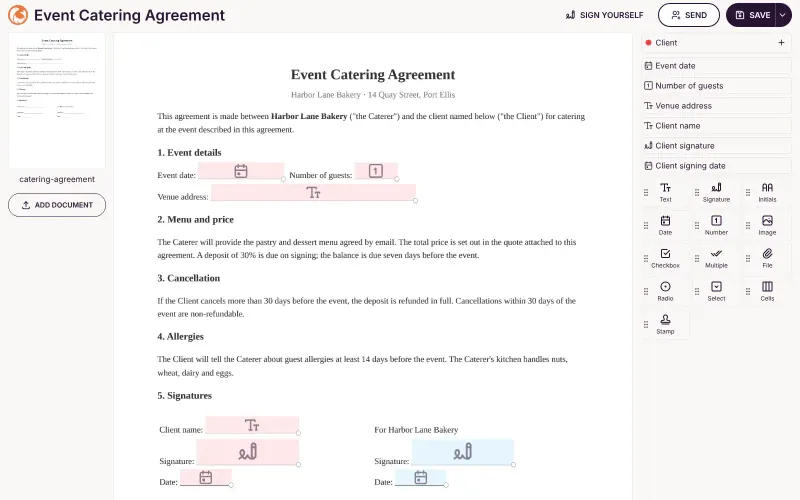
Covers the everyday DocuSign job: upload a PDF, place fields, send it to several signers in order, and get a signed PDF with an audit log. It has nothing like DocuSign's catalogue of integrations or its advanced and qualified signature options, and in the free edition reminders, bulk sending and SSO are paid extras.

What you gain
  • No fee per user or per envelope; you pay only for your server
  • Your contracts and signed copies stay on your own server
  • Free features include several signers, user accounts and the audit log
What is different
  • Reminders, your logo, teams and roles, bulk send and SSO are in the paid Pro edition, not the free one
  • Signing pages keep a "Powered by DocuSeal" line in the free edition
  • No proposal editor, CRM or payment collection, unlike PandaDoc
Some setup Open source

Send documents for e-signature, like DocuSign.

Covers the everyday send-sign-store job with signing order, recipient roles, templates, automatic reminders, bulk sending from a CSV file and a REST API, all in its free edition, and each signed PDF is sealed with a digital certificate. It has no DocuSign importer and nothing like DocuSign's integration catalogue, advanced and qualified eIDAS signatures are still planned, and SSO is paid. It needs PostgreSQL and an email server.

What you gain
  • No fee per user or per document; you pay only for your server
  • Your contracts and signed copies stay on your own server
  • Reminders, bulk send, teams, branding, the API and embedded signing are all in the free edition
What is different
  • SSO, asking signers to sign in again before signing, sending from your own email domain and the embedded editor need a paid licence
  • Nothing imports from DocuSign, Dropbox Sign or Adobe; download your old signed documents and upload PDFs again
  • Only basic electronic signatures for now; EU advanced and qualified signatures are planned, not available
Some setup Open source

Moving from DocuSign

DocuSeal's Pro edition can import DocuSign templates exported as a .zip file, which saves placing the fields again; the free edition installed here does not include it. Sent and completed envelopes do not come across, so download your signed DocuSign documents and keep them as your archive. Before sending real contracts, add your email server in DocuSeal's settings: without it no signing emails go out, though you can still copy each signing link and send it yourself. Documenso cannot import DocuSign templates, so upload the PDFs you send most often and save each as a Documenso template once its fields are placed; enter your email service's details when you set it up, because it emails every signing request. With either app, send a test document to yourself and a colleague to see the whole flow from both sides.

Questions

What is the best open-source alternative to DocuSign?

Start with DocuSeal. Both are free and open source.

Are DocuSeal signatures legally binding?

DocuSeal states that its e-signatures are legally binding under the US ESIGN Act and UETA and, as simple electronic signatures, under the EU's eIDAS. It does not offer advanced or qualified eIDAS signatures in the free edition. Check what your contracts need.

What does DocuSeal's free edition leave out?

Automatic reminders, your own logo on signing pages, user roles and teams, bulk sending from a spreadsheet, SSO, SMS identity checks, conditional fields and embedding are in the paid Pro edition. Several signers, user accounts and the audit log are free.

Should I choose DocuSeal or Documenso?

DocuSeal if you want a lighter app, and its paid Pro edition to bring DocuSign templates across. Documenso if you need reminders, bulk sending, teams, your own branding or embedded signing without paying, since its free edition includes them; it has no DocuSign import.

Do signers need a DocuSeal account?

No. Signers open a link in their browser, on a phone or a computer, and draw, type or upload their signature.

Are these DocuSign alternatives really free?

Yes, DocuSeal and Documenso are free. To run them you need Cloudgate and a server. Use hosted Cloudgate, which can also provide the server, or install Cloudgate on a server of your own for free. Cloudgate's plans and prices are at cloudgate.octabyte.io/pricing. One server can run several apps.

Do I need a developer to replace DocuSign?

No. Cloudgate installs the app you choose on your server and gives it a secure web address, and you use it in your browser instead of DocuSign.