
Open-source alternative to Adobe Acrobat Sign

Documenso is a free, open-source Adobe Acrobat Sign alternative: upload a PDF, place the fields and send it to be signed in any browser, and the signed PDF is sealed with a digital certificate. Acrobat Sign is a per-user subscription; self-hosted Documenso has no per-user or per-document fee, though it does signing only, with no PDF editing.

Free app Code: Open source Import from Adobe Acrobat Sign: No Some setup

Why look for an alternative to Adobe Acrobat Sign?

Adobe Acrobat Sign, once called Adobe Sign and EchoSign, is Adobe's e-signature service. You send a document for signature, signers sign in the browser, and both sides get the signed copy with an audit report. It is sold on its own and with Acrobat plans, and connects to Adobe and Microsoft apps.

People look for an alternative because it is paid per user, often bundled with Acrobat features a team that only sends contracts doesn't need, and every agreement is stored on Adobe's servers. A self-hosted Documenso sends, signs and stores those documents with no per-user or per-document fee, and the signed PDFs stay on your own server.

How Documenso compares

Send documents for e-signature, like DocuSign.

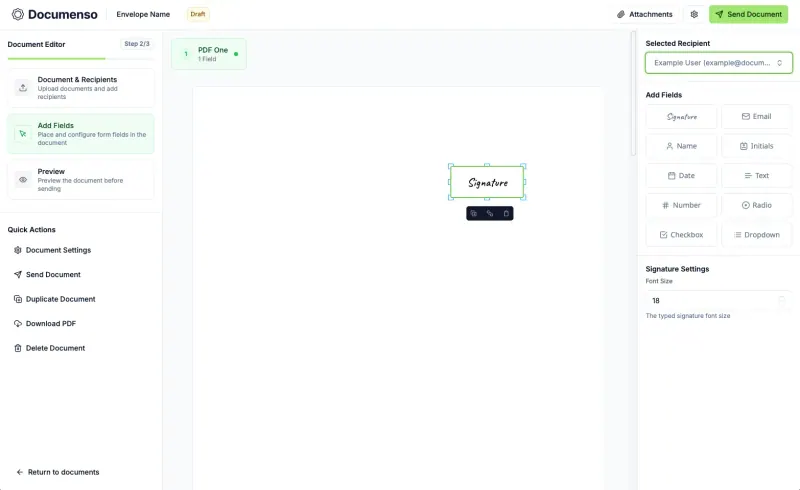
Covers Acrobat Sign's main job: upload PDFs, add signers, approvers and people to copy, place fields, and send them in order, with templates, reminders, bulk sending, a REST API and embedded signing free. It does signing only, with no PDF editing and no Adobe or Microsoft integrations, advanced and qualified eIDAS signatures are still planned, and SSO is paid.
Some setup Open source

Moving from Adobe Acrobat Sign

There is no import from Adobe Acrobat Sign. Download your signed agreements and their audit reports first, because they stay in Adobe's service. When you set Documenso up, enter your email service's details, since it emails every signing request. Then upload the PDFs you send most often, place their fields once and save each as a template; a template can also get a public signing link or be sent to many people at once from a CSV file. If other software sends documents through Acrobat Sign's API, rewrite it against Documenso's API and webhooks. Send a test document to yourself and a colleague before the first real contract.

Questions

What is the best open-source alternative to Adobe Acrobat Sign?

Documenso is the free, open-source alternative to Adobe Acrobat Sign for e-signatures in the catalogue today. Covers Acrobat Sign's main job: upload PDFs, add signers, approvers and people to copy, place fields, and send them in order, with templates, reminders, bulk sending, a REST API and embedded signing free. It does signing only, with no PDF editing and no Adobe or Microsoft integrations, advanced and qualified eIDAS signatures are still planned, and SSO is paid.

Are Documenso signatures legally binding?

Documenso says its signatures meet the US ESIGN Act and UETA and count as simple electronic signatures under the EU's eIDAS rules. Advanced and qualified eIDAS signatures are planned but not available yet, so check what your contracts need.

Can Documenso edit PDFs like Adobe Acrobat?

No. Documenso sends PDFs to be signed; it does not edit, convert or combine them. Prepare the document elsewhere, then upload it.

Do signers need a Documenso account?

No. Signers open the link in their email and sign in the browser, on a phone or a computer.

Is Documenso really free compared with Adobe Acrobat Sign?

Yes, Documenso is free. To run them you need Cloudgate and a server. Use hosted Cloudgate, which can also provide the server, or install Cloudgate on a server of your own for free. Cloudgate's plans and prices are at cloudgate.octabyte.io/pricing. One server can run several apps.

Do I need a developer to replace Adobe Acrobat Sign?

No. Cloudgate installs Documenso on your server and gives it a secure web address, and you use it in your browser instead of Adobe Acrobat Sign.