U

Open-source alternatives to UptimeRobot

Checkmate is a free, open-source UptimeRobot alternative that checks websites, APIs, servers and Docker containers as often as every 15 seconds, with incidents, alerts and public status pages and no limit on monitors. UptimeRobot prices plans by the number of monitors and how often they check; self-hosted Checkmate has no monitor limit, though it checks from your own server unless you add GlobalPing locations.

10 alternatives Free apps Our pick: Checkmate

At a glance

App Good for Code Import from UptimeRobot Ease of use
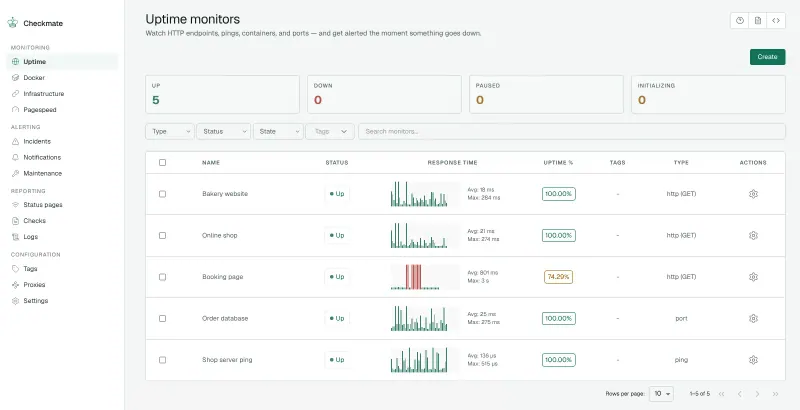
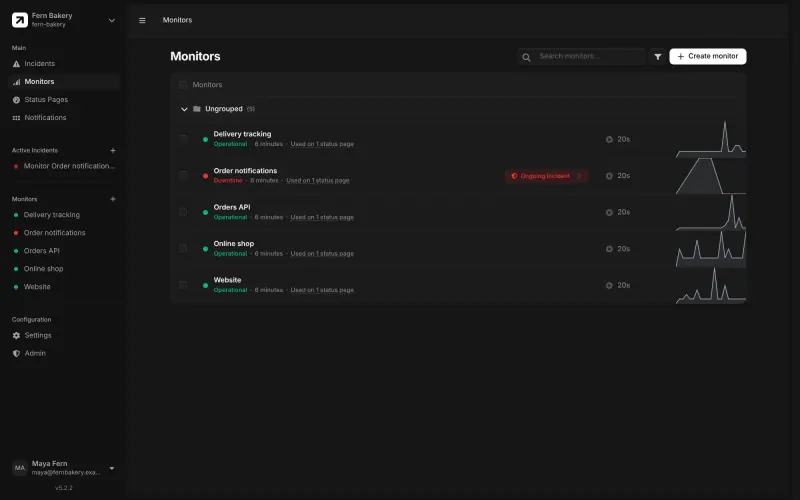
Checkmate Agencies and small teams watching websites, servers and status pages in one place Code Open source Import from UptimeRobot No Easy
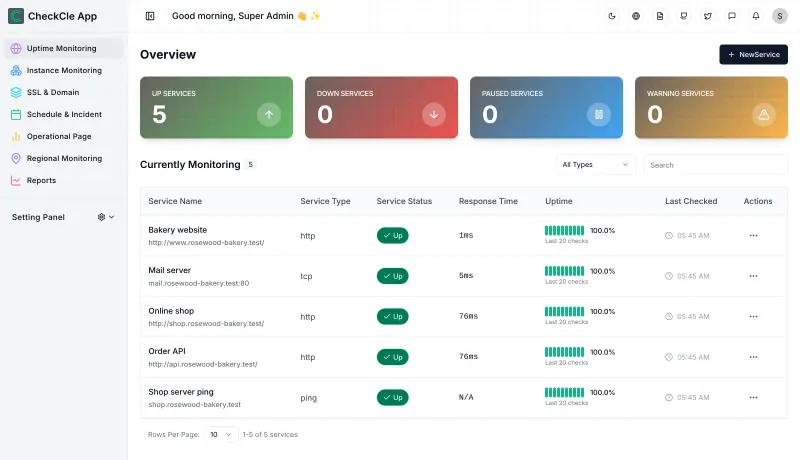
CheckCle Small teams that want website uptime, server health, SSL expiry warnings and a status page in one dashboard Code Open source Import from UptimeRobot No Easy
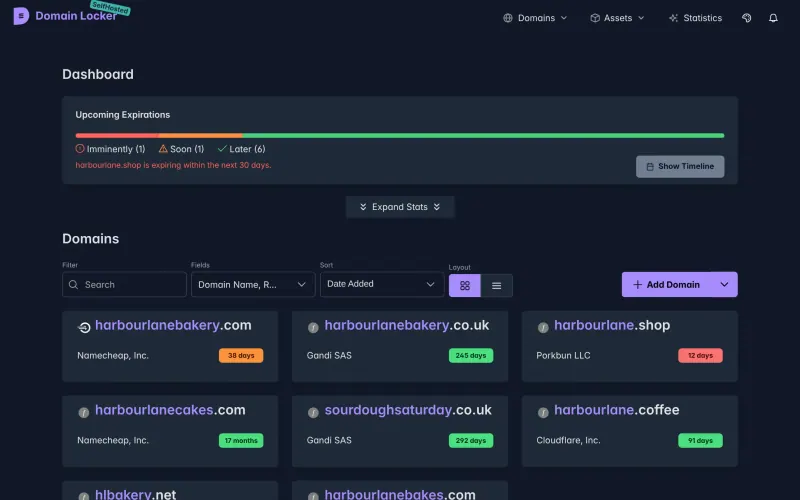
Domain Locker Businesses and agencies with many domains across several registrars Code Open source Import from UptimeRobot No Some setup
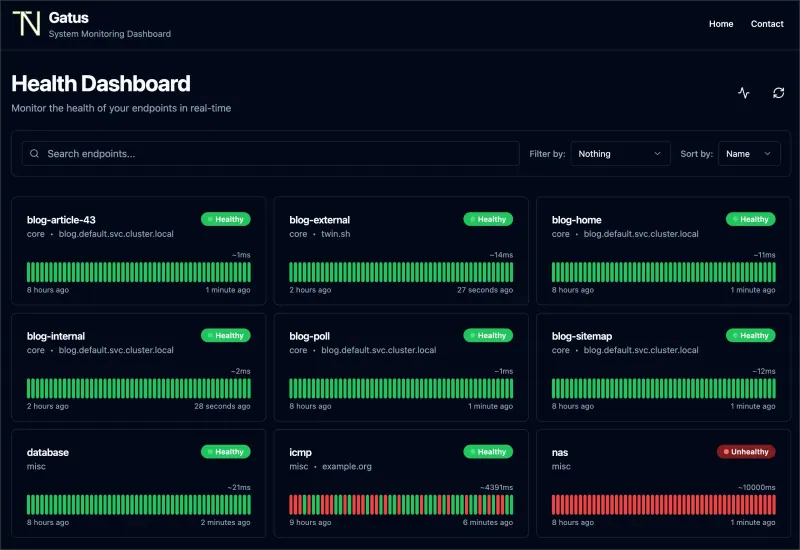
Gatus Small teams who want uptime checks and a simple status page, set in one file Code Open source Import from UptimeRobot No Some setup
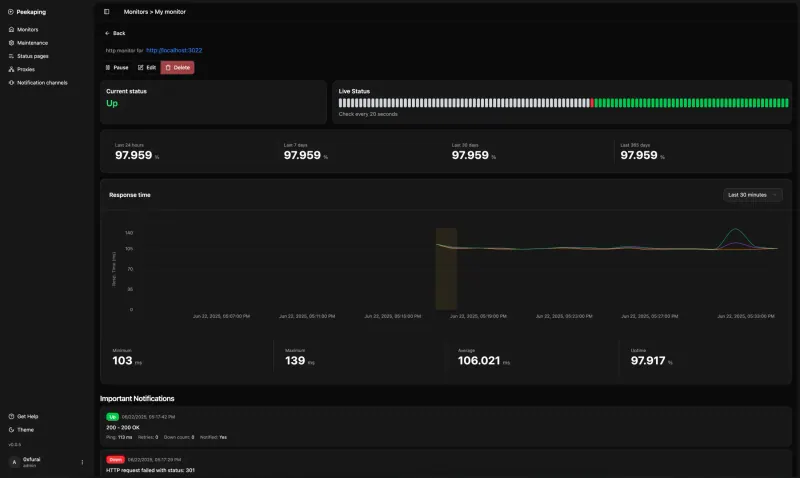
Peekaping Uptime checks and status pages you can also manage through an API, if beta software is fine Code Open source Import from UptimeRobot No Easy
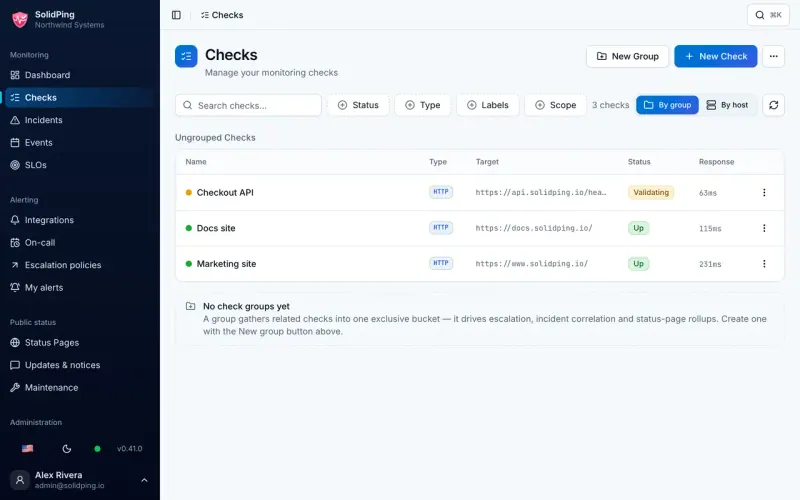
SolidPing Small teams who want uptime checks, on-call alerts and status pages in one place Code Open source Import from UptimeRobot Yes Easy
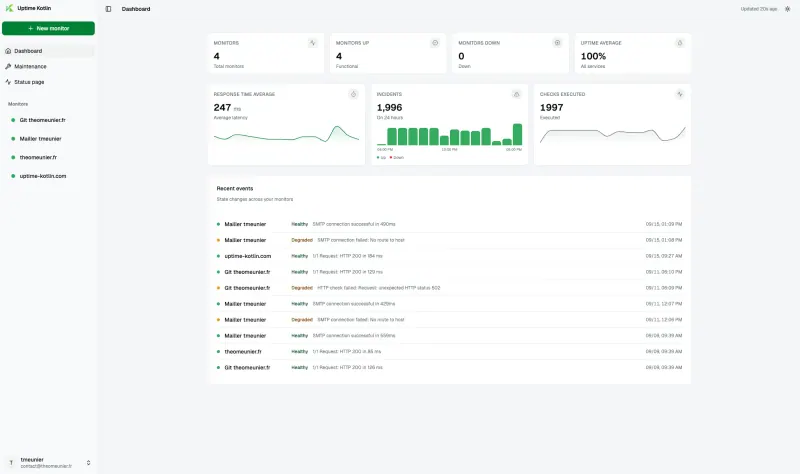
Uptime Kotlin Watching websites and business databases, with monthly incident reports Code Open source Import from UptimeRobot No Easy
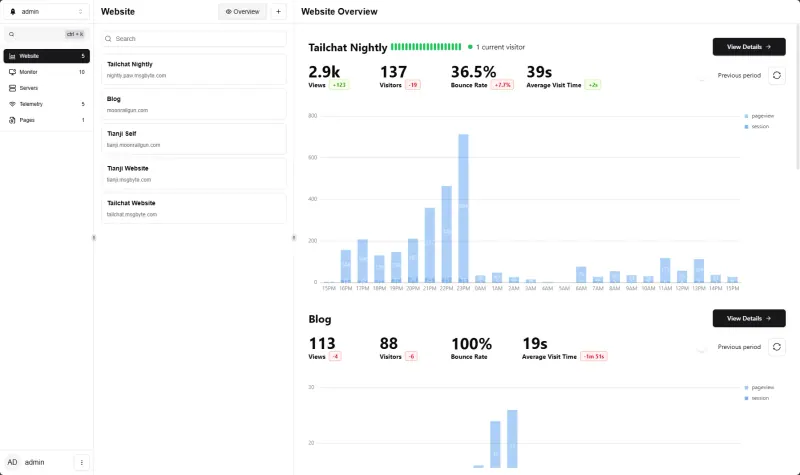
Tianji Small teams who want visitor stats, uptime alerts and server health in one dashboard Code Open source Import from UptimeRobot No Easy
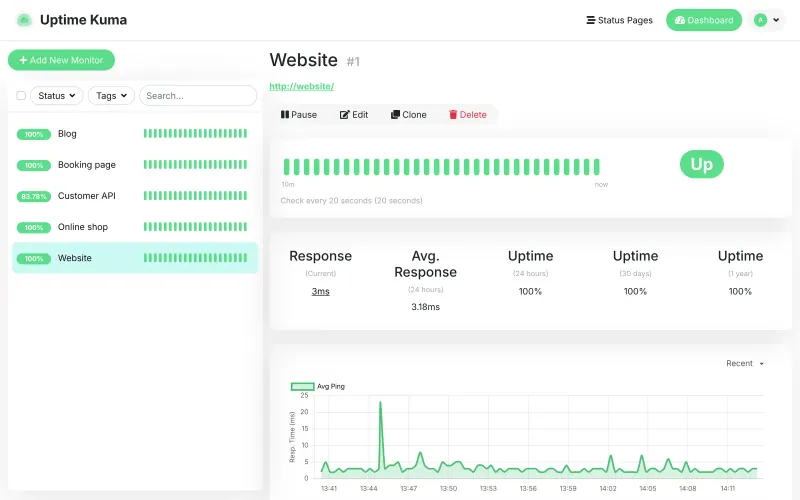
Uptime Kuma Watching websites and online services, with a public status page Code Open source Import from UptimeRobot No Easy
UptimeKit Small teams that want uptime alerts, incident updates and branded status pages in one place Code Open source Import from UptimeRobot No Easy

Why look for an alternative to UptimeRobot?

UptimeRobot is a hosted uptime monitor: it checks your websites, servers, APIs and ports from locations around the world and alerts you by email, text or chat when one goes down, with public status pages on top. Its plans are priced by the number of monitors and how often they check.

People look for an alternative because watching many sites at short intervals moves them onto higher plans, which adds up for agencies and teams with many clients. Others want their monitoring on a server they control. A self-hosted Checkmate, Uptime Kuma or Peekaping watches as many sites as your server can handle, as often as every 15 or 20 seconds, with alerts and status pages included. Gatus checks as many services as you set up, with a status page included and no price per monitor, and Tianji adds website visitor statistics and server health to its checks. SolidPing adds on-call rotas, escalation and email subscribers for its status pages, and imports your UptimeRobot monitors. Uptime Kotlin is the lightest, and also checks databases and message queues. UptimeKit adds themed status pages with email subscribers and checks from several regions. CheckCle combines uptime checks, server health from an agent, SSL expiry warnings and status pages in one app. Domain Locker covers domain and SSL expiry for up to 500 domains across every registrar, with a history of every DNS and certificate change, and checks uptime too, though only every 15 minutes.

The alternatives, compared

Checkmate

Our pick

Uptime monitoring for your websites and servers, with status pages.

Checks websites, APIs, ports, DNS, Docker containers and game servers as often as every 15 seconds, with no monitor limit, opens an incident when a check fails, alerts you on 13 channels such as email, Slack, Teams, Telegram and SMS, and publishes branded status pages. It adds page-speed scores and, with its Capture agent, server CPU, memory and disk. It shows when each SSL certificate expires but alerts only once a certificate fails, not in advance.

What you gain
  • No price per monitor, per status page or per user
  • Websites, servers, Docker containers and page speed on one dashboard
  • Several logins with admin and user roles, all included
What is different
  • Checks run from your server, not from many locations, unless you turn on the optional worldwide checks
  • If the server it runs on goes down, it cannot alert you, so run it somewhere else
  • No on-call rotas, phone-call alerts or log search, which Better Stack has
Easy Open source

Uptime, server and SSL monitoring with status pages.

Puts four jobs in one dashboard: website and service checks over HTTP, ping, TCP and DNS as often as every 30 seconds, server CPU, memory, disk and network from a small agent, SSL certificate warnings 30 and 7 days before expiry, and public status pages with incidents and maintenance. Alerts go to 11 services such as email, Slack, Telegram and ntfy, and small regional agents let it check from other places. It has fewer check types than Uptime Kuma, and its makers advise against relying on the 1.x version for critical production use.

What you gain
  • No price per monitor, per server or per status page
  • Website checks, server health and SSL expiry warnings in one dashboard
  • Several logins with Super Admin and Admin roles, all included
What is different
  • Checks run from your server, plus only the regional agents you install yourself
  • If the server it runs on goes down, it cannot alert you, so run it somewhere else
  • Four check types and eleven alert services, fewer than the paid tools; no real-user monitoring, on-call rotas or phone-call alerts
Easy Open source

A self-hosted domain expiry tracker for every domain you own.

Covers the domain side of monitoring in more depth: registrar, expiry date, SSL certificate, DNS records and registry status for each domain, alerts before a domain or certificate expires, a history of every change, and what each domain costs to renew. It also checks each website's uptime and response time, but only every 15 minutes and from your one server, with no status pages, so it does not replace UptimeRobot for fast outage alerts.

What you gain
  • Domain expiry, SSL, DNS and uptime tracking with no plan to pay for
  • Registrar, WHOIS, DNS and change history for each domain, not only an up or down check
  • Up to 500 domains on one install
What is different
  • Websites are checked every 15 minutes from your one server, not every minute from many places
  • No built-in email alerts; you connect ntfy, Discord or Apprise instead
  • One shared password, with no separate logins for each person
Some setup Open source

Uptime checks and a status page, set in one file.

Checks websites, APIs, ports, DNS and certificates on a schedule, with conditions on status code, response time and page content, and alerts you by email, Slack, Teams, Telegram and about 40 other services. It builds a public status page from the results. It checks from your one server rather than many locations, and every check is set in a text file, not a settings screen.

What you gain
  • No price per check, per site or per status page
  • Alerts in about 40 services, all included
  • Your settings live in one file you can copy, back up and keep
What is different
  • There is no settings screen; you change checks and alerts by editing a text file
  • It checks from one place, your server, not from many locations around the world
  • The status page shows announcements, but has no incident timelines or email subscribers
Some setup Open source

Uptime monitoring and status pages, with an API.

Checks websites, APIs, ports, DNS, databases and message queues as often as every 20 seconds, alerts you through about 25 services and publishes status pages on your own domain, with an API for everything. Small checkers on other machines let it check from several locations. It is beta software, with one admin login, no keyword checks and no incident posts yet.

What you gain
  • No price per monitor, per check or per status page
  • Checks as often as every 20 seconds
  • An API for everything, plus checks for databases and message queues
What is different
  • It is beta software; the project suggests trying it before you rely on it
  • It checks from your server unless you run extra checkers on other machines
  • One admin account; colleagues cannot have their own logins yet
Easy Open source

Uptime monitoring with incidents, on-call alerts and status pages.

Checks websites, APIs, ports, DNS, SSL certificates, domain expiry, databases, mail servers and scheduled jobs every few seconds or minutes, with no monitor limit, groups related failures into one incident, and alerts you through Slack, Teams, Telegram, email and over a dozen other services, with on-call rotas and escalation. It publishes status pages with email subscribers and imports your UptimeRobot monitors. It checks from your one server unless you set up extra check locations, and it is a young project that changes quickly.

What you gain
  • No limit on monitors, check frequency or status pages
  • On-call rotas and escalation included, with no per-user fee
  • Checks databases, mail servers and certificates as well as websites
What is different
  • Checks run from your one server, not from many places around the world, unless you set up extra check locations
  • Text and phone-call alerts need your own Twilio or SMS Factor account, paid per message
  • No phone app; alerts reach your phone through chat apps, push apps or text
Easy Open source

Watch websites and databases, log incidents, share status pages.

A very light monitor, about 50 MB of memory, that checks websites, ports, DNS, ping and mail servers, and also databases and message queues such as PostgreSQL, MySQL, SQL Server, Oracle, Redis, MongoDB, Kafka and RabbitMQ. Incidents open and close by themselves and export as a spreadsheet for monthly reports, alerts go to email, Slack, Microsoft Teams, Discord, Telegram, Matrix, ntfy, Gotify, PagerDuty, webhooks and browser notifications, and you can publish several status pages. It checks from your one server and is a young project with one main maintainer.

What you gain
  • No price per monitor or per check interval
  • Checks for databases and message queues, not only websites
  • Incident history you can export for monthly reports
What is different
  • It checks from one place, your server, not from many locations around the world
  • If its server goes down it cannot alert you, so run it apart from the sites it watches
  • There is no import from UptimeRobot; you add each monitor again
Easy Open source

Website stats, uptime alerts and server health in one.

Checks websites, ports, DNS and ping, and watches scheduled jobs through heartbeat checks, with response-time charts, uptime history and public status pages, and alerts by email, Telegram, Microsoft Teams, webhook or Apprise. It also counts website visitors and shows server health in the same dashboard. It checks only from your one server, and it has fewer alert channels than dedicated monitoring tools.

Easy Open source

Know the moment your website goes down, and tell customers.

Does UptimeRobot's main jobs on your own server: checks websites, APIs, ports, DNS, databases and more as often as every 20 seconds, keeps response-time charts, publishes public status pages with incident notes, and alerts you through over 90 services. It checks from one place, your server, rather than from several locations.

Easy Open source

Uptime alerts, incidents and status pages in one self-hosted app.

Checks websites, APIs, ports, ping, page keywords, JSON responses and DNS on the interval you choose, opens an incident when one goes down, warns 30, 14, 7 and 1 days before an SSL certificate expires, and publishes themed status pages with email subscribers. Extra checking points on other servers let it check from several regions. Alerts go to Discord, Telegram, ntfy, Google Chat, webhooks and Apprise, with no built-in text or Slack alerts.

Easy Open source

Moving from UptimeRobot

SolidPing is the one app here that imports from UptimeRobot: give it a read-only UptimeRobot API key and it brings over your website, keyword, ping, port and heartbeat monitors, with a preview before anything is saved, though not their uptime history. Then add your email account's sending details for email alerts, and a Twilio or SMS Factor account if you want text alerts. For the other apps, list your monitors first: the address, how often it is checked and who gets alerted. In Checkmate, Uptime Kuma, Peekaping, Tianji, UptimeKit and Uptime Kotlin, set up your alert channels first, such as email, Slack or Telegram (in Checkmate, also enter your email account's sending details if you want email alerts or team invitations); then paste each address, choose the check type and how often to check, and pick where alerts go. Recreate your status pages from the same monitors and point their address, such as status.example.com, at the new page. In Gatus, Cloudgate's setup asks for the first website to check; for the rest, edit Gatus's settings file in the Cloudgate console and add one entry per monitor, with conditions such as a 200 status code and a response time limit, and add your alert details in the same file. In CheckCle, sign in with admin@example.com and the password Cloudgate created, and change that email to your own under Settings, User Management, set up your alert channels under notification settings, add each website as a service, and add your domains on the SSL page. In Tianji, for cron jobs and backups, create a push monitor and have the job call its address when it finishes. Run the monitor on a different server from the sites it watches, so it can still alert you when they go down, and keep UptimeRobot running until the new alerts have been tested. To watch domain and certificate expiry, paste your list of domains into Domain Locker's bulk add page; it looks up the registrar, expiry date, certificate and DNS records for each one. Set up where its alerts go before you rely on them: the self-hosted version sends them through ntfy, Discord or Apprise, which can pass them on to email, Telegram and many other services. Adjust the expiry reminders if the defaults of 90, 30, 7 and 2 days before do not suit you.

Questions

What is the best open-source alternative to UptimeRobot?

Start with Checkmate. All 10 are free and open source.

Which should I choose: Checkmate, Uptime Kuma, Peekaping, Gatus, Tianji, SolidPing, UptimeKit, Uptime Kotlin or CheckCle?

Checkmate if several people need their own logins, or you want incidents, page-speed scores and server metrics. Uptime Kuma for the lightest setup, one container with alerts through over 90 services. Peekaping if you want to manage monitors through an API or watch databases and message queues, and don't mind beta software. Gatus if you are happy to set every check in one text file and want conditions on status code, response time and page content, with a status page built from the same file. Tianji if you also want website visitor statistics and server health in the same app. SolidPing if you want on-call rotas and escalation in the same app as your checks, or want to import your UptimeRobot monitors, and don't mind a young project that releases often. UptimeKit if status pages and incident updates for customers matter as much as the checks, or you want to check from several regions with your own checking points. Uptime Kotlin for the smallest server, or if you also need to watch business databases and want incident reports as a spreadsheet. CheckCle if you want uptime checks, server health, SSL expiry warnings and a status page in one app, and can accept a 1.x version its makers don't yet recommend for critical use. Add Domain Locker alongside any of them if you need warnings before domains and certificates expire.

Do these apps limit how many monitors I can add?

No. Checkmate has no monitor limit, no user limit and no paid tier; the only limit is the size of your server, and it has been tested with over 1,000 active monitors. Uptime Kuma, Peekaping, Gatus, Tianji, SolidPing, UptimeKit, Uptime Kotlin and CheckCle have no limit on checks either. Domain Locker tracks up to 500 domains.

Can a self-hosted monitor check from several locations like UptimeRobot?

Yes, with some setup. Checkmate can add checks from six continents through the optional GlobalPing network, and Peekaping, SolidPing, UptimeKit and CheckCle can run small checker programs on machines in other places. Uptime Kuma, Gatus, Tianji and Uptime Kotlin check only from their own server, so to check from more places you run a second copy in another region. Domain Locker also checks from its one server, and only every 15 minutes.

Will these apps warn me before a domain or SSL certificate expires?

Domain Locker will: by default it reminds you 90, 30, 7 and 2 days before a domain expires, warns before SSL certificates run out and logs every DNS change. Checkmate will not: it shows each certificate's expiry date on the monitor's page, but alerts only when a certificate has expired or is invalid, so set a calendar reminder for renewals that are not automatic. Gatus can, because certificate expiry is one of the conditions a check can test; Cloudgate's starter settings mark a site down when its certificate expires within 10 days. SolidPing can too, with its SSL certificate and domain expiry check types, and UptimeKit warns 30, 14, 7 and 1 days before an SSL certificate expires. CheckCle will: it warns 30 days before a certificate expires and again at 7 days, and you can change both.

Does Gatus include a status page?

Yes. Gatus turns its checks into a read-only status page with uptime bars for each service, and you can post announcements at the top. It has no subscribers or email updates for visitors.

Do I need to edit a file to use Gatus?

Yes. Gatus has no settings screen: monitors, alerts and the status page are all set in one text file, which you edit in the Cloudgate console.

Does Domain Locker send email alerts?

Not directly when you host it yourself. It sends alerts to ntfy, Discord or Apprise, and Apprise can forward them by email, Telegram, Matrix and many other services.

Are these UptimeRobot alternatives really free?

Yes, Checkmate, CheckCle, Domain Locker, Gatus, Peekaping, SolidPing, Uptime Kotlin, Tianji, Uptime Kuma and UptimeKit are free. To run them you need Cloudgate and a server. Use hosted Cloudgate, which can also provide the server, or install Cloudgate on a server of your own for free. Cloudgate's plans and prices are at cloudgate.octabyte.io/pricing. One server can run several apps.

Do I need a developer to replace UptimeRobot?

No. Cloudgate installs the app you choose on your server and gives it a secure web address, and you use it in your browser instead of UptimeRobot.