
Uptime Kotlin
Watch websites and databases, log incidents, share status pages.
No server needed to start: Cloudgate can provide one. What happens when you click Deploy
What is Uptime Kotlin?
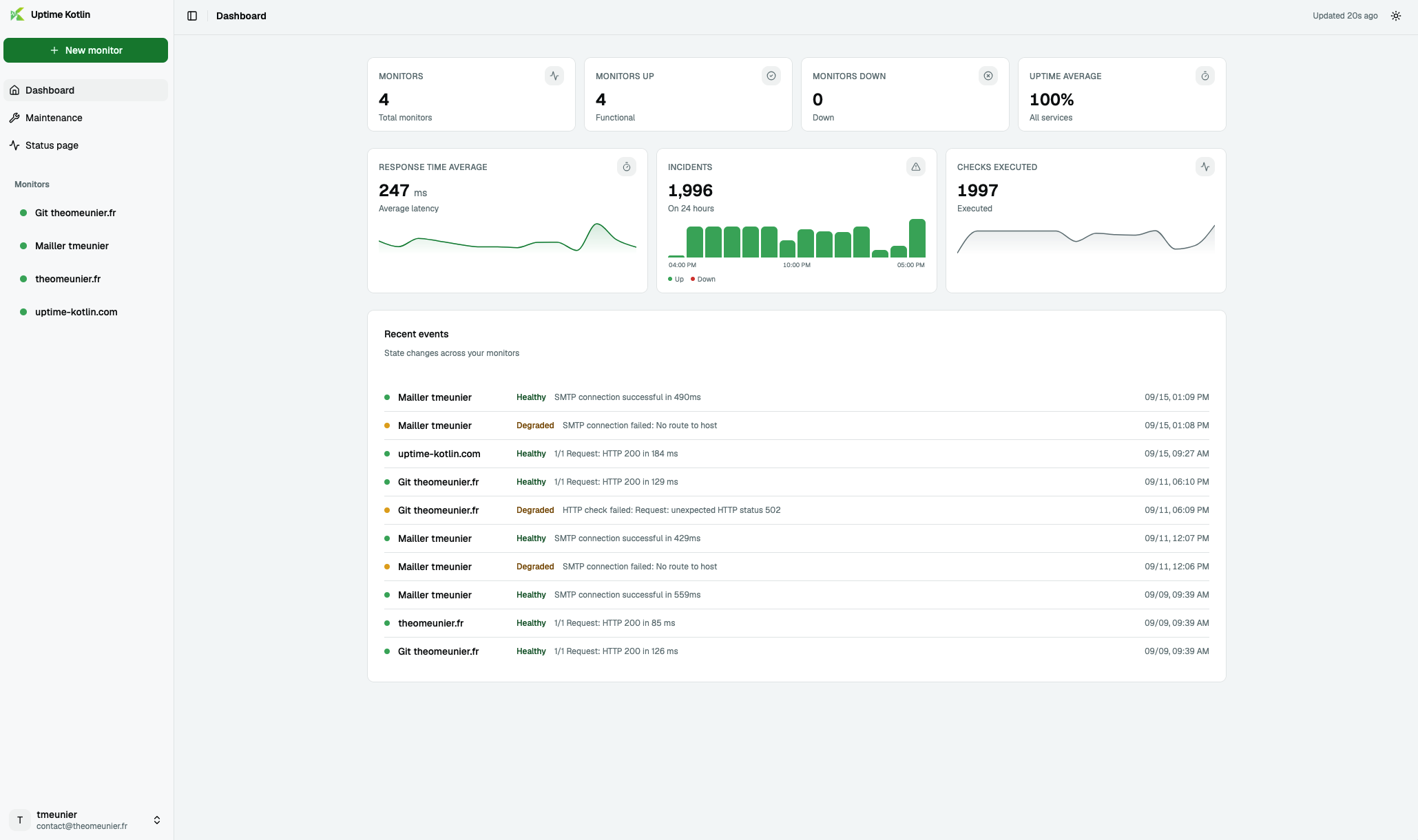
Uptime Kotlin is a self-hosted uptime monitor for websites, mail servers and databases, with incident reports, alerts and public status pages.
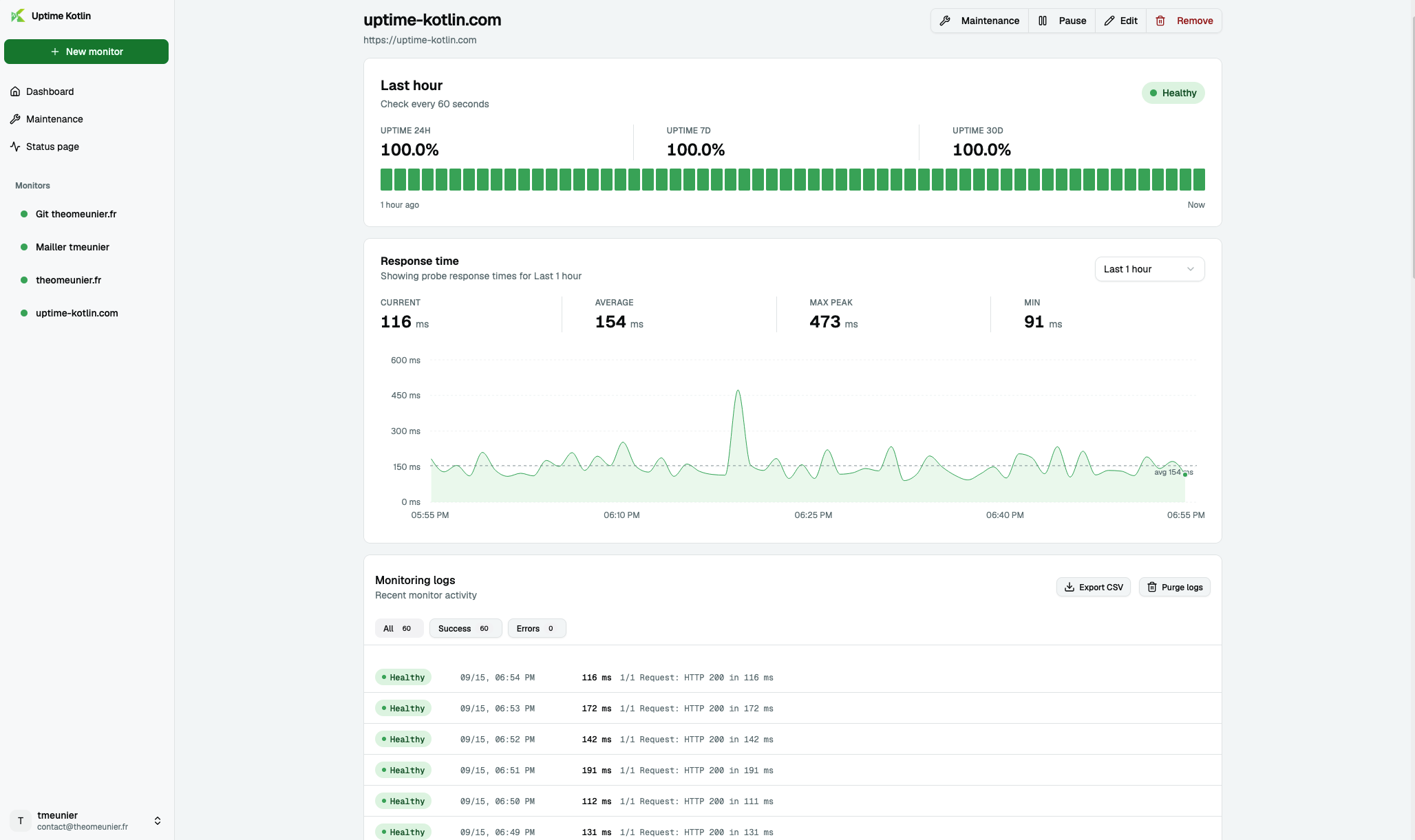
Uptime Kotlin is a free, open-source uptime monitor you host yourself: a self-hosted UptimeRobot alternative that checks your websites and the services behind them, tells you the moment one stops answering, and shows customers a public status page. Besides websites, it can check mail servers, domain names and business databases such as PostgreSQL, MySQL, SQL Server and Oracle.
Each outage becomes an incident that opens and closes by itself and records how long it lasted, and you can export incidents as a spreadsheet for a monthly report. Alerts go to email, Slack, Microsoft Teams, Discord, Telegram, Matrix, PagerDuty, a webhook or a browser notification. A small accounting firm, for example, could watch its client portal, its mail server and the database behind its billing software, get a Teams message when the portal goes down at night, and send clients a link to its status page while it is fixed.
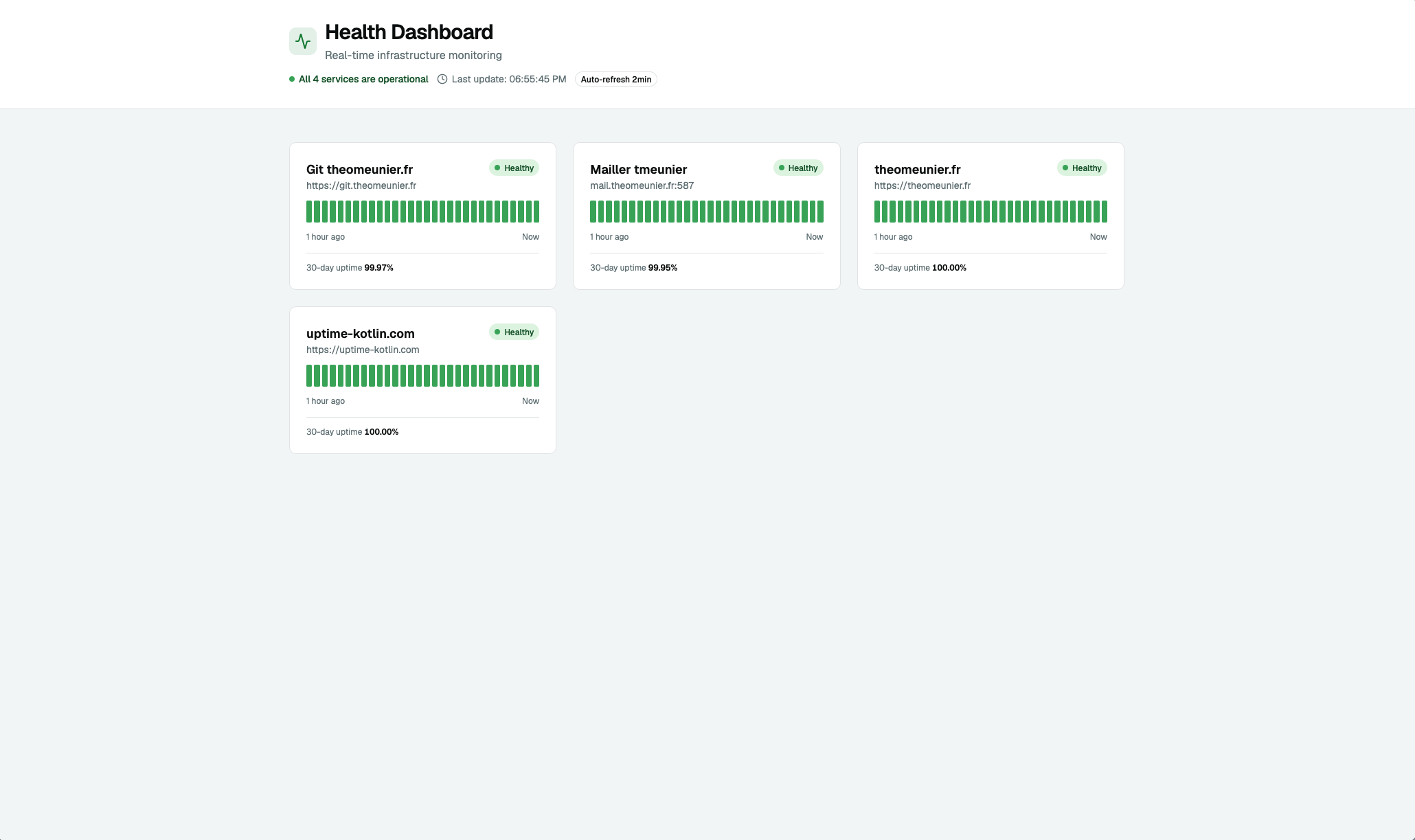
You can run several status pages, schedule maintenance so planned work does not set off alerts, and get a warning before a website's security certificate expires. There is no phone app; the dashboard works in a phone's browser, and the interface comes in English, French, German and Spanish.
How Cloudgate installs Uptime Kotlin
Cloudgate installs Uptime Kotlin on a server Cloudgate provides or one you connect, keeps its data on lasting storage and gives it a secure web address. The first person to open it creates their account. For the most reliable alerts, run it on a different server from the websites it watches.
What you can do with Uptime Kotlin
- Watch more than websites Check websites, mail servers and domain names, and also databases such as PostgreSQL, MySQL, SQL Server, Oracle, Redis and MongoDB.
- Incidents logged for you An incident opens when something goes down and closes when it comes back, with how long it lasted, ready to export as a spreadsheet for a monthly report.
- Alerts where you already are Get told by email, Slack, Microsoft Teams, Discord, Telegram, Matrix, PagerDuty, a browser notification or a webhook, with reminders while it stays down.
- Several status pages Publish more than one public status page, for example one per brand or customer, shown as a grid or a list.
- Maintenance without false alarms Schedule one-off or recurring maintenance windows that keep alerts quiet while you work.
- Certificate warnings Keep an eye on when each website's security certificate expires, before browsers start showing errors.
- Light on your server It runs in about 50 MB of memory, so it fits on the smallest server.
- Four languages The interface is available in English, French, German and Spanish.
Replaces UptimeRobot, Pingdom, Better Stack and Statuspage
Uptime Kotlin does the same job as UptimeRobot, Pingdom, Better Stack and Statuspage. Here is what changes when you switch.
- No price per monitor or per check interval
- Checks for databases and message queues, not only websites
- Incident history you can export for monthly reports
- Your monitoring data stays on your own server
- It checks from one place, your server, not from many locations around the world
- If its server goes down it cannot alert you, so run it apart from the sites it watches
- There is no import from UptimeRobot; you add each monitor again
- It is a young project with one main maintainer
What happens when you click Deploy?
You do not need a server or any technical knowledge. Four steps, and Uptime Kotlin is running at its own web address.
- Step 1 Click Deploy and create your account
Deploy takes you to Cloudgate. Create an account, or log in if you have one. Uptime Kotlin itself is free.
- Step 2 Choose a server
No server? Get one from Cloudgate: pick a size and a country, and Cloudgate gets it ready. Already have one? Connect it instead.
- Step 3 Cloudgate sets up Uptime Kotlin
It prepares the server, makes the passwords the app needs and starts it. There is nothing to install and nothing to write down.
- Step 4 Open your app and sign in
Your app gets a free web address to start, without https. Add your own domain, like app.yourshop.com, and Cloudgate secures it with https for you.
New to Cloudgate? See what Cloudgate is
Run Cloudgate yourself? Deploy from your own console
In your Cloudgate console, open Templates and choose Uptime Kotlin.
Questions
Is Uptime Kotlin free?
Yes. Uptime Kotlin is free and open source under the MIT licence. There is no paid edition and no limit on monitors, and database checks are included; you pay only for your server.
Is Uptime Kotlin a good alternative to UptimeRobot?
Yes, for a small business that wants to watch its own websites and services. Uptime Kotlin covers uptime checks, alerts, incidents and public status pages without a monitor limit, and it can also check databases. Unlike UptimeRobot, it checks from your one server rather than from many locations.
How is Uptime Kotlin different from Uptime Kuma?
Both are free, self-hosted uptime monitors with status pages. Uptime Kotlin runs in about 50 MB of memory, can check Oracle databases, Kafka and RabbitMQ, and keeps incidents you can export as a spreadsheet; Uptime Kuma offers far more alert services, over 90 against Uptime Kotlin's eleven.
How do I sign in to Uptime Kotlin the first time?
Open your Uptime Kotlin web address and create your account. There is no default username or password to change.
Can Uptime Kotlin import my monitors from UptimeRobot?
No, Uptime Kotlin has no automatic import from UptimeRobot or Pingdom. You add each website or service again by entering its address and how often to check it.
Should Uptime Kotlin run on the same server as my website?
No, it is better on a different server. If both share a server and that server goes down, Uptime Kotlin goes down too and cannot alert you.
What server size do I need for Uptime Kotlin?
Uptime Kotlin needs very little. It runs in about 50 MB of memory, so Cloudgate's smallest server size is enough.
Do I need technical skills to run Uptime Kotlin?
No. Click Deploy, create your Cloudgate account and choose a server, and Cloudgate sets up Uptime Kotlin and gives it a web address. You use it in your browser like any other online tool.
Do I need my own server for Uptime Kotlin?
No. When you deploy Uptime Kotlin, hosted Cloudgate can provide a server. If you already rent one, you can connect it instead.
Related apps

Uptime monitoring for your websites and servers, with status pages.

Uptime monitoring with incidents, on-call alerts and status pages.

Uptime, server and SSL monitoring with status pages.

Uptime checks and a status page, set in one file.