
Checkmate
Uptime monitoring for your websites and servers, with status pages.
No server needed to start: Cloudgate can provide one. What happens when you click Deploy
What is Checkmate?
Checkmate is a self-hosted uptime monitor: alerts when a website or server goes down, incident history and branded status pages. No monitor limits.
Checkmate is a free, open-source, self-hosted uptime monitoring app that watches your websites and servers, alerts you the moment one stops working and publishes a status page for your customers. It is an alternative to UptimeRobot and Better Stack, with no limit on monitors or users.
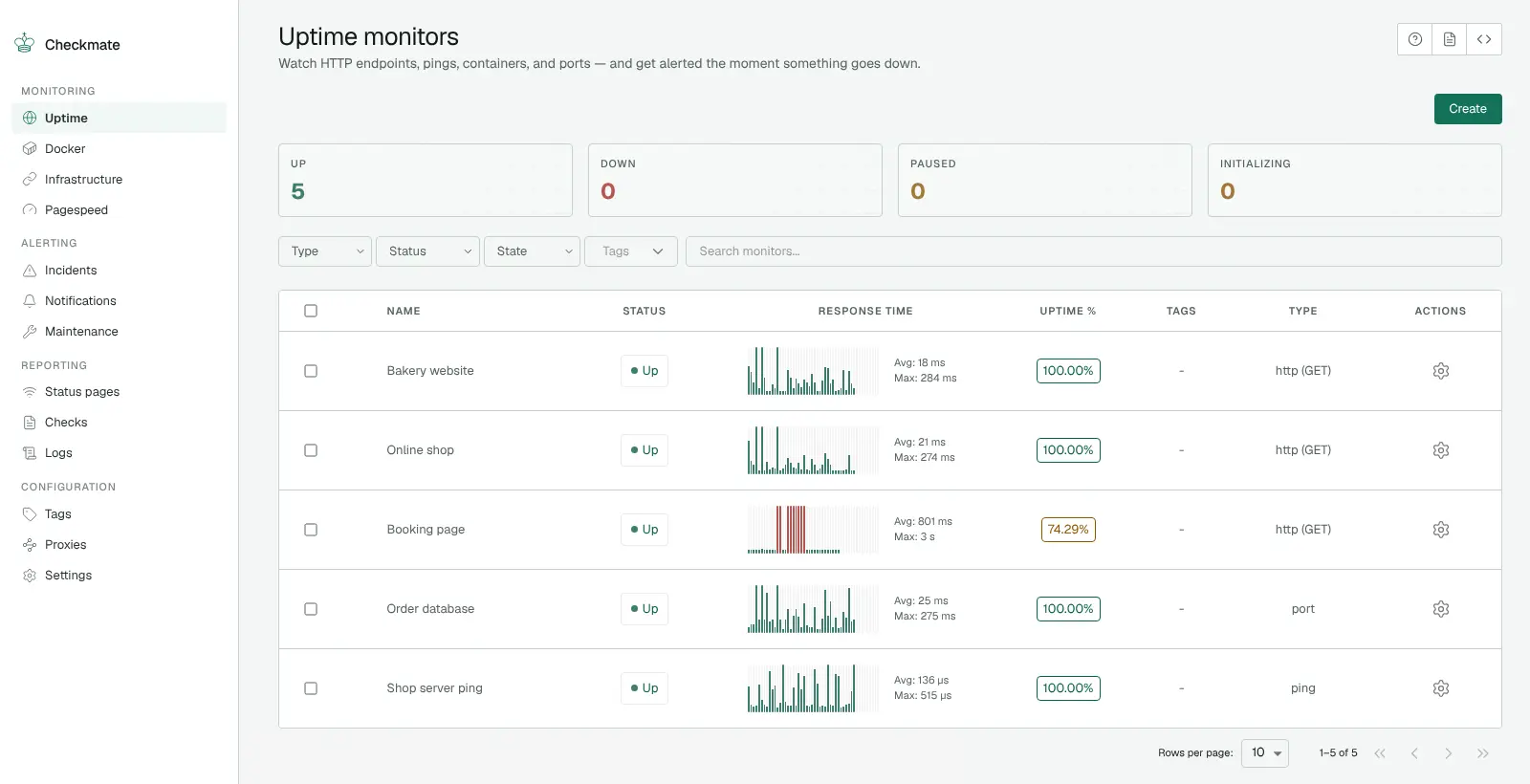
You add a website by pasting its address and choosing how often to check it. When a check fails, Checkmate opens an incident and sends an alert to email, Slack, Microsoft Teams, Discord, Telegram, SMS or another of its 13 channels. A web agency, for example, can watch every client's website from one dashboard, invite its developers with their own logins, and give each client a status page with the client's logo.
Beyond websites, Checkmate can check servers, ports, domain records and Docker containers, and track Google Lighthouse page speed scores. Installing the free Capture agent on a server adds its processor, memory and disk use. There is no phone app; the dashboard works in a phone's browser.
Cloudgate installs Checkmate on a server Cloudgate provides or one you connect, with the database it needs, and gives it a secure web address. The first person to open it creates the admin account. For the most reliable alerts, run it on a different server from the websites it watches.
What you can do with Checkmate
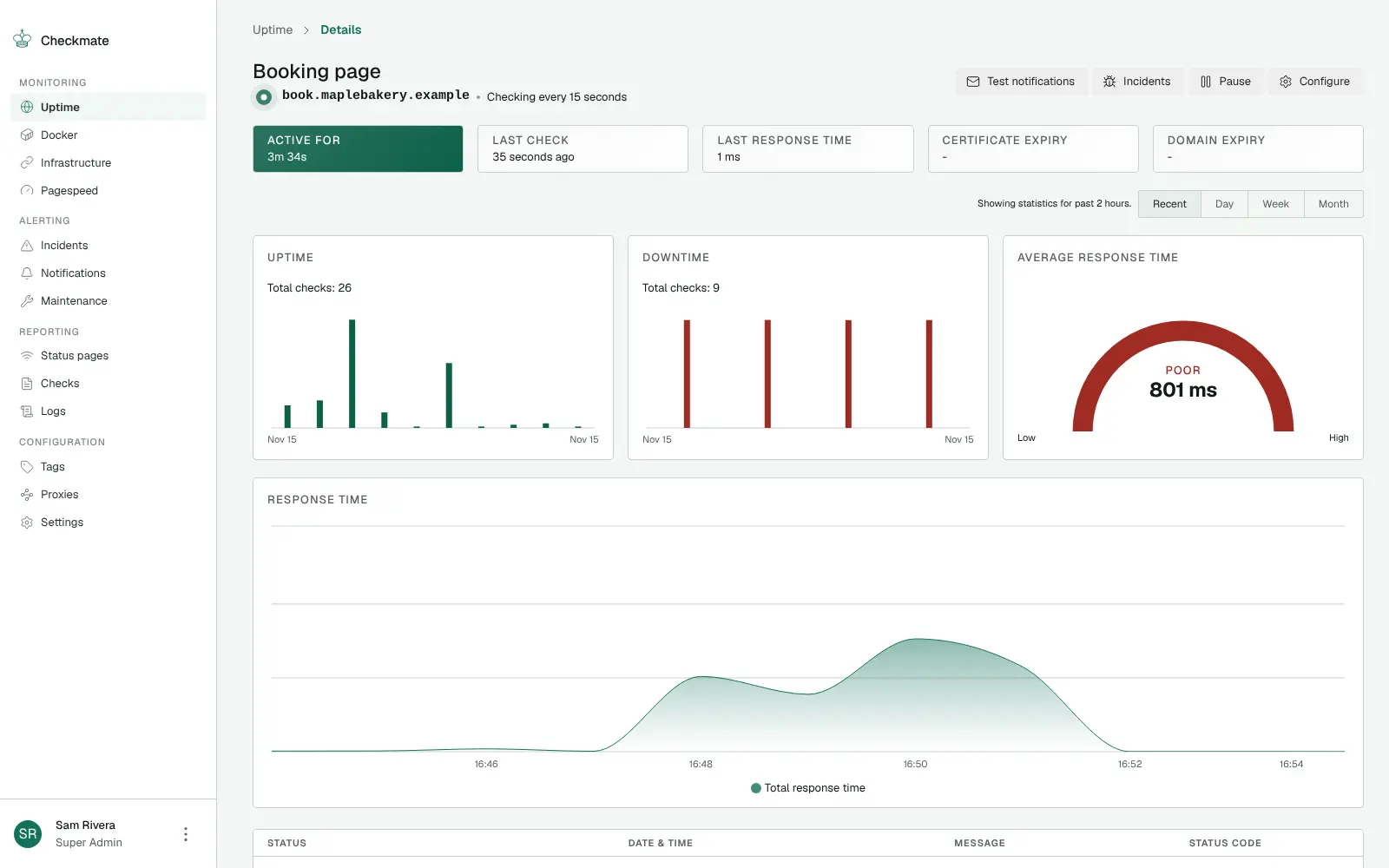
- Watch websites and online services Check your website, online shop or booking page as often as every 15 seconds, plus servers, ports and domain records.
- Catch a broken page, not just a down one Check that a page still shows the words you expect, and see each site's certificate and domain expiry dates.
- Get alerted where you work Alerts go to email, Slack, Microsoft Teams, Discord, Telegram, SMS, PagerDuty and six other channels.
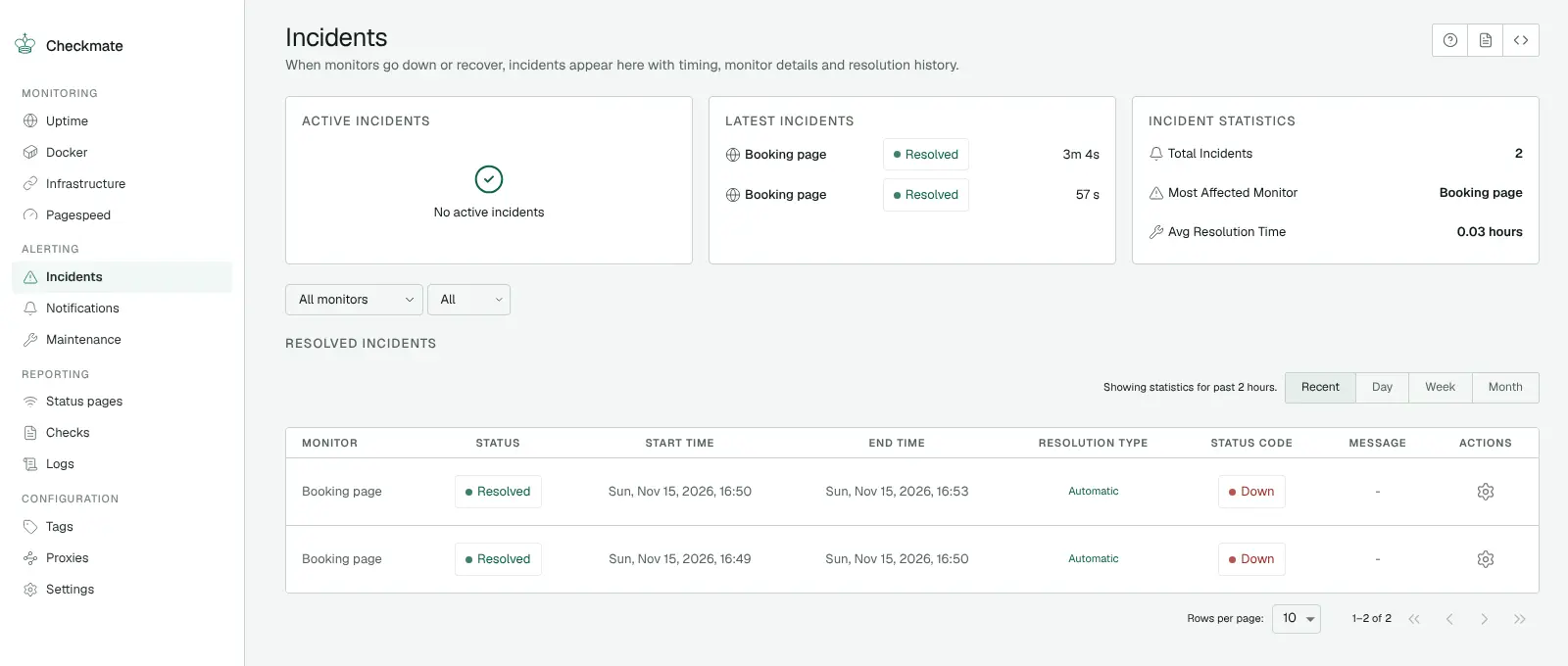
- Keep a record of every outage Each outage opens an incident with its start, end and duration, and you can close it with a note on what you fixed.
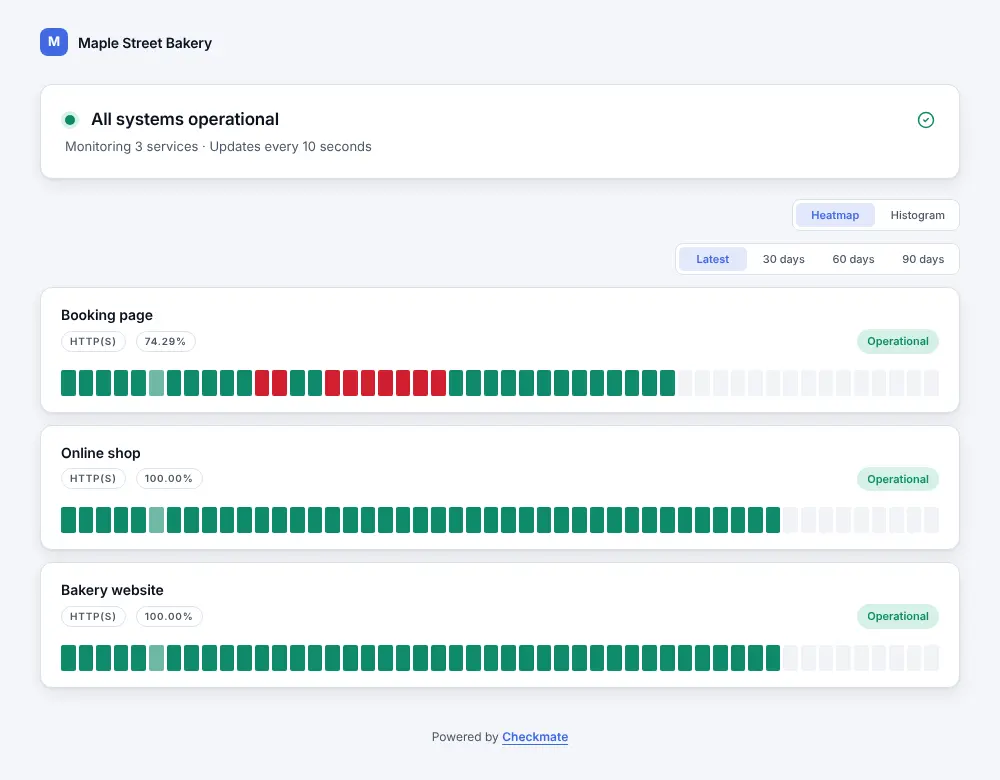
- Show customers a status page Publish branded status pages with your logo, a choice of five themes and your own web address, one per client if you like.
- Check your servers and page speed See a server's processor, memory and disk use with the free Capture agent, and track Google Lighthouse scores for your pages.
- Work as a team Invite colleagues as admins or users, so everyone sees the same monitors with their own login.
Replaces UptimeRobot, Better Stack, Pingdom and Statuspage
Checkmate does the same job as UptimeRobot, Better Stack, Pingdom and Statuspage. Here is what changes when you switch.
- No price per monitor, per status page or per user
- Websites, servers, Docker containers and page speed on one dashboard
- Several logins with admin and user roles, all included
- Your monitoring history stays on your own server
- Checks run from your server, not from many locations, unless you turn on the optional worldwide checks
- If the server it runs on goes down, it cannot alert you, so run it somewhere else
- No on-call rotas, phone-call alerts or log search, which Better Stack has
- No early warning before a certificate expires; it alerts once the certificate stops working
What happens when you click Deploy?
You do not need a server or any technical knowledge. Four steps, and Checkmate is running at its own web address.
- Step 1 Click Deploy and create your account
Deploy takes you to Cloudgate. Create an account, or log in if you have one. Checkmate itself is free.
- Step 2 Choose a server
No server? Get one from Cloudgate: pick a size and a country, and Cloudgate gets it ready. Already have one? Connect it instead.
- Step 3 Cloudgate sets up Checkmate
It prepares the server, makes the passwords the app needs and starts it. There is nothing to install and nothing to write down.
- Step 4 Open your app and sign in
Your app gets a free web address to start, without https. Add your own domain, like app.yourshop.com, and Cloudgate secures it with https for you.
New to Cloudgate? See what Cloudgate is
Run Cloudgate yourself? Deploy from your own console
In your Cloudgate console, open Templates and choose Checkmate.
Questions
Is Checkmate free?
Yes, Checkmate is free and open source under the AGPL-3.0 licence, with no paid edition, no monitor limit and no user limit. You pay only for the server it runs on.
Is Checkmate a good alternative to UptimeRobot or Better Stack?
Yes, Checkmate is a good UptimeRobot or Better Stack alternative for checking websites and servers, getting alerts and publishing status pages, with no per-monitor price. It has no on-call rotas, phone-call alerts or log search, and it checks from your own server rather than from many places around the world.
Should I choose Checkmate or Uptime Kuma?
Choose Checkmate if you also want server and Docker monitoring, page speed scores, incident history and separate logins for colleagues. Choose Uptime Kuma if you only need website checks and want the lightest setup with more alert services.
How do I sign in to Checkmate the first time?
The first person to open Checkmate's web address creates the admin account on a sign-up page; there is no default password. Do it straight after installing, then invite your colleagues.
Can I import my monitors from UptimeRobot into Checkmate?
No, Checkmate cannot import from UptimeRobot or Pingdom. It imports and exports monitors only in its own file format, and adding a website monitor takes a few seconds.
Can Checkmate watch my servers, not just my websites?
Yes. Checkmate's ping, port and Docker checks work straight away, and the free Capture agent, installed on each server you want to watch, adds its processor, memory, disk and temperature readings.
Do I need an email account for Checkmate alerts?
No, Checkmate needs an email account only for email alerts and team invitations, and you enter your email account's sending details in Settings. Slack, Teams, Discord, Telegram, SMS and the other channels work without one.
Do I need technical skills to run Checkmate?
No. Click Deploy, create your Cloudgate account and choose a server, and Cloudgate sets up Checkmate and gives it a web address. You use it in your browser like any other online tool.
Do I need my own server for Checkmate?
No. When you deploy Checkmate, hosted Cloudgate can provide a server. If you already rent one, you can connect it instead.
Related apps

Uptime monitoring with incidents, on-call alerts and status pages.
Uptime, server and SSL monitoring with status pages.

Watch websites and databases, log incidents, share status pages.

Uptime alerts, incidents and status pages in one self-hosted app.