
UptimeKit
Uptime alerts, incidents and status pages in one self-hosted app.
No server needed to start: Cloudgate can provide one. What happens when you click Deploy
What is UptimeKit?
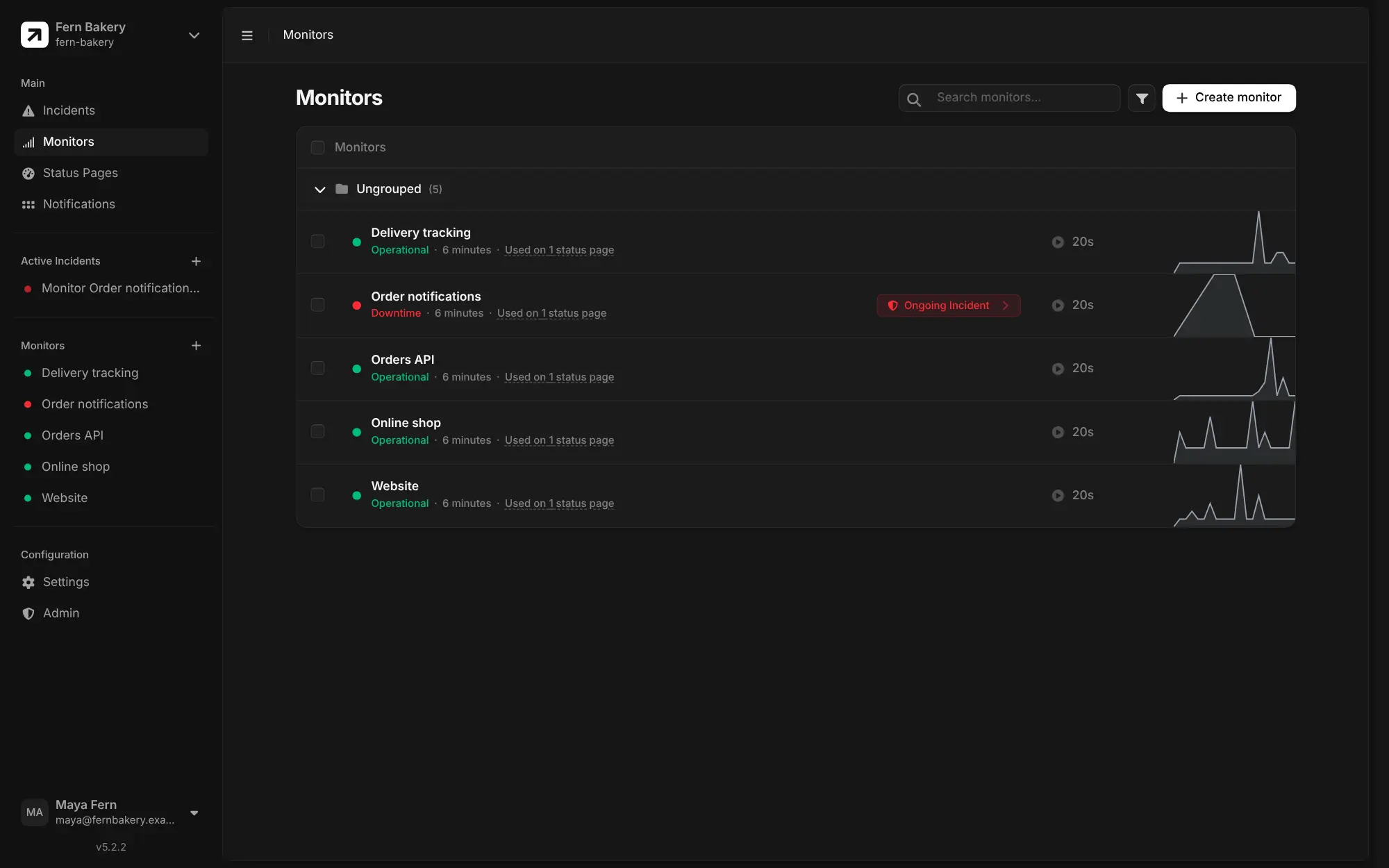
UptimeKit is a self-hosted Better Stack alternative: uptime checks, automatic incidents, team alerts and branded status pages customers can subscribe to.
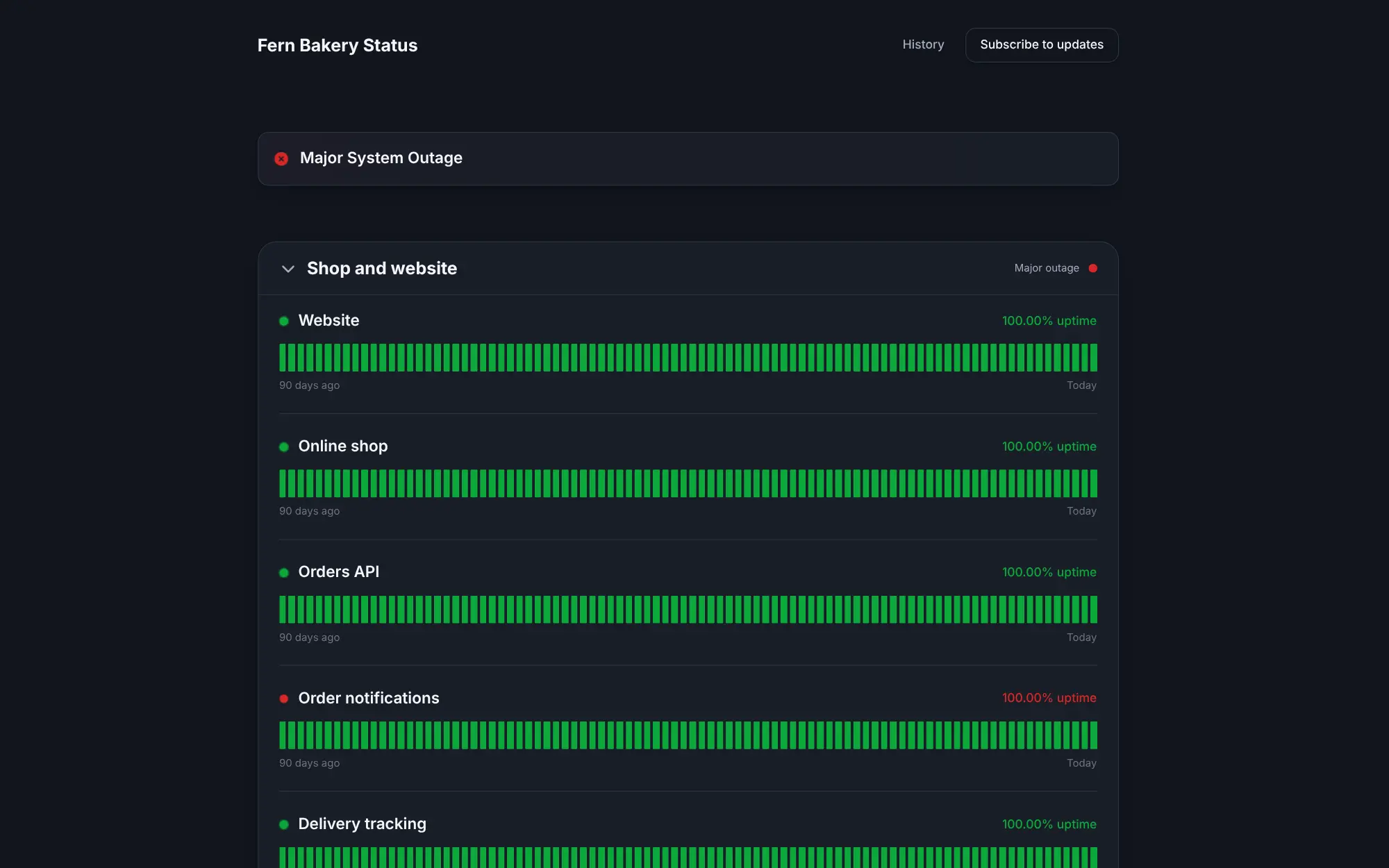
UptimeKit is a self-hosted uptime monitor and status page in one app, an open source alternative to Better Stack, Atlassian Statuspage and UptimeRobot. It checks your websites, APIs and servers, opens an incident when something goes down, alerts your team, and keeps customers informed on a branded status page with 90 days of uptime history.
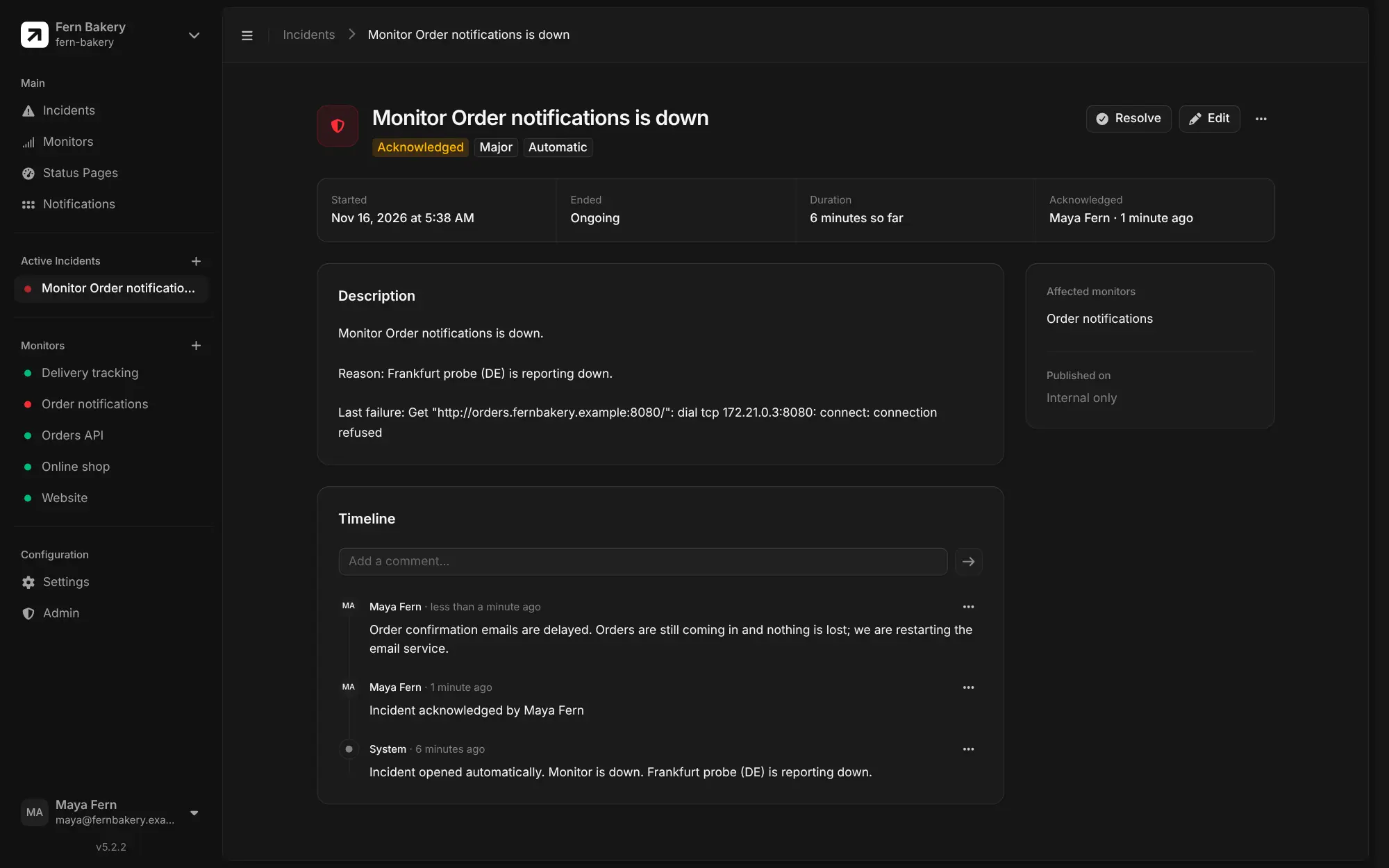
A bakery with an online shop, for example, could watch its website, shop, order system and delivery tracking. When order emails stop going out, UptimeKit opens an incident and posts to the team's Telegram group; the team adds updates as they fix it, and customers who subscribed to the status page get each update by email.
Alerts go to Discord, Telegram, Google Chat, ntfy, webhooks and, through Apprise, many other services, and Prometheus alerts can open and close incidents. There are no phone apps; push alerts reach phones through ntfy or Telegram. Email to subscribers needs an email service, SMTP or Resend, set up first.
Cloudgate installs UptimeKit on a server Cloudgate provides or one you connect, gives it a secure web address, and sets up its first checking point for you. Sign up straight away to become the admin, then add the sites you want to watch.
What you can do with UptimeKit
- Watch websites, APIs and servers Check web pages, APIs, open ports, ping, DNS answers, a word on a page or a value in a JSON reply, on a schedule you set.
- Open incidents automatically When a check fails, UptimeKit opens an incident, and your team acknowledges it, adds updates and resolves it with a full timeline.
- Publish branded status pages Show customers 90 days of uptime, live incidents and planned maintenance on several status pages, on your own domain or behind a password.
- Let customers subscribe Visitors subscribe to a status page and get an email when an incident starts, changes or is resolved.
- Get alerts where you already are Send alerts to Discord, Telegram, Google Chat, ntfy or any webhook, with Apprise to reach many more services.
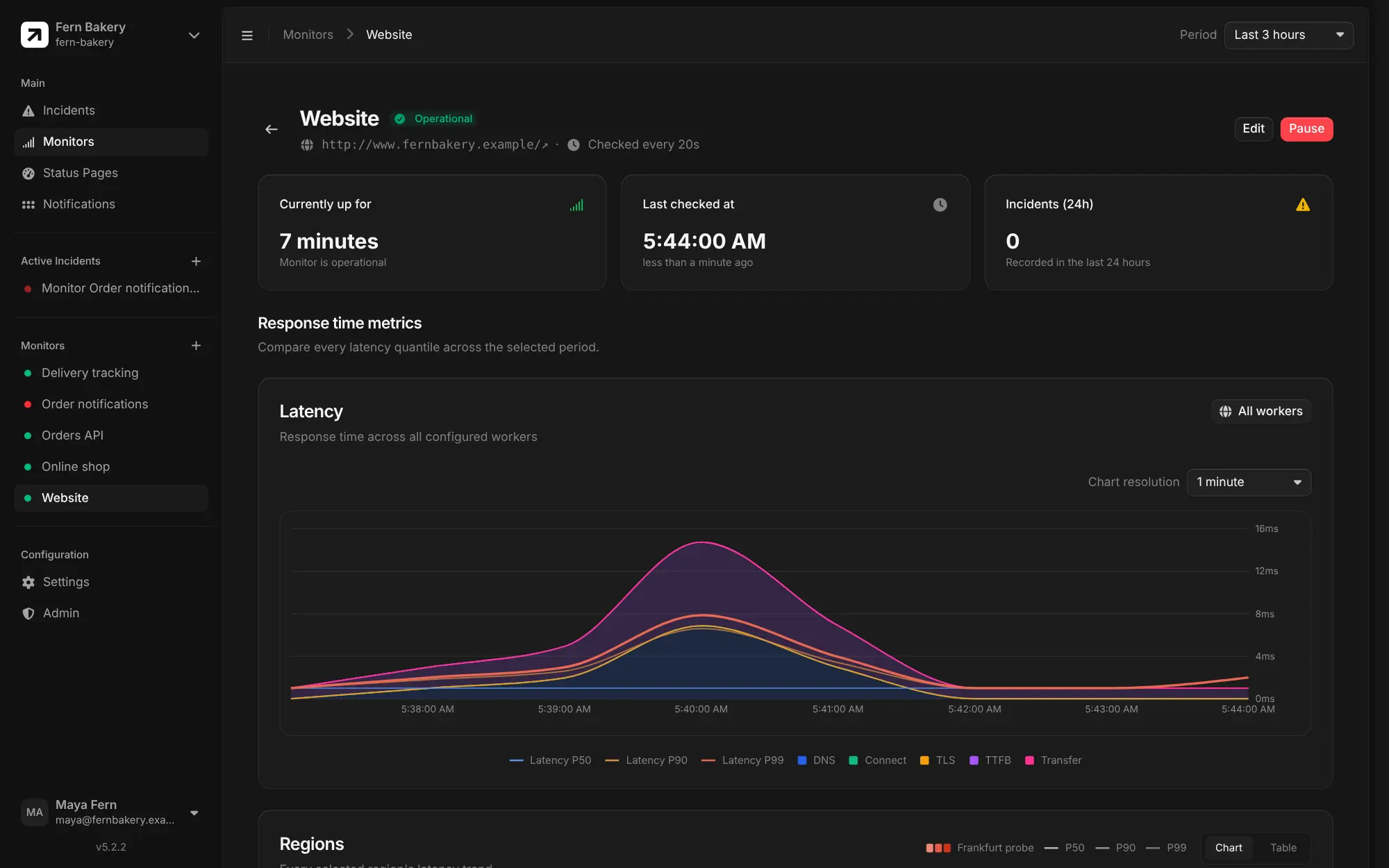
- See response times and certificates Follow typical and slowest response times for each check, and get a warning 30, 14, 7 and 1 days before an SSL certificate runs out.
- Work as a team Invite colleagues with owner, admin or member roles, sign in with two-factor or your company's single sign-on, and keep each client in its own organization.
Replaces Better Stack, Statuspage, UptimeRobot and Instatus
UptimeKit does the same job as Better Stack, Statuspage, UptimeRobot and Instatus. Here is what changes when you switch.
- No limit on monitors, status pages or team members, and no paid edition
- Monitoring, incidents and status pages in one app, with email subscribers included
- Your check history and customer subscriber list stay on your own server
- Add checking points on other servers to test from more than one region
- No on-call rotas, phone-call or SMS alerts, and no log search
- Checks run from your own server unless you set up extra checking points elsewhere
- Email to subscribers needs an email service, SMTP or Resend, set up first
- No import from Better Stack; you add your monitors again by hand
What happens when you click Deploy?
You do not need a server or any technical knowledge. Four steps, and UptimeKit is running at its own web address.
- Step 1 Click Deploy and create your account
Deploy takes you to Cloudgate. Create an account, or log in if you have one. UptimeKit itself is free.
- Step 2 Choose a server
No server? Get one from Cloudgate: pick a size and a country, and Cloudgate gets it ready. Already have one? Connect it instead.
- Step 3 Cloudgate sets up UptimeKit
It prepares the server, makes the passwords the app needs and starts it. There is nothing to install and nothing to write down.
- Step 4 Open your app and sign in
Your app gets a free web address to start, without https. Add your own domain, like app.yourshop.com, and Cloudgate secures it with https for you.
New to Cloudgate? See what Cloudgate is
Run Cloudgate yourself? Deploy from your own console
In your Cloudgate console, open Templates and choose UptimeKit.
Questions
Is UptimeKit free?
Yes, UptimeKit is free and open source under the MIT licence, with no paid edition and no limit on monitors, status pages or users. You pay only for the server it runs on.
Is UptimeKit a good alternative to Better Stack?
Yes, UptimeKit covers uptime checks, automatic incidents, alerts and public status pages with email subscribers. It has no on-call rotas, phone-call or SMS alerts or log management, and it checks from your own server unless you add more checking points elsewhere.
What is the difference between UptimeKit and Uptime Kuma?
UptimeKit and Uptime Kuma are separate projects. UptimeKit puts more weight on incidents and status pages, with themes, email subscribers, several pages, team roles and checks from several regions; Uptime Kuma is a single, lighter app with many more alert services.
How do I sign in to UptimeKit the first time?
The first person to sign up at your UptimeKit address becomes the admin; there is no default password. Sign-up then closes, and colleagues join by invitation.
Can UptimeKit import my monitors from Better Stack or UptimeRobot?
No, UptimeKit has no import from Better Stack, UptimeRobot or Statuspage. You add each website or service again, which takes a few seconds per monitor.
Can customers get UptimeKit status updates by email?
Yes, visitors can subscribe on your UptimeKit status page and get an email when an incident is created, updated or resolved. This needs an email service, SMTP or Resend, set up first; chat and push alerts to your team work without one.
Can UptimeKit check my website from more than one country?
Yes, if you run extra UptimeKit checking points on servers in other places. Out of the box it checks from the server it is installed on, and each extra checking point adds its own region to the response-time charts.
Do I need technical skills to run UptimeKit?
No. Click Deploy, create your Cloudgate account and choose a server, and Cloudgate sets up UptimeKit and gives it a web address. You use it in your browser like any other online tool.
Do I need my own server for UptimeKit?
No. When you deploy UptimeKit, hosted Cloudgate can provide a server. If you already rent one, you can connect it instead.
Related apps

Uptime monitoring for your websites and servers, with status pages.

Uptime monitoring with incidents, on-call alerts and status pages.

Watch websites and databases, log incidents, share status pages.

Uptime, server and SSL monitoring with status pages.