
Domain Locker
A self-hosted domain expiry tracker for every domain you own.
No server needed to start: Cloudgate can provide one. What happens when you click Deploy
What is Domain Locker?
Domain Locker is a self-hosted domain expiry tracker that watches your domains, SSL certificates, DNS and uptime, and warns you before anything lapses.
Domain Locker is a free, open-source, self-hosted domain expiry tracker: it keeps every domain name you own in one place and warns you before a domain or its SSL certificate runs out, in place of paid monitoring such as UptimeRobot's domain and SSL checks. You type in a domain and it looks up the registrar, expiry date, certificate, DNS records, host and subdomains for you, then keeps checking them.
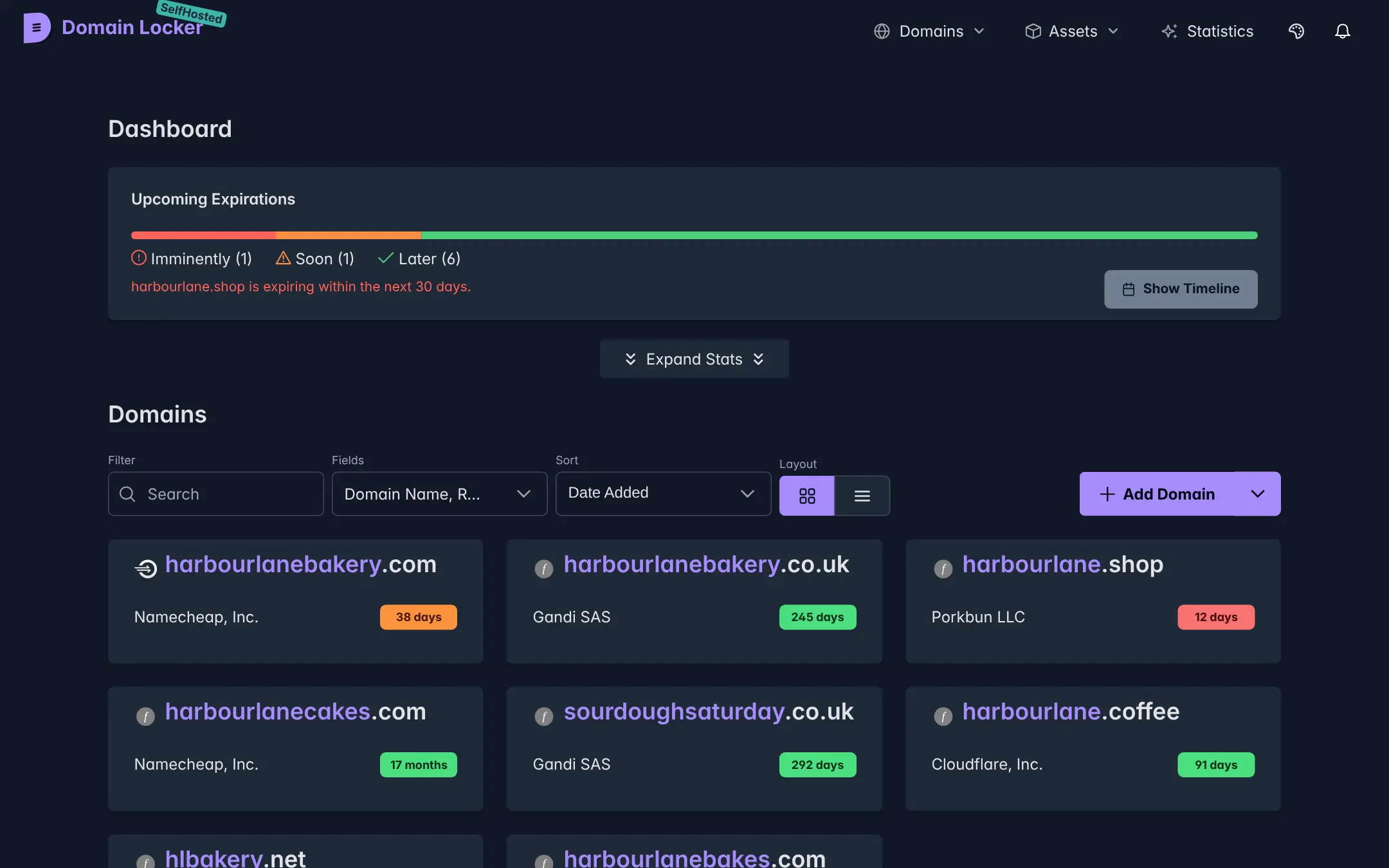
It also logs every change, checks that each website is up, and records what each domain cost and when it renews. A bakery with a main site, a shop domain and a few names bought to protect its brand could see on one screen that the shop domain expires in 12 days, though it was bought at a different registrar.
Domain Locker works with any registrar, because it reads public domain records rather than logging in to your registrar accounts. Alerts go to ntfy, Discord or Apprise, which can pass them on to Telegram, email and many other services. There is no phone app, but the dashboard works in a phone's browser.
Cloudgate installs Domain Locker on a server Cloudgate provides or one you connect, gives it a secure web address and protects it with a password. Sign in, paste in your domains, and your list stays on your server.
What you can do with Domain Locker
- See every domain in one place One dashboard lists all your domains, whichever registrar you bought them from, with the days left before each one expires.
- Get warned before anything lapses Reminders go out 90, 30, 7 and 2 days before a domain expires, and you can choose your own days.
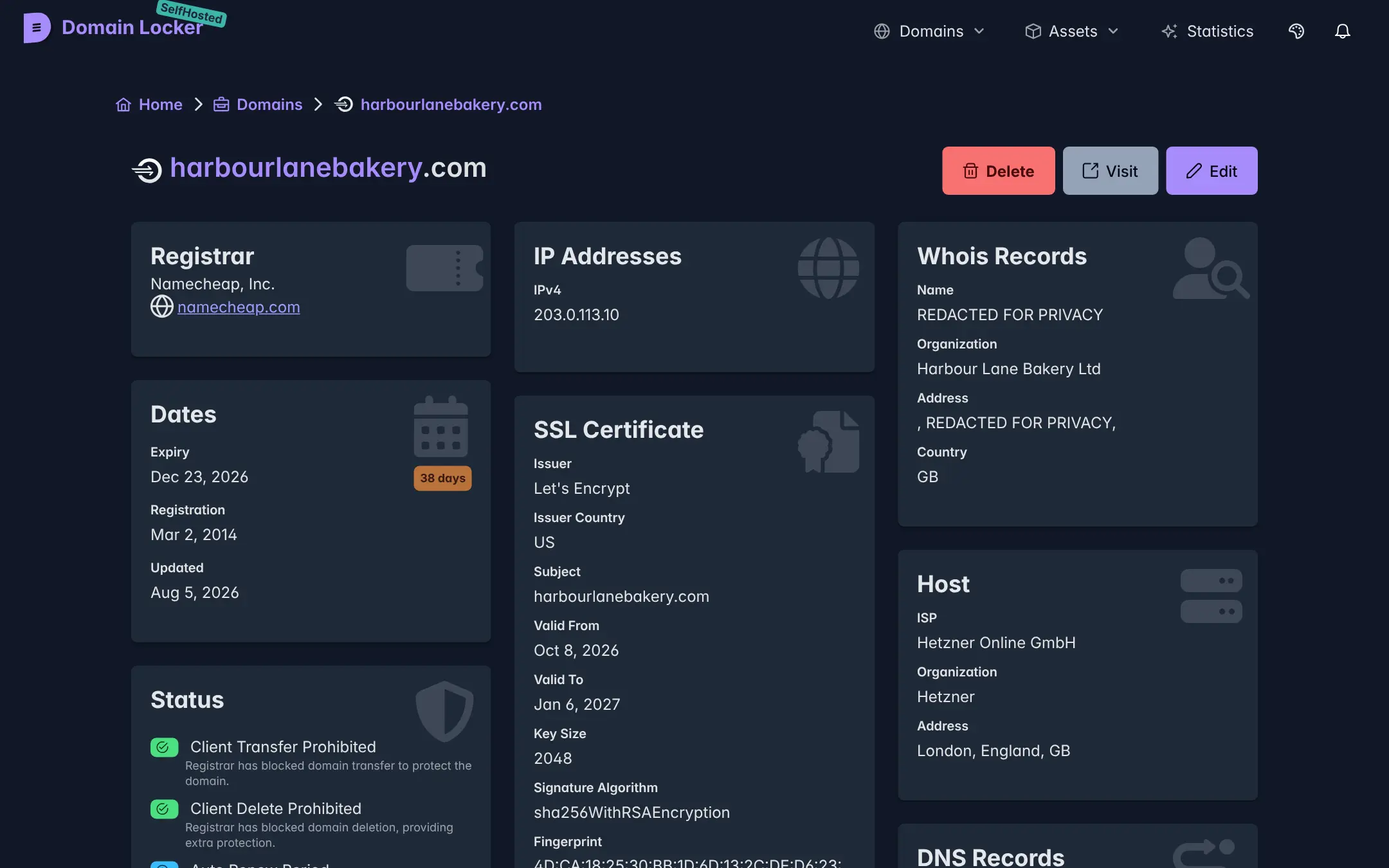
- Watch SSL certificates and DNS Domain Locker looks up each domain's certificate, DNS records, IP address, host and registrar for you, and keeps them up to date.
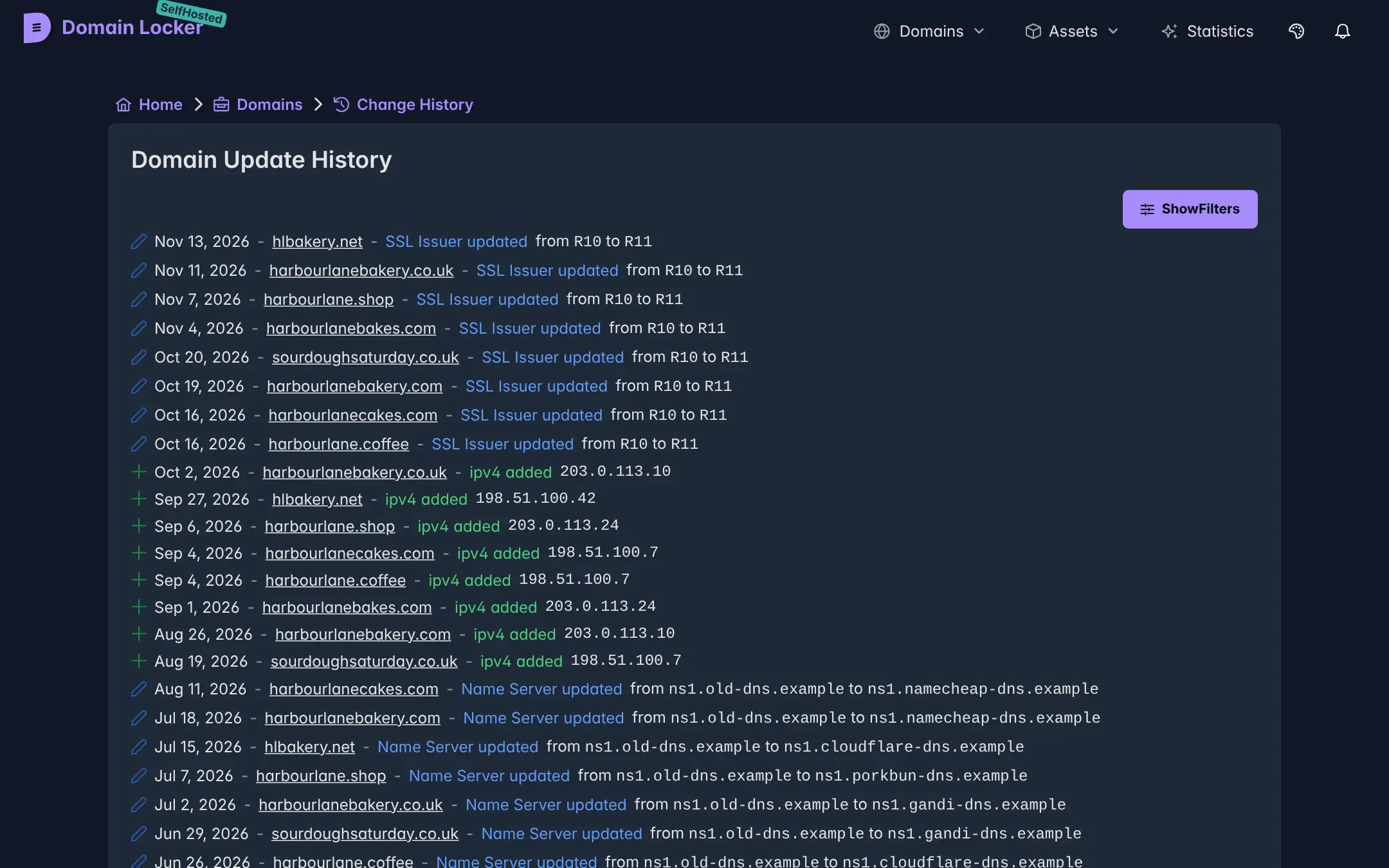
- Know when something changes Every change, such as new name servers, a new IP address or a new certificate issuer, is logged, and you can be alerted about it.
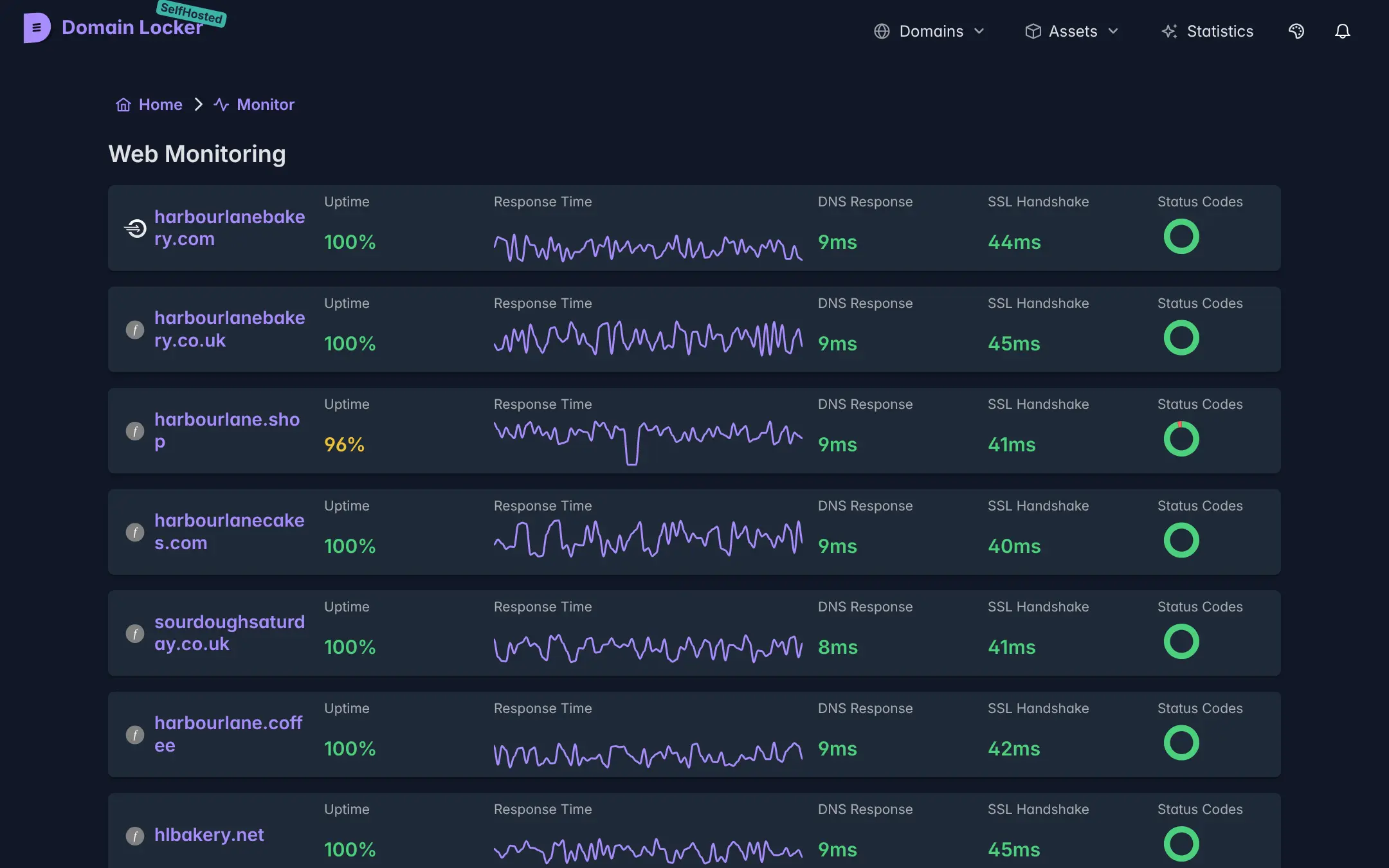
- Check your websites are up Uptime, response time and status codes are checked every 15 minutes and shown as a simple chart per domain.
- Keep track of costs Record what each domain cost, what it renews for and whether auto-renew is on, and see the payments coming up.
- Add domains in bulk and take them with you Paste a list of domains to add them at once, and export everything to CSV or JSON whenever you like.
Replaces UptimeRobot
Domain Locker does the same job as UptimeRobot. Here is what changes when you switch.
- Domain expiry, SSL, DNS and uptime tracking with no plan to pay for
- Registrar, WHOIS, DNS and change history for each domain, not only an up or down check
- Up to 500 domains on one install
- Your list of domains and what they cost stays on your server
- Websites are checked every 15 minutes from your one server, not every minute from many places
- No built-in email alerts; you connect ntfy, Discord or Apprise instead
- One shared password, with no separate logins for each person
- No public status page
What happens when you click Deploy?
You do not need a server or any technical knowledge. Four steps, and Domain Locker is running at its own web address.
- Step 1 Click Deploy and create your account
Deploy takes you to Cloudgate. Create an account, or log in if you have one. Domain Locker itself is free.
- Step 2 Choose a server
No server? Get one from Cloudgate: pick a size and a country, and Cloudgate gets it ready. Already have one? Connect it instead.
- Step 3 Cloudgate sets up Domain Locker
It prepares the server, makes the passwords the app needs and starts it. There is nothing to install and nothing to write down.
- Step 4 Open your app and sign in
Your app gets a free web address to start, without https. Add your own domain, like app.yourshop.com, and Cloudgate secures it with https for you.
New to Cloudgate? See what Cloudgate is
Run Cloudgate yourself? Deploy from your own console
In your Cloudgate console, open Templates and choose Domain Locker.
Questions
Is Domain Locker free?
Yes, self-hosted Domain Locker is free and open source under the MIT licence, with every feature and up to 500 domains. Its makers also sell a hosted version at domain-locker.com with paid plans; on your own server you pay only for hosting.
Is Domain Locker a good alternative to UptimeRobot?
Yes, Domain Locker is a good fit if what you need is to stop domains and SSL certificates from expiring and to see when DNS or hosting changes. UptimeRobot checks websites far more often and from many places, so for minute-by-minute uptime alerts a dedicated uptime monitor is the better fit.
How do I sign in to Domain Locker the first time?
Open the app's web address and enter the password Cloudgate creates, shown on the app's variables page in Cloudgate. There is no sign-up and no default login; everyone who uses this Domain Locker shares that one password.
How does Domain Locker warn me before a domain expires?
Domain Locker sends a reminder 90, 30, 7 and 2 days before a domain expires, and alerts when a domain's details change. The self-hosted version sends them through ntfy, Discord or Apprise, which can pass them on to Telegram, email and many other services; it has no built-in email.
Can I add all my domains at once?
Yes, paste a list of domain names and Domain Locker adds them together, then looks up each one's registrar, expiry date, certificate and DNS. You can export the list to CSV or JSON at any time.
Can each person on my team have their own login?
No, self-hosted Domain Locker has one shared password and no separate user accounts. Give the password only to people who should see and change every domain.
What server size do I need for Domain Locker?
A small server is enough, because Domain Locker is one light app that keeps its data in a single file. Cloudgate installs it on the small size, and you can move to a bigger server later if you need to.
Do I need technical skills to run Domain Locker?
No. Click Deploy, create your Cloudgate account and choose a server, and Cloudgate sets up Domain Locker and gives it a web address. You use it in your browser like any other online tool.
Do I need my own server for Domain Locker?
No. When you deploy Domain Locker, hosted Cloudgate can provide a server. If you already rent one, you can connect it instead.
Can I move my data from UptimeRobot to Domain Locker?
Most people export from UptimeRobot and import into Domain Locker. The official guides at domain-locker.com walk through it.
Related apps

Uptime, server and SSL monitoring with status pages.

Uptime checks and a status page, set in one file.

Know the moment your website goes down, and tell customers.

Uptime monitoring for your websites and servers, with status pages.