
Gatus
Uptime checks and a status page, set in one file.
No server needed to start: Cloudgate can provide one. What happens when you click Deploy



What is Gatus?
Self-hosted Gatus checks your websites, alerts you by email, Slack and about 40 other services, and shows a public status page. An UptimeRobot alternative.
Gatus is a self-hosted, open-source uptime monitor and status page, a free alternative to UptimeRobot, Pingdom and Atlassian Statuspage. It checks your websites on a schedule, shows the results on a public status page and alerts you by email, Slack, Microsoft Teams, Telegram and about 40 other services when something breaks.
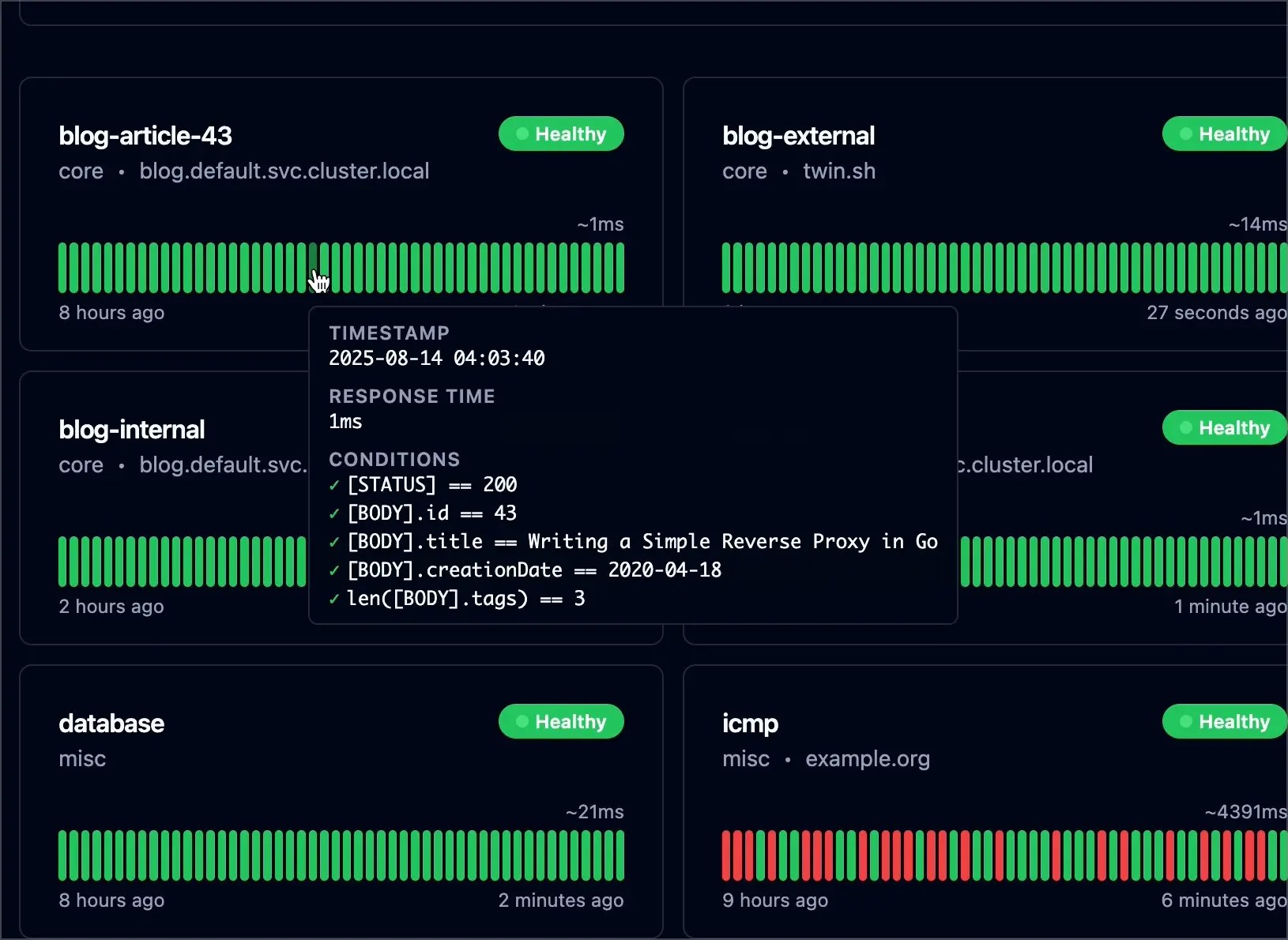
Each check can do more than see whether a site answers. Gatus can mark a site down if it is slow, if the page is missing text you expect, or if its security certificate or domain name is about to expire. A bakery with an online order page, for example, could check every five minutes that the page loads and still shows "Order now", get an email the moment it doesn't, and post a notice on its status page while the problem is fixed.
Gatus has no settings screen and no accounts. Everything, from which sites to check to where alerts go, lives in one short settings file. That makes it quick to copy and back up, but if you would rather click through screens, Uptime Kuma is the simpler choice.
How Cloudgate installs Gatus
Cloudgate installs Gatus on a server Cloudgate provides or one you connect and gives it a secure web address. Setup asks for the first website to check and a name for your status page; Gatus starts checking it every five minutes straight away. To add sites or alerts, edit its settings file in the Cloudgate console. For reliable alerts, run it on a different server from the websites it watches.
What you can do with Gatus
- Check your websites Gatus visits each site on a schedule and marks it down if it is slow, shows an error or is missing the text you expect.
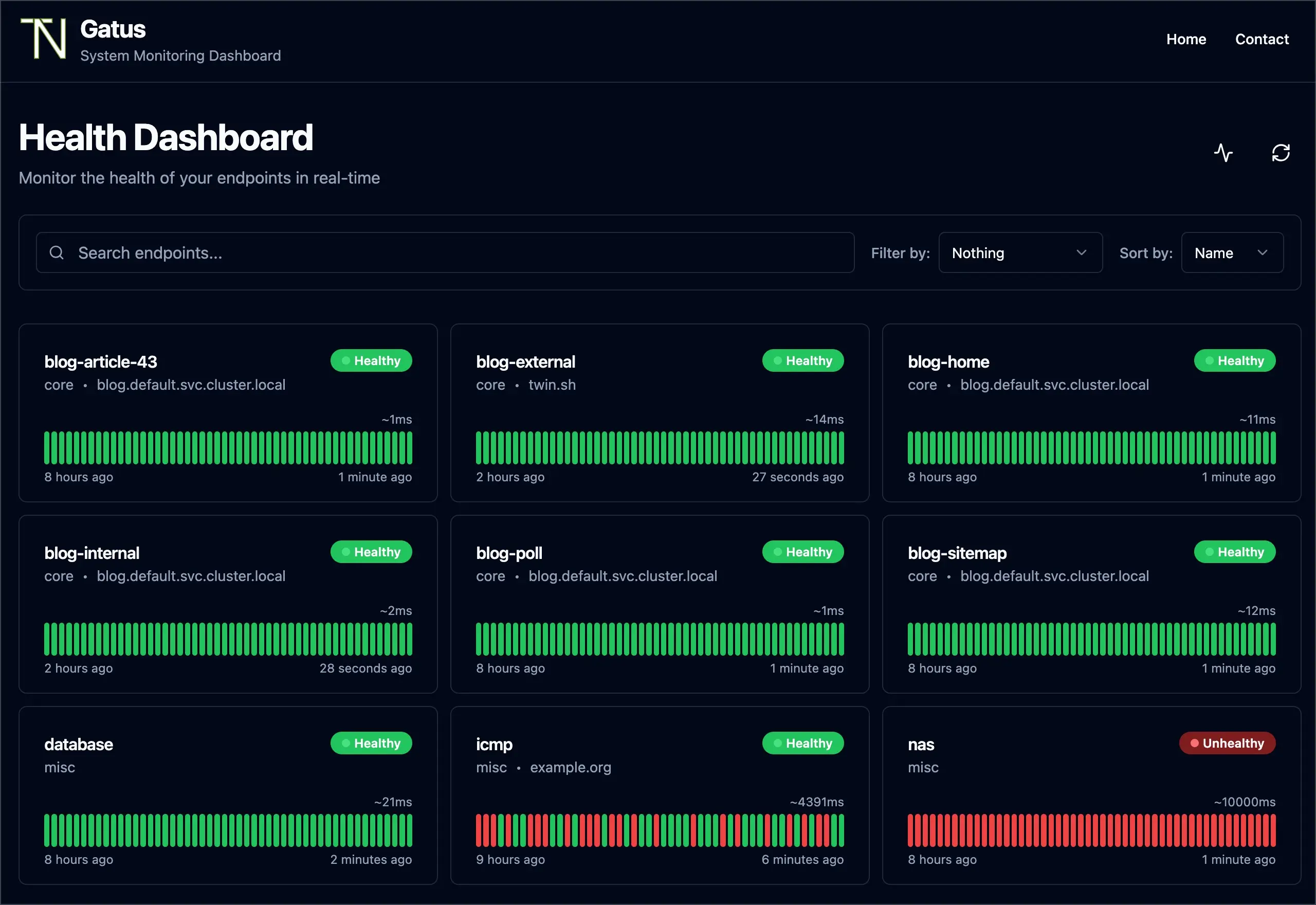
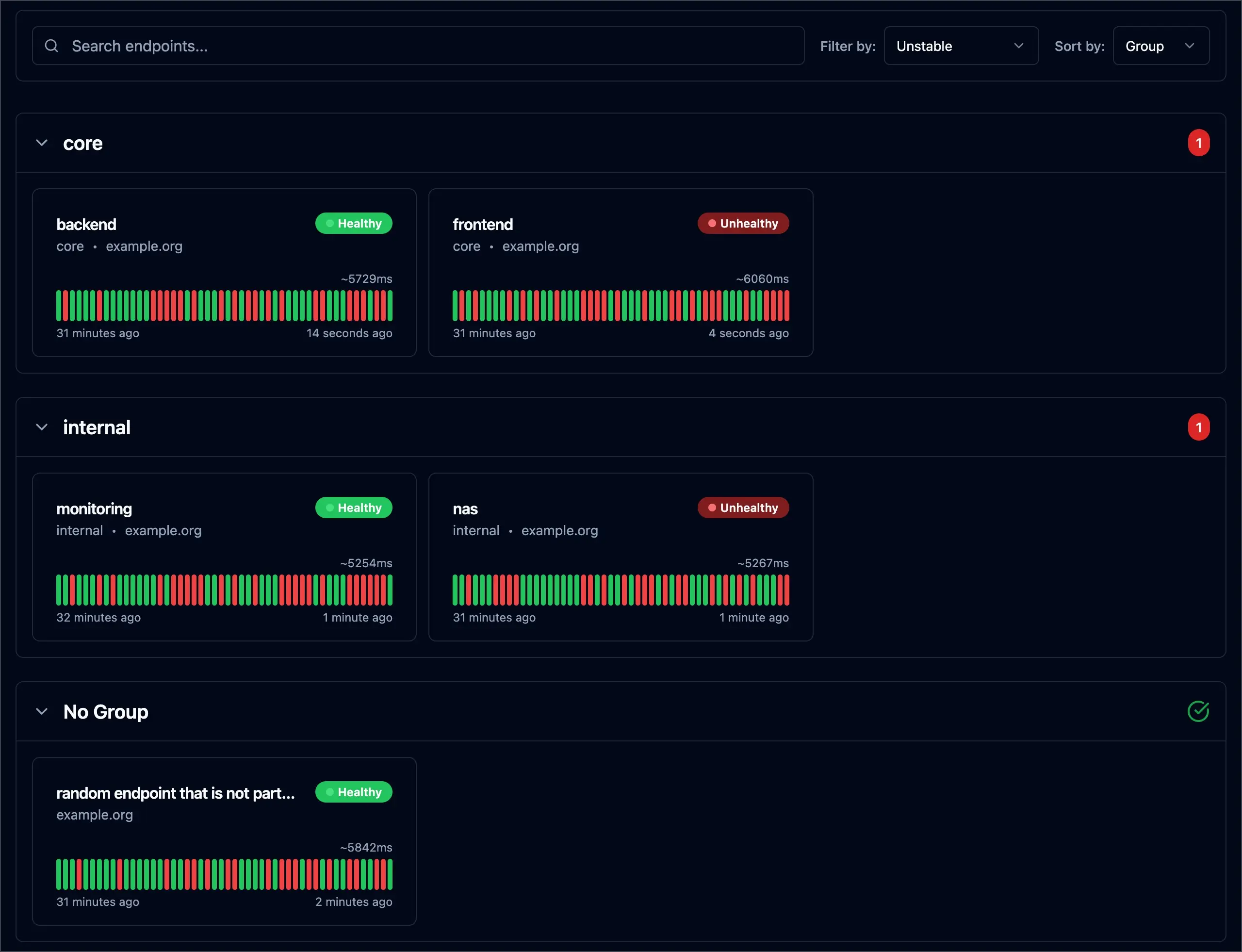
- Show a status page Every check appears on a read-only status page with a row of green and red bars for its recent history.
- Catch expiring certificates and domains Get warned before a website's security certificate runs out or a domain name is due for renewal.
- Get alerted your way Send alerts by email, Slack, Microsoft Teams, Telegram, Discord, ntfy and about 40 other services.
- Check more than websites Watch APIs, open ports, DNS records, mail servers and whether a server answers a ping.
- Post announcements Show a notice at the top of the status page about an outage or planned work, and keep past ones below.
- Pause alerts for maintenance Set maintenance windows so planned work does not set off alerts.
- Add uptime badges Put a small uptime or response-time badge on your website or help pages.
Replaces UptimeRobot, Statuspage and Pingdom
Gatus does the same job as UptimeRobot, Statuspage and Pingdom. Here is what changes when you switch.
- No price per check, per site or per status page
- Alerts in about 40 services, all included
- Your settings live in one file you can copy, back up and keep
- Your check history stays on your own server
- There is no settings screen; you change checks and alerts by editing a text file
- It checks from one place, your server, not from many locations around the world
- The status page shows announcements, but has no incident timelines or email subscribers
- If the server it runs on goes down, it cannot alert you, so run it somewhere else
What happens when you click Deploy?
You do not need a server or any technical knowledge. Four steps, and Gatus is running at its own web address.
- Step 1 Click Deploy and create your account
Deploy takes you to Cloudgate. Create an account, or log in if you have one. Gatus itself is free.
- Step 2 Choose a server
No server? Get one from Cloudgate: pick a size and a country, and Cloudgate gets it ready. Already have one? Connect it instead.
- Step 3 Cloudgate sets up Gatus
It prepares the server, makes the passwords the app needs and starts it. There is nothing to install and nothing to write down.
- Step 4 Open your app and sign in
Your app gets a free web address to start, without https. Add your own domain, like app.yourshop.com, and Cloudgate secures it with https for you.
New to Cloudgate? See what Cloudgate is
Run Cloudgate yourself? Deploy from your own console
In your Cloudgate console, open Templates and choose Gatus.
Questions
Is Gatus free?
Yes, Gatus is free and open source under the Apache-2.0 licence, with no paid edition or paid features. You pay only for your server. Its makers also sell a separate hosted service at gatus.io, which you don't need.
Is Gatus a good alternative to UptimeRobot?
Yes, Gatus is a self-hosted alternative to UptimeRobot and Pingdom for checking that websites are up, with no limit on checks and a status page included. It checks from your one server rather than from many places around the world, and you set it up by editing a file instead of clicking through screens.
Should I use Gatus or Uptime Kuma?
Uptime Kuma suits you if you want to add websites and alerts by clicking in a web page; Gatus suits you if you are happy to keep every check in one settings file and want detailed rules, such as checking that a page contains certain text. Both include a status page.
How do I add more websites or alerts to Gatus?
You edit Gatus's settings file, config.yaml, in the Cloudgate console and redeploy. The file Cloudgate installs has ready-made examples to copy for another website, a domain renewal check and email or Slack alerts. A typing mistake stops Gatus from starting, and its log names the line to fix.
Who can see my Gatus status page?
Anyone who has its web address can see a Gatus status page. Gatus has no accounts or admin to create, and nobody can change anything from the browser. If you want it private, you can add a sign-in or single sign-on in the settings file.
Can I import my monitors from UptimeRobot or Statuspage?
No, Gatus has no import from other services. You list your websites in its settings file, one short entry each.
Should Gatus run on the same server as my website?
No, keep Gatus off the server it watches. If that server goes down and takes Gatus with it, no alert goes out and your status page goes dark too.
Do I need technical skills to run Gatus?
No. Click Deploy, create your Cloudgate account and choose a server, and Cloudgate sets up Gatus and gives it a web address. You use it in your browser like any other online tool.
Do I need my own server for Gatus?
No. When you deploy Gatus, hosted Cloudgate can provide a server. If you already rent one, you can connect it instead.
Related apps

Know the moment your website goes down, and tell customers.

Uptime, server and SSL monitoring with status pages.

Uptime monitoring for your websites and servers, with status pages.

Uptime monitoring with incidents, on-call alerts and status pages.