
P

Open-source alternatives to PRTG

Zabbix is a free, open-source PRTG alternative for network monitoring: it polls switches, routers, printers and servers over SNMP, ping and its own agents, with dashboards, network maps and alerts. PRTG is licensed by the number of sensors; Zabbix has no sensor or device limit, though it takes more setup and learning.

3 alternatives Free apps Our pick: Zabbix

At a glance

App Good for Code Ease of use
Zabbix IT teams and service providers watching many servers and network devices Code Open source Some setup
Checkmk IT teams and service providers watching servers and network devices Code Open source Some setup
LibreNMS Watching an office or multi-site network's switches, routers, firewalls and servers Code Open source Some setup

Why look for an alternative to PRTG?

PRTG Network Monitor, from Paessler, is monitoring software for networks, servers and applications. It runs on Windows, and each value it watches, such as a port's traffic or a disk's free space, is a sensor; licences are sold by the number of sensors.

IT teams look for a PRTG alternative when they outgrow their sensor licence and the next tier costs more, or when they would rather not run a Windows server for monitoring. A self-hosted Zabbix watches the same switches, servers and devices with no sensor limit and no licence fee, in exchange for more setup. LibreNMS does the same for network gear, finding devices over SNMP on its own. Checkmk Community runs on Linux with no licence fee either, and finds the services on each host for you.

The alternatives, compared

Zabbix

Our pick

Monitor every server, switch and printer, and get alerts on problems.

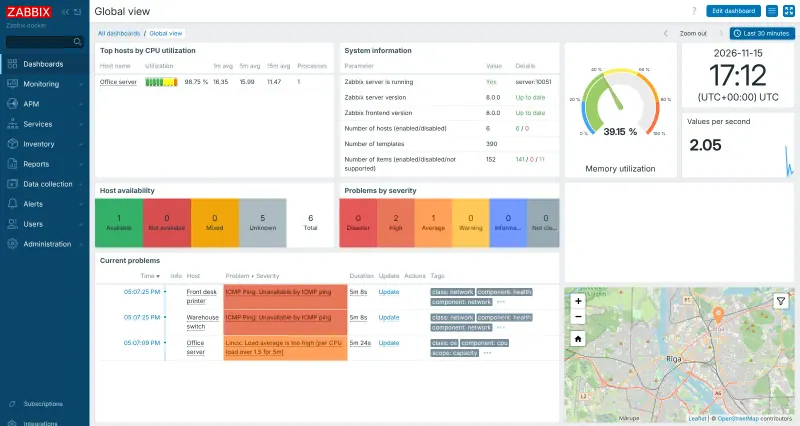
Monitors the same kinds of devices as PRTG: switches, routers, firewalls, printers, servers, virtual machines and websites, over SNMP polling and traps, ping, HTTP, IPMI and its own agents, with network discovery, ready-made templates, network maps, dashboards and alerts. It has no sensor or device limit. PRTG is quicker to set up, with a guided start; Zabbix has more concepts to learn, such as items, triggers and actions.

What you gain
  • No licence fees, and no limit on the number of devices, servers or checks
  • Your monitoring data stays on your own server
  • Every feature is in the free version; paid plans only add support
What is different
  • It takes longer to learn and set up than PRTG or a cloud service
  • Devices on your office network need a path to your server, such as a Zabbix proxy or VPN
  • It does not trace code or analyse logs the way Datadog does
Some setup Open source

Watch your servers and network, and get alerts when something breaks.

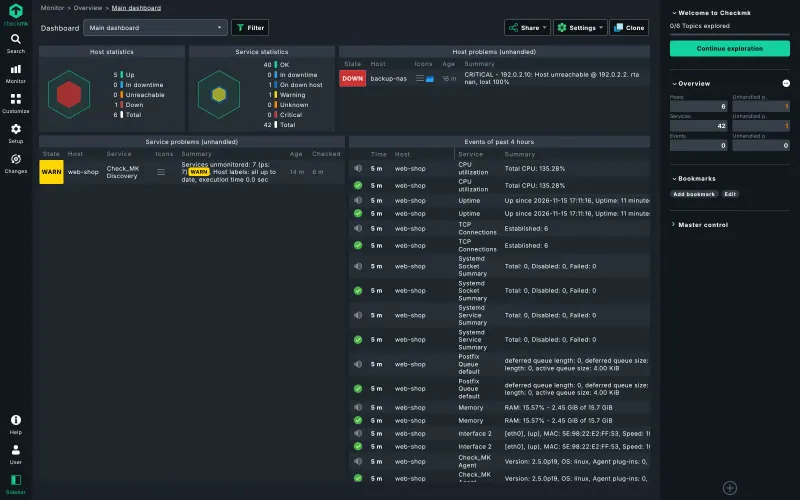
Monitors Linux and Windows servers through its agent, and switches, routers and other network devices without one, finds each host's services on its own, and alerts you by email, Slack, Microsoft Teams, PagerDuty and more. It has over 2,000 official integrations, graphs, dashboards and an inventory. The free Community edition has no agent bakery, PDF reports or two-step sign-in, and each agent is installed by hand.

What you gain
  • No licence fee per sensor, device or user in the Community edition
  • Unlimited user accounts with roles and permissions
  • Your monitoring data stays on your own server
What is different
  • Setup takes more hand work; you install the agent on each server yourself
  • Automatic agent updates, PDF and SLA reports, two-step sign-in and single sign-on are only in the paid editions
  • Checkmk describes Community as made for smaller setups; the paid editions are built for much larger networks
Some setup Open source

Network monitoring for switches, routers and servers.

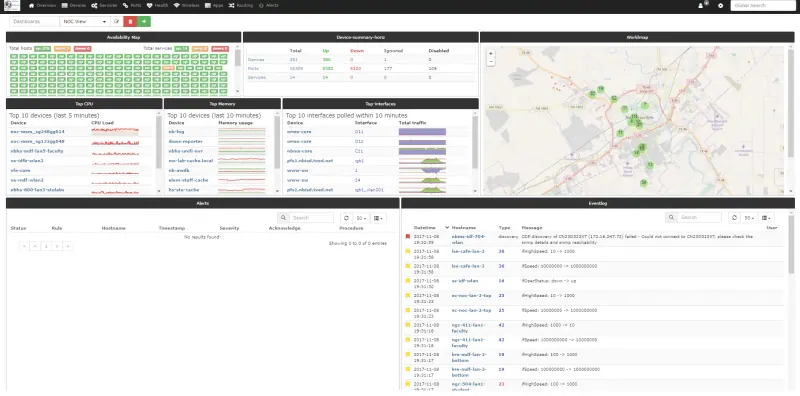
Monitors the same kind of network: it discovers switches, routers, firewalls, servers and printers over SNMP and neighbour protocols, graphs traffic, CPU, memory and temperatures, and alerts through email, Slack, Microsoft Teams, PagerDuty and more than 50 other channels, with no sensor or device limit. It is SNMP-first, needs more setup than PRTG and has an older-style interface, with community support rather than a vendor, and the server must be able to reach your devices, through a VPN if they are on an office network.

What you gain
  • No sensor, device or licence limits, and no paid edition
  • Every feature is included, from alerts and maps to bandwidth billing
  • Your network data stays on your own server
What is different
  • Each device needs SNMP switched on, and the server must reach it through a VPN or site link
  • The interface is plainer and takes more setup than PRTG or Auvik
  • Help comes from the community forum and chat, not a vendor support desk
Some setup Open source

Moving from PRTG

There is no import from PRTG. Sign in to Zabbix as Admin, change the password and set up your alert channels. Use network discovery to find the devices on a range of addresses, or add them one by one, and link each to a ready-made template such as a switch by SNMP or Windows by Zabbix agent. Rebuild your most-used maps and dashboards, run both systems side by side until the alerts match, then stop PRTG. Devices on a private office network need a Zabbix proxy or a VPN if Zabbix runs on a cloud server.

With LibreNMS, turn on SNMP on your switches, routers, firewalls and servers, using the same community string or SNMPv3 details PRTG uses, and make sure the LibreNMS server can reach them. Add a core switch or two under Devices, then switch on auto-discovery so LibreNMS finds their neighbours. Set up your alert channels and rules, then run both side by side until the alerts match.

With Checkmk, add each server or device, install the Checkmk agent on your Linux and Windows servers, and use SNMP for switches, routers and printers; Checkmk then discovers the services on each host, much like PRTG's auto-discovery. Group hosts with folders, tags and labels, then set up notifications. Checkmk checks agents by connecting to them, so the Checkmk server must be able to reach each one over your network (TCP port 6556).

Questions

What is the best open-source alternative to PRTG?

Start with Zabbix. All 3 are free and open source.

Is Zabbix harder to use than PRTG?

Yes, at first. PRTG sets up sensors for you in a few clicks; Zabbix asks you to learn hosts, items, triggers, templates and actions. Its ready-made templates do most of the work once you know where they are.

Do Zabbix, LibreNMS or Checkmk limit the number of sensors or devices?

No. None of them has a licence fee or a limit on devices or metrics. The limit is the size of your server.

Can they monitor devices on my office network from a cloud server?

Yes. Zabbix can use a Zabbix proxy inside the office network or a VPN; LibreNMS needs a VPN or site-to-site link. A cloud server cannot reach private office addresses on its own.

Should I choose Zabbix or LibreNMS?

Choose LibreNMS for network gear: it finds switches, routers and firewalls over SNMP and neighbour protocols on its own and draws maps from them, with less to learn. Choose Zabbix to watch servers, applications and websites as closely as the network, with agents, templates and a proxy for remote offices.

Does LibreNMS draw network maps like PRTG?

Yes. It draws a map automatically from neighbour and ARP data, and you can draw your own maps that show each link's status and use.

Is Checkmk Community really free?

Yes. Checkmk Community is open source under the GPL v2, with no licence fee and unlimited user accounts. Its makers also sell paid editions with extras such as the agent bakery, PDF and SLA reports, single sign-on and support.

Does Checkmk need an agent on every server?

Mostly, yes. Servers report through the Checkmk agent, which you install on each one. Network devices such as switches and routers are checked without an agent, over SNMP or by ping.

How many devices can Checkmk Community monitor?

Its licence sets no host limit. Its makers describe Community as ideal for smaller environments, rate it for 100 or more hosts, and offer paid editions for much larger ones.

Should I choose Zabbix, LibreNMS or Checkmk?

Choose LibreNMS for network gear it can find on its own over SNMP. Choose Zabbix to watch servers, applications and websites as closely as the network, with a proxy for remote offices. Choose Checkmk if you want servers and devices found and their services set up for you, with over 2,000 official integrations; its free Community edition leaves some extras to paid editions.

Are these PRTG alternatives really free?

Yes, Zabbix, Checkmk and LibreNMS are free. To run them you need Cloudgate and a server. Use hosted Cloudgate, which can also provide the server, or install Cloudgate on a server of your own for free. Cloudgate's plans and prices are at cloudgate.octabyte.io/pricing. One server can run several apps.

Do I need a developer to replace PRTG?

No. Cloudgate installs the app you choose on your server and gives it a secure web address, and you use it in your browser instead of PRTG.