
LibreNMS
Network monitoring for switches, routers and servers.
No server needed to start: Cloudgate can provide one. What happens when you click Deploy


What is LibreNMS?
LibreNMS is self-hosted network monitoring and a PRTG alternative: it finds your switches, routers and servers, graphs their traffic and alerts you.
LibreNMS is a free, open-source network monitoring system, and a self-hosted alternative to PRTG and Auvik, that watches your switches, routers, firewalls, servers and printers and tells you when one goes down or runs into trouble. It talks to devices over SNMP, the standard monitoring protocol, and works with a wide range of brands, from Cisco and Juniper to HP, Ubiquiti and Linux servers.
Once a device is added, LibreNMS graphs its traffic, health and uptime, and finds neighbouring devices to add. Alerts go out by email, Slack, Microsoft Teams, Telegram, SMS and more than 50 other ways. An IT provider looking after three dental practices, for example, could watch each office's firewall, switches and Wi-Fi from one dashboard and get a Teams message when a site's internet link drops, before staff call.
LibreNMS checks each device directly, so the server must be able to reach your office network. For devices on a private network, that means a VPN or a site-to-site link to the server. Each device also needs SNMP switched on.
How Cloudgate installs LibreNMS
Cloudgate installs LibreNMS on a server Cloudgate provides or one you connect, keeps its data on lasting storage and gives it a secure web address. You sign in with the admin username you chose; Cloudgate creates the password and shows it on the app's variables page.
What you can do with LibreNMS
- Find your devices Discover switches, routers, firewalls, servers and printers automatically from the devices you already added.
- Graph your network See traffic on every port, plus CPU, memory, disk, temperature and uptime, over hours, months or years.
- Get alerted your way Send alerts by email, Slack, Microsoft Teams, Telegram, Discord, PagerDuty, SMS and more than 50 other ways.
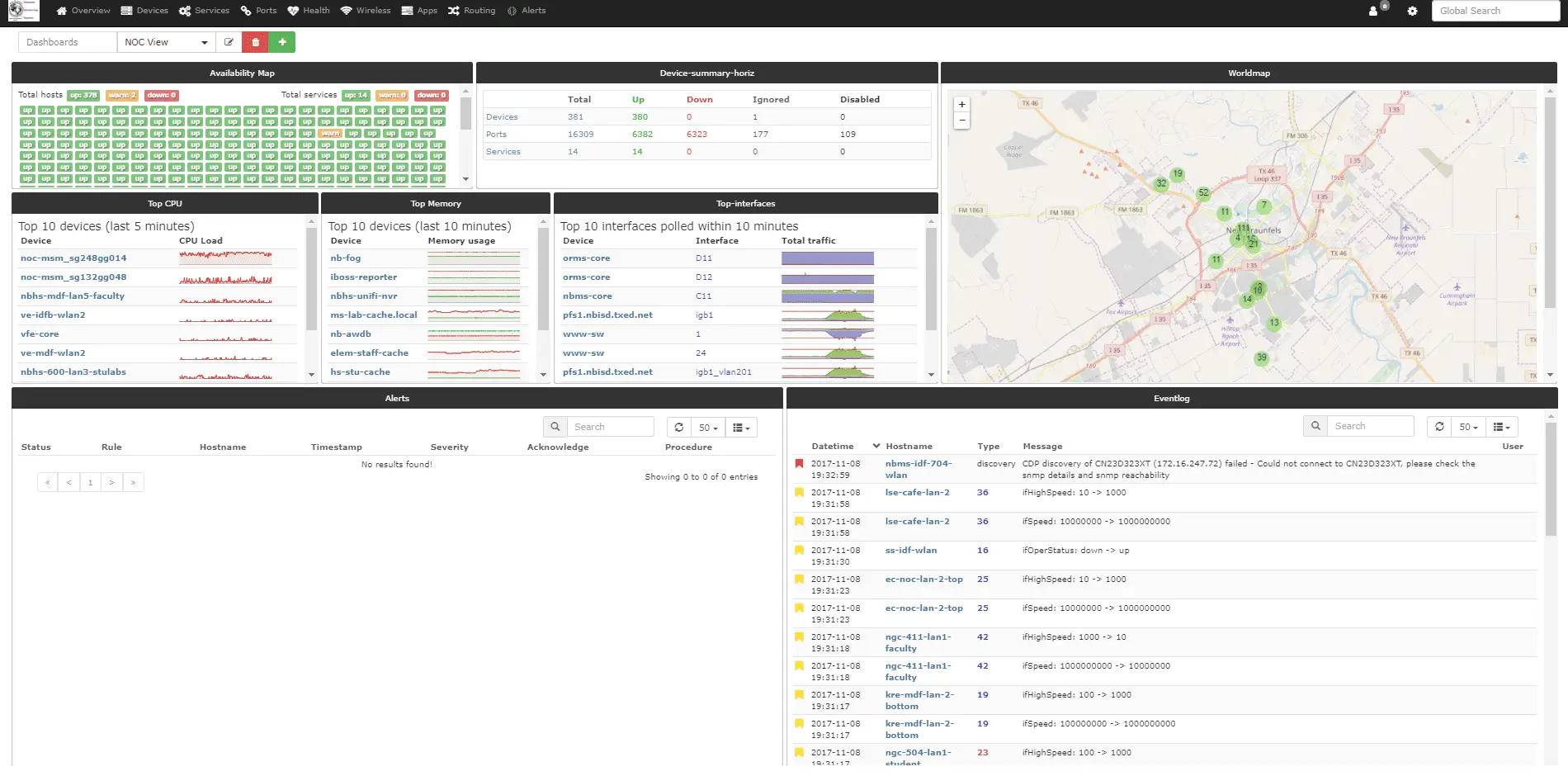
- Build dashboards Put availability, top talkers, a world map and the event log on one screen, and share it with your team.
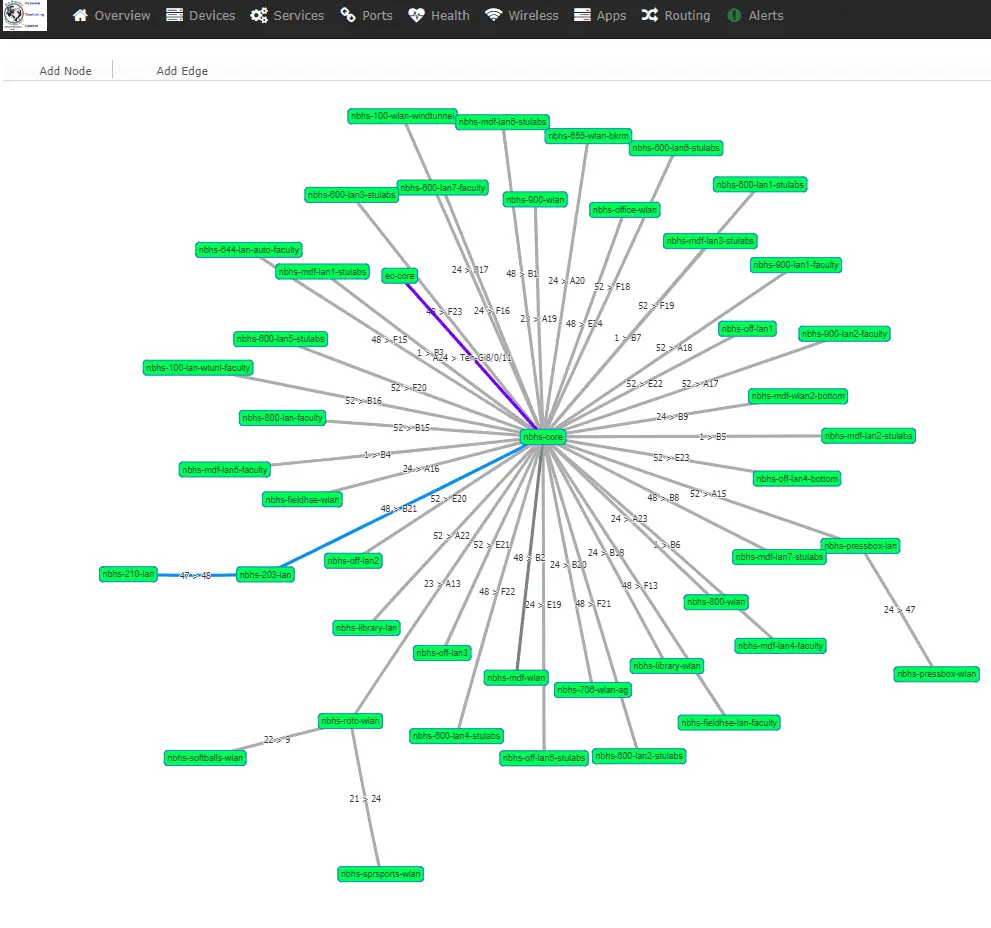
- Map your network Draw a map of how devices connect from their neighbour data, or lay out your own map with live link use.
- Check services too Test websites, DNS and other services next to your network devices, using standard Nagios plugins.
- Plan maintenance quietly Set maintenance windows so planned work does not set off alerts.
Replaces PRTG and Auvik
LibreNMS does the same job as PRTG and Auvik. Here is what changes when you switch.
- No sensor, device or licence limits, and no paid edition
- Every feature is included, from alerts and maps to bandwidth billing
- Your network data stays on your own server
- Support for a wide range of brands, from Cisco and Juniper to HP, Ubiquiti and Linux
- Each device needs SNMP switched on, and the server must reach it through a VPN or site link
- The interface is plainer and takes more setup than PRTG or Auvik
- Help comes from the community forum and chat, not a vendor support desk
- Saving device configurations needs a separate tool, Oxidized, which is not included
What happens when you click Deploy?
You do not need a server or any technical knowledge. Four steps, and LibreNMS is running at its own web address.
- Step 1 Click Deploy and create your account
Deploy takes you to Cloudgate. Create an account, or log in if you have one. LibreNMS itself is free.
- Step 2 Choose a server
No server? Get one from Cloudgate: pick a size and a country, and Cloudgate gets it ready. Already have one? Connect it instead.
- Step 3 Cloudgate sets up LibreNMS
It prepares the server, makes the passwords the app needs and starts it. There is nothing to install and nothing to write down.
- Step 4 Open your app and sign in
Your app gets a free web address to start, without https. Add your own domain, like app.yourshop.com, and Cloudgate secures it with https for you.
New to Cloudgate? See what Cloudgate is
Run Cloudgate yourself? Deploy from your own console
In your Cloudgate console, open Templates and choose LibreNMS.
Questions
Is LibreNMS free?
Yes. LibreNMS is free and open source under the GPL-3.0 licence, with no paid edition and no limit on devices or sensors. You pay only for your server.
Is LibreNMS a good alternative to PRTG?
Yes, for networks of switches, routers and servers. PRTG is a subscription priced by the number of sensors; LibreNMS has no such limit, though it takes more setup and has no vendor support desk.
Can LibreNMS replace Auvik?
Partly. LibreNMS covers Auvik's monitoring, device discovery, network maps and alerts on your own server with no per-device fee. Auvik's built-in configuration backups need a separate tool, Oxidized, alongside LibreNMS.
Can LibreNMS monitor my office network from the cloud?
Yes, if the server can reach your devices. LibreNMS checks each device directly, so devices on a private office network need a VPN or site-to-site link to the server; without one, it can only watch devices that are reachable over the internet.
What do my devices need for LibreNMS?
SNMP, the standard monitoring protocol most switches, routers, firewalls, printers and servers support. You switch it on in each device's settings and give LibreNMS the same community name or SNMPv3 login. Devices without SNMP can still be checked with ping.
How do I sign in to LibreNMS the first time?
Sign in to LibreNMS with the admin username you chose during install. Cloudgate creates a strong password for it, shown on the app's variables page; there is no default password.
What server size does LibreNMS need?
LibreNMS needs a server with at least 2 GB of memory, which Cloudgate plans for it. That is enough for a small network; the project's own examples run 20 devices on 2 GB, and large networks need more.
Do I need technical skills to run LibreNMS?
No. Click Deploy, create your Cloudgate account and choose a server, and Cloudgate sets up LibreNMS and gives it a web address. You use it in your browser like any other online tool.
Do I need my own server for LibreNMS?
No. When you deploy LibreNMS, hosted Cloudgate can provide a server. If you already rent one, you can connect it instead.
Can I move my data from PRTG to LibreNMS?
Most people export from PRTG and import into LibreNMS. The official guides at docs.librenms.org walk through it.
Related apps

Monitor every server, switch and printer, and get alerts on problems.
Watch your servers and network, and get alerts when something breaks.

Watch all your servers and Docker apps on one light dashboard.

Get an alert when a web page, a price or stock status changes.