
LinkAce
A self-hosted bookmark archive that tells you when links break.
No server needed to start: Cloudgate can provide one. What happens when you click Deploy
What is LinkAce?
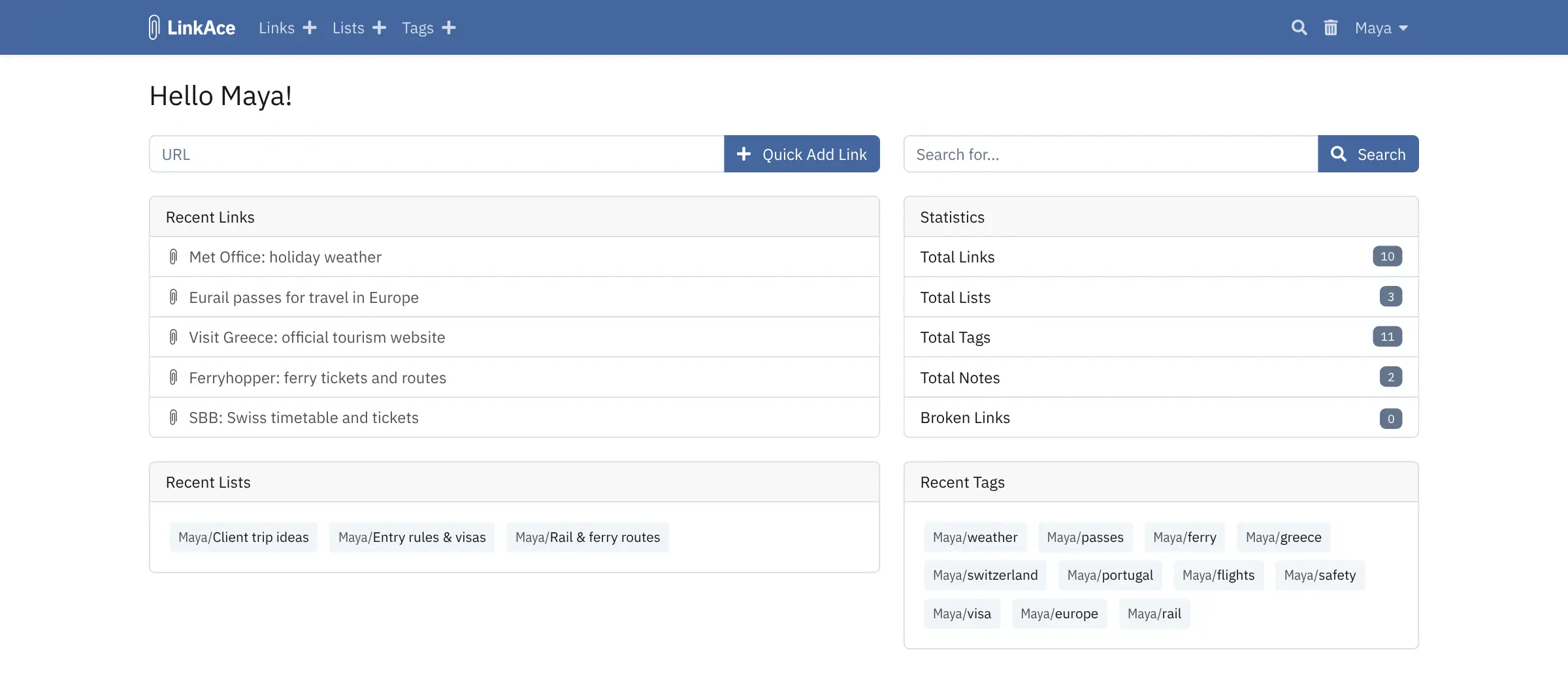
LinkAce is a self-hosted bookmark archive: save links with tags, lists and notes, share them with your team, and get told when a link moves or breaks.
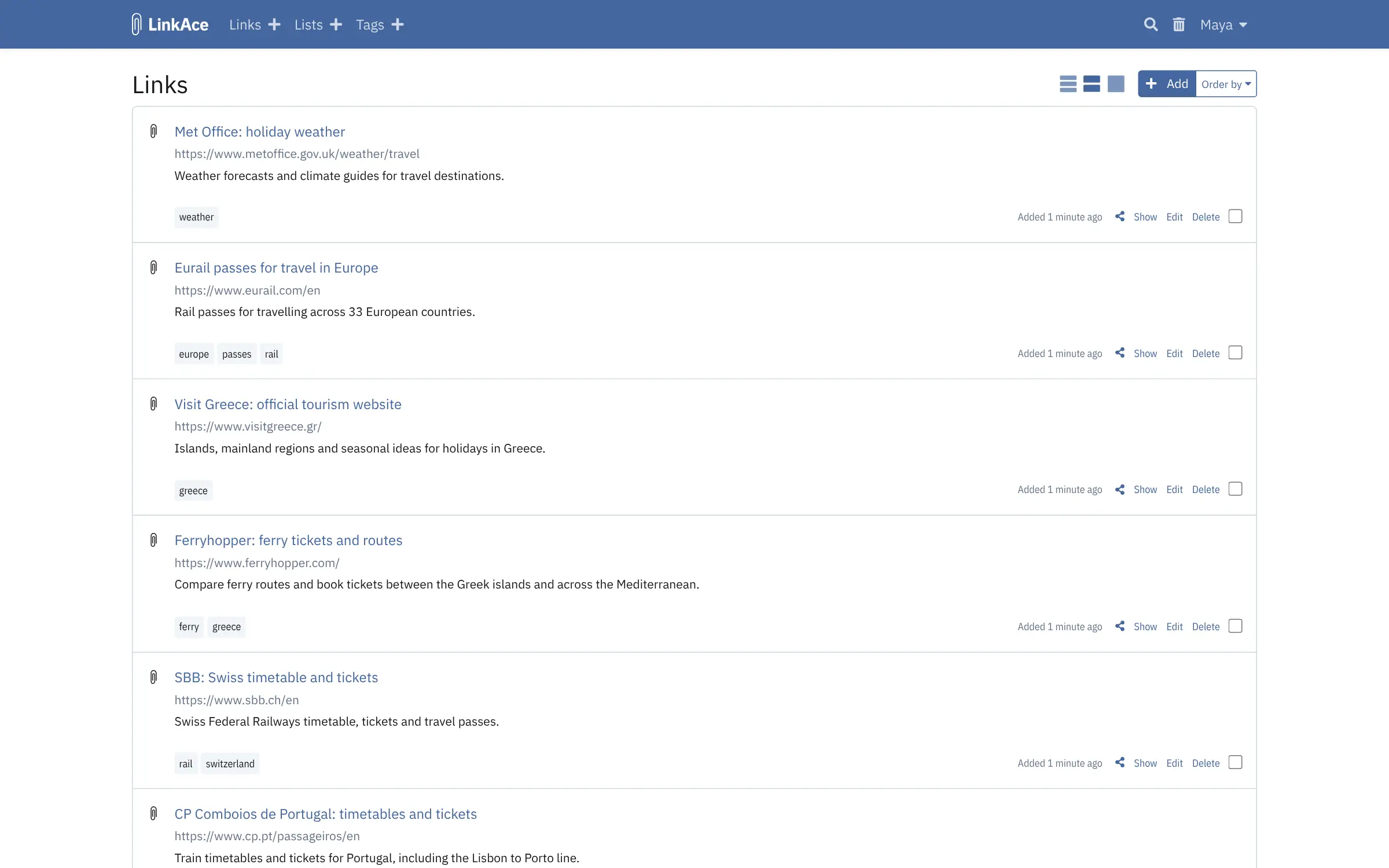
LinkAce is a free, open-source, self-hosted bookmark archive that keeps a shared link collection in good order, in place of Raindrop.io or Pinboard. You save links with tags, lists and notes, and LinkAce keeps checking them, so you know when a page has moved or disappeared. Each new link is also sent to the Internet Archive's Wayback Machine, where an archived copy can still be opened later.
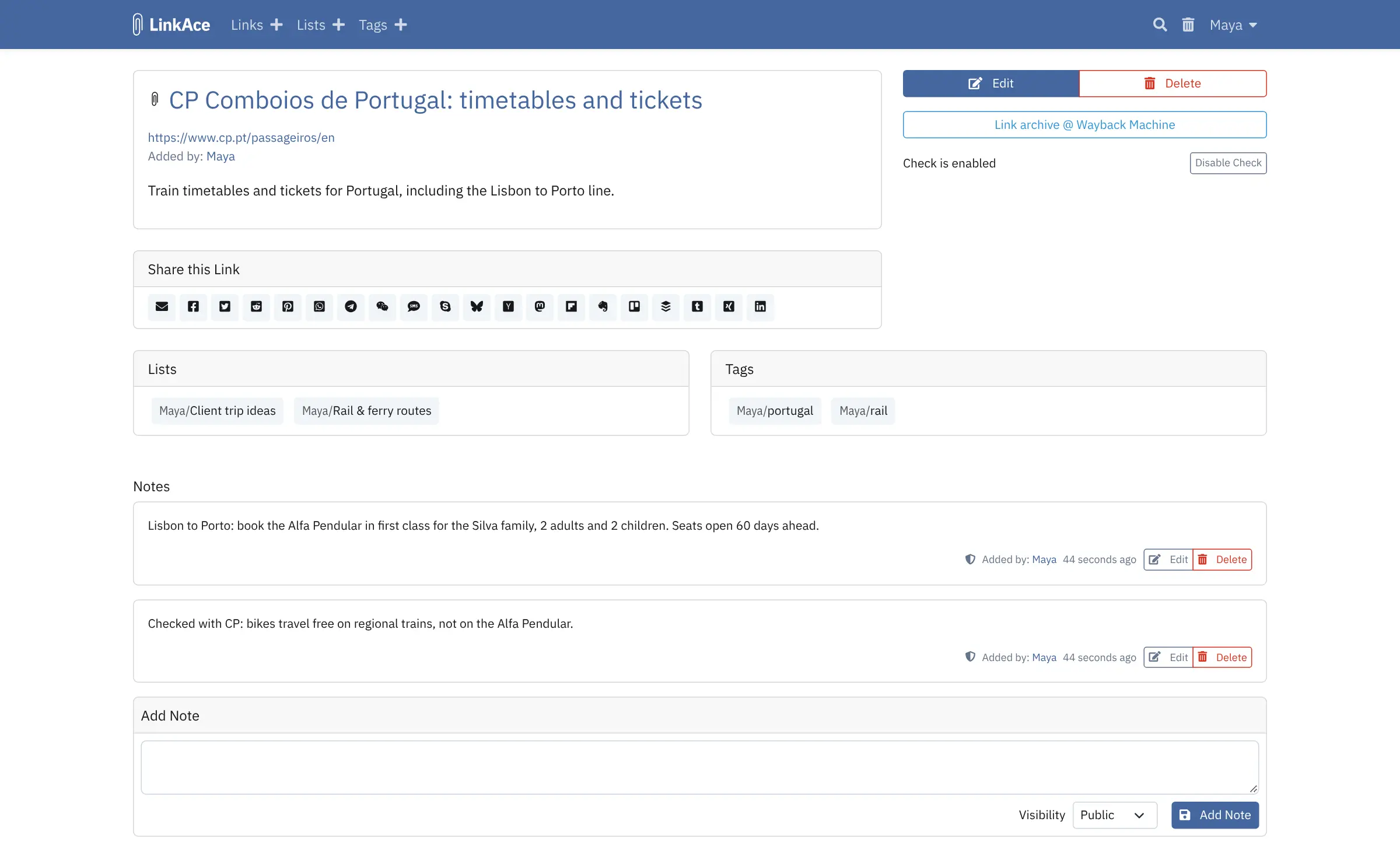
Several people can work in one LinkAce. Each link, list and tag can be private, shared with everyone who has an account, or public for guests, and lists and tags have RSS feeds. A small travel agency, for example, could keep lists of ferry and rail booking sites, visa rules and trip ideas, add notes such as when seats go on sale, and fix a link the week it breaks instead of in front of a client.
You save links with a bookmarklet in any browser, or with community extensions for Chrome, Edge and Firefox. LinkAce imports the bookmarks file your browser exports, and its REST API and Zapier app connect it to other tools.
Cloudgate installs LinkAce on a server Cloudgate provides or one you connect and gives it a secure web address. Open the address, follow the short setup and create your admin account; your links stay on your server.
What you can do with LinkAce
- Know when a link breaks LinkAce checks your saved links in batches every two hours and marks the ones that have moved or stopped working, with a filter to list them all.
- Keep a copy on the Wayback Machine Each new link is sent to the Internet Archive, and every link's page has a button to open its archived copy.
- Sort with tags and lists Label links with tags and gather them into lists for a project, a client or a topic, with bulk editing when many links need the same change.
- Choose who sees each link Make a link, list or tag private, visible to everyone with an account, or public for guests when you turn on guest access.
- Add notes and see the history Write notes on a link for yourself or your colleagues, and see every change to it in its history.
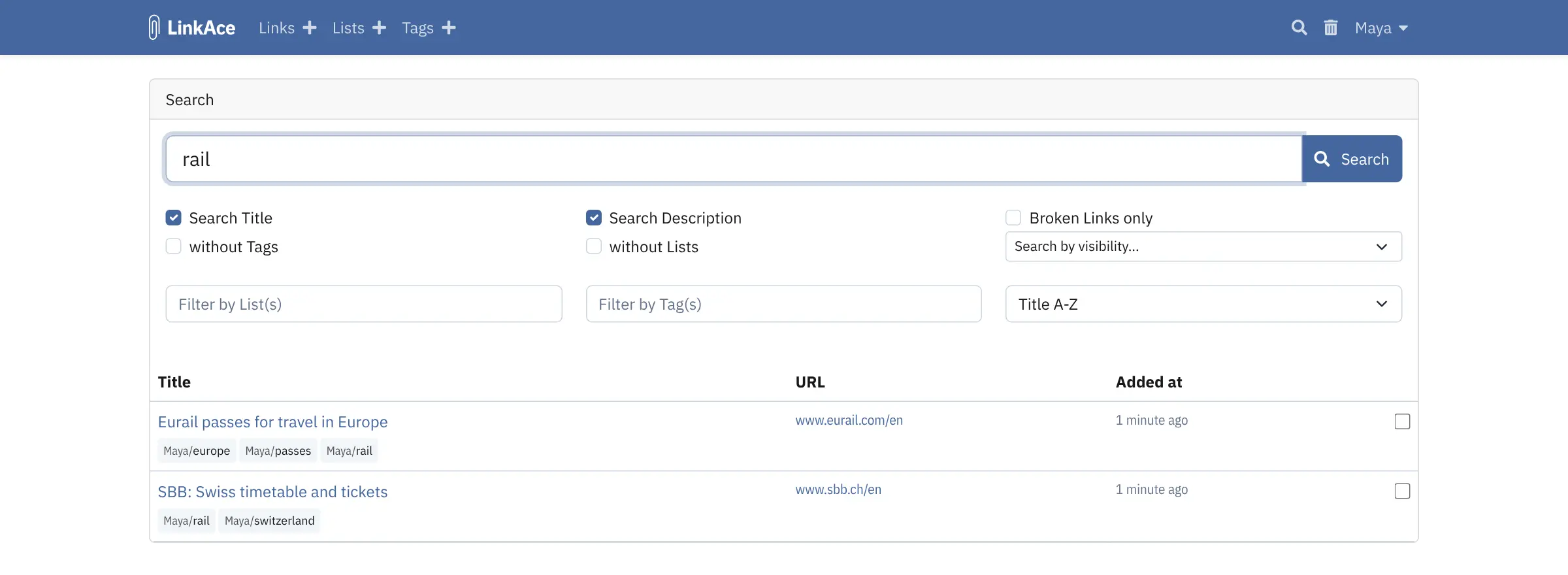
- Find links with filters Search titles and descriptions, and filter by list, tag, visibility, broken links or links that still need sorting.
- Share through RSS and the API Every list and tag has an RSS feed, and the REST API and Zapier app connect LinkAce to your other tools.
- Bring your browser bookmarks Import the bookmarks file your browser exports, and export your links again as a bookmarks file or a spreadsheet.
Replaces Raindrop.io and Pinboard
LinkAce does the same job as Raindrop.io and Pinboard. Here is what changes when you switch.
- Broken-link checks for free, which Raindrop.io keeps for its paid Pro plan
- Your links stay on your own server, with no subscription
- Several people can share one collection, each link private, internal or public
- Lists and tags have RSS feeds and a REST API
- Search covers titles and descriptions, not the text of the saved pages
- Copies are kept on the public Wayback Machine, not on your server, and even private links are sent there until you turn it off in your settings
- No official phone app or browser extension; you save with a bookmarklet or a community tool
- Inviting colleagues and email alerts need an email account set up in LinkAce
What happens when you click Deploy?
You do not need a server or any technical knowledge. Four steps, and LinkAce is running at its own web address.
- Step 1 Click Deploy and create your account
Deploy takes you to Cloudgate. Create an account, or log in if you have one. LinkAce itself is free.
- Step 2 Choose a server
No server? Get one from Cloudgate: pick a size and a country, and Cloudgate gets it ready. Already have one? Connect it instead.
- Step 3 Cloudgate sets up LinkAce
It prepares the server, makes the passwords the app needs and starts it. There is nothing to install and nothing to write down.
- Step 4 Open your app and sign in
Your app gets a free web address to start, without https. Add your own domain, like app.yourshop.com, and Cloudgate secures it with https for you.
New to Cloudgate? See what Cloudgate is
Run Cloudgate yourself? Deploy from your own console
In your Cloudgate console, open Templates and choose LinkAce.
Questions
Is LinkAce free?
Yes, LinkAce is free and open source under the GPL-3.0 licence, with every feature included and no paid edition. You pay only for the server it runs on.
Does LinkAce check for broken links?
Yes. LinkAce checks saved links in batches every two hours and marks the ones that have moved or no longer load, so you can find them with the Broken Links filter. If email is set up, it also emails you a list of the links that changed. You can turn checks off for a single link.
How is LinkAce different from linkding and Linkwarden?
LinkAce is built for keeping a collection in good order over time, with dead-link checks, lists and tags, and per-link private, internal or public sharing. linkding is a lighter, faster bookmark list with tags only, and Linkwarden keeps a full copy of every page on your server with full-text search. All three are free, open source and self-hosted.
Is LinkAce a good alternative to Raindrop.io?
Yes, if you want your bookmarks on your own server and care about knowing when links break, which Raindrop.io finds only on its Pro plan. LinkAce has no official phone apps, highlights or search inside saved pages, which Raindrop.io has.
Can I import my bookmarks from my browser, Raindrop.io or Pinboard?
Yes, LinkAce imports the standard bookmarks HTML file that browsers export and that Raindrop.io and Pinboard can export too. Large imports are worked through in the background, a batch at a time.
How do I sign in to LinkAce the first time?
Open your LinkAce address and follow the short setup; the database step is already filled in, so leave it as it is and continue. Then create your own account with your name, email and password, and that first account becomes the admin. Do it right after install, because until the setup is finished anyone who opens the address could run it. There is no public sign-up afterwards.
Is there a LinkAce phone app or browser extension?
No, there is no official one; LinkAce has a bookmarklet that saves the page you are on from any browser. Community-made extensions for Chrome, Edge and Firefox and an Android app also connect to LinkAce.
Do I need technical skills to run LinkAce?
No. Click Deploy, create your Cloudgate account and choose a server, and Cloudgate sets up LinkAce and gives it a web address. You use it in your browser like any other online tool.
Do I need my own server for LinkAce?
No. When you deploy LinkAce, hosted Cloudgate can provide a server. If you already rent one, you can connect it instead.
Related apps

A fast, self-hosted bookmark manager with tags, notes and read later.

A self-hosted bookmark manager that searches inside saved pages.

A fast, self-hosted bookmark list and link blog for one person.

A light, self-hosted bookmark manager that saves pages offline.