
Shaarli
A fast, self-hosted bookmark list and link blog for one person.
No server needed to start: Cloudgate can provide one. What happens when you click Deploy
What is Shaarli?
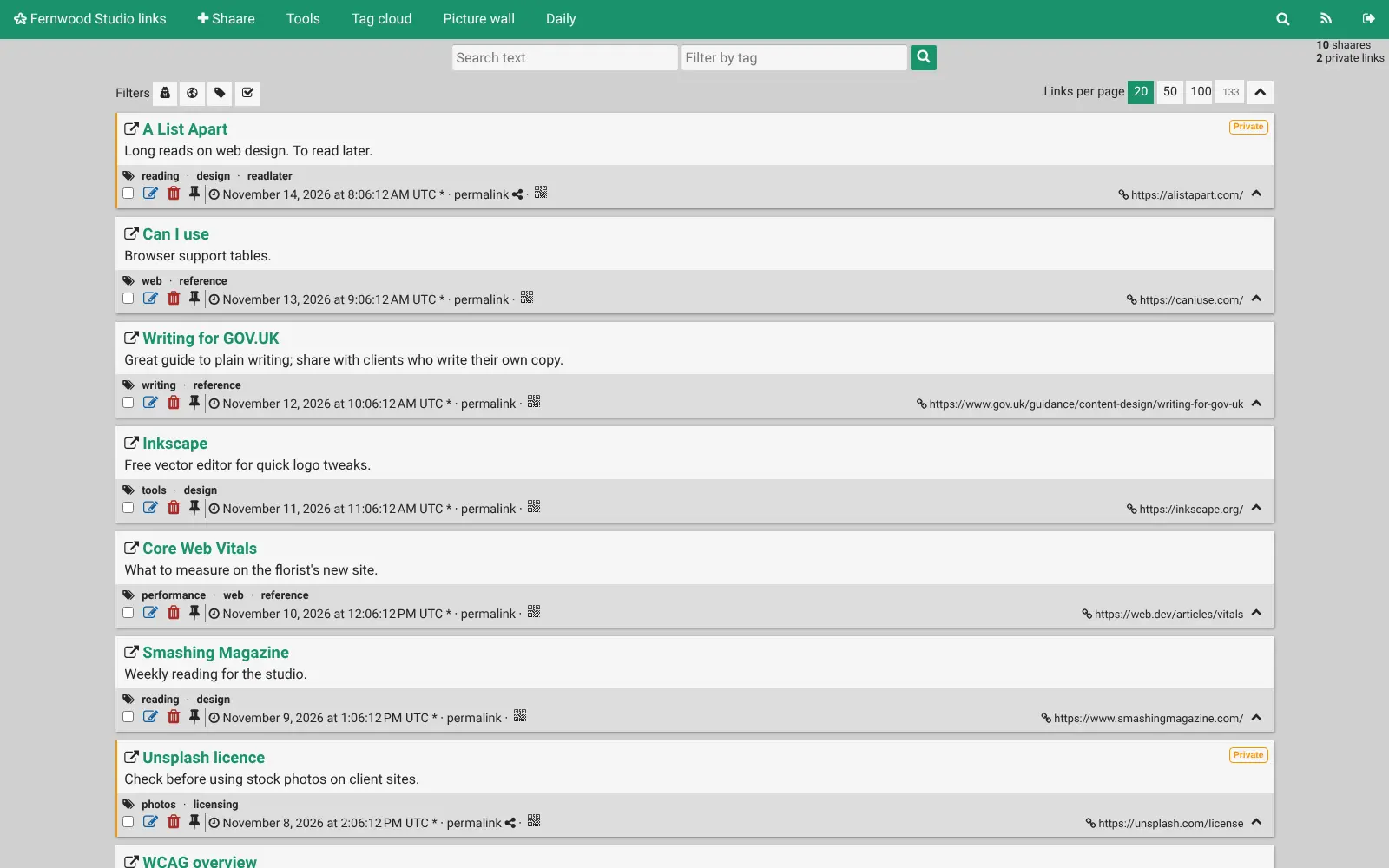
Shaarli is a self-hosted bookmark manager for one person: save, tag and search links, keep them private or share them as a link blog with RSS.
Shaarli is a self-hosted, open-source bookmark manager for one person: a fast, private alternative to Pinboard and Raindrop.io where you save links with notes and tags and find them again in seconds. Each link can be private, for your eyes only, or public, so Shaarli also works as a small link blog with its own RSS feed.
It is deliberately simple. There is one account, no database to look after and no limit on how many links you keep; the project says it stays fast with tens of thousands of them. A freelance designer, for example, can save font sites, accessibility checklists and articles to read later, tag them by client, keep client links private and publish a public list of favourite resources for customers.
You save links with a bookmarklet in any browser, with community-made extensions for Firefox and Chrome, or from a phone through community apps such as Shaarlier for Android. Shaarli imports your browser's bookmarks file or a Pinboard export, and exports everything as a bookmarks file whenever you want. It does not store copies of pages or search inside them.
Cloudgate installs Shaarli on a server Cloudgate provides or one you connect, and gives it a secure web address. Open that address straight away to choose your username and password.
What you can do with Shaarli
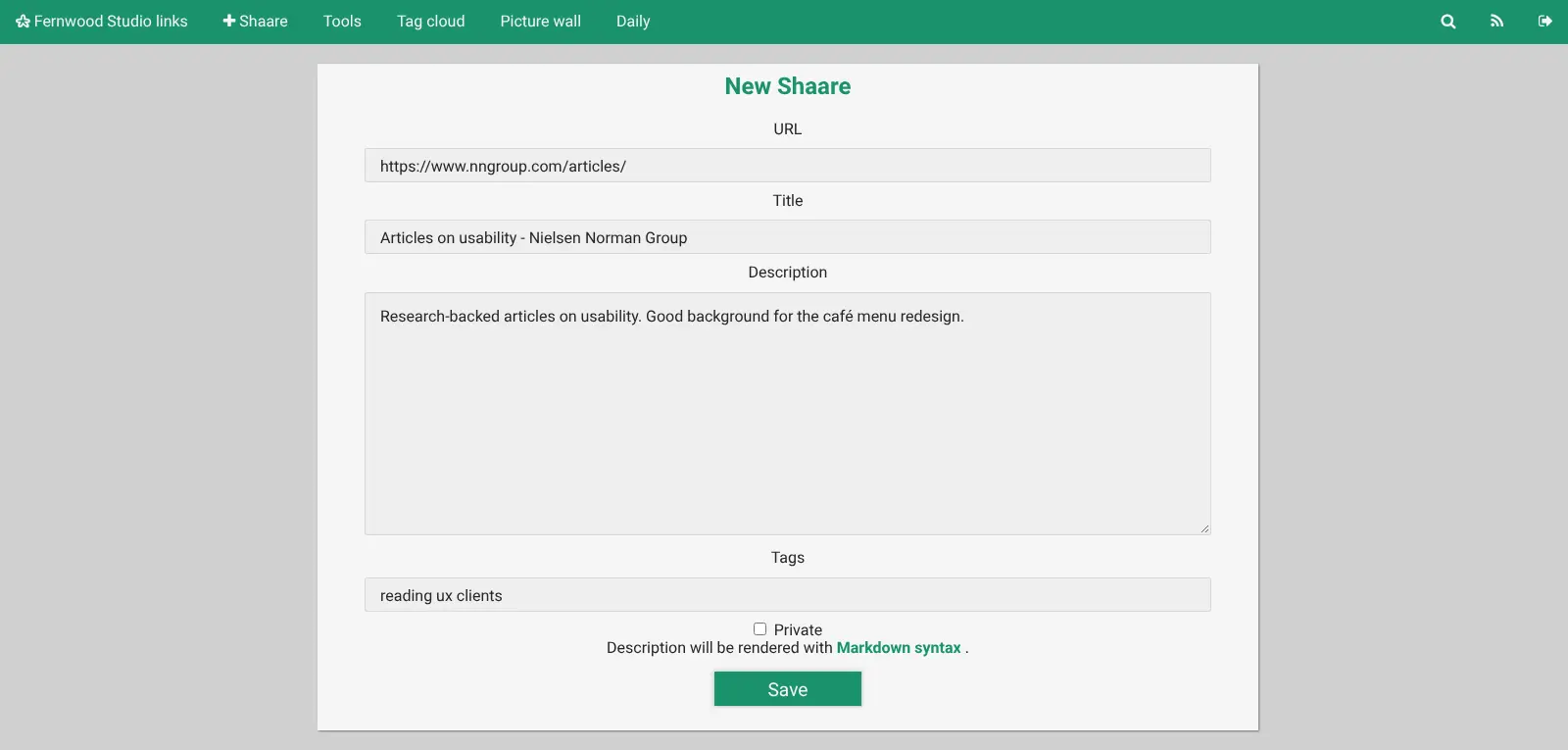
- Save links with notes and tags Keep each link with its title, your own description and tags, and mark it public or private.
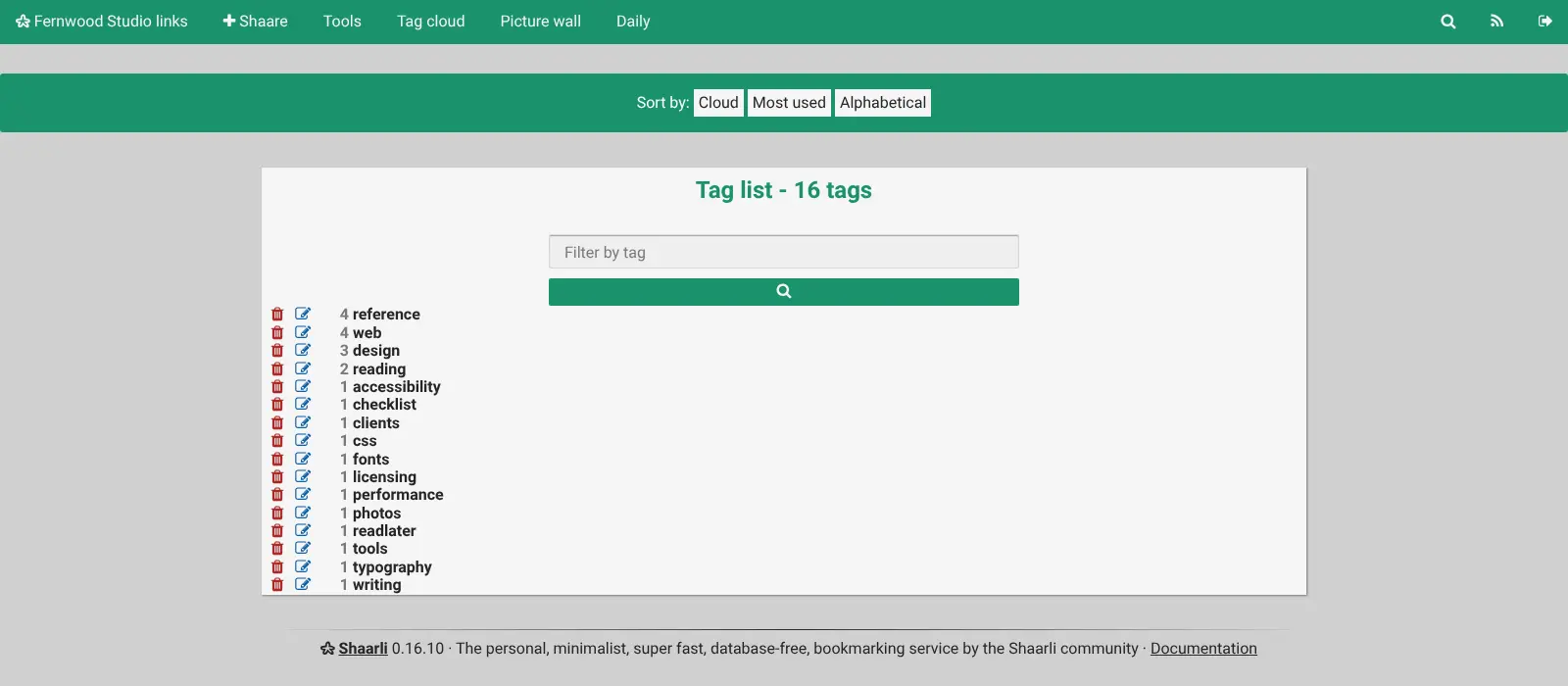
- Find anything again Search every field, filter by one or more tags, or browse the tag cloud.
- Write short notes Leave the address empty to save a text note, written in Markdown, next to your links.
- Share a link blog Public links form a page with RSS and Atom feeds, filtered by tag if you like, and a daily digest.
- Save from your browser Drag the bookmarklet to your bookmarks bar and save the page you are on in one click.
- Mark links to read later Turn on the read-later plugin to flag links and filter for the ones you have not read yet.
- Bring your bookmarks with you Import a bookmarks file from your browser or Pinboard, and export everything as a bookmarks file at any time.
Replaces Pinboard and Raindrop.io
Shaarli does the same job as Pinboard and Raindrop.io. Here is what changes when you switch.
- No subscription and no limits on how many links you keep
- Your bookmarks stay on your own server, with no tracking
- A public link blog with feeds, alongside your private links
- Very light, so it runs on the smallest server
- One account only, with no team or family sharing
- No search inside saved pages and no stored copies of them
- Phone apps and browser extensions are made by the community, not the project
- A plain, older-style look
What happens when you click Deploy?
You do not need a server or any technical knowledge. Four steps, and Shaarli is running at its own web address.
- Step 1 Click Deploy and create your account
Deploy takes you to Cloudgate. Create an account, or log in if you have one. Shaarli itself is free.
- Step 2 Choose a server
No server? Get one from Cloudgate: pick a size and a country, and Cloudgate gets it ready. Already have one? Connect it instead.
- Step 3 Cloudgate sets up Shaarli
It prepares the server, makes the passwords the app needs and starts it. There is nothing to install and nothing to write down.
- Step 4 Open your app and sign in
Your app gets a free web address to start, without https. Add your own domain, like app.yourshop.com, and Cloudgate secures it with https for you.
New to Cloudgate? See what Cloudgate is
Run Cloudgate yourself? Deploy from your own console
In your Cloudgate console, open Templates and choose Shaarli.
Questions
Is Shaarli free?
Yes, Shaarli is free and open source under the zlib licence, with no paid edition. You pay only for the server it runs on.
Is Shaarli a good alternative to Pinboard?
Yes, for one person who wants a fast list of tagged, public or private bookmarks. Like Pinboard, Shaarli keeps things plain, and it adds a public link blog with RSS feeds. It does not keep archived copies of pages or search inside them.
Can I import my bookmarks into Shaarli?
Yes, Shaarli imports a bookmarks HTML file. That covers your browser's export and Pinboard's export in Netscape format, with tags and private status; Raindrop.io's HTML export also works, with its folders turned into tags.
Can more than one person use Shaarli?
No, Shaarli has a single account. Other people can read your public links and follow your feeds, but only you can sign in and add or change links.
How do I sign in to Shaarli the first time?
The first person to open the Shaarli web address sees an install page and chooses the username, password and title. Open it yourself as soon as Cloudgate finishes, before you share the address.
Does Shaarli have a phone app or browser extension?
No, not from the Shaarli project itself, but community apps exist, such as Shaarlier for Android and ShaarliOS for iPhone, plus extensions for Firefox and Chrome. Shaarli also works in a phone's browser, and its bookmarklet works in any desktop browser.
Can Shaarli replace Pocket?
Only partly. Pocket shut down in July 2025; Shaarli can hold your saved links with a read-later flag, but it has no reader view and cannot import Pocket's CSV export directly.
Do I need technical skills to run Shaarli?
No. Click Deploy, create your Cloudgate account and choose a server, and Cloudgate sets up Shaarli and gives it a web address. You use it in your browser like any other online tool.
Do I need my own server for Shaarli?
No. When you deploy Shaarli, hosted Cloudgate can provide a server. If you already rent one, you can connect it instead.
Related apps

A self-hosted bookmark manager that searches inside saved pages.

A self-hosted bookmark archive that tells you when links break.

A fast, self-hosted bookmark manager with tags, notes and read later.

A light, self-hosted bookmark manager that saves pages offline.