
Shiori
A light, self-hosted bookmark manager that saves pages offline.
No server needed to start: Cloudgate can provide one. What happens when you click Deploy
What is Shiori?
Shiori is a light, self-hosted bookmark manager: save links with tags, read a clean copy later and keep pages offline, instead of Pocket.
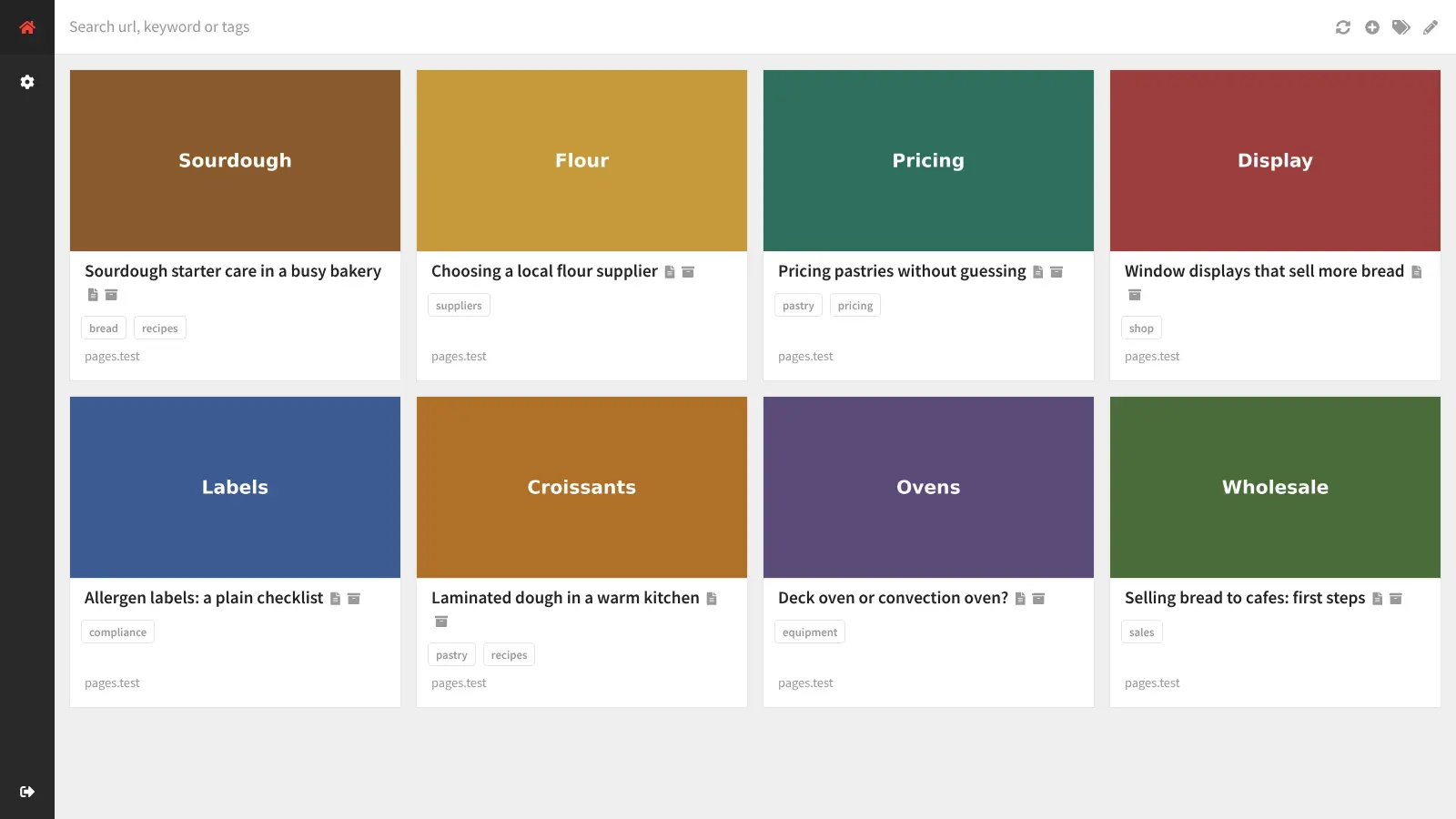
Shiori is a free, open-source, self-hosted bookmark manager and Pocket alternative: you save links with tags, read a clean copy of each page later, and keep a full offline archive of the pages you care about on your own server. It also stands in for Raindrop.io and Pinboard if you mainly want a private list of links you can search.
Every saved page is kept as readable text, so search finds words inside your articles, not only in their titles. If a website later changes or disappears, your archived copy still opens. A bakery owner, for example, could save supplier pages, pricing guides and recipe articles under tags such as suppliers or recipes, and still read the flour mill's price list after the mill rebuilds its website. Any article can also become an e-book for an e-reader.
Shiori works in any browser, including on a phone, and has a beta extension for Firefox. Several people can each have their own account.
Cloudgate installs Shiori on a server Cloudgate provides or one you connect, gives it a secure web address and replaces its default password with one it generates. Your links and saved pages stay on your server.
What you can do with Shiori
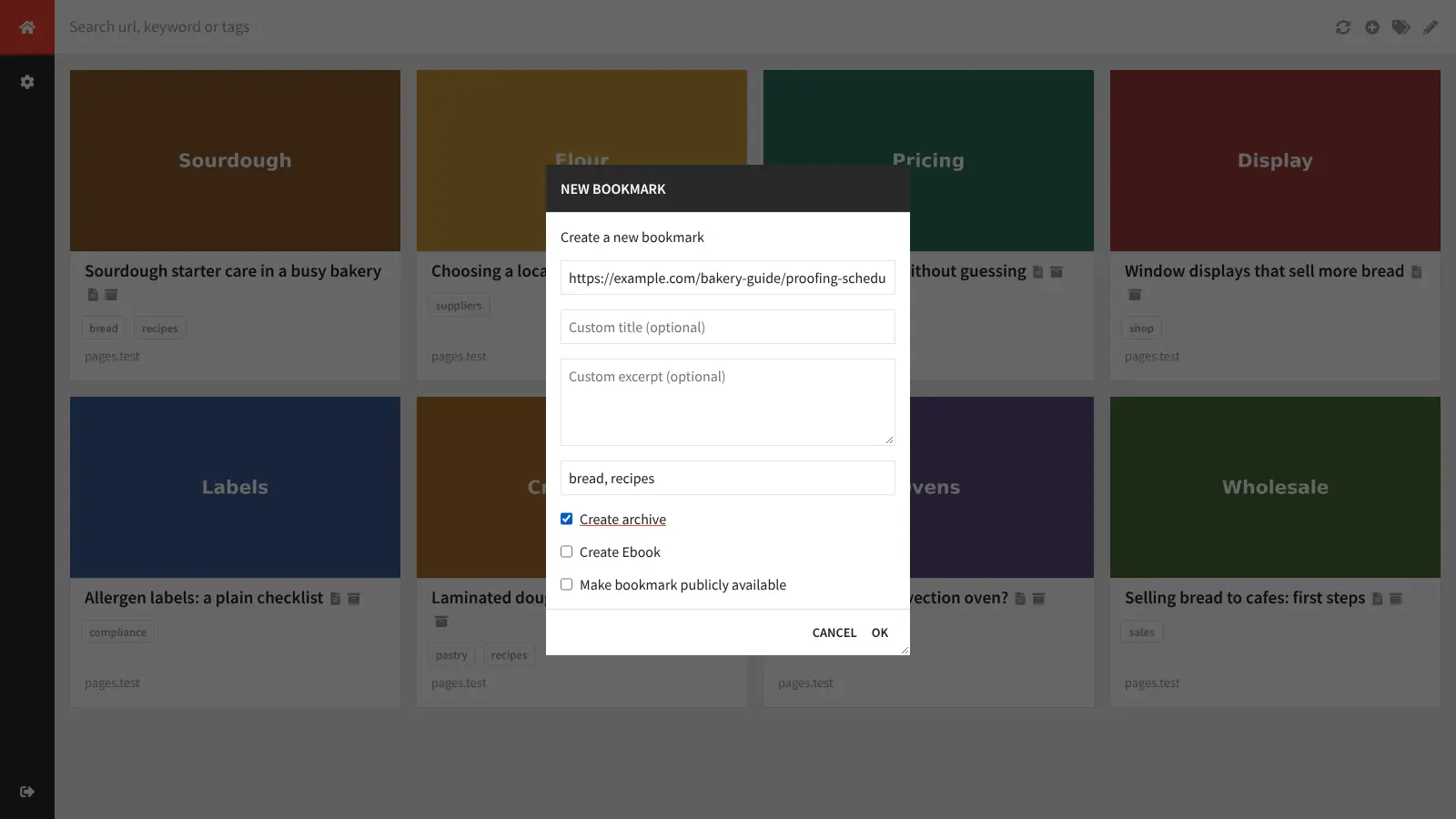
- Save links with tags Paste a web address, add a few tags, and Shiori fills in the title, picture and summary for you.
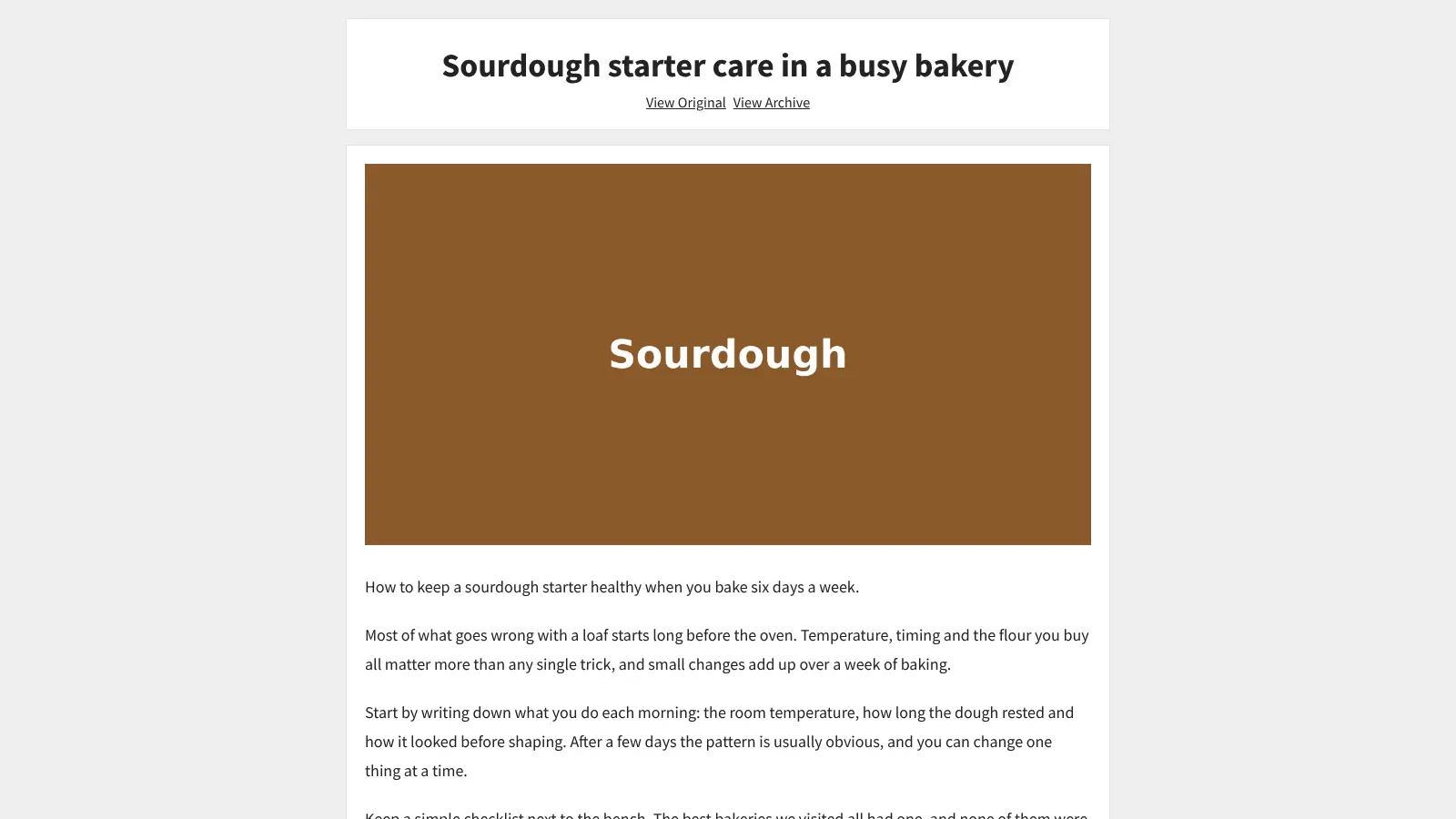
- Read without clutter Shiori keeps a clean, readable copy of each page's text, so you can read it later without ads or menus.
- Keep pages offline Tick "Create archive" and Shiori saves the whole page on your server, so you can still open it if the website changes or disappears.
- Search inside saved pages Search finds words in the titles and in the saved text of your pages, and you can narrow the list by tag.
- Turn a page into an e-book Create an EPUB file of any saved article and download it for your e-reader.
- Share chosen bookmarks Mark a bookmark as public so anyone with its link can read it, while the rest of your list stays private.
- Give others their own account Add owner accounts for people who manage the list and visitor accounts for people who only read it.
Replaces Pocket, Raindrop.io and Pinboard
Shiori does the same job as Pocket, Raindrop.io and Pinboard. Here is what changes when you switch.
- Your links and saved pages live on your own server, so no company can close them down as Mozilla did with Pocket
- Full-text search and a lasting copy of each page are free, with no paid plan
- No ads or tracking in the reader
- A small, fast app that runs on the smallest server
- Importing from Pocket or a browser bookmarks file is done from Shiori's command line, not from its web page
- There is no official phone app, and the browser extension is still in beta
- Pages behind a login or paywall save only what Shiori can see without signing in
- It has no highlights, notes or collections, and the design is plainer than Pocket's
What happens when you click Deploy?
You do not need a server or any technical knowledge. Four steps, and Shiori is running at its own web address.
- Step 1 Click Deploy and create your account
Deploy takes you to Cloudgate. Create an account, or log in if you have one. Shiori itself is free.
- Step 2 Choose a server
No server? Get one from Cloudgate: pick a size and a country, and Cloudgate gets it ready. Already have one? Connect it instead.
- Step 3 Cloudgate sets up Shiori
It prepares the server, makes the passwords the app needs and starts it. There is nothing to install and nothing to write down.
- Step 4 Open your app and sign in
Your app gets a free web address to start, without https. Add your own domain, like app.yourshop.com, and Cloudgate secures it with https for you.
New to Cloudgate? See what Cloudgate is
Run Cloudgate yourself? Deploy from your own console
In your Cloudgate console, open Templates and choose Shiori.
Questions
Is Shiori free?
Yes. Shiori is free, open-source software under the MIT licence, with no paid edition or paid features. You pay only for the server it runs on.
Is Shiori a good alternative to Pocket?
Yes, for saving links and reading them later. Shiori was built as a simple self-hosted clone of Pocket, and it keeps a readable copy of every page on your own server. Mozilla shut Pocket down in July 2025; a self-hosted Shiori cannot be shut down by someone else. Shiori has no phone app and no highlights, so wallabag or Karakeep may suit you better if you need those.
Does Shiori keep a copy of the pages I save?
Yes. Shiori saves a readable copy of each page's text, and with "Create archive" ticked it also keeps a full offline copy of the page on your server, so it still opens if the original website changes or goes away.
Can I import my bookmarks from Pocket or my browser?
Partly. Shiori can import a Pocket export or a standard browser bookmarks file and export your list to one, but only with its command-line tool; the web page has no import button. A Pocket import brings in the links, and Shiori can then fetch each page again to save its text.
How do I sign in to Shiori the first time?
You sign in with the user name shiori and the password Cloudgate generates for you. Cloudgate replaces Shiori's well-known default password before your Shiori goes online. You can then add accounts for other people in Settings.
Is there a Shiori phone app or browser extension?
Shiori has a browser extension but no official phone app. The extension, still in beta and made for Firefox, saves the page you are on and searches your bookmarks; on a phone, Shiori's web page works in the browser.
What server size do I need for Shiori?
Cloudgate runs Shiori on its extra-small server size. Shiori is a single small Go program that keeps its database, archived pages, thumbnails and e-books in one folder, so the space you need grows only with the pages you archive.
Do I need technical skills to run Shiori?
No. Click Deploy, create your Cloudgate account and choose a server, and Cloudgate sets up Shiori and gives it a web address. You use it in your browser like any other online tool.
Do I need my own server for Shiori?
No. When you deploy Shiori, hosted Cloudgate can provide a server. If you already rent one, you can connect it instead.
Related apps

A fast, self-hosted bookmark manager with tags, notes and read later.

A self-hosted bookmark manager to save and find everything you read.

A self-hosted bookmark manager that keeps a copy of every page.

A self-hosted bookmark archive that tells you when links break.