
Grimoire
A self-hosted bookmark manager that searches inside saved pages.
No server needed to start: Cloudgate can provide one. What happens when you click Deploy
What is Grimoire?
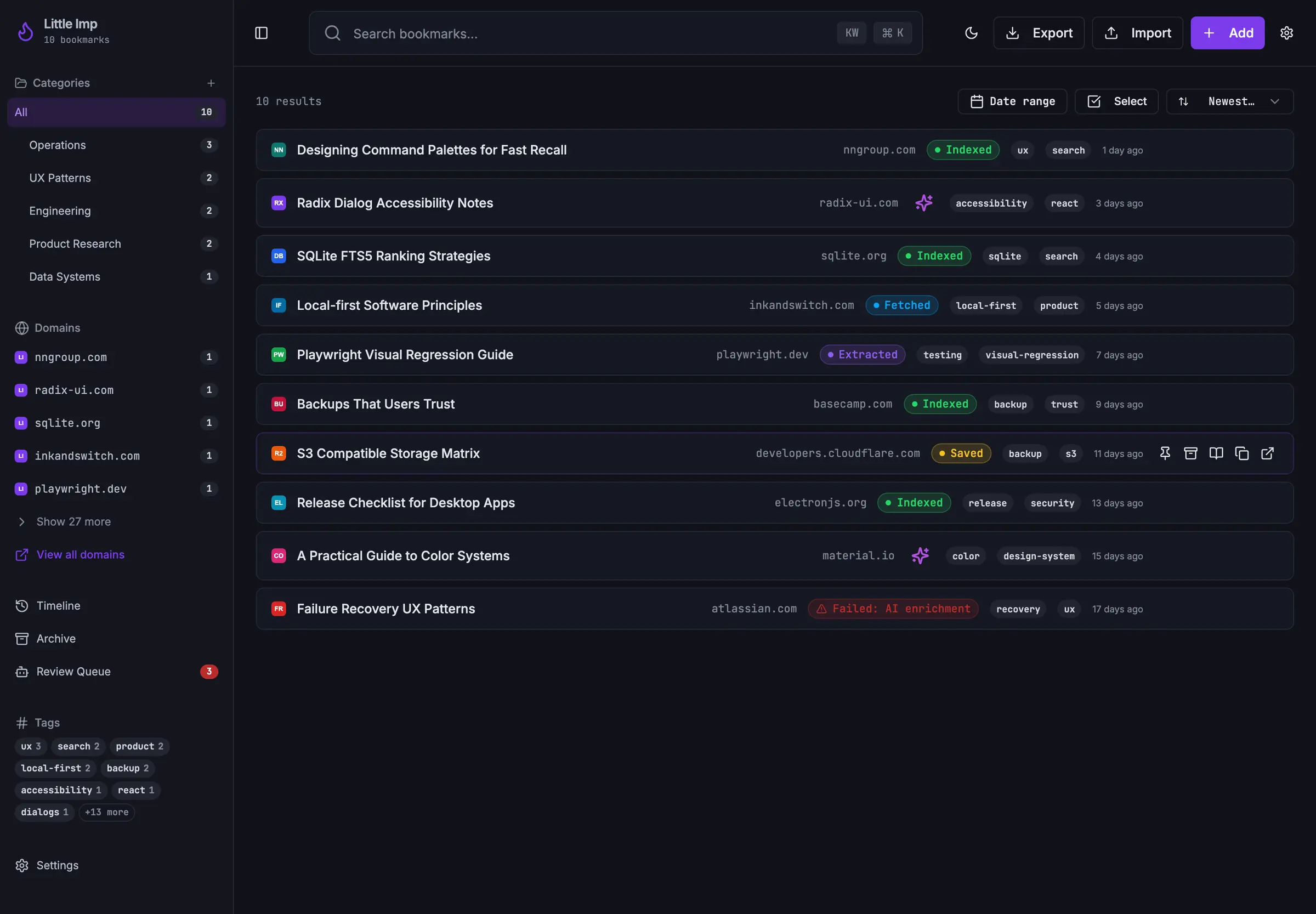
Grimoire is a self-hosted bookmark manager like Raindrop.io that keeps each page's text, so you can search inside your links, with optional AI tags.
Grimoire is a free, open-source, self-hosted bookmark manager that replaces Raindrop.io and Pinboard for people who save a lot of links. It keeps the readable text of every page you save, so you can search inside your bookmarks later, not just their titles.
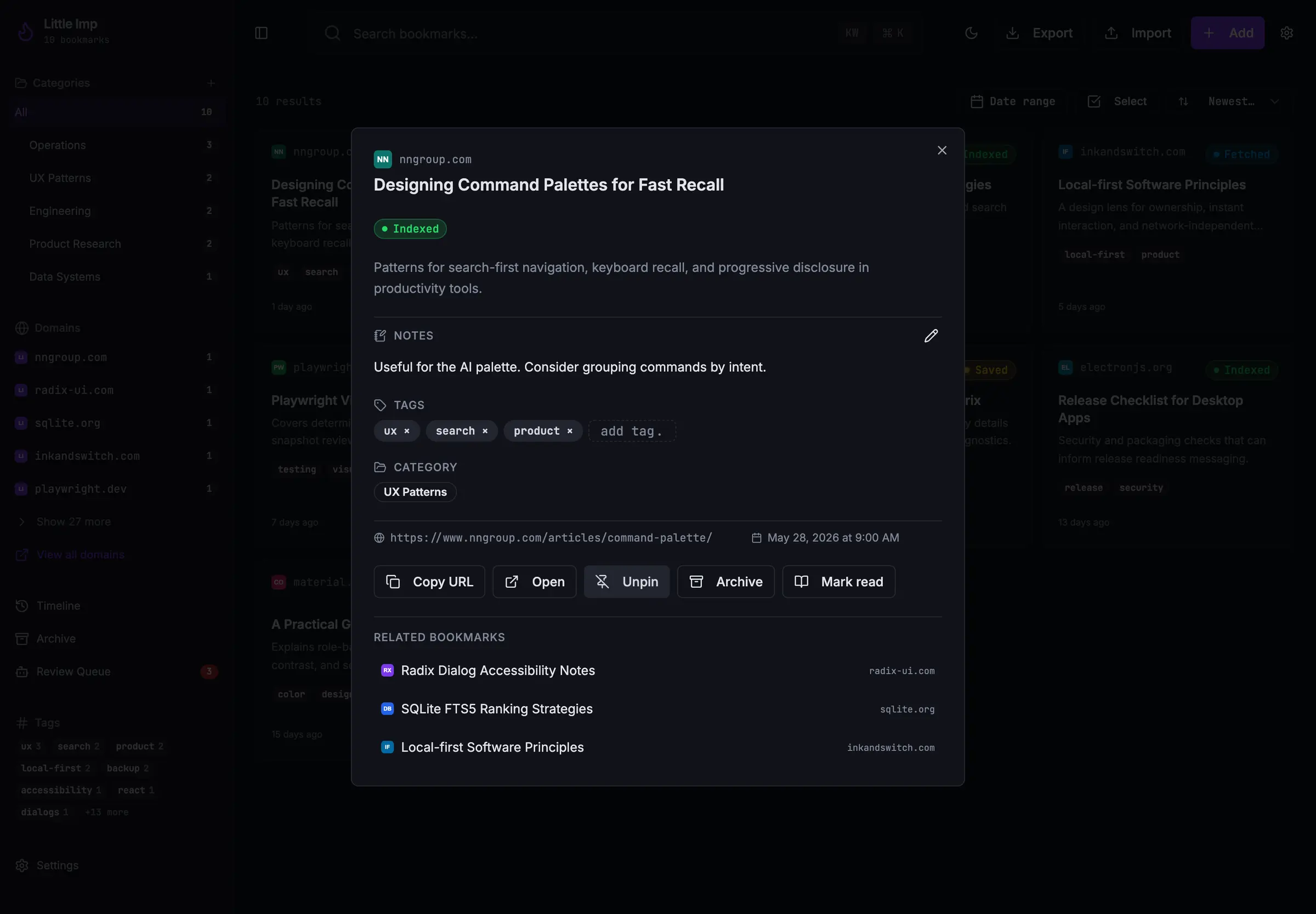
You sort links into categories and tags, add notes, and keep a read-later list that you work through a few links at a time. If you connect an AI provider such as OpenAI, Anthropic or your own Ollama, Grimoire also writes a short summary, suggests tags and a category, and finds links by meaning. Without one, everything else still works. A freelance web developer, for example, could save client briefs, documentation pages and the Stack Overflow answers that fixed past problems, then find "that article about image caching" months later by typing a few words from it.
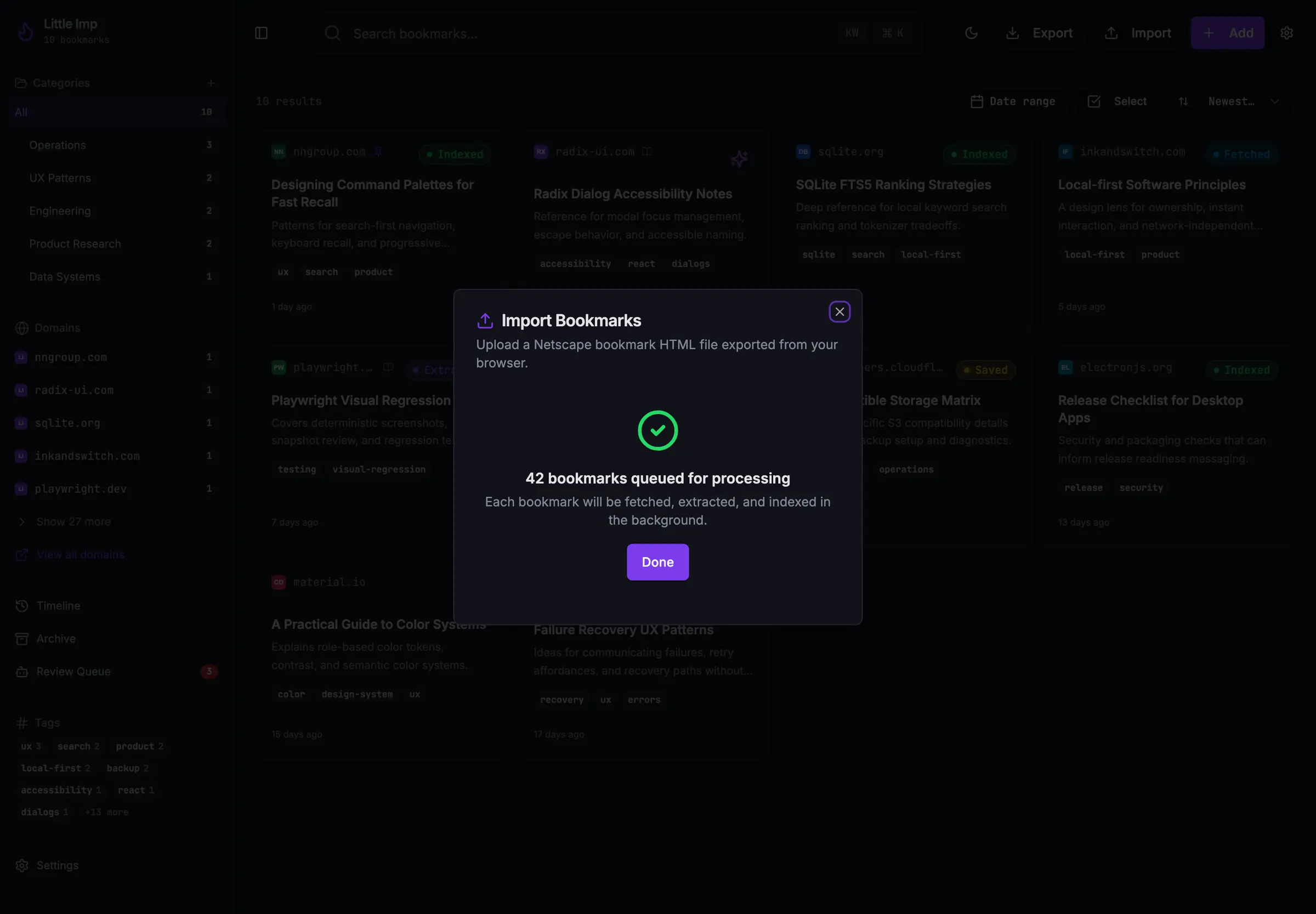
Grimoire is one library for one person, with no sharing and no phone apps, though it works in a phone's browser. It imports the bookmarks file your browser exports and exports your library as JSON or CSV.
Cloudgate installs Grimoire on a server Cloudgate provides or one you connect, gives it a secure web address and puts a password in front of it. Your bookmarks and saved pages stay on your server.
What you can do with Grimoire
- Keep the text of every page Grimoire saves the readable text of web pages, PDFs, GitHub projects, Stack Overflow answers and YouTube captions along with each link.
- Search inside what you saved Find a bookmark by any word in its title, tags, notes or saved text, or by meaning once you connect an AI provider.
- Sort with categories and tags Nest categories up to three levels deep, add tags and notes, pin favourites, and archive or trash what you no longer need.
- Let AI tag and summarise, if you want Connect OpenAI, Anthropic, OpenRouter, Ollama or another provider to get a summary, tags and a category for each new link.
- Work through a read-later list Add links to Later, then go through them in short shuffled rounds where you mark each one read, skip it or postpone it.
- Bring your bookmarks with you Import the bookmarks file your browser exports, and export your library as JSON or CSV.
- Back up your library Create, check and restore backups of your library from Settings, with an option to encrypt them.
Replaces Raindrop.io and Pinboard
Grimoire does the same job as Raindrop.io and Pinboard. Here is what changes when you switch.
- Free and open source, with no paid plan and no bookmark limit
- Search inside the text of saved pages at no extra cost
- AI tags and summaries from the provider you choose, or none at all
- Your bookmarks and saved text stay on your own server
- One library for one person, with no separate accounts or sharing
- No phone apps; you use it in a phone's browser
- It keeps each page's text, not a full copy or screenshot of the page
- Search by meaning and AI tags need an AI provider, which may charge for use
What happens when you click Deploy?
You do not need a server or any technical knowledge. Four steps, and Grimoire is running at its own web address.
- Step 1 Click Deploy and create your account
Deploy takes you to Cloudgate. Create an account, or log in if you have one. Grimoire itself is free.
- Step 2 Choose a server
No server? Get one from Cloudgate: pick a size and a country, and Cloudgate gets it ready. Already have one? Connect it instead.
- Step 3 Cloudgate sets up Grimoire
It prepares the server, makes the passwords the app needs and starts it. There is nothing to install and nothing to write down.
- Step 4 Open your app and sign in
Your app gets a free web address to start, without https. Add your own domain, like app.yourshop.com, and Cloudgate secures it with https for you.
New to Cloudgate? See what Cloudgate is
Run Cloudgate yourself? Deploy from your own console
In your Cloudgate console, open Templates and choose Grimoire.
Questions
Is Grimoire free?
Yes, Grimoire is free and open source under the MIT licence, with no paid edition and no locked features. You pay only for your server, plus your AI provider if you choose to connect one.
Is Grimoire a good alternative to Raindrop.io?
Yes, for one person who wants to search inside saved pages. Grimoire keeps each page's text, searches it, and can tag links with AI at no extra cost. Unlike Raindrop.io, it has no shared collections, highlights or phone apps.
How do I sign in to Grimoire the first time?
You sign in with the username admin and the password Cloudgate generated, shown on the app's variables page; your browser asks for them when you open Grimoire's web address. There is no account to create, so you go straight to your empty library.
Can Grimoire import my bookmarks from my browser, Raindrop.io or Pinboard?
Yes, if you export them as a standard bookmarks HTML file, which browsers, Raindrop.io and Pinboard can all produce. Grimoire imports that file and then fetches and saves the text of each page in the background.
Does Grimoire need an AI account?
No. In Grimoire, saving, importing, keyword search, tags, categories and backups work without AI. Summaries, automatic tags and search by meaning need an AI provider such as OpenAI or your own Ollama, and the text of your links is sent to that provider.
Can my team share one Grimoire?
No, Grimoire is built for one person. It has a single library and no separate accounts, so everyone with the password sees and changes the same bookmarks. For a shared team library, linkding or Linkwarden suit better.
What server size do I need for Grimoire?
Grimoire needs a server with 2 GB of memory, which is what the Grimoire project recommends. Cloudgate uses its medium size for it.
Do I need technical skills to run Grimoire?
No. Click Deploy, create your Cloudgate account and choose a server, and Cloudgate sets up Grimoire and gives it a web address. You use it in your browser like any other online tool.
Do I need my own server for Grimoire?
No. When you deploy Grimoire, hosted Cloudgate can provide a server. If you already rent one, you can connect it instead.
Related apps

A fast, self-hosted bookmark list and link blog for one person.

A self-hosted bookmark archive that tells you when links break.

A fast, self-hosted bookmark manager with tags, notes and read later.

A light, self-hosted bookmark manager that saves pages offline.