
M

Open-source alternatives to Microsoft 365

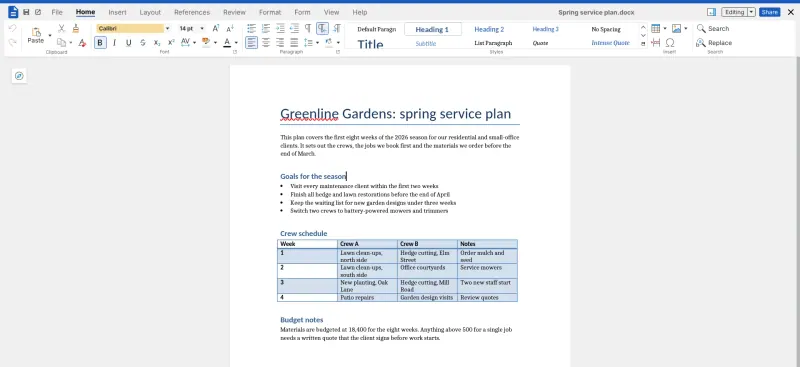
ONLYOFFICE Docs is a free, open-source Microsoft 365 alternative for editing Word, Excel and PowerPoint files together in the browser, with comments and tracked changes. Microsoft 365 is priced per user each month; ONLYOFFICE Docs has no fee per user and keeps files in your own Nextcloud or Seafile, though it is only the editors, and Group-Office or EGroupware cover the email, calendars and contacts.

5 alternatives Free apps Our pick: ONLYOFFICE Docs

At a glance

App Good for Code Import from Microsoft 365 Ease of use
ONLYOFFICE Docs Teams on Nextcloud or Seafile who edit Word, Excel and PowerPoint files together Code Open source Import from Microsoft 365 Yes Some setup
Collabora Online Teams on Nextcloud or Seafile who want to edit Office files together on a modest server Code Open source Import from Microsoft 365 Yes Some setup
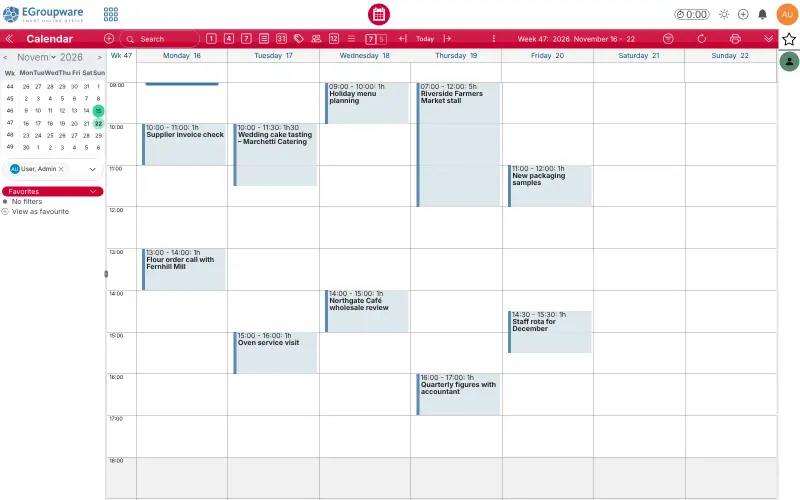
EGroupware Offices that want shared calendars, contacts and tasks on their own server, synced to phones and Outlook Code Open source Import from Microsoft 365 Partly Some setup
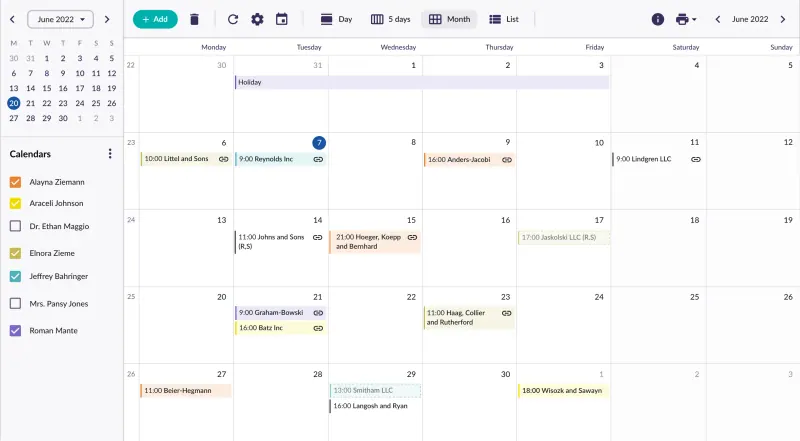
Group-Office Small offices sharing email, calendars and contacts, synced to Outlook and phones Code Open source Import from Microsoft 365 Partly Some setup
CryptPad Teams, nonprofits and schools who want to edit documents together with end-to-end encryption Code Open source Import from Microsoft 365 Partly Easy

Why look for an alternative to Microsoft 365?

Microsoft 365 is Microsoft's subscription for business: Word, Excel and PowerPoint in the browser and on desktop and phone, with Outlook email, Teams chat and OneDrive storage, priced per user each month.

Teams look for an alternative because the price grows with every person who needs to edit a document, and because the files live in Microsoft's cloud. A self-hosted ONLYOFFICE Docs edits the same Office files in the browser with no fee per user, and the files stay in your own Nextcloud or Seafile. It replaces the document editors, not the whole suite, so it suits teams that mainly need to write, calculate and present together. Collabora Online, built on LibreOffice, is a second editor that works the same way inside Nextcloud or Seafile. CryptPad does the same job with end-to-end encryption, keeping documents in its own encrypted drive rather than as Office files. For the Outlook side, Group-Office and EGroupware share email, calendars, contacts and files on your own server, using the mailboxes you already have.

The alternatives, compared

ONLYOFFICE Docs

Our pick

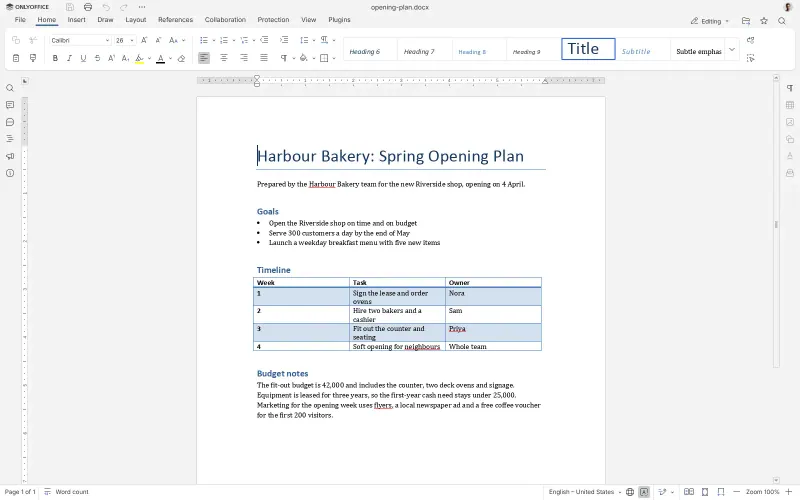
Edit Word, Excel and PowerPoint files together in the browser.

Edits Word, Excel and PowerPoint files in the browser and saves them back as the same .docx, .xlsx and .pptx files, with co-editing, comments, tracked changes, version history, pivot tables and charts. It is only the editors: there is no email, chat or file storage, so you open files from Nextcloud or Seafile. In the free Community Edition, files open read-only in a phone's browser, and complex Office files can look slightly different.

What you gain
  • No fee per user for the editors
  • Your files stay in your own Nextcloud or Seafile, on your server
  • The same .docx, .xlsx and .pptx files, so people on Microsoft Office can keep working with you
What is different
  • It is only the editors, with no email, chat or file storage; you need Nextcloud or Seafile for files
  • In the free edition, files open read-only in a phone's browser
  • ONLYOFFICE recommends the free edition for teams of up to 20 users
Some setup Open source

Online office for Word, Excel and PowerPoint files.

Built on LibreOffice, it edits Word, Excel and PowerPoint files together in the browser and saves them back in the same formats, and it also opens OpenDocument and Visio files. Like ONLYOFFICE it is only the editors and needs Nextcloud or Seafile to open files, but it needs a smaller server and editing works in a phone's browser. The free CODE edition shows a welcome screen and feedback prompts, and Collabora recommends its paid edition for production use.

What you gain
  • No fee per user for the editors
  • Your files stay in your own Nextcloud or Seafile, on your server
  • The same .docx, .xlsx and .pptx files, so people on Microsoft Office can keep working with you
What is different
  • It is only the editors, with no email, chat or file storage; you need a file app such as Nextcloud
  • The free CODE edition shows a welcome screen after updates and asks for feedback now and then
  • Collabora presents CODE for home use and small teams, and sells a supported edition for production
Some setup Open source

Groupware for shared calendars, contacts and tasks.

Covers shared calendars, contacts, tasks and files, with a mail client, projects, time sheets and a ticket tracker in the free edition. It replaces the Outlook and OneDrive side rather than the Office editors or Teams, it does not host mailboxes, and Outlook connects through a free CalDAV add-in rather than as an Exchange account.

Some setup Open source

Shared email, calendars and contacts for your office.

Covers the Outlook side of Microsoft 365: webmail for your existing mailboxes, shared calendars and address books, tasks, notes and files, synced to phones and Outlook through Exchange's ActiveSync in the free edition. It has no Word, Excel or PowerPoint editors of its own (it connects to ONLYOFFICE or Collabora) and no Teams, and it does not host mailboxes; projects, time tracking and tickets are paid add-ons.

Some setup Open source

Write and edit documents together, end-to-end encrypted.

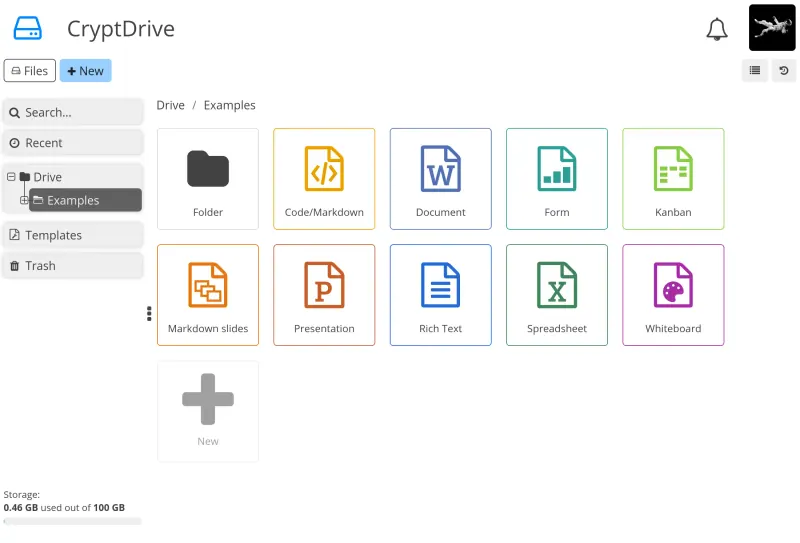
Edits documents, spreadsheets and presentations together in the browser, imports and exports .docx, .xlsx and .pptx files, exports PDF, and adds forms, kanban boards and a whiteboard, all end-to-end encrypted in its own drive. Files are kept in CryptPad's encrypted format rather than as Office files, so complex formatting can change on the way in and out, and there is no email, chat app or desktop sync.

Easy Open source

Moving from Microsoft 365

ONLYOFFICE Docs works inside a file app, so set up Nextcloud or Seafile first if you do not have one. In Nextcloud, install the ONLYOFFICE app from the app store and paste ONLYOFFICE's web address and the secret Cloudgate shows into its settings; in Seafile, an admin adds the same address and secret to Seafile's settings file. Then download your files from OneDrive or SharePoint and upload them to your file app: Word, Excel and PowerPoint files open as they are, with no conversion. Collabora Online connects to the same file apps: in Nextcloud, paste its web address into Nextcloud Office's settings under "Use your own server"; in Seafile, an admin adds it to Seafile's settings file. Your Office files then open in it as they are. Teams chats need another app, and email, calendars and contacts move to Group-Office or EGroupware. With CryptPad, download your Office files from OneDrive or SharePoint and import them into CryptPad's Document, Spreadsheet and Presentation apps from your CryptDrive; they are converted to CryptPad's encrypted format, so check complex files, and export them back to Office formats whenever someone outside needs a copy. For Group-Office or EGroupware, keep your mail with a provider that offers IMAP and SMTP, since neither hosts mailboxes, then export contacts as vCard files and calendars as .ics files from Outlook and import them. Group-Office has a guide for moving from Microsoft 365, uses imapsync to copy mail and connects phones and Outlook as an Exchange account; EGroupware syncs phones over CalDAV and CardDAV and Outlook through a CalDAV add-in.

Questions

What is the best open-source alternative to Microsoft 365?

Start with ONLYOFFICE Docs. If you want something simpler, try CryptPad. All 5 are free and open source.

Can ONLYOFFICE open my Word, Excel and PowerPoint files?

Yes. ONLYOFFICE saves in .docx, .xlsx and .pptx, the same formats Microsoft Office uses, so you open your files directly and colleagues on Microsoft Office can keep working with them. Very complex files can look slightly different.

Should I choose ONLYOFFICE, Collabora Online or CryptPad?

Choose ONLYOFFICE to keep working on real Word, Excel and PowerPoint files with colleagues who use Microsoft Office. Choose Collabora Online for the same kind of work on a smaller server, with editing in a phone's browser and OpenDocument and Visio files too, accepting the notices its free edition shows. Choose CryptPad if you want every document end-to-end encrypted in one app with its own drive, and mostly work inside it rather than passing Office files back and forth.

Do ONLYOFFICE and Collabora Online replace Outlook and Teams?

No. ONLYOFFICE Docs and Collabora Online replace the Word, Excel and PowerPoint editors only. For files you add Nextcloud or Seafile; Group-Office or EGroupware cover email, calendars and contacts; and chat needs a separate app.

Should I choose Group-Office or EGroupware for email and calendars?

Choose Group-Office if you want phones and Outlook to sync calendars, contacts and mail as an Exchange account. Choose EGroupware if you also want projects, time sheets and a ticket tracker free in the same app. Both read your existing mailboxes rather than hosting them.

How many people can use the free ONLYOFFICE Community Edition?

ONLYOFFICE recommends it for teams of up to 20 users. It is a recommendation, not a hard limit; larger teams are pointed to the paid Enterprise edition.

Can I edit documents on my phone?

Yes with Collabora Online, which edits in a phone's browser through Nextcloud or Seafile. With ONLYOFFICE's free edition, files open read-only in a phone's browser; ONLYOFFICE's free Documents app for iPhone and Android can connect to Nextcloud and other WebDAV storage to open your files.

Are these Microsoft 365 alternatives really free?

Yes, ONLYOFFICE Docs, Collabora Online, EGroupware, Group-Office and CryptPad are free. To run them you need Cloudgate and a server. Use hosted Cloudgate, which can also provide the server, or install Cloudgate on a server of your own for free. Cloudgate's plans and prices are at cloudgate.octabyte.io/pricing. One server can run several apps.

Do I need a developer to replace Microsoft 365?

No. Cloudgate installs the app you choose on your server and gives it a secure web address, and you use it in your browser instead of Microsoft 365.