CryptPad
Write and edit documents together, end-to-end encrypted.
No server needed to start: Cloudgate can provide one. What happens when you click Deploy


What is CryptPad?
CryptPad is a self-hosted, end-to-end encrypted office suite: documents, spreadsheets, forms and kanban boards your team edits together in the browser.
CryptPad is an open-source, end-to-end encrypted office suite that you host yourself, a private alternative to Google Docs, Google Workspace and Proton Docs. Your team writes documents, spreadsheets and presentations together in the browser, and every file is encrypted before it leaves each person's computer, so the server stores only data it cannot read.
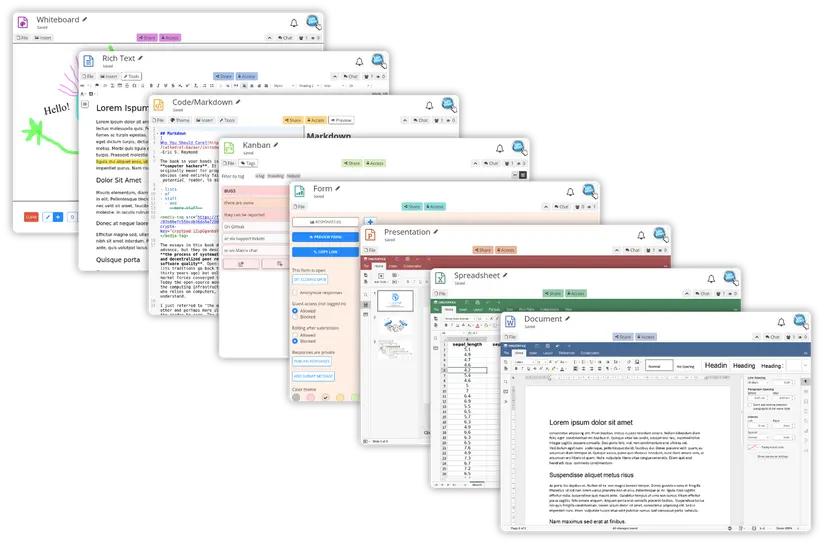
Beyond Office-style documents, CryptPad has rich text with comments, Markdown notes and slides, kanban boards, forms and polls, diagrams and a whiteboard, all kept in each person's encrypted CryptDrive. Teams get shared folders, and any document can be shared by link, for editing or view only. A counselling charity, for example, could draft case notes and run a confidential intake form without any provider, or its own IT person, being able to read them.
CryptPad works in any web browser, including on a phone, imports and exports Word, Excel and PowerPoint files, and exports PDF. There is no phone app, and because of the encryption, nobody can reset a lost password.
Cloudgate installs CryptPad on a server Cloudgate provides or one you connect, with the two secure web addresses it needs and, if you choose, the office editors for documents, spreadsheets and presentations. Open the admin setup link to create your admin account, then invite your team.
What you can do with CryptPad
- Keep every document private Documents are encrypted in your browser before they reach the server, so the server never sees their content or your password.
- Edit together in real time Several people type in the same document at once, with a chat beside it.
- Work in Office-style apps Write documents, spreadsheets and presentations, import and export Word, Excel and PowerPoint files, and export PDF.
- Use more than documents Rich text with comments, Markdown notes and slides, kanban boards, forms and polls, diagrams and a whiteboard.
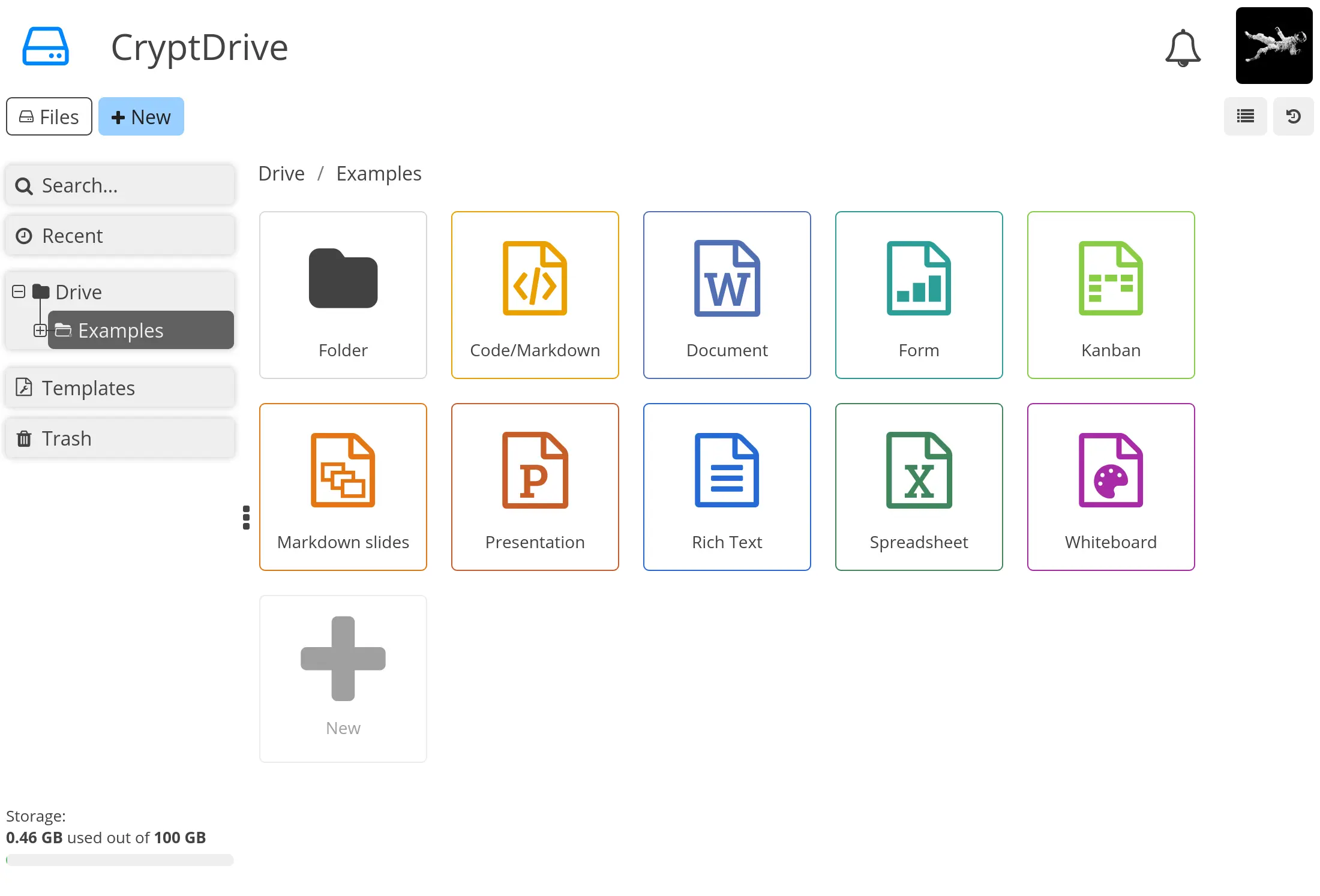
- Organise files in your drive Keep everything in folders in your own CryptDrive, with search, templates and a trash, plus shared folders for teams.
- Share on your terms Share with contacts or by link, for editing or view only, with an optional password and an expiry date.
- Go back in time Browse a document's history, save named snapshots and restore an earlier version.
Replaces Google Workspace, Proton Drive and Microsoft 365
CryptPad does the same job as Google Workspace, Proton Drive and Microsoft 365. Here is what changes when you switch.
- Neither your host nor your own admin can read the documents
- No fee per user; you pay only for your server
- Forms, kanban boards, a whiteboard and diagrams sit beside your documents
- One place for documents, files and teams, with no separate file app needed
- Documents are kept in CryptPad's own encrypted format, so complex Word or Excel formatting can shift when you import or export
- A forgotten password cannot be reset by the admin
- No email, calendar invites or video calls, and no phone app (it works in a phone's browser)
- Each person starts with 50 MB of storage until the admin raises it
What happens when you click Deploy?
You do not need a server or any technical knowledge. Four steps, and CryptPad is running at its own web address.
- Step 1 Click Deploy and create your account
Deploy takes you to Cloudgate. Create an account, or log in if you have one. CryptPad itself is free.
- Step 2 Choose a server
No server? Get one from Cloudgate: pick a size and a country, and Cloudgate gets it ready. Already have one? Connect it instead.
- Step 3 Cloudgate sets up CryptPad
It prepares the server, makes the passwords the app needs and starts it. There is nothing to install and nothing to write down.
- Step 4 Open your app and sign in
Your app gets a free web address to start, without https. Add your own domain, like app.yourshop.com, and Cloudgate secures it with https for you.
New to Cloudgate? See what Cloudgate is
Run Cloudgate yourself? Deploy from your own console
In your Cloudgate console, open Templates and choose CryptPad.
Questions
Is CryptPad free?
Yes, CryptPad is free and open source under the AGPL-3.0 licence, and every feature is in the self-hosted version. You pay only for your server; its makers sell hosting and support, not extra features.
Is CryptPad a good alternative to Google Docs?
Yes, CryptPad is a good Google Docs alternative if privacy matters most. CryptPad offers the same kind of live co-editing as Google Docs in the browser, plus forms and kanban boards, with every document end-to-end encrypted. It has no email or video calls, and Office-file formatting can change slightly on import.
Can the server admin read my CryptPad documents?
No, documents are encrypted in each person's browser and the server stores only scrambled data, so the admin cannot read them. You still trust whoever runs the server to serve CryptPad's unmodified code, which is one reason to host it yourself.
How do I sign in to CryptPad the first time?
There is no default login. Open the admin setup link, CPAD_ADMIN_SETUP_URL, on the app's variables page in Cloudgate (it is also in the app's logs), then create the admin account and name your CryptPad. Everyone else then signs up from the home page.
What happens if someone forgets their CryptPad password?
Their CryptPad documents are lost unless they kept a backup, because the admin cannot reset or recover passwords. That is the price of end-to-end encryption, so ask everyone to store their password in a password manager.
Can I import Word, Excel and PowerPoint files into CryptPad?
Yes, the CryptPad Document, Spreadsheet and Presentation apps import and export .docx, .xlsx and .pptx files, and export PDF. Complex formatting can shift in the conversion, and OpenDocument files are still experimental.
What server size do I need for CryptPad?
A medium server with 2 GB of memory, which is what CryptPad recommends and what Cloudgate asks for. The office editors download about 1 GB on the first start; plan the disk for your team's documents on top, since each person gets 50 MB until the admin changes it.
Do I need technical skills to run CryptPad?
No. Click Deploy, create your Cloudgate account and choose a server, and Cloudgate sets up CryptPad and gives it a web address. You use it in your browser like any other online tool.
Do I need my own server for CryptPad?
No. When you deploy CryptPad, hosted Cloudgate can provide a server. If you already rent one, you can connect it instead.
Related apps

Online office for Word, Excel and PowerPoint files.
Write together in real time, with each author in their own colour.

A self-hosted, Notion-style editor for writing documents together.

Edit Word, Excel and PowerPoint files together in the browser.